Originally published at: WWDC26 Keynote Shows Apple’s Tacit Acknowledgment of External Pressures - TidBITS
Apple is not a company that admits weakness or mistakes in public, but the WWDC 2026 keynote made clear just how much external pressure Apple is under right now. Although a few of the announced features undoubtedly bubbled up internally, the three-part structure of the 75-minute-long keynote was clearly reactive. Apple focused on user and developer complaints, parental concerns about technology abuse, and the embarrassment surrounding Apple Intelligence and the “more personalized” Siri it had promised two years earlier. This was not the keynote of a company setting the direction of the industry.
But first, a few notes: I will continue my habit of referring to the full set of Apple’s platforms as OS 27. Although each platform remains distinct, with interaction approaches tailored to its individual hardware, Apple continues to focus on providing a consistent, unified experience across them all. Lending support to the idea that even Apple thinks of them as a unit is a new Overview page with the telling URL of https://www.apple.com/os/ and sub-pages with largely repetitive details about each operating system:
Missing from the keynote and that list is tvOS 27, which merited only the briefest mention in Apple’s press release, and any acknowledgment of the HomePod at all. Rumors suggest that Apple may release a new “homeOS” alongside a “HomePad” smart home hub that would combine a HomePod with a 7-inch screen and an A18 chip with enough power to support Apple Intelligence (and thus the revamped Siri). Hopefully, we’ll hear more details about the future of HomePods soon.
Nor were there any hardware announcements. Although it’s not uncommon for hardware to debut at WWDC, it’s by no means guaranteed and tends to connect more with platform-defining announcements like Apple silicon (see “Macs Make the Move to ARM with Apple Silicon,” 22 June 2020) and the Vision Pro (see “Apple Vision Pro Evokes Deep Ambivalence,” 12 June 2023). We’ll keep waiting for the M5 iMac, M5 and M5 Pro Mac mini, and M5 Max Mac Studio, and possibly even an M5 Ultra Mac Studio.
Finally, before we dive into the keynote announcements, Apple continued its playful tradition with macOS naming. Craig Federighi did a bit that started with 1960s animation reminiscent of the Beatles movie Yellow Submarine and ended with Apple marketers—I’m pretty sure it was Apple marketing chief Greg “Joz” Joswiak—revealing the name from a vintage VW Microbus while driving by. For the foreseeable future, we’ll all be talking about macOS 27 Golden Gate. Alas, no one in the spirited TidBITS Talk discussion of possible macOS names guessed correctly.

Another Year of the Snow Leopard and Mountain Lion
During the big cat era of macOS releases, Apple often used a tick-tock cycle: a “tick” release (Leopard, Lion) would debut new features, and the subsequent “tock” release (Snow Leopard, Mountain Lion) would focus on refining them. Apple marketed Snow Leopard with the promise of zero new features, focusing on stability after Leopard’s somewhat rocky move to 64-bit, Time Machine, and other under-the-hood changes (see “Mac OS X Snow Leopard to Focus on Performance, Not Features,” 9 June 2008). Mountain Lion was more about smoothing the rough edges in Lion and bringing over features from iOS like Notification Center, iMessage, and Reminders (see “OS X 10.8 Mountain Lion Stalks iOS,” 16 February 2012).
Although there’s no obvious connection between the Tahoe and Golden Gate names to indicate a “tock” release, Apple devoted the first chunk of the WWDC keynote to how OS 27 will address user and developer complaints about OS 26. Liquid Glass isn’t going away, of course, but Apple came about as close as is conceivable to admitting that a lot of people don’t like it, with the presenter saying:
Like with all major design updates, there’s a natural process where we take a bold leap forward, and then we continue to iterate. Part of how we do this is by listening to users and developers. Our team really appreciates your feedback, and we considered it deeply as we refined the new design over the past year. Now, we’re making some additional refinements, starting with updating the foundations of how Liquid Glass is built.
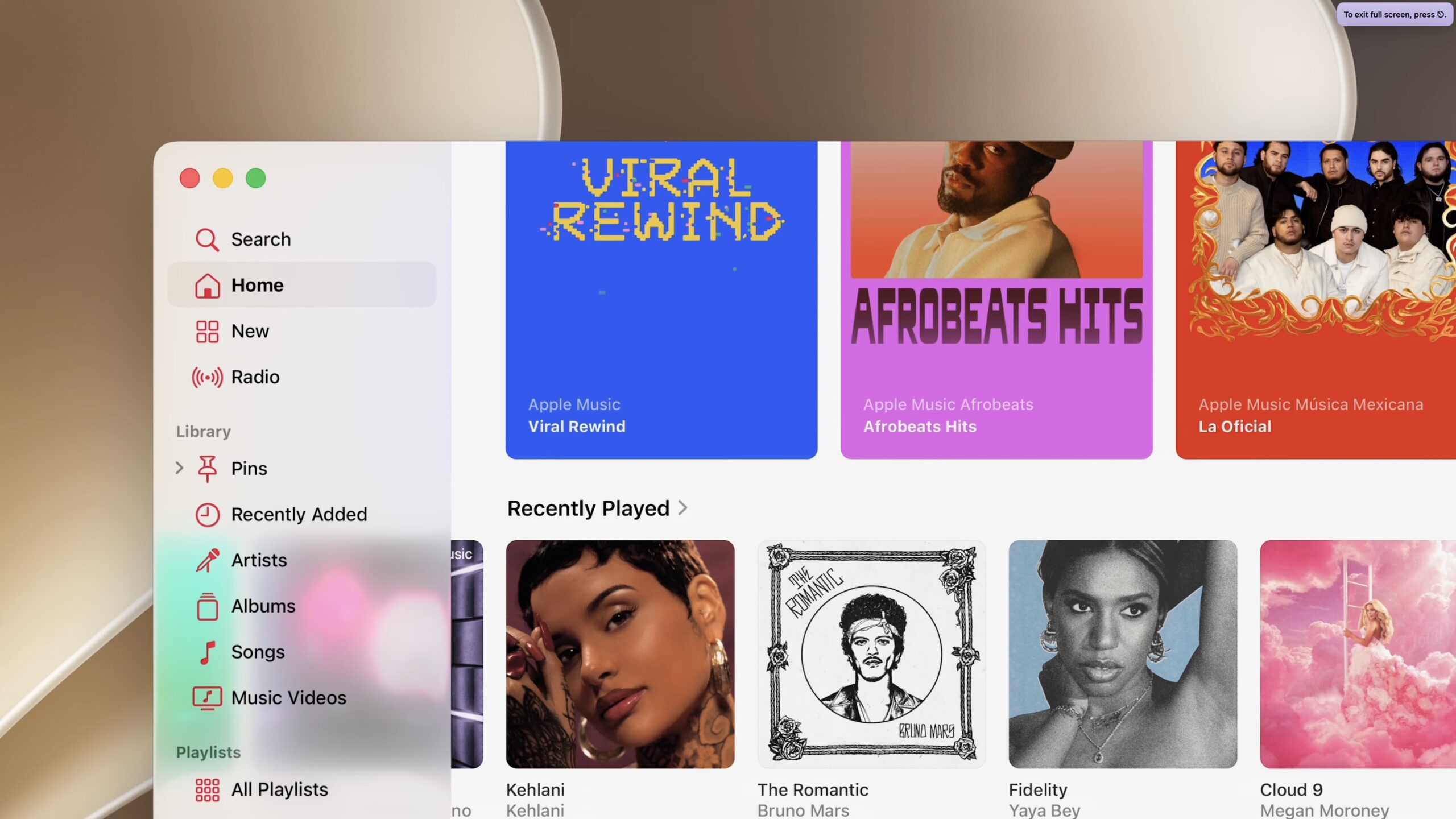
A new slider will let users adjust Liquid Glass transparency from ultra-clear to fully tinted, though I’m withholding judgment until I see how it compares to the Reduce Transparency accessibility setting I’m accustomed to. macOS will feature a uniform toolbar across the top of apps, which may reduce illegibility caused by content flowing under controls. macOS sidebars will extend to the edges of windows (see below) and will regain the colored icons that make it easier to distinguish apps from one another. Although it seems we’re still stuck with the “squircle” icons, Apple has doubled down on the glassy look, so app icons can have additional Liquid Glass layers integrated into the artwork for sharper definition. I’m withholding judgment here too—see “BasicAppleGuy’s macOS Icon History,” 9 September 2025, and “Tahoe’s Terrible Icons, Another Take,” 5 November 2025.
Apple also made a big deal about performance improvements, smoothing system animations, launching iPhone and iPad apps up to 30% faster, displaying new photos in the Photo Library up to 70% faster, transferring files via AirDrop up to 80% faster, and moving files from an iPad to an external drive is up to 5x faster, so it compares with macOS transfer speeds. A new CPU Scheduler promises to improve iPhone performance even on older models back to the iPhone 11, which may encourage more people with older iPhones to upgrade.
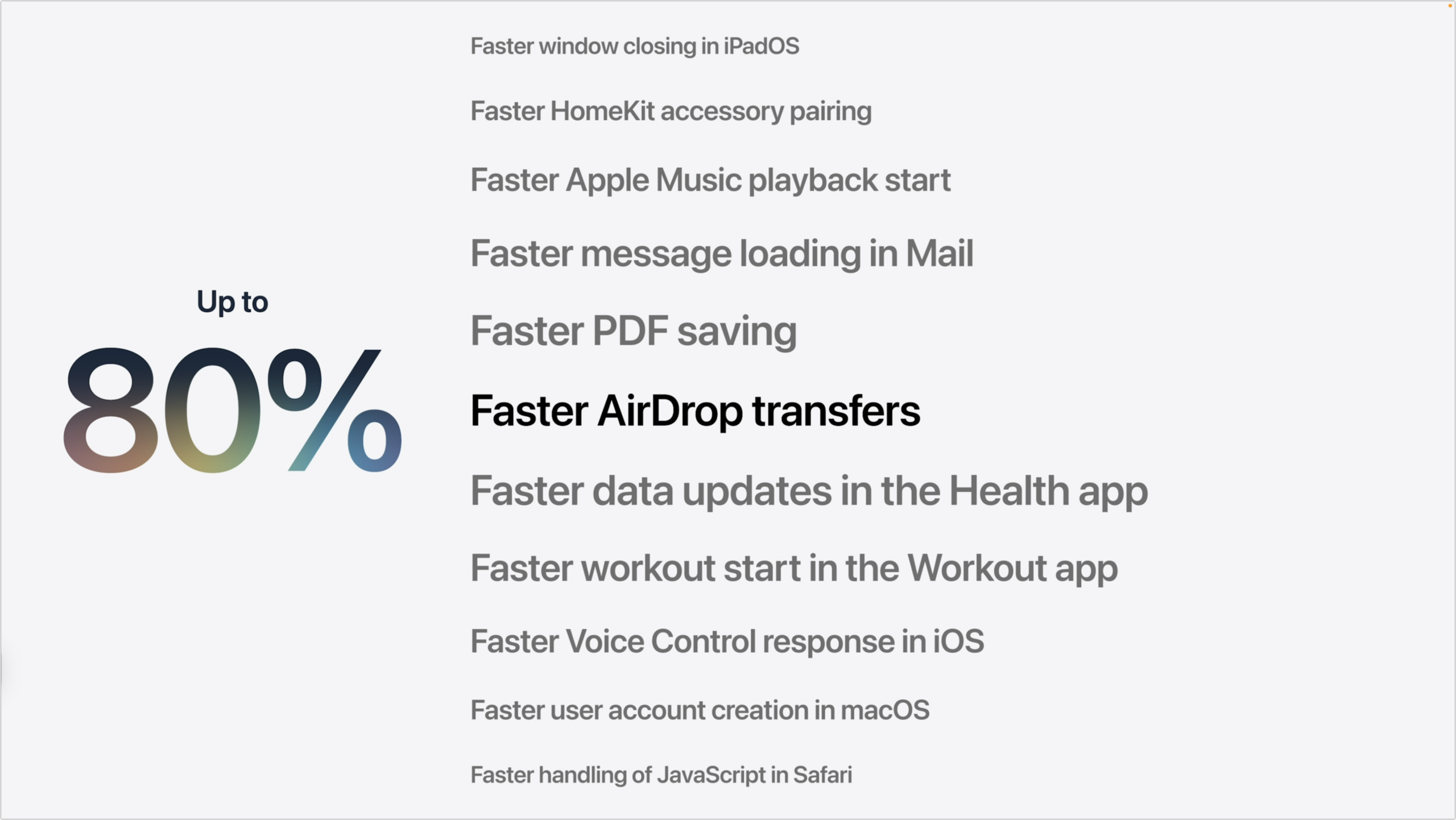
Other changes relate more to the user experience. Apple reportedly improved network transitions between cellular and Wi-Fi, so your iPhone won’t switch to a nearby Wi-Fi network as you walk by or hold onto an airplane Wi-Fi network after you’ve deplaned. Apple also acknowledged that Spotlight often doesn’t find things you know are there, so it completely rearchitected the search index to be more stable, comprehensive, and responsive. Frankly, search in Apple products (and on the apple.com website) has often been weak, so I’m looking forward to seeing how well the new Spotlight architecture works in comparison.
This focus on refinement continues to new features in apps, such as better relevance ranking in Mail searches, allowing contributions to iCloud Shared Albums from Android and Windows users via icloud.com, perimenopause and menopause support in the Health app’s cycle tracking, custom EQ for AirPods, additional detail in the Flyover feature for select cities in Maps, and support for 4K video from HomeKit Secure Video cameras. On the Vision Pro, panoramas can be converted to spatial scenes and used as personal environments. None of these are earth-shaking, but some users will appreciate them.

A Focus on Child Safety
The second leg of Apple’s WWDC keynote focused on child safety and parental controls. Apple was treading very carefully here, emphasizing that parents are in the best position to decide what’s best for their children and that it is shaping child safety features based on expert health research. Apple name-dropped the American Academy of Pediatrics several times, and it seemed clear that Apple is trying both to respond to parental criticism of the addictiveness of its products (and the apps they enable) and to head off governmental regulation that might force undesired design directions.

For instance, when talking about parental controls surrounding app usage, Apple was particularly careful, saying:
When it comes to social media, we know parents are concerned. Experts recommend children under 13 don’t use social media and that parents carefully consider when their teen is ready. And because every child is unique, parents are in control and can always adjust any of the suggested allowances based on what’s best for their child.
The new child safety approach includes:
- Child accounts: The starting point for child safety is the Child Account, and parents can either create new Child Accounts or convert existing accounts. Once an account is designated as a Child Account, all the other parental controls become available.
- Content controls: A setup assistant walks parents through choosing what they want to allow their children to do and see. Parents can later expand those options.
- Ask to Browse: Apple’s parental controls have long included Ask to Buy, which enables parents to grant permission in Messages for which apps the child downloads or buys. New this year is Ask to Browse, which extends the approach to granting permission to new websites. Ask to Buy and Ask to Browse are on by default for kids under 13 and can be turned on for teens by parents.
- Communication controls: Similarly, communication controls allow parents to specify who children can talk to via their devices, starting with family. As kids want to talk with new people, parents must grant permission.
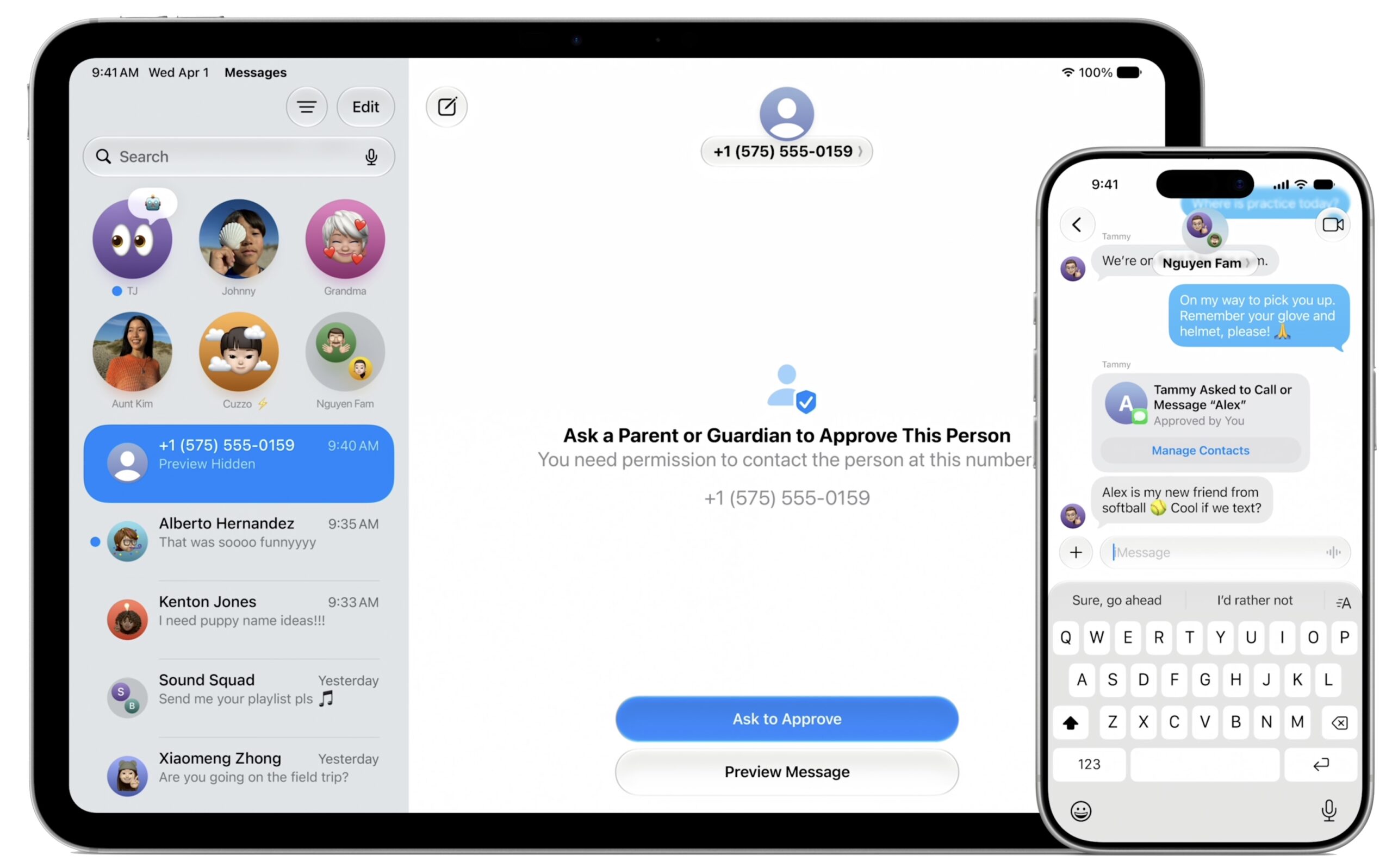
- Communication Safety expansion: Previously, Communication Safety warned kids about images or videos that might contain nudity and blurred them. Apple has now extended that protection to intervene before kids can see gore or violent content shared in images or videos.
- Time allowances and schedules: To help parents manage how long children spend on allowed apps, Apple has introduced time allowances. A daily time allowance spans entertainment, games, and social media, with each category having its own allowance. Time allowances can vary by time of day and day of week as well, to keep kids from using certain apps during school and to allow more flexibility on weekends.
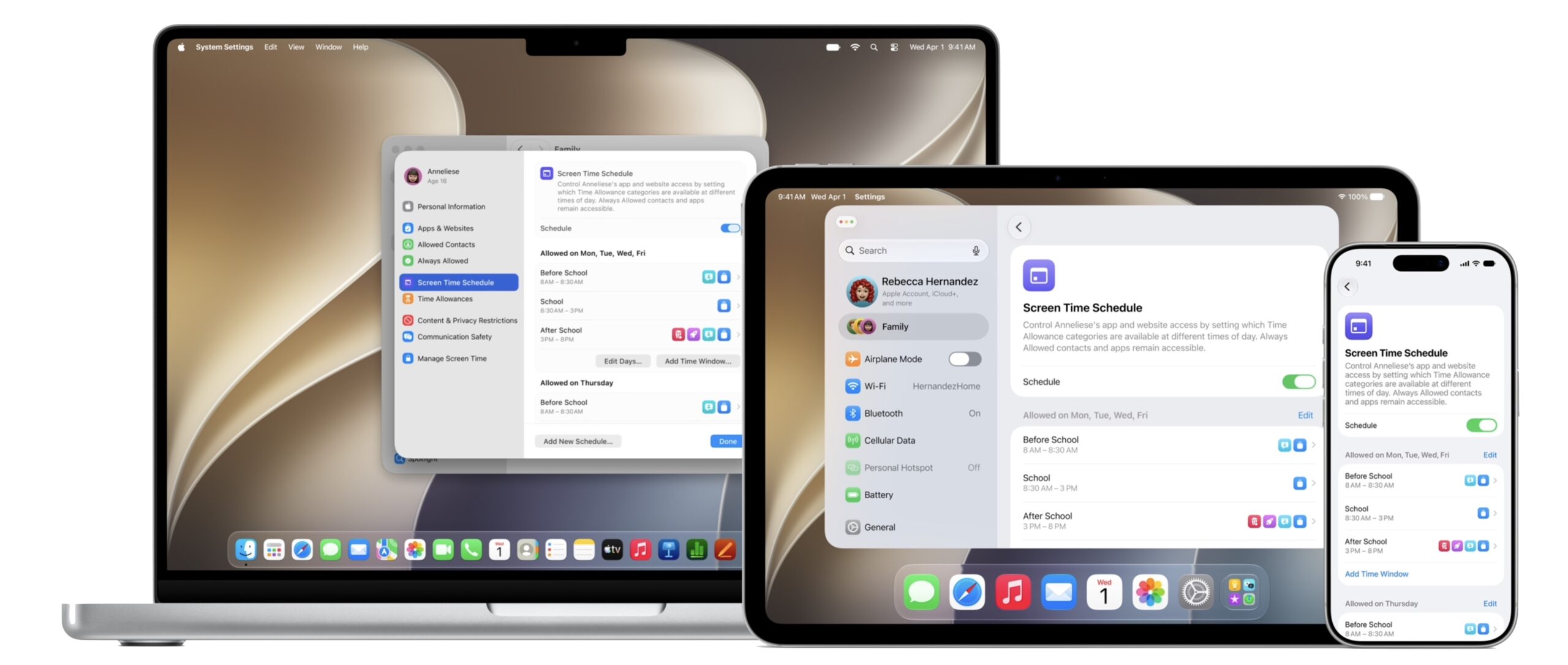
- Redesigned Screen Time: Apple has redesigned the Screen Time app to provide an at-a-glance view of a child’s device usage and to let parents quickly adjust controls.
- Child safety website: Apple unveiled a dedicated website designed to document these controls. Given that many parents have little technical knowledge, a website like this could be invaluable. For now, its content feels more marketing than anything else, but it could evolve into a hub that would explain when and how to use parental controls.
The big question with these new parental controls is how easily children will be able to circumvent them. Because children always find a way.
Hey, Siri AI, What’s in Apple Intelligence?
The third and final section of the WWDC keynote was what we’ve been waiting to hear since 2024, when Apple introduced Apple Intelligence and promised a “more personalized” Siri, now called Siri AI. Apple is once again promising a lot, but it claims that the new version of Siri is in the developer betas available today, and Craig Federighi said that Apple would launch Siri AI in beta for customers “later this year,” albeit only in English to start. In other words, Siri AI might not ship with the next-generation iPhones in September, but it should be available before the end of the year.
Federighi also warned that Siri AI would not be available in the EU on iOS and iPadOS, presumably due to EU requirements that Apple believes (or is at least claiming) will endanger users’ privacy and security. Nor will Siri AI and other new Apple Intelligence features be available in China as Apple works through regulatory requirements. These delays are reminiscent of how Apple dealt with App Store fees (see “Apple Reduces Chinese App Store Fees Without the EU Drama,” 13 March 2026).
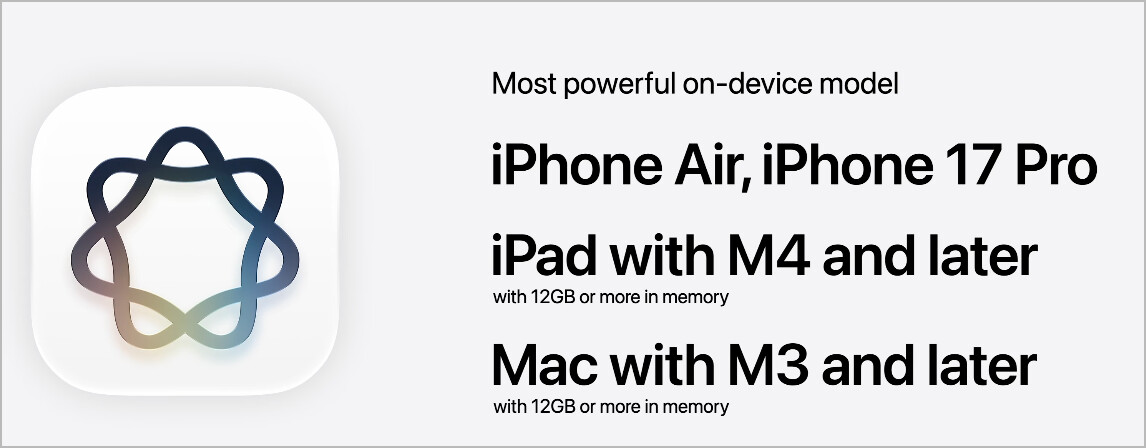
So what is Apple promising for this next generation of Apple Intelligence? First, Apple acknowledged that it is basing its new Apple Foundation Models on Google’s Gemini models, both for on-device usage and Private Cloud Compute. Different models provide varying levels of functionality, with models running on sufficiently capable Apple silicon devices offering speech understanding and generation, higher-accuracy dictation, and more expressive voices. Despite—or perhaps in part because of—the Google connection, Apple emphasized privacy more than ever. I suspect the only thing being shared with Google is a generous licensing fee, but the reliance on Google’s Gemini models remains a significant philosophical departure for Apple.
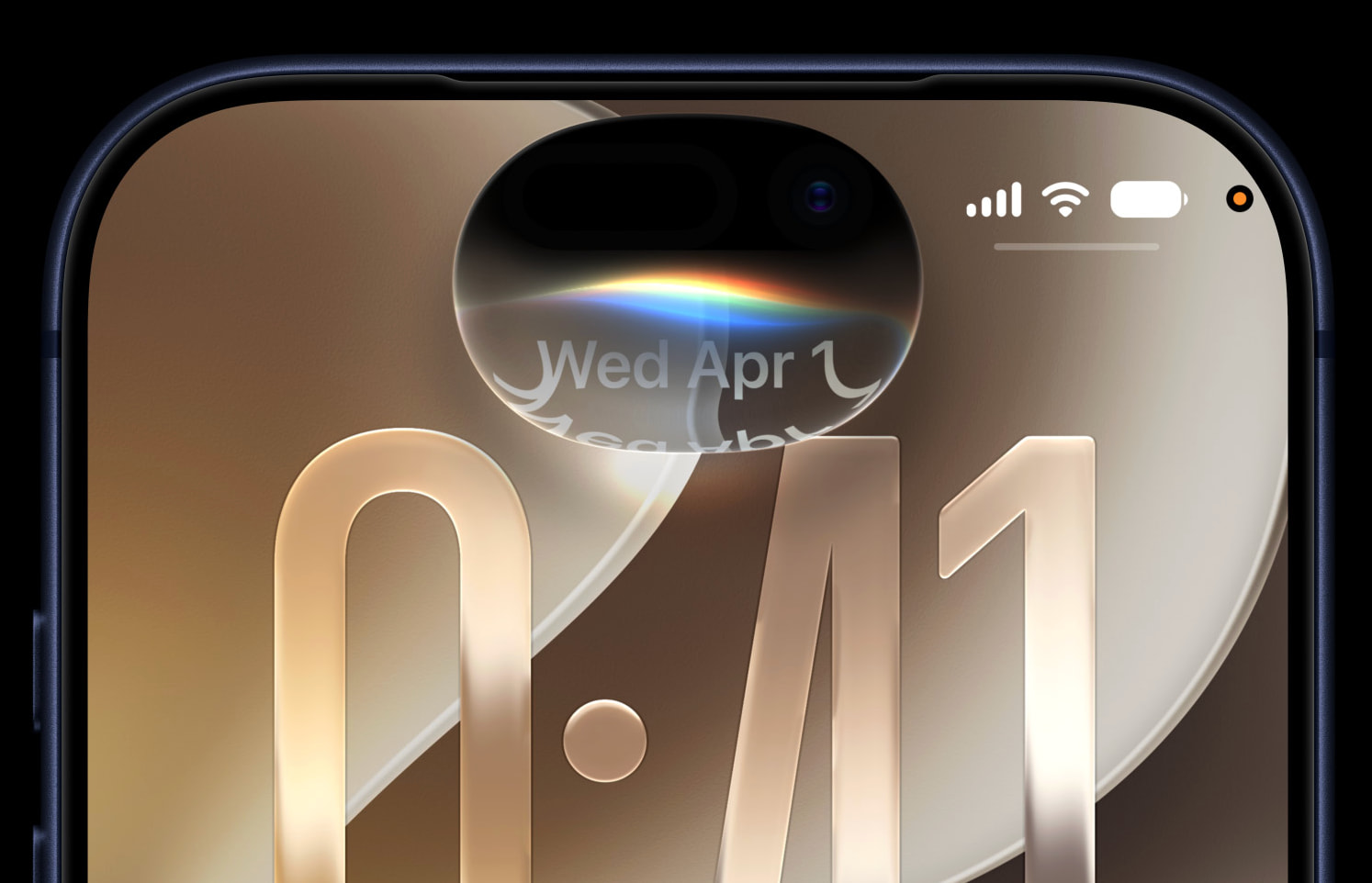
You can continue to invoke Siri in familiar ways. However, on the iPhone, you’ll also be able to swipe down from the Dynamic Island. On the Mac, Siri will be integrated into Spotlight, and contextual menu items will let you work directly on images, files, and text, with the conversation taking place in a draggable conversation window. A dedicated Siri app on the iPhone, iPad, and Mac will maintain and sync conversation history via iCloud. Siri AI will be available on watchOS, and visionOS will gain a 3D Siri visualization you can invoke by merely looking at it. You can even use Siri on CarPlay and AirPods, presumably because they’re relying on a more capable iPhone or another device. Again, the keynote omitted any mention of the HomePod or the Apple TV—a glaring oversight given the HomePod’s total reliance on Siri. Neither has sufficient processing power to run Apple Intelligence locally, so Apple would have to offload processing to another device or Private Cloud Compute. Or orphan them in favor of upgraded hardware.
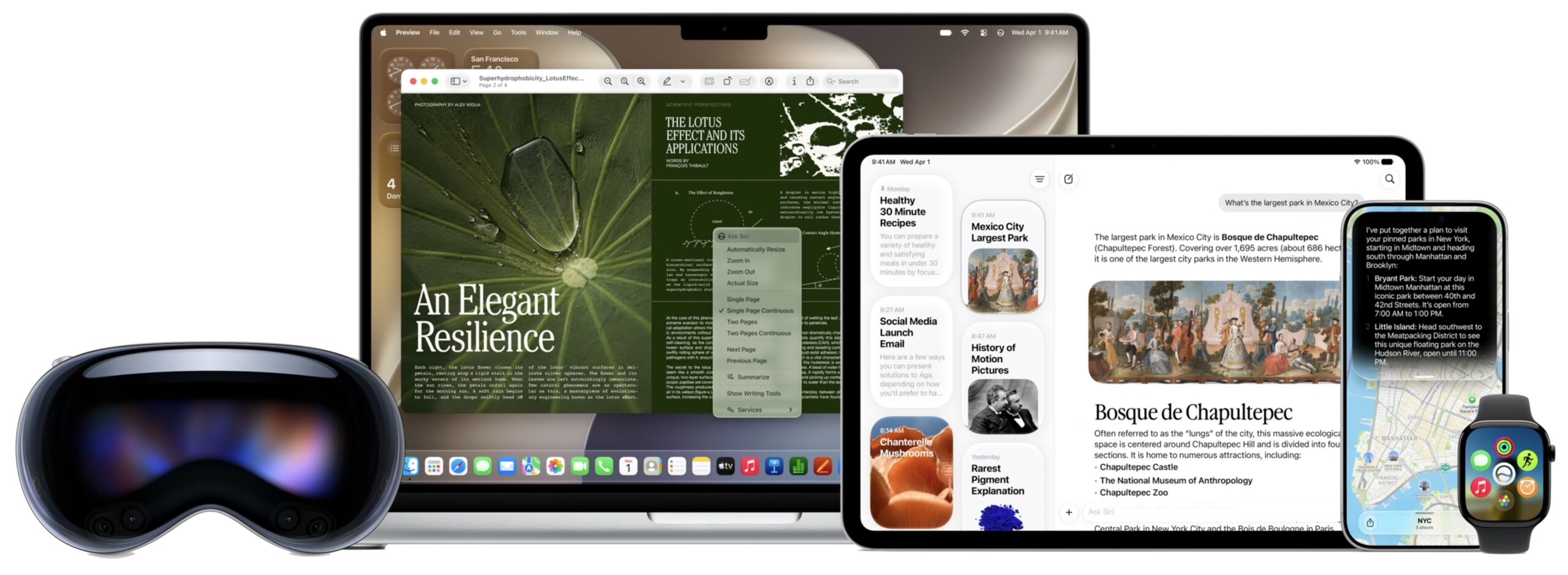
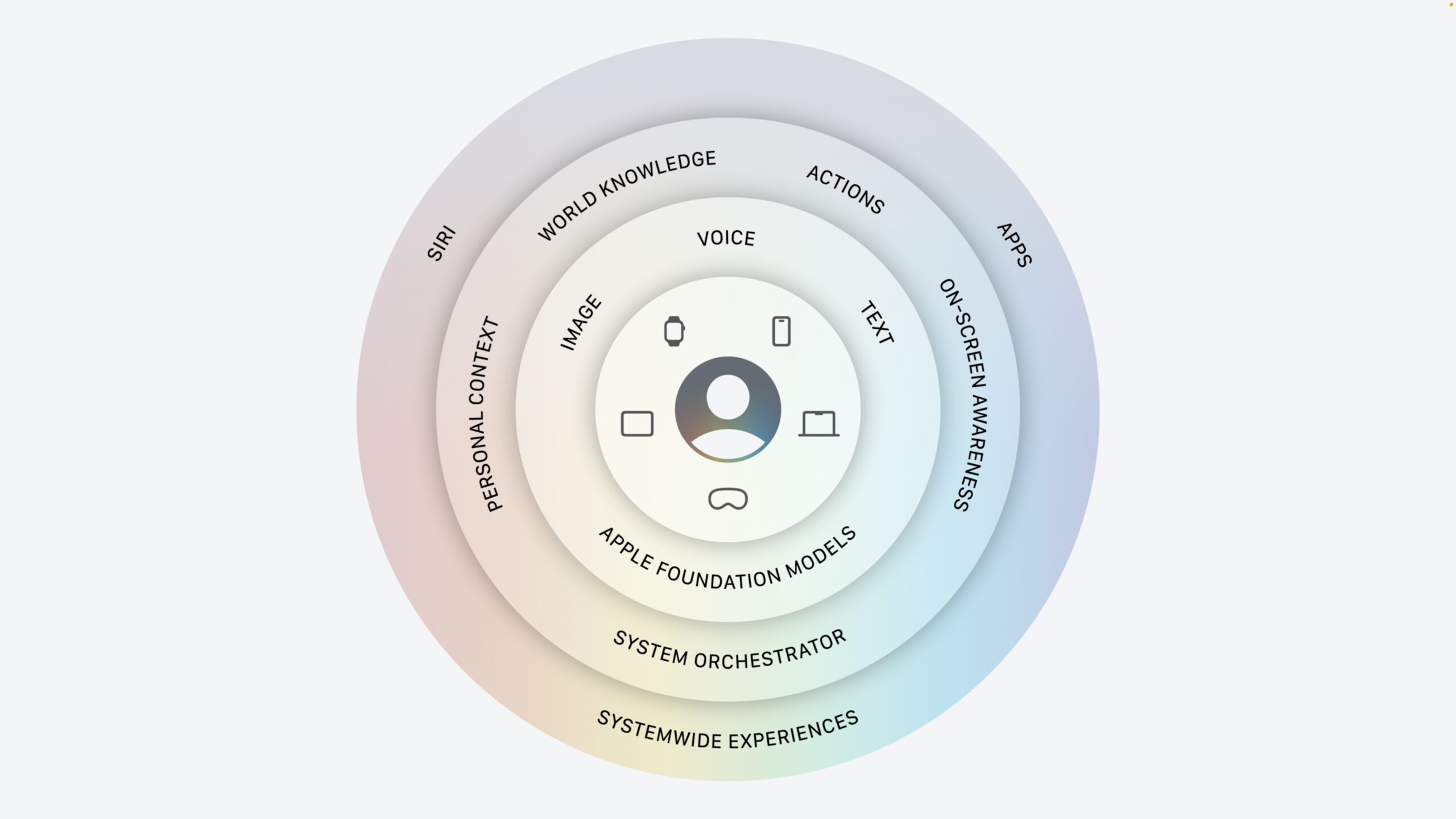
Siri AI promises significant enhancements:
- Conversational depth: Where Siri has trouble maintaining a conversation beyond a simple response to a specific question (“Would you like to send that message?), Siri AI will allow conversations with rich, detailed responses. Conversation is table stakes—ChatGPT has been able to do this since 2022—so the question is if Siri AI will match up to today’s chatbots. I’m curious if Siri AI will allow any user customization or learn the user’s preferences over time, or if it will present the same personality to everyone.
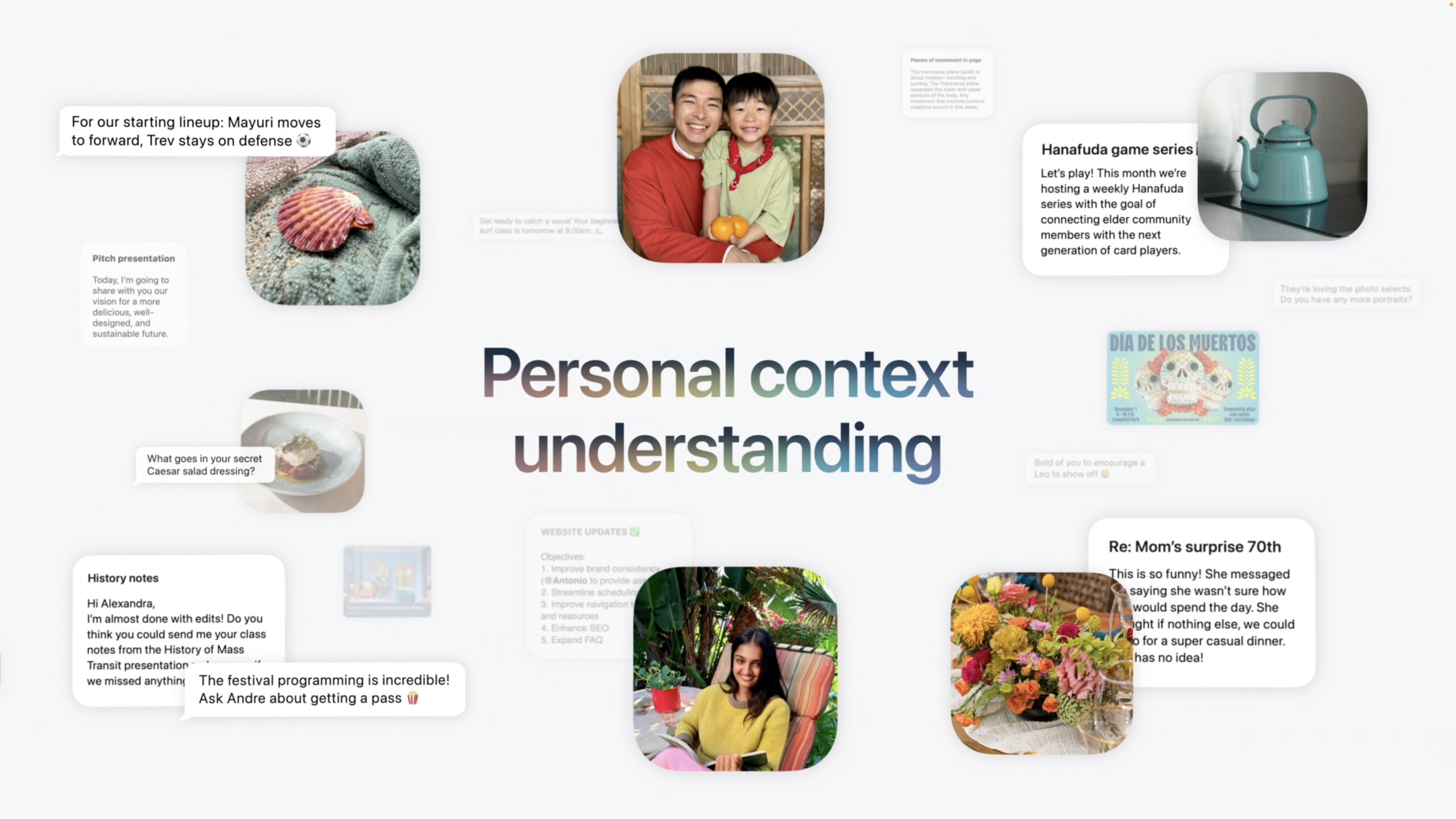
- Personal context: The killer feature Apple led with in 2024 was that Siri would tailor its responses and actions based on your messages, emails, photos, and other data, without the user having to specify where to look. That promise remains on the table—we’ll see if Apple can deliver this time. I’m also curious whether those of us who don’t use Apple’s Mail will have to keep it running in the background so Siri AI can access email.
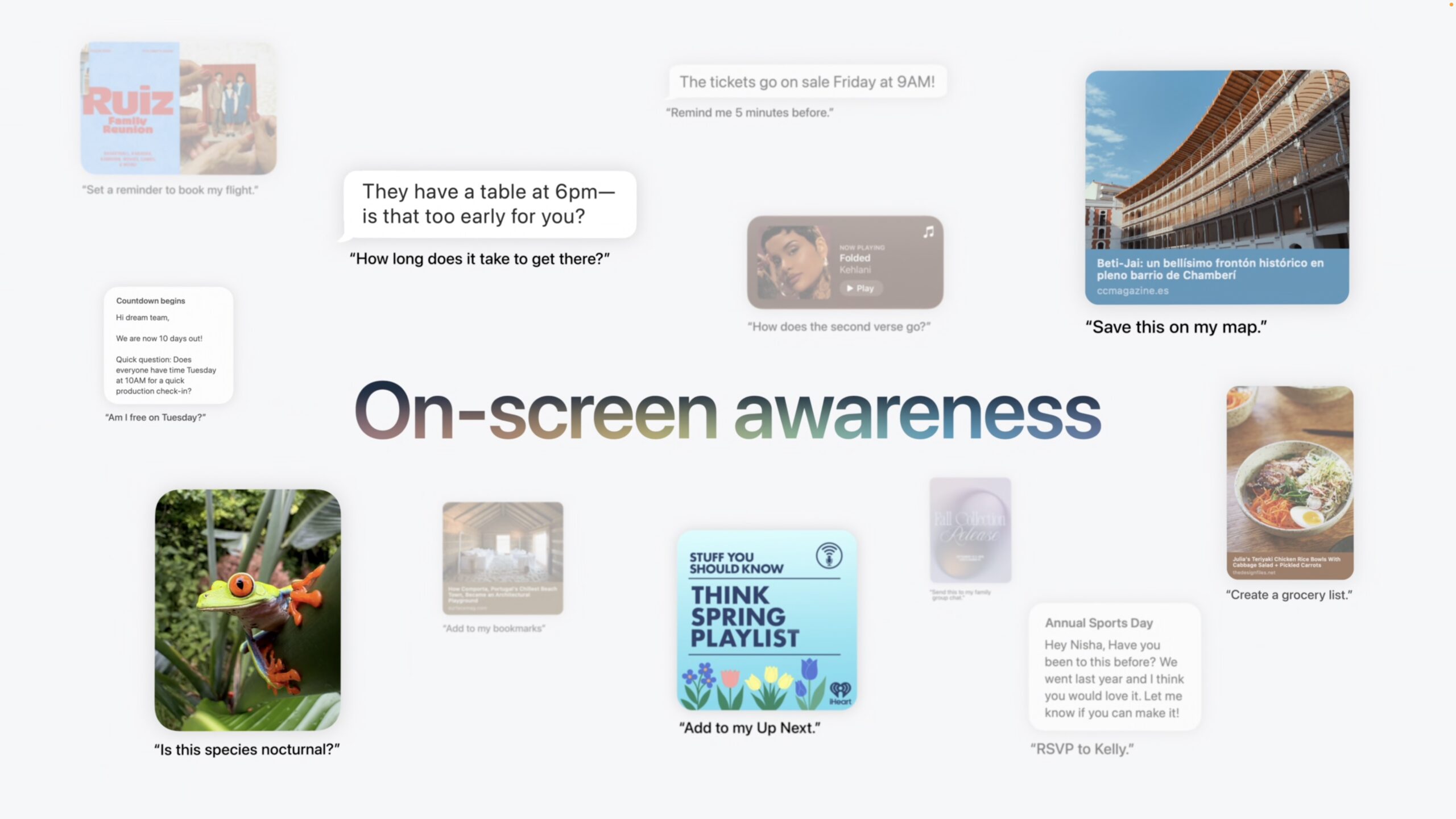
- On-screen awareness: Siri AI will understand what’s currently displayed on the screen and allow the user to ask questions or direct Siri to act on it. In some cases, you may need to make a selection to focus Siri on the particular content that interests you, much as you might drop a screenshot into a chatbot conversation now.
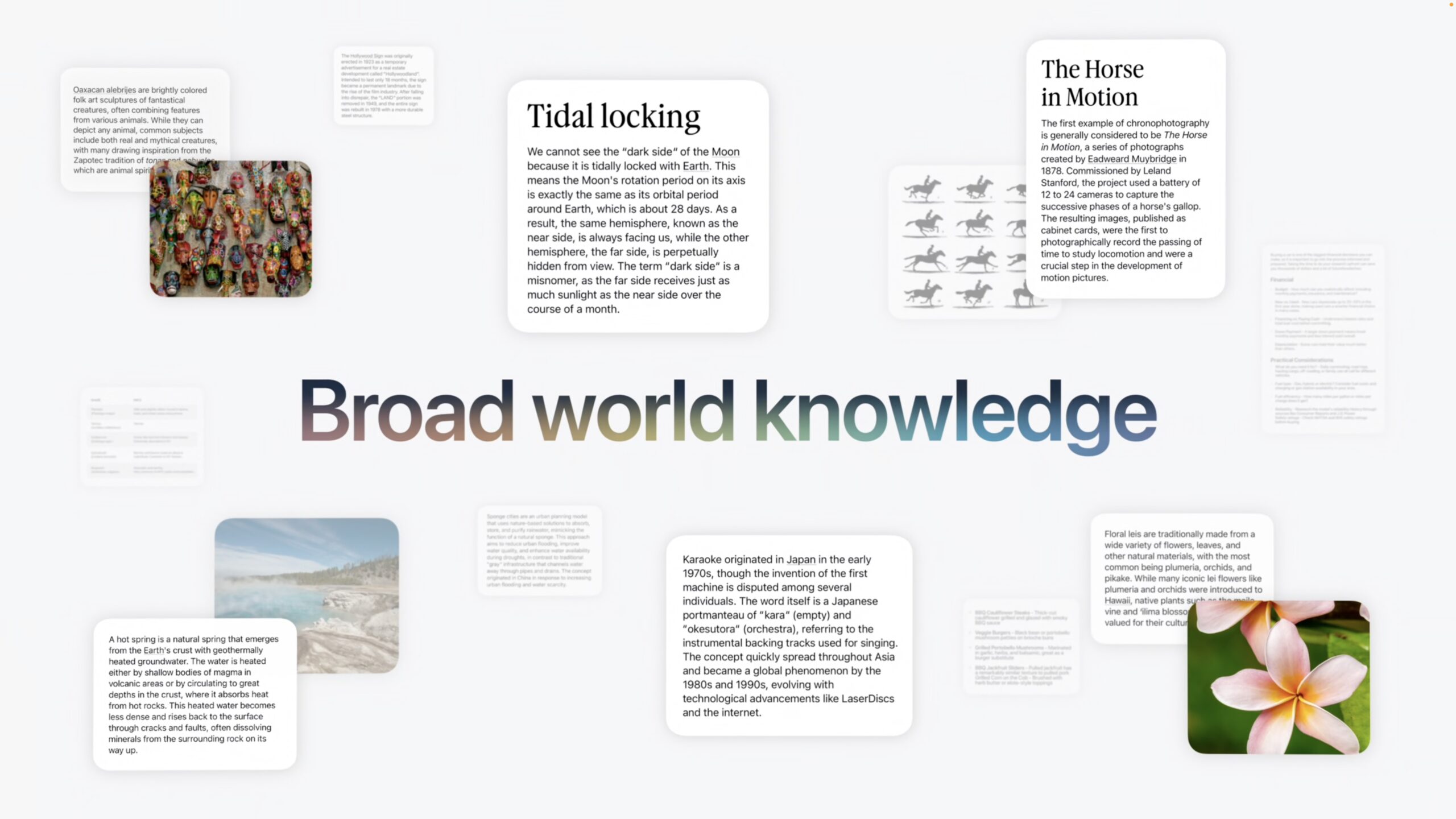
- World knowledge: Siri AI will be useful only if it can inform its responses with real-time information from the Web, and Apple claims it can do so. I have some trepidation here, since Apple has never been good at search, and the company is notably skittish about providing responses to anything that might be controversial or litigious. Today’s Visual Intelligence covers its ears and chants, “La la la, I can’t hear you” if you ask about health, politics, financial matters, or other potentially tricky topics (see “Visual Intelligence: Occasionally Useful, but Often Flawed,” 20 October 2025).
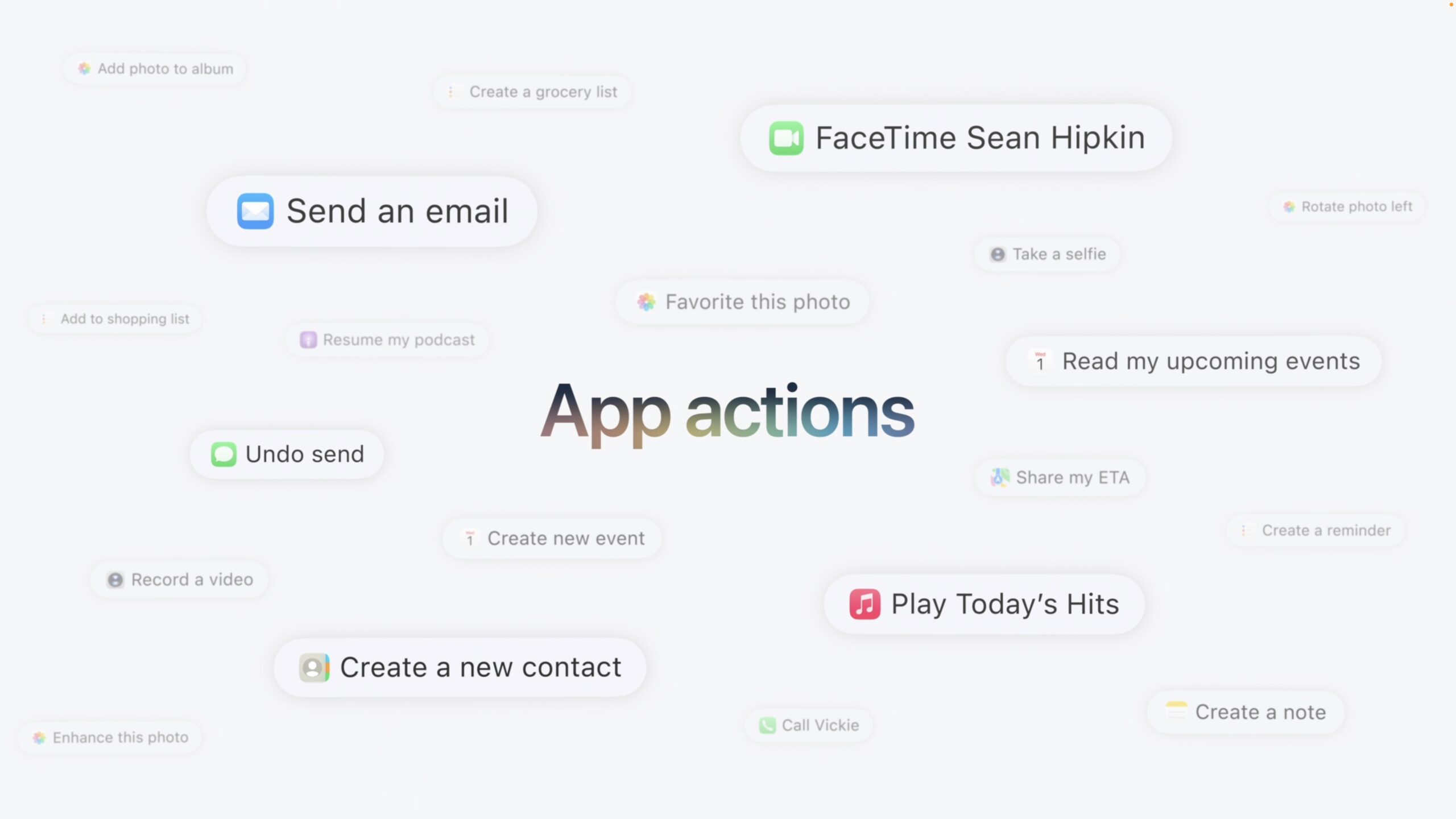
- App actions: Apple keeps emphasizing how much we’ll be able to control different apps through Siri. You’ll notice that all the examples below revolve around Apple’s apps; as with AppleScript, Automator, and Shortcuts, just how useful this capability proves will depend on the extent to which developers support it.
- Adjustable voice: If Siri has sounded too robotic for you in the past, you’ll appreciate the additional customization options of Siri AI’s voice. You can choose from more voices, tweak the speaking rate, and adjust expressivity.
- Improved system-wide dictation: Apple claims that dictation will benefit from a significant accuracy boost covering spelling, punctuation, and capitalization. With luck, it will be so good that we won’t have to resort to hacking Contacts for better responses (see “TipBITS: How Fake Contacts Can Fix Dictation’s Proper Noun Problems,” 15 May 2026).
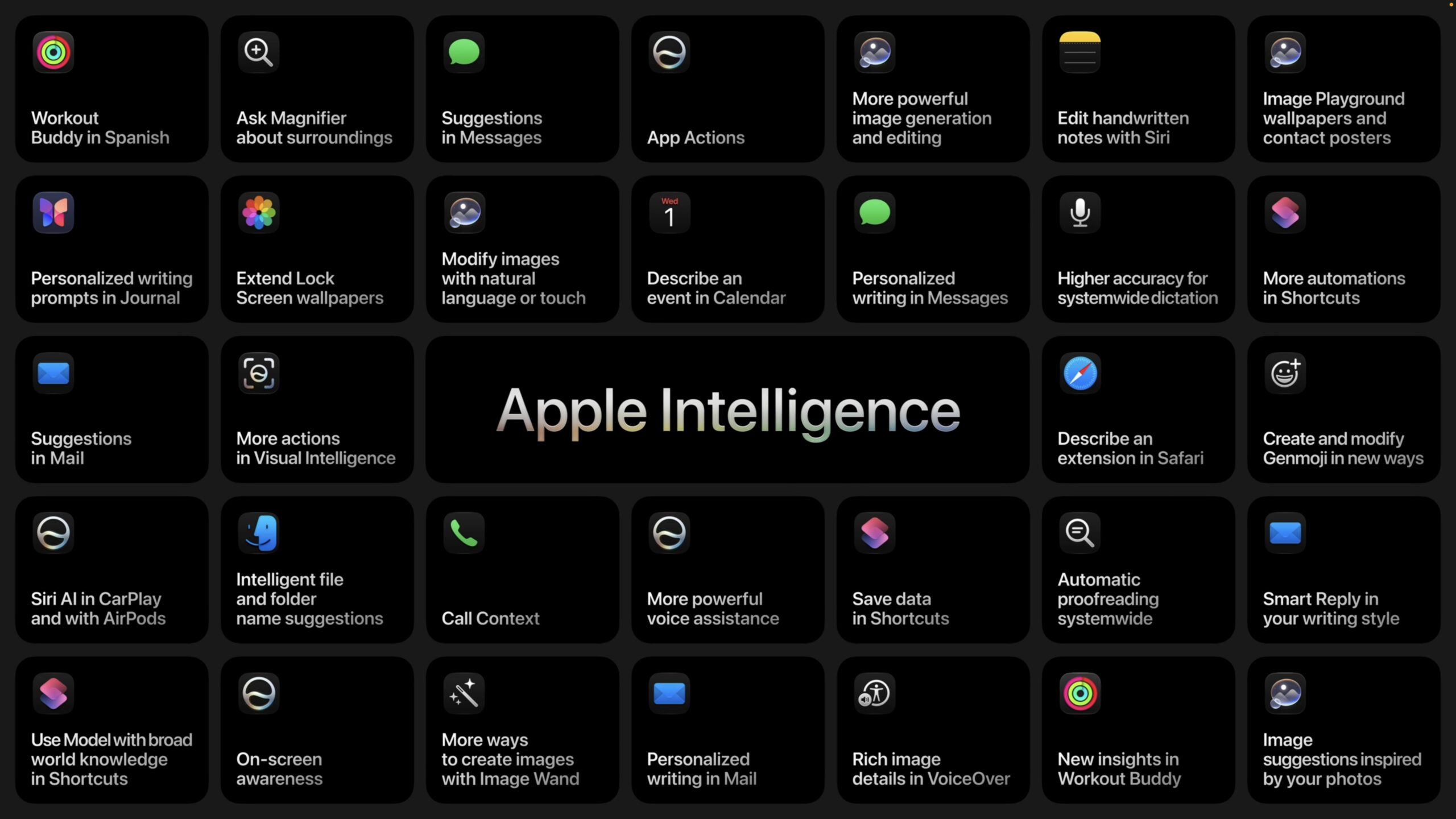
Although Siri AI is the marquee feature of the new version of Apple Intelligence, Apple has dramatically improved many other Apple Intelligence features:
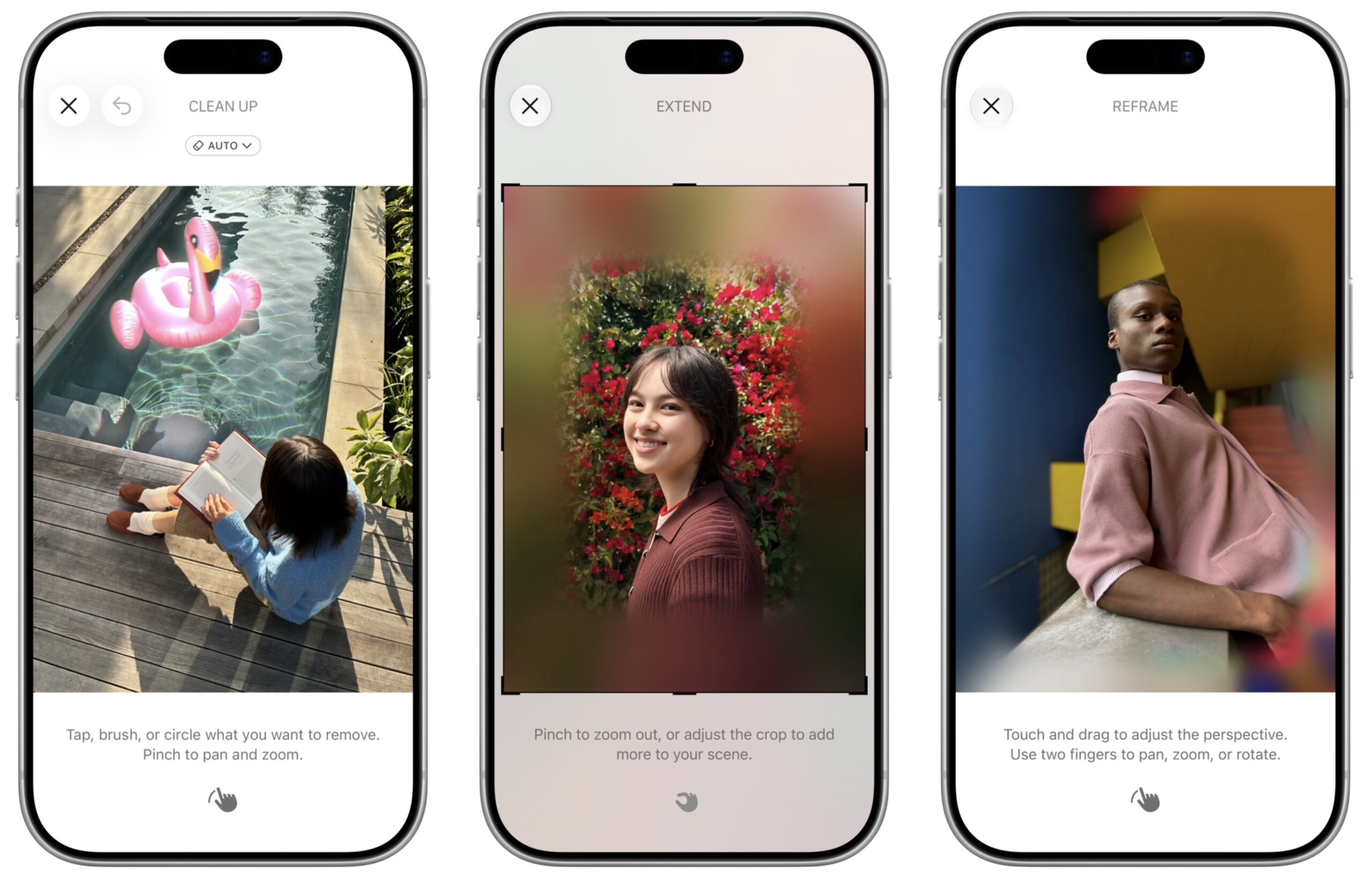
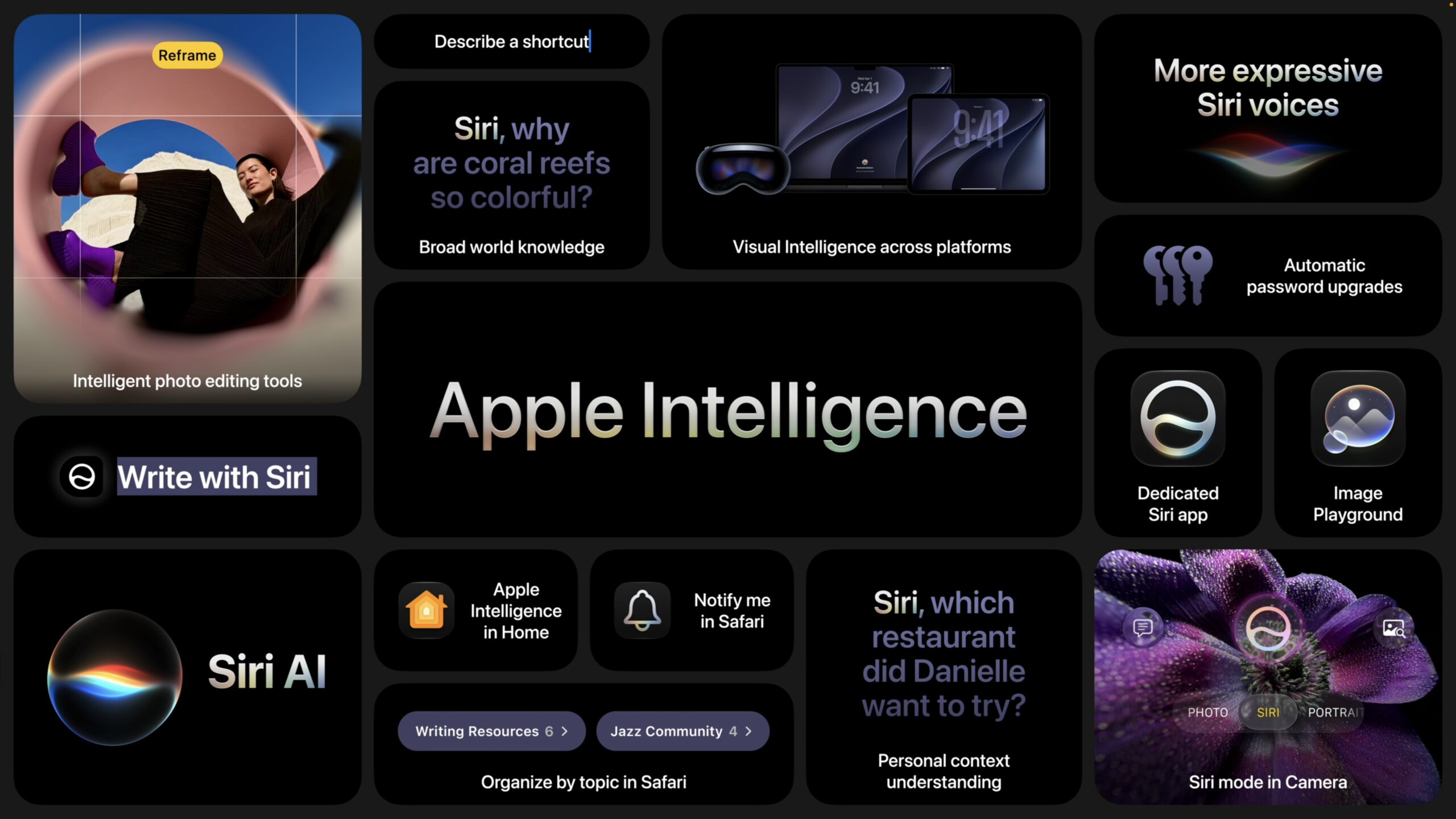
- Photos: The Clean Up tool was Apple Intelligence’s most useful feature in its initial release, and Apple says it now does a better job of removing distractions with more realistic infill in complex scenes. A new Extend feature expands images outward, adding a realistically generated background around the photo’s subject. Most impressive was Reframing, which lets you reposition the virtual camera after having taken a photo. You can use it to shift perspective or change the zoom, generating new content only for the shifted areas. We’ll see if it’s useful or just a gimmick for occasional use.
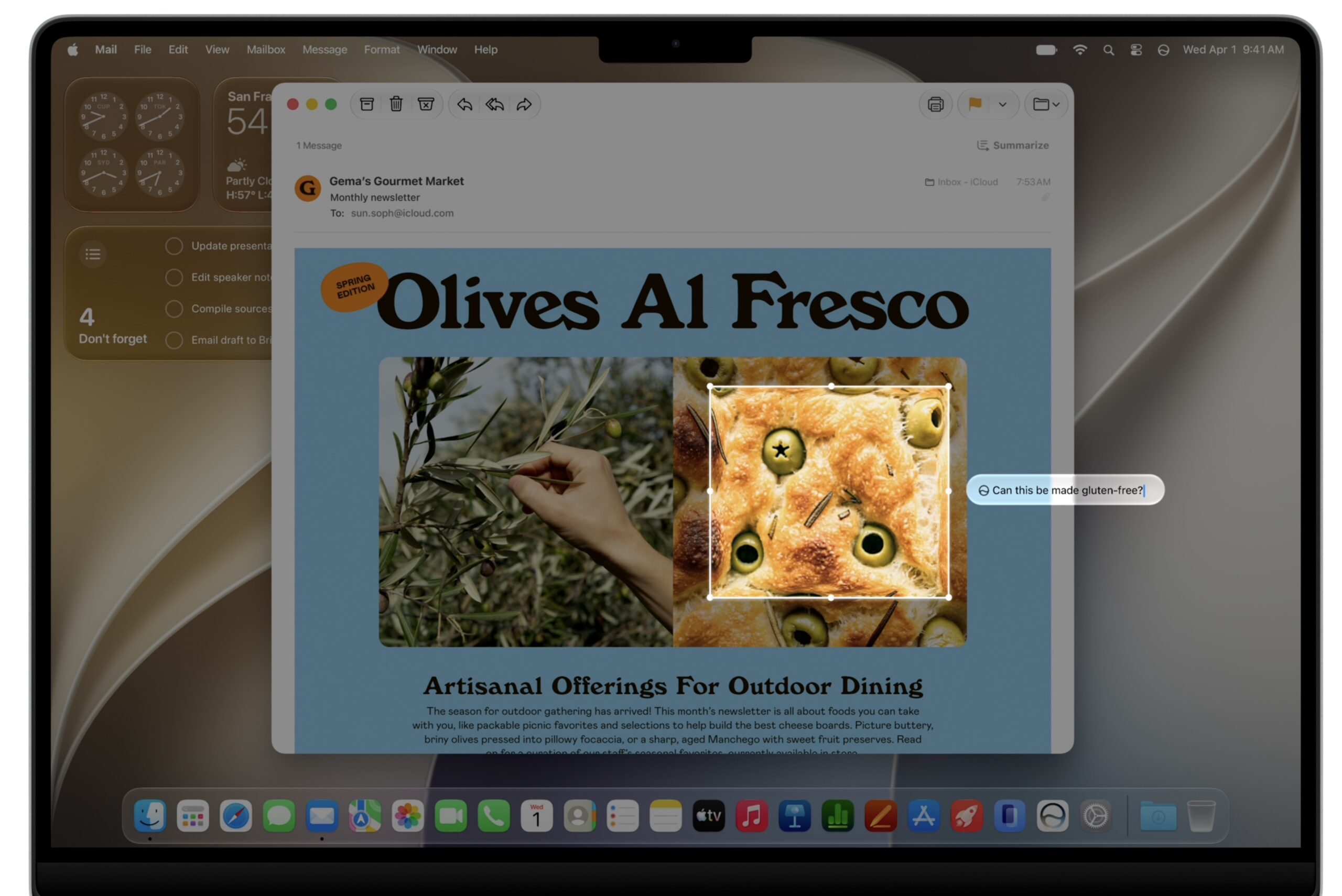
- Visual Intelligence: Apple has moved Visual Intelligence from the Camera Control to a mode within the Camera app, where you can tap the shutter button to analyze what the camera sees. Conversations initiated from Visual Intelligence are saved to the Siri app, where you can continue them beyond the in-Camera interface. In macOS, a keyboard shortcut invokes Visual Intelligence, and on the Vision Pro, you can gaze at objects to ask Siri about them.
- Writing Tools: Apple says we’ll be able to write with Siri anywhere text input is available, with Siri purportedly matching your tone to other messages or emails. Apple Intelligence automatically proofreads wherever you type, including in third-party apps. I’ll be curious to see how it compares with Grammarly, which has blown Apple Intelligence out of the water so far (see “Why Grammarly Beats Apple’s Writing Tools for Serious Writers,” 30 January 2025).
- Safari: Safari gains several Apple Intelligence-powered features that might be interesting. It can automatically organize tabs by topic, monitor pages for specific changes and notify you when they occur, and generate custom extensions based on natural language descriptions. In a related feature, the Passwords app can use Apple Intelligence to navigate websites and update weak or compromised passwords agentically.
- Communications: In Mail, Messages, and Phone, Apple Intelligence will provide context-aware one-tap suggestions for actions such as creating reminders, making notes, finding photos, or looking up information. The Phone app integration only knows who you’re calling, not what you’re saying—Apple gave the example of it looking up flight information when you’re calling an airline—so I have doubts it will prove useful regularly.
- Home app: One of the most impressive demonstrations of Apple Intelligence came in the Home app, which can leverage Apple Intelligence to analyze recorded video and generate natural-language summaries that can tell you that UPS has just dropped off a package. Of course, you’ll need a HomeKit-capable camera.
- Image Playground: Apple’s image generation tool was well-named, given how juvenile its output was. The company claims that Image Playground will be powered by new image-generation models on Private Cloud Compute, presumably based on Gemini’s popular Nano Banana model. It now supports photorealistic image generation, allows you to use multiple people from Photos, transforms images with natural-language descriptions, and generates images in multiple dimensions. Apple has integrated image-generation capabilities system-wide for generating Lock Screen wallpapers, contact posters, and Messages backgrounds. We’ll see if any of this is useful or just a fancier toy.
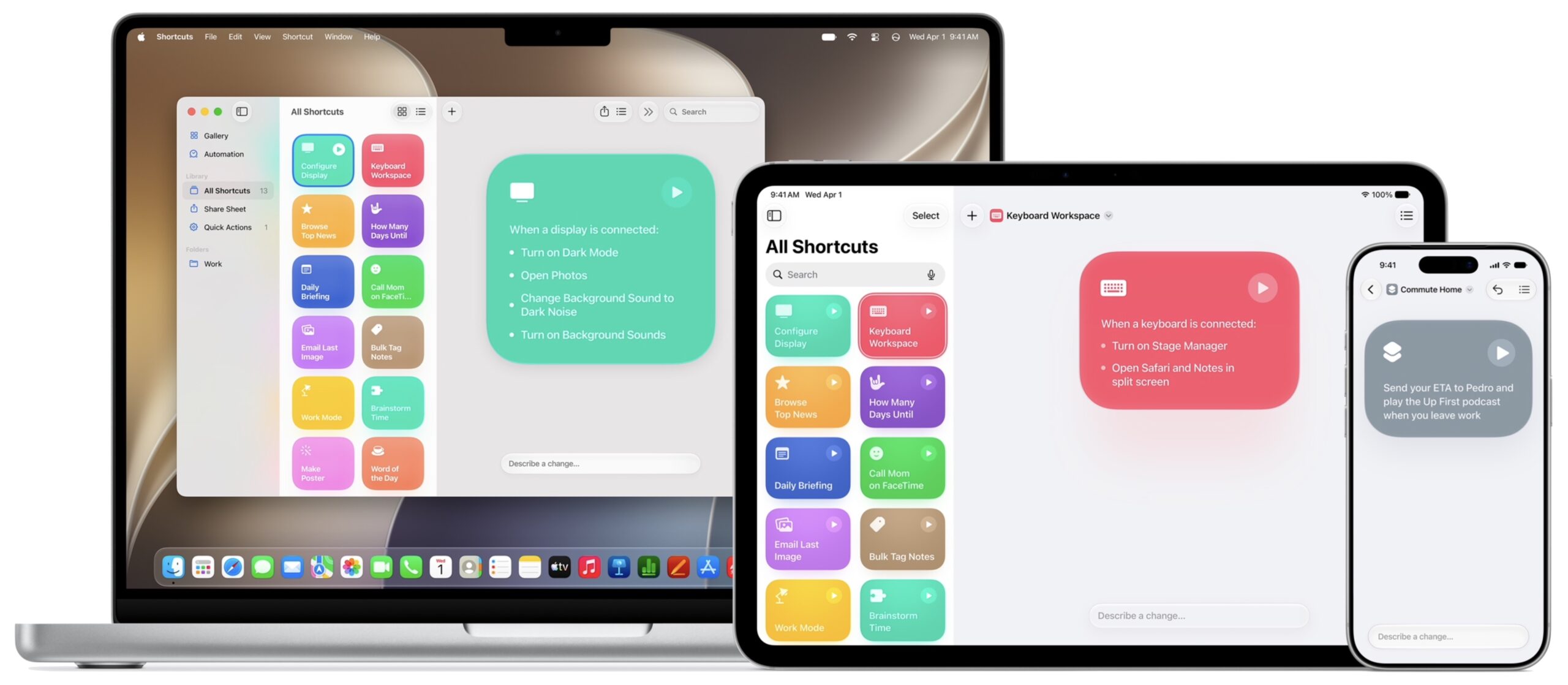
- Shortcuts: Those who have found shortcuts hard to write may appreciate the natural language shortcut creation enabled by Apple Intelligence. If you want to try something similar out now, Federico Viticci of MacStories has developed Shortcuts Playground, which lets you create shortcuts with Claude Code or OpenAI’s Codex. Most things I’ve wanted to do in Shortcuts weren’t possible because of app limitations rather than Shortcuts itself, but perhaps that will improve as well.
All this sounds great, but we were also excited about the promise of Apple Intelligence back in 2024 (see “Examining Apple Intelligence,” 17 June 2024). Apple Intelligence features appeared slowly over many months, often to a lackluster response, and Siri never shipped at all. I think Apple knows it has to ship Siri AI this time, but how promptly will it and other features appear, and how well will they work when they do arrive?
Farewell, Tim Cook
Apple chose not to highlight incoming CEO John Ternus, instead having Tim Cook mark his final public appearance as CEO, which he closed out by saying:
On a personal note, some of the greatest highlights of my time as CEO have been events like this. Sharing powerful new tools with all of you and then seeing what you create with them has been a constant reminder that imagination has no limits. Over the years, you have helped people connect, create, learn, and experience the world in extraordinary new ways. And with the incredible capabilities we introduced today and so many more still to come, I truly believe the best is still ahead. At Apple, creating the best products in the world to deliver experiences that enrich people’s lives has always been our North Star. It’s been the honor of a lifetime to help advance that mission with teams whose creativity, care, and conviction continue to make a lasting difference in people’s lives.