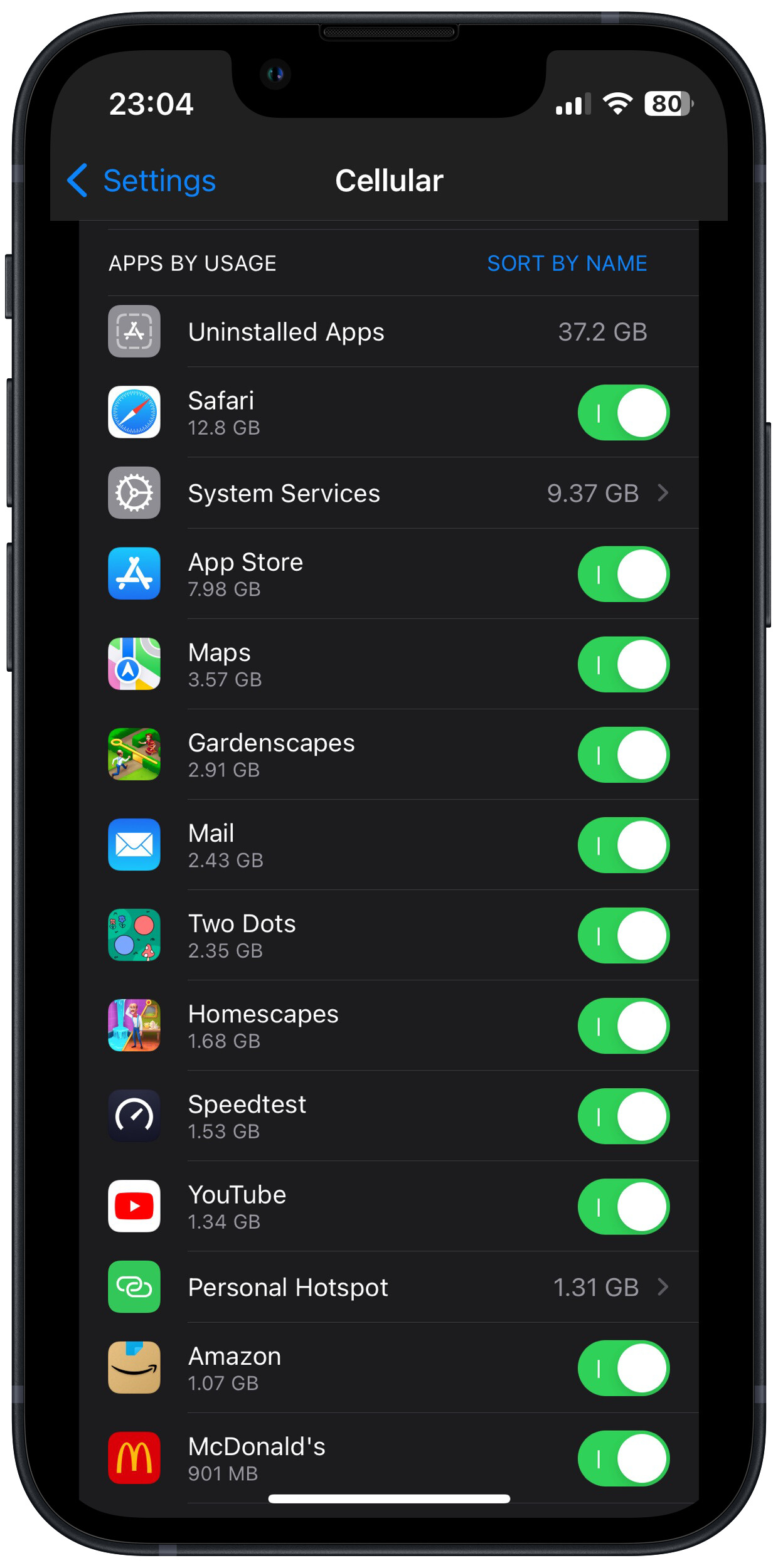
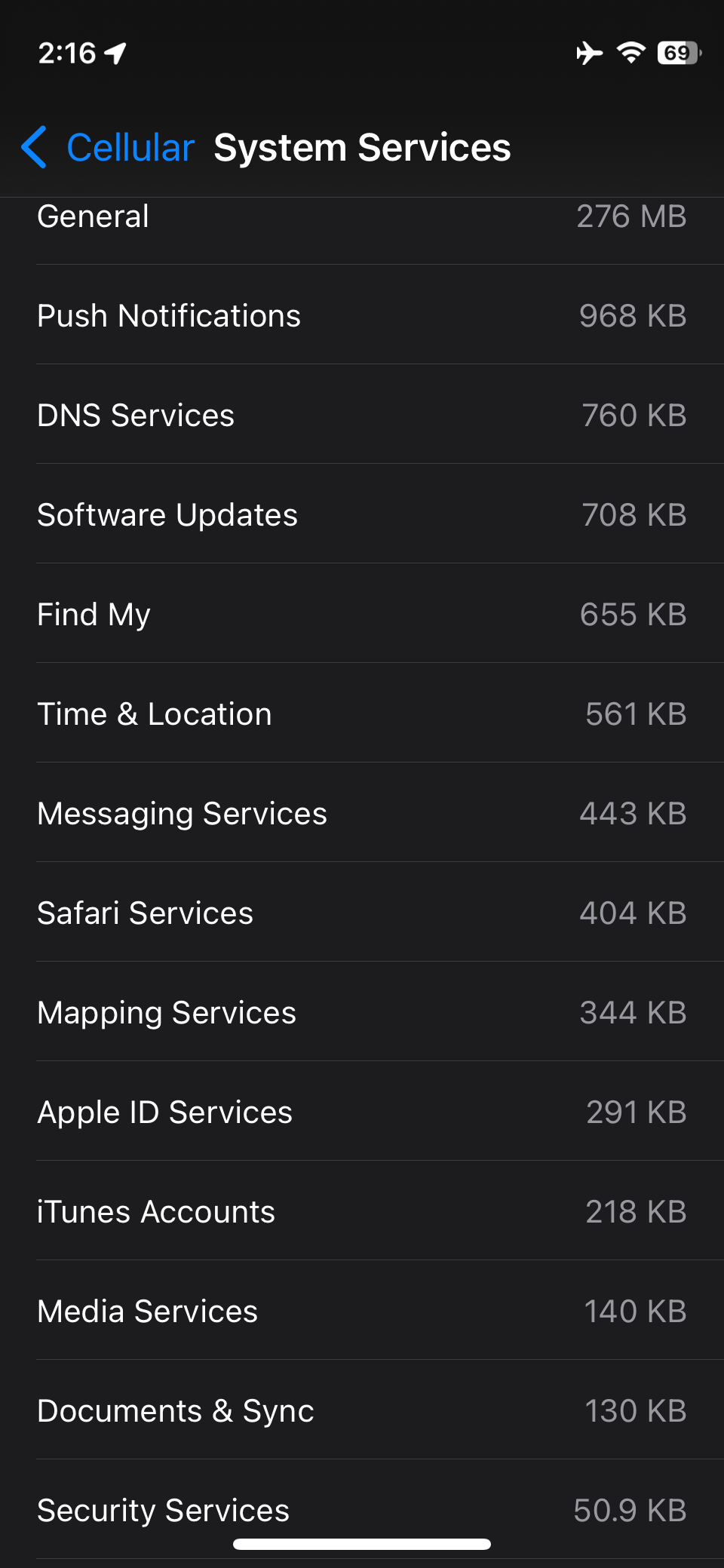
Interesting. After I reset Cellular statistics 11 days ago, I’m seeing 27 categories of Settings → Cellular → System Services. Most counts (Accessibility thru Voicemail) are in KB. Here are the only ones in MB:
Apple ID Services 1.30 MB
Bluetooth Services 1.46 MB
DNS Services 9.84 MB General 4.35 MB
Mapping Services 3.06 MB
Push Notifications 6.56 MB
Software Updates 1.93 MB
Time & Location 3.35MB
Although I’m a little surprised to see DNS Services that high, the rest kinda make sense given the way I’ve been using my iPhone SE (2022 model, 17.4.1).
Looking through the other, lower used, categories, I’m a little surprised to this category being this low:
Documents & Sync 574 KB
… Although I do have Background App Refresh turned off for most apps (and when I’m away from WiFI I make a point of closing the apps I don’t actually use when I go out).
Note that there is no way (that I know of) to get per-app cell data use numbers. Perhaps the General category is a catch-all that – among other things – counts some app syncing to various cloud services??
Yeah, it’s weird. I have most of cellular apps off. Prey, AdGuard Pro, and Find My are always on. I manually turn on others like Maps, etc. when needed. I don’t do clouds except Find My (have eight AirTags too).
In the last three days, I’ve seen the “general” category in System Services consume over a gigabyte of mobile data. That seems…wildly excessive.
Some kind of idea of what’s pulling down all this traffic has suddenly become essential. I had a big surplus of mobile data rolled forward over a long period, and now it’s all gone and I’m having to pay for data excess.
If you select it you get into a detailed list of System Services. Siri is on top in mine for some strange reason, I never use it. System Services uses a moderate 4,2 gb of 20 gb total.
System Services uses 8.04 GB here. Of that 6.44 GB was used by “Software Updates.” I was sure I’ve had that disabled for years. Now I can find no way to. iCloud 8.85 MB when I have iCloud disabled every way I can find?
Siri 3.24 MB, when I haven’t used it since my iPhone 4?
Uninstalled Apps 34.3 MB (how’s that work?)
Many things that I had long disabled access to Cellular Data, were now permitted.
I do all system updates by connecting through USB/Finder, but its using Cellular Data?
Of course, that number is (I believe) since the last time you reset statistics (Settings > Cellular > (scroll to bottom) Reset Statistics on iOS 18.5).
Again on iOS 18.5, Settings > General > Software Update lets me turn Automatic Updates off.
I did get the detailed breakdown, but as I said, that mysterious 1GB was simply listed under “general”—with no way to break it down further.
I’ve since noticed, however, that the phone was set to use mobile data for iCloud backups, so I suspect that this is where all my data went. I shall be watching it carefully!
I agree it’s hard to miss. Now I don’t understand what you meant by “I’ve had that disabled for years.” Sorry. (If you have Software Updates disabled, does that mean you can never update iOS? If you can update iOS, how is that different from disabling Automatic Updates?)
Nope, that wasn’t it. I turned the mobile-data-for-backups setting off a couple of days ago…but today I see that, though I reset my mobile statistics yesterday, “System Services” has used another 500MB since then. And it’s virtually all in the “General” category.
Something is eating my mobile data like crazy…but what, I just can’t find.
Certainly one can update iOS without having Automatic Updates turned on.
I also operate this way. Automatic is off completely, has been also for years.
Simply follow the “Software Update Available” nag near the top of the Settings page.
But back to the main question of the Topic, I too have been long troubled by the Mobile Data > System Services list. There are many MB of usage that I would gladly forgo/turn off if I could. A bunch of things that I never turned on or use are listed as consuming my cellular data.
I wish there was more info/control over System Services use of cellular data.
Did anyone ever find out what “General System Services” are?
You and me both. But @Will_B seemed to be saying that Software Updates was disabled, not Automatic Updates. (I’m not sure how one would disable Software Updates, so I assumed it was Automatic Updates.) But @Will_B seemed to know about disabling Automatic Updates, which just reinforces the interpretation that Software Updates had been disabled previously.
I installed a network monitor on my phone, and went for a walk. During the course of a one-hour walk, my phone transferred 600MB of data via mobile, the vast majority of it from “update.cdn-apple.com”.
This seems…wildly excessive. It’s hard for me to imagine why Apple might consider it appropriate to put this much traffic via mobile. Can anyone offer any hints, especially about how to stop it?!
Blocking that domain on your devices isn’t a good idea because it is part of the delivery mechanism for iOS, iPadOS, tvOS, macOS, and visionOS updates (see Apple Support for a list of domains used by Apple for various OS functions).
You can disable automatic downloading of iOS system software updates, though, at Settings > General > Software Update > Automatic Updates .