What is the best practice for managing unsolicited newsletters? Increasingly I am receiving email newsletters from organizations I have never interacted with and have never heard of. At the bottom of the email there is a link to “Unsubscribe”. I am annoyed that I have to “Unsubscribe” from emails I never Subscribed to. The emails look legit but I don’t like being forced to interact with unknowns.
It would be OK if they send an email or three asking me to "Opt in” and if no response they should delete me from their distribution. Some of these organizations are sending me DAILY emails.
I have been marking them as SPAM but they persist in sending. These emails are being sent to one of my Gmail addresses I manage using the Thunderbird email client.
Marking them as SPAM doesn’t tell the sender anything. It only tells your email app that they are spam and to act accordingly (probably by moving to your spam/junk folder). So that won’t stop them from coming.
About half of the time I unsubscribe. And half the time I too am too annoyed to go to the website and unsubscribe, so I just let them keep coming. I use SpamSieve, which is very good. I rarely get false positives and I can’t remember when I had a false negative. Then once a day or so I do a manual scan of each message in my junk folder and delete.
If I can determine it is legitimate email – even though unwanted – I will unsubscribe. If I am unsure of its legitimacy, I will simply push it to spam.
Well, you have to be careful with unsubscribe links. If the company is legitimate, they work; if the company’s business is spam, they confirm your existence.
I have recently had a massive increase in spam (for me, not for too many of you) going from 5 or 6 to 30 or 40 daily. Yes, my spam filters do their thing and I’m grateful for them but that still means that daily I have to run through this crap to make sure I’m not missing something important.
I’m beginning to think that I should create a new email address for business dealings and retire the old one. That’s the fastest way to stop them dead. It means a great deal of work—you have to track down all your old subscriptions and website accounts and so on—but I’m increasingly coming to the conclusion that it will be worth it because this insufferable daily noise will now stop for more than a while.
And, at least in the US, political campaigns, charities and pollsters are immune from the anti-spam laws. So they just ignore unsubscribe requests, knowing that they can’t be stopped.
Sherman wrote above: " It only tells your email app that they are spam and to act accordingly (probably by moving to your spam/junk folder). So that won’t stop them from coming."
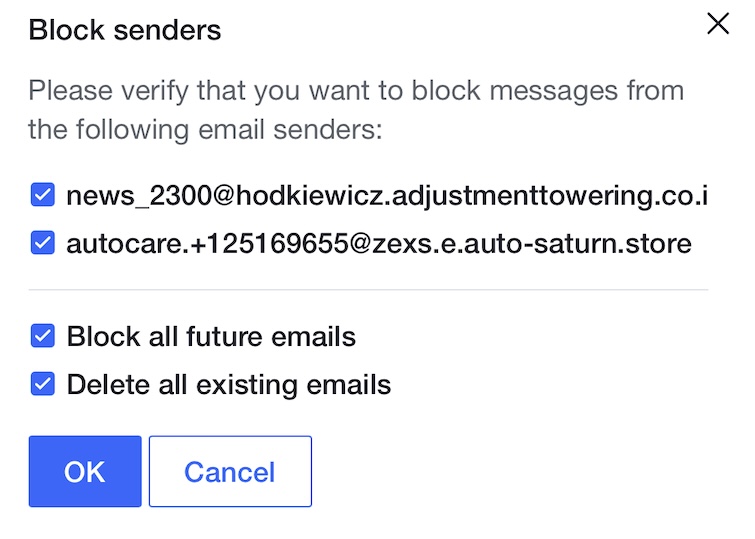
The yahoo email servers that I use permit one to both automatically delete the offending emails AND block the sender(s) from sending you any more.
But this only works for -some- spam emails, probably those that are coming at you from legitimate email addresses. Since spammers mostly use fake/made up addresses, chances are if you attempt a block on them, they’ll just target you again from “somewhere else”…
Adding a “me too” - a long time email address (self-hosted domain since the ‘90s) suddenly deluged with 100-300 spams daily that evade SpamSieve. Not sure what changed, or who added that email address to the spammer maw, but I suspect (without actual evidence) DOGE-related entities had something to do with it, as some government related entities communicated to it.
It always got a little spam, but the last few months have been brutal.
Is Yahoo actually blocking the sender from sending you any more? Or is it blocking emails, from specific sender(a), so that the email never arrives in your inbox?
I also use SpamSieve, and it works very well. But I’ve told it to move spam to the Junk folder, period. Once a day I’ll visit that folder (if it indicates there are unread messages) just to be sure there are no mis-classifications, and then mark all the messages “read”. I’ve set the Junk folder’s retention period to 24 hours; after that they go to the trash.
However, I do regularly get spams with consistent plain text portions of the From: address like CNN Health <support@stoleanotherdomain.com>. For those, I know they’re spam and I don’t even want to see them as unread emails in the Junk folder. So I also have a few Mail rules to catch them. The match is, for example, “From address begins with ‘CNN Health’”, and the actions are 1) mark as read, 2) move to Trash.
This is true. However, I have had no problems with any political, charitable, or pollsters honoring my requests to unsubscribe. I don’t get many emails from these groups, but when I ask them to unsubscribe, they do and I have never gotten any more emails from them.
My phone number has somehow made its way to a political party’s donor list (I’ve never given a penny to any political group), so I get lots of political text messages - several per day during election season.
They all say you can reply “STOP” to opt-out. I do, and I report them all as spam. And maybe this works, but it doesn’t matter, because my number is shared with hundreds of campaigns and PACS nationwide, and they don’t share the opt-out status with each other.
And the worst part is that it was probably a typo on someone’s part, because all the messages think I’m named “Brian”.
So… I just click ok, and the spam emails disappear.
Again, these are most likely meaningless, contrived addresses that won’t be used again, so doing what I did above is probably not “doing much at all” in the long run.
Having said this, I haven’t had a truly legitimate email end up in the junk mailbox in as long as I can remember. So most of the time now, when I bring up Apple Mail, if there’s junk showing in the junk mailbox, I don’t even bother to look at it, I just hit “command-shift-delete” and then confirm with the return key – and it’s gone.
I realize that probably won’t work for many or most reading this, but it works for me…
I’ve been burned too many times by false positives that I regularly check FastMail’s junk box. That’s not to malign FastMail; it’s just the difficulty of sorting filtering out all the spam and phishing scams. One thing I like about FastMail’s handling is that they give incoming mail points for being spammy and add that up to sort what’s spam. Not perfect, but nothing is, and they let you adjust what the spam threshold should be.
I bought a new Kia. Apparently the dealer sent my email address to Kia of America, who started sending unwanted advertisements to me. I followed the unsubscribe link (which was long enough to identify uniquely every sentient being in the galaxy), and it asked me to enter my email address. I copied my email address from the unwanted advertisement and pasted it into the field. Kia said it could not find a matching email address. Sheesh.
Not to mention, in the Fastmail web app you can set your spam folder to sort by ascending spam score, so the mistakes tend to be up at the top when you review the list.