Hello.
I just upgraded my client’s unsupported macOS Ventura v13.7.8 to Sequoia v15.7.1 because Apple and Microsoft dropped support recently. I’m currently unable to upgrade his installed Mac Office (university’s 365 subscription) v16.101 to v16.102. It queues the updates and then “Download error…” I tried rebooting and trying another macOS account. Nothing helped.
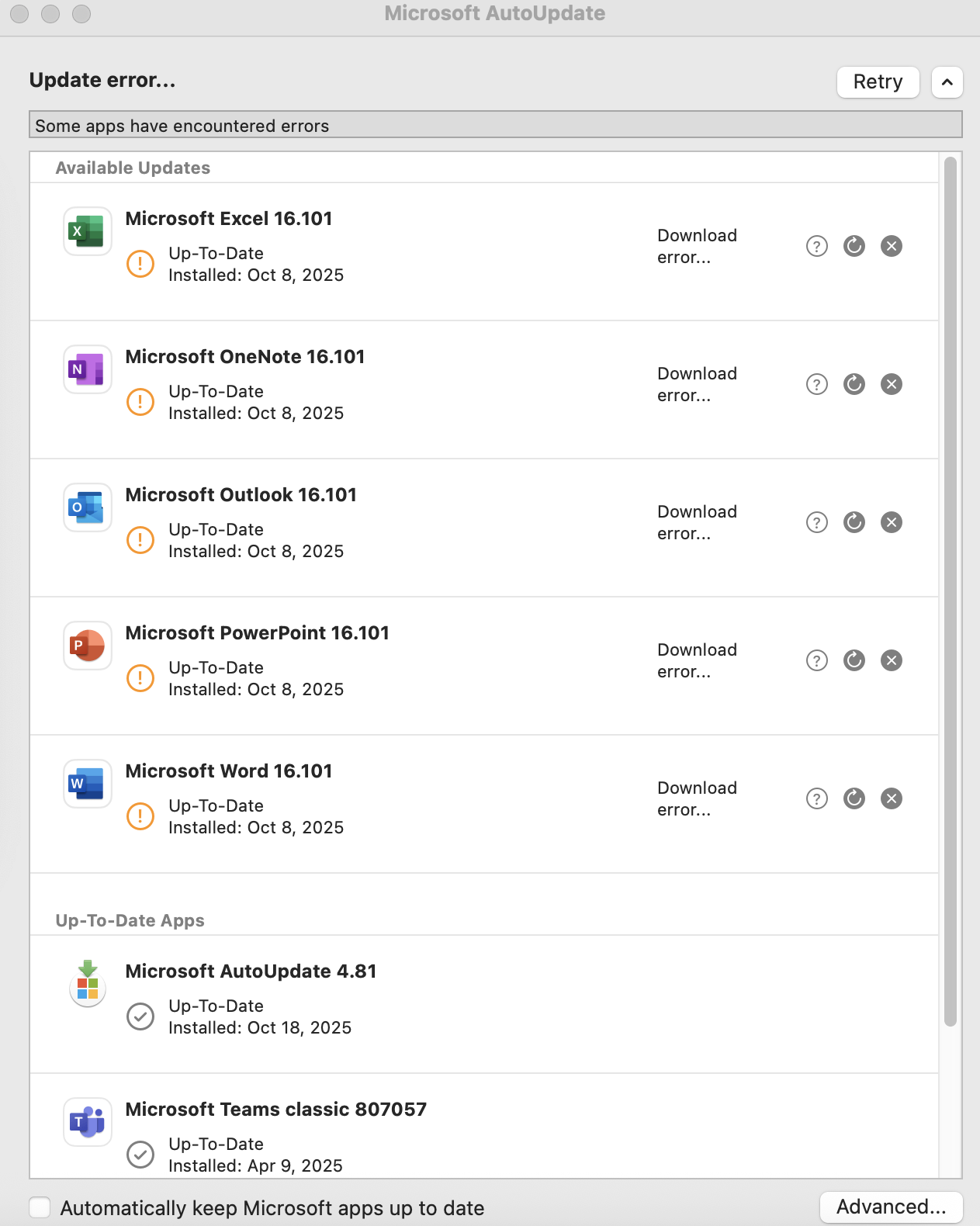
AutoUpdate log showed this when trying to download and upgrade Excel app only:
…
2025-10-18 18:27:38 [Microsoft AutoUpdate] NOT.COLLECTED: {“Payload”:“XPC Call to updater: requestUpdateForApp:withReply: for App ID: XCEL2019”}
2025-10-18 18:27:38 [Microsoft Update Assistant] NOT.COLLECTED: {“Payload”:“Request for Update received for App: XCEL2019”}
2025-10-18 18:27:38 [Microsoft Update Assistant] NOT.COLLECTED: {“Payload”:“Updating Application State for App: XCEL2019 to: 5 info: (null)”}
2025-10-18 18:27:38 [Microsoft AutoUpdate] NOT.COLLECTED: {“Payload”:“Updater state changed: 4”}
2025-10-18 18:27:38 [Microsoft Update Assistant] NOT.COLLECTED: {“Payload”:“CloningTask.Begin. AppID: XCEL2019, UpdateID: 3DA880E1-4100-4DC5-A1CB-B9A1EA098D00”}
2025-10-18 18:27:38 [Helper Tool] 36EC1BE4-C598-4A23-A89A-B42A6C018053: New Cloning Connection requested from pid: 5288, application: Microsoft Update Assistant.app
2025-10-18 18:27:38 [Helper Tool] 36EC1BE4-C598-4A23-A89A-B42A6C018053: Connection request successfully verified (Cloning)
2025-10-18 18:27:38 [Helper Tool] 36EC1BE4-C598-4A23-A89A-B42A6C018053: createCloneFromApp copyItemAtPath: /Applications/Microsoft Excel.app toPath: /Library/Caches/com.microsoft.autoupdate.helper/Clones.noindex/Microsoft Excel.app
2025-10-18 18:27:43 [Helper Tool] 36EC1BE4-C598-4A23-A89A-B42A6C018053: Verifying installed app codesignature: /Applications/Microsoft Excel.app
2025-10-18 18:28:03 [Helper Tool] 36EC1BE4-C598-4A23-A89A-B42A6C018053: Completed copyItemAtPath: /Applications/Microsoft Excel.app toPath: /Library/Caches/com.microsoft.autoupdate.helper/Clones.noindex/Microsoft Excel.app
2025-10-18 18:28:03 [Microsoft Update Assistant] CloningTask.Status: {“AppNameChanged”:“NO”,“UpdateID”:“3DA880E1-4100-4DC5-A1CB-B9A1EA098D00”,“Success”:“YES”,“AppID”:“XCEL2019”}
2025-10-18 18:28:03 [Microsoft Update Assistant] ErrorsAndWarnings: {“AppID”:“XCEL2019”,“Error”:“Nil update dictionary encountered while queing download.”,“Operation”:“Download”}
2025-10-18 18:28:03 [Microsoft Update Assistant] NOT.COLLECTED: {“Payload”:“Updating Application State for App: XCEL2019 to: 9 info: Download error…”}
2025-10-18 18:28:10 [Microsoft AutoUpdate] LifeCycle.Terminate: {“SessionLength”:“53”}
2025-10-18 18:28:10 [Microsoft Update Assistant] NOT.COLLECTED: {“Payload”:“XPC Connection invalidated for com.microsoft.autoupdate2.”}
2025-10-18 18:28:28 [Microsoft Update Assistant] LifeCycle.Terminate: {“SessionLength”:“70”}
Did MS release a buggy AutoUpdate version yesterday? https://learn.microsoft.com/en-us/officeupdates/release-history-microsoft-autoupdate shows it was released yesterday. I know yesterday told me my macOS Ventura was no longer supported hence the OS upgrade.
How do I fix this or is this MS’ fault? :( Thank you for reading and hopefully answering soon.