My router has a self-signed certificate, so its administration can be done securely via HTTPS (instead of over an unencrypted HTTP connection).
How do I add a self-signed certificate to those trusted by Safari?
Thank you.
My router has a self-signed certificate, so its administration can be done securely via HTTPS (instead of over an unencrypted HTTP connection).
How do I add a self-signed certificate to those trusted by Safari?
Thank you.
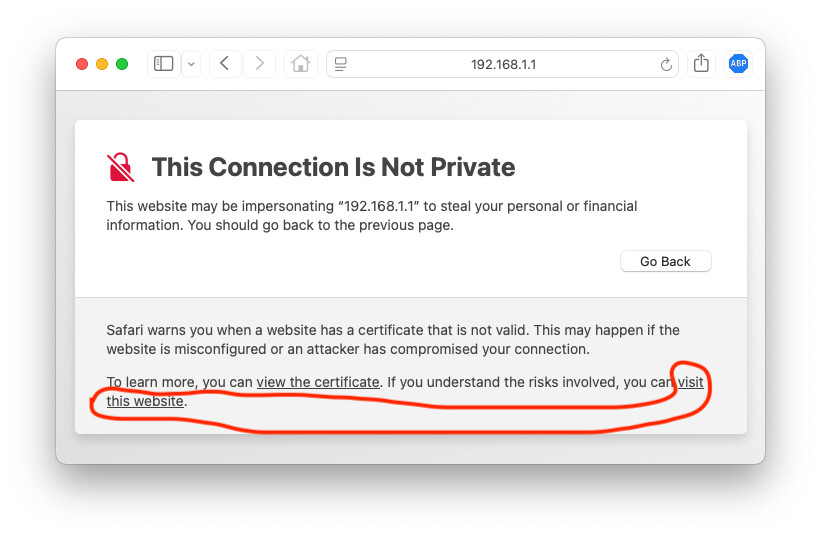
It’s pretty easy to do. For instance, on my router, going there via https://192.168.1.1/ shows:
If you click on “Show Details”, there’s a link to “visit this website”:
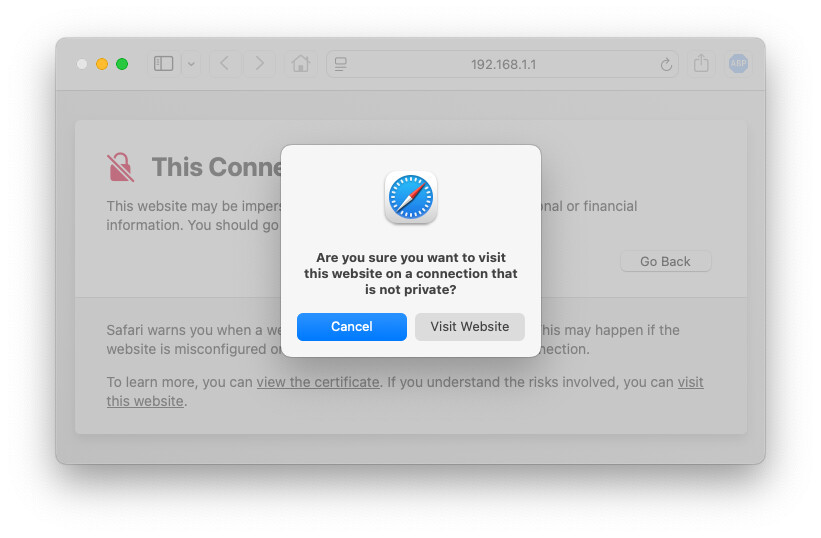
Click on that and then confirm via the “are you sure” dialog:
Click “Visit Website”. You will go there and Safari will trust that certificate for future accesses.
That having been said, I haven’t yet figured out how to make Safari stop trusting the certificate. So far, the only way I’ve been able to do that is to enable the Debug menu and select “Clear Invalid Certificate Bypasses”, then quit/restart Safari. But doing that will stop trusting all such certificates, not just that one.
I always thought that added certificates are in the “Certificates” section of the Keychain Access app?
Keychain Access is how you install and remove certificates. But this (apparently) doesn’t install the self-signed cert. It just tells Safari to ignore the validation failures. The site’s certificate doesn’t appear in any keychain. And I can’t figure out how to remove just one item from that list.
In my experience, this does not establish trust permanently.
I’ll try to pay better attention to how long the trust lasts.
Apparently the ability to trust specific Certificates via Keychain Access has come and gone over the years: