Originally published at: Solar Inverter Connectivity Problem Reveals Weak Troubleshooting - TidBITS
After failing to reestablish Internet connectivity for his solar panel inverters following a spate of power outages, Adam Engst finally figured out the problem with the help of a support tech who made him break it down into its constituent parts. Read on to learn from his mistakes.
6 Likes
Thanks @ace for an excellent article. I’ve been through similar situations and equally stumped. Most of the time I find that somewhere along the way in my debugging I had assumed something about one of the steps that I didn’t actually verify. In your case you thought the UPS was working, but hadn’t actually verified it. This has happened to me countless times. Thanks for the reminder to check every link in the chain!
3 Likes
Really terrific article, @ace Adam! Thank you.
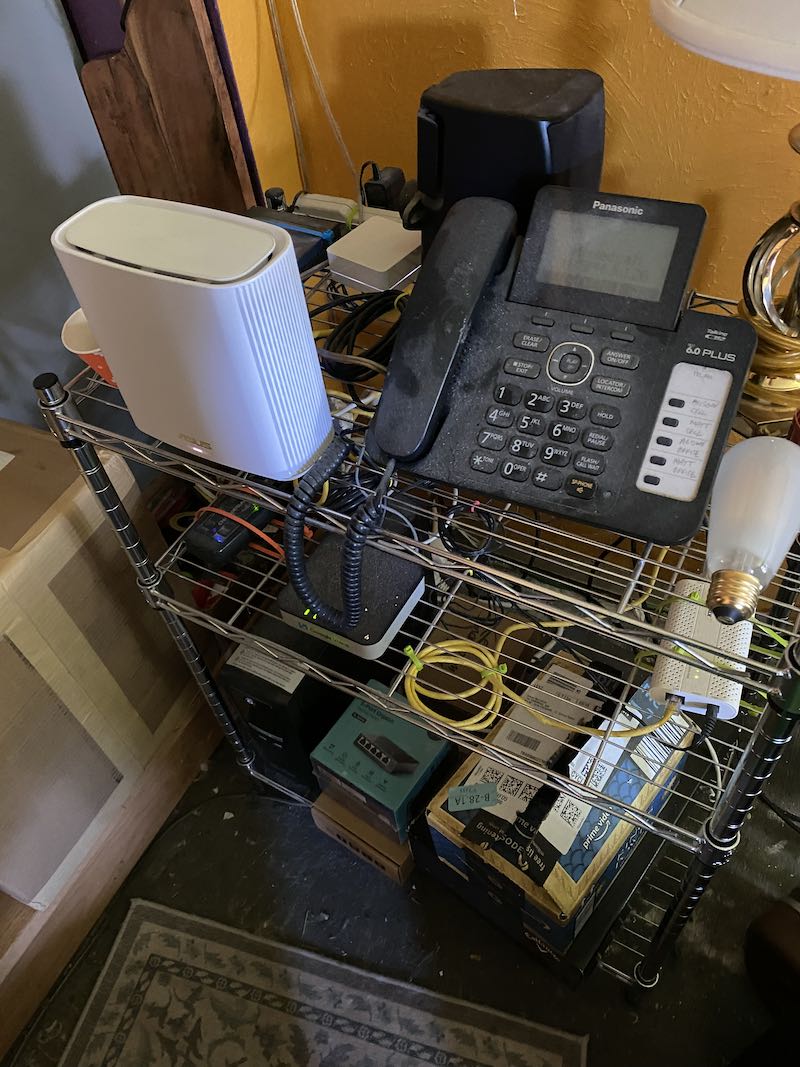
On a side note, and I don’t mean this in a creepy way, it’s a little eerie and encouraging to see your solar and networking setups. I’ve been through so many attempts over the years to keep the different boxes and cables completely out of sight, and finally just decided to embrace it all. I think it’s helped a bit with troubleshooting, especially because the ASUS router and the fiber modem occasionally stop talking to each other.
Our solar setup, which includes a battery, is both simpler and more complex. The panels each have a microinverter (37 all together) and there are three more in the battery box (at left in the photo).
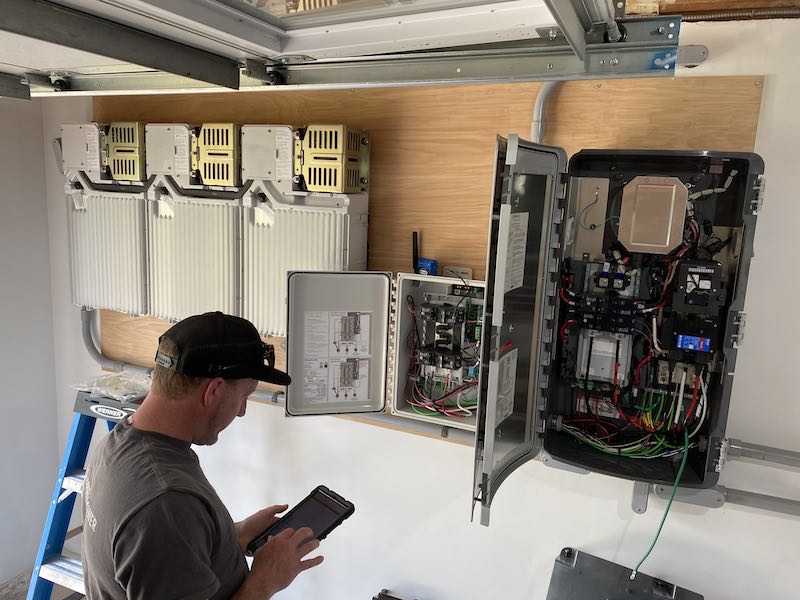
Troubleshooting in this case involves making sure each of the microinverters on the roof is still talking to the combiner. I can see a long list of all the microinverters in the system portal, but I’ve already had one instance where the portal refused to communicate with anyone, including the manufacturer. It required time on the phone while they walked me through rebooting, then installed firmware fixes that they “hoped” would prevent future problems.
I have already had to learn how to establish a direct connection to the combiner through its local WiFi portal (which we don’t use for day-to-day stuff, as it also has a cellular modem and an Ethernet connection cabled back to the rack). I’ve also confirmed that my general approach of treating the support folks politely and with patience gets things fixed fast.
Glad that you found the issue; I would never have guessed that particular thing without a second pair of eyes on the problem!
1 Like
And that, dear readers, is the moral of the story. If your first attempt at solving a technical problem fails, break the problem into parts and verify that each of those parts is functional on its own. Every problem will be different, but by starting at one end and eliminating every possible variable, you should be able to discern the cause.
To expand on this slightly: I’m the one on the team people come to when they’ve exhausted their troubleshooting knowledge and can’t figure out why something isn’t working.
I start asking them basic questions. Was this program recompiled? Did you reset this database? Is this pointing to your override? Is your program really using this test file, or is a different file?
And when they say, “of course it is!”, I say, prove it. And often that’s when we find the problem.
Because, when you have gone through all the normal steps and still can’t find why it doesn’t work, it means one of those “facts” is wrong. You must question all of your assumptions.
4 Likes
"Percussive maintenance "to the rescue!
- Dave in Denver
Your comments about temperature extremes reminds me of my experience with the heat pump we installed in the fall of 2022. Our previous heating system was forced hot air, so the installers fed the heat pump output into the old ventilation system, saving us a bundle. We noticed that in winter the heat pump started pumping cold air through the system, but the installers told us that was normal and it should not be a problem in a normal winter. Then a seriously subzero cold rolled in the Boston area (it may have hit - 15 F in the wee hours of the morning) and the heat pump simply could not pump heat at those temperatures. I never realized how cold a house can feel when it can’t reach 50 °F! I was on the phone with the installers, and they explained that at seriously subzero temperatures, you had to install special wiring to use resistance heating (like a standard electric oven) to warm the heat pump enough so it could pump heat instead of cold. They had not done it because they thought it wouldn’t be necessary, but they hadn’t expected weather that cold. We had them install the special circuit, and thankfully haven’t had another such extreme cold snap. But it’s a reminder that extreme weather can push household equipment beyond its design zone.
Sadly, the installer took advantage of you here.
There’s no reason why they couldn’t install a gas or oil furnace feeding your hot air system’s ducts. Yes, you would need a separate compressor for use in the summer, but eliminating the furnace to buy less equipment in a cold location like Boston should never have been considered. (I am aware of the fact that electric utilities everywhere try to promote heat pumps where they are a bad idea, simply to shift your heating expenses from the gas company to themselves, but it remains a bad idea).
While some modern heat pumps can deal with massively cold temperatures, most can not, and they fail miserably when the weather gets that cold.
The fact that they didn’t think a resistive coil system was necessary in the Boston area is stark raving mad. We have them in our heat pump system in Virginia, and our weather never gets as cold as your weather.
The ideal solution, which should have also been suggested is a dual-fuel system. This is a system where you have a traditional gas/oil furnace, combined with a heat pump, and possibly also resistive coils. So when the temperature remains warm enough for the heat pump to be efficient, it uses that. When it gets too cold for that, it switches to gas/oil. And if that should fail, the coils serve as an “emergency” heat source. This is nothing new - I’ve seen HVAC companies advertise this 20 years ago.
Dual-fuel is a more expensive than a heat pump (or furnace) by itself, but not much more expensive than a furnace plus an air conditioner. You’d think that HVAC installers would promote this, since it is really the best of both worlds, but for some reason, they usually don’t.
I agree that the installer could have done better, but it’s not that simple.
Our Boston suburb has been pushing heat engines, and a local green volunteer helped in discussing the options. In 2022, we were eligible to receive a $10,000 rebate from the local electric company, which covered a little more than half of the total bill. They did mention the option of keeping the old heating system as a backup. However, we could only get the full rebate if we took out the old heating system, which was a 35 year old oil burner close to the end of its useful life, and the installer said there was no room to fit both the heat pump and the old heater. (I can’t remember if there was any mention of the cost or possibility of putting in a new gas heating backup, but I was more interested in getting the full rebate.)
The dual-fuel option wasn’t in the city’s green agenda, but the installer we chose did mention it.
I agree they should have pushed the resistive coil heating element. But it had been a long time since Boston temperatures had hit minus 15 F and they assumed we were interested in saving money. All in all, I regard this as annoying teething problems of a new heating technology. At some point I will probably want to investigate adding more thermostats to get more cooling into the attic where I work, but we can make do by shutting down some of the grates in the system.
1 Like
re: why your freezer wouldn’t run on the Mac’s UPS.
When the compressor of a freezer starts, the current draw is sudden and extreme. I am not surprised that a UPS wasn’t able to cope.
“Percussive maintenance,” indeed! That reminds me of my first duty assignment in the Air Force, circa 1965. The Special Projects Division of the Global Weather Center was supported by an IBM 7094 mainframe with a whopping 32K words of memory plus eight half-inch tape drives. It was served by an IBM 1410 that converted punched cards to input tape, and output tape to print, both at quite high speeds. Visitors were always impressed by the huge and immaculate computer room, but if they walked around the equipment, they were likely to be puzzled by a grubby-looking length of 4x4 timber that lay in a shadowed corner. It had been salvaged from the nearby motor pool, and was called the “core whomper.” See, the 7094 had an oil-cooled magnetic core memory, and somewhere in that oil was a tiny piece of loose metal that was never captured by the filters. When it got caught on a core, it would cause a parity error that shut down the machine. The remedy was to pick up the 4x4 and whomp on the memory case until that bit of metal was shaken off its resting place and order was restored. Fortunately, that didn’t happen often, and I never saw it actually used. But it added an interesting bit of local legendry to an otherwise drab military environment.
6 Likes
Adam, thank you. I soak up these types of articles like a sponge, since troubleshooting is part of my vocation (like @mschmitt). I have to press myself to think outside the box, and it can be a challenge since we are all set in our ways. I learned a few more tricks from your post.
Matt Clark
3 Likes
In 2015, we installed 18.9 KWh of solar panels to provide nearly all the electric power our house uses for geothermal-based heating and cooling and one of our two cars, a 2015 Nissan Leaf.
Hi Adam, I’d be interested in reading an article about your system.
I was testing all this stuff using a WattsUp Pro that shows power draw, and as far as I could tell, the startup draw from the freezer’s compressor was only about 300 watts, which would have seemed within the UPS’s capabilities. But perhaps it was too fast or something like that?
Alas, we installed it 9 years ago, and while I participated in the planning with Halco, the installer, I didn’t get into the weeds enough to know that much about it. I suspect the technology has changed and improved since then. Overall, though, we’re happy with how it has worked.
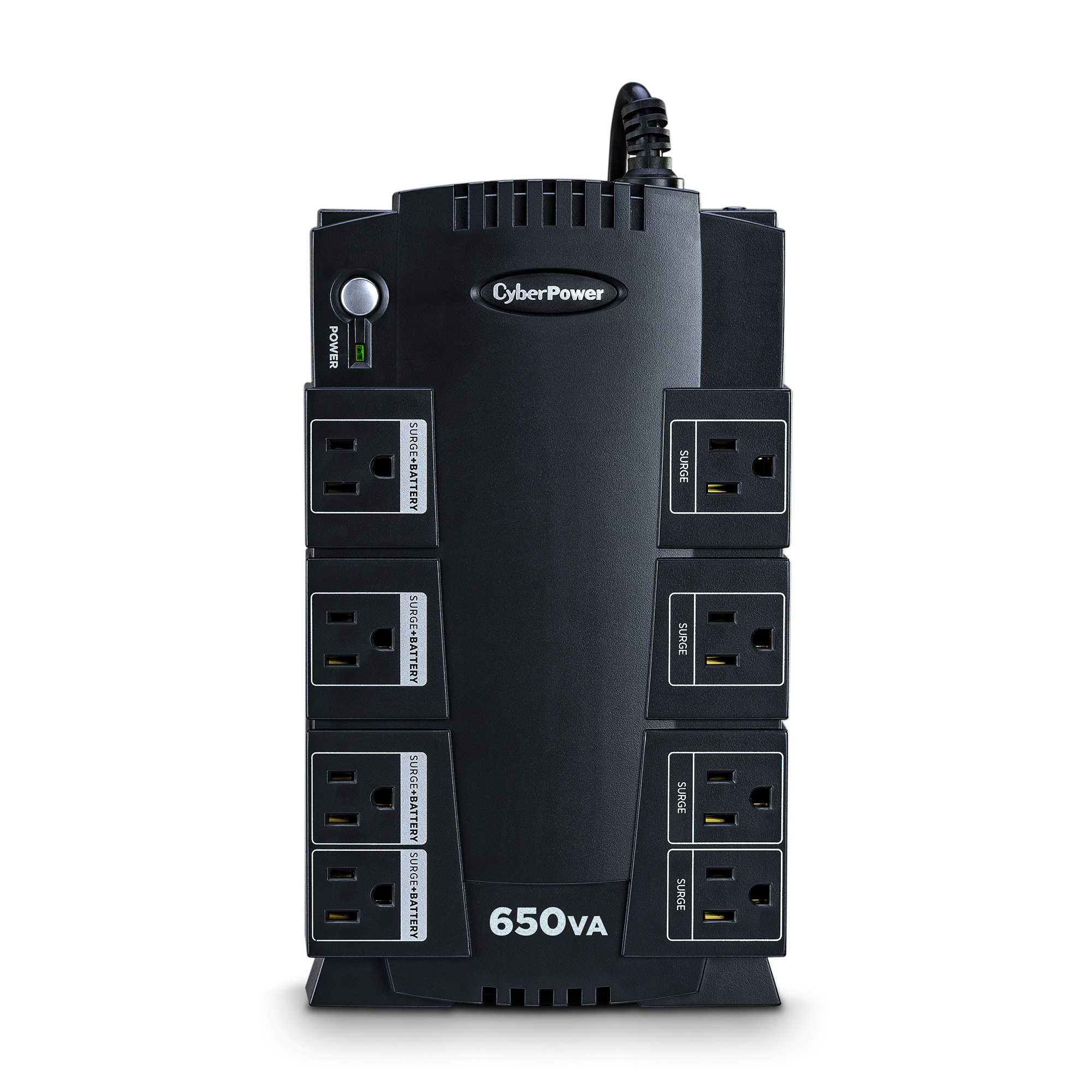
My CyberPower UPS has a total power off button, press in to click on or off, RIGHT where you have to put your left hand to pull plugs out as the female is way too tight with right hand. Same for pushing in.
After shutting off all my stuff over and over by accident, I have trained myself to not press that button! In industrial design, this is called poor affordance. Basically, they put a mission critical but all too easy power button in a form factor that is all too easy to use by accident. It actually has me not buying a second one with the same button despite it otherwise being an excellent UPS. They still use the same button. So dumb!
1 Like
I recently bought a small fridge/freezer for my homebuilt campervan and I was testing on a battery pack to see how it would run. It’s very low-power (45 watts), but even though the battery I was using runs up to 300 watts, it would die on freezer start-up.
At first I thought I was screwed, but then I found the “DC” setting for the freezer that you’re supposed to use when running it off a battery. Apparently that changes how the freezer starts up and once I turned that setting on, literally no issues running the freezer off the battery or the car cigarette lighter.
This particular freezer is made for car/battery use, so it’s designed to work this way. A regular freezer would not be and that startup surge might overwhelm a regular UPS.
(Even with my small battery I can run the freezer at 10 degrees for 8+ hours. It’s been awesome for traveling and camping! I just use it to freeze ice packs which I swap out every couple of days in my larger cooler which I use as my actual fridge. I run the freezer off shore power at night when I’m parked at a campsite and off battery when away from power and on a hike.)
3 Likes
Good one. I learned how to code in that era. What young USERS don’t know would overflow TBytes of HD.
Exactly. What’s the sampling rate of that meter? And then there’s the UPS itself. Just because it’s rated for 300 W (or 300 V-Amps), does not necessarily mean it can cope with very quick draw to that level from zero. Such average power ratings and especially V-Amps are usually DC (or perhaps rms) figures. They don’t tell you how quick the UPS can follow a rapidly increasing load.
1 Like
Thanks!
It looks like the Watts-Up Pro has a sample rate of 1 per second, which would probably be too slow to capture and display whatever the surge really is.
The UPS claims it can put out 815 watts, but there’s nothing that talks about how quickly it can respond. So that’s likely the issue.
FWIW, the spec sheet for my laser printer (Brother HL-L3270CDW) says that it draws approximately 430W while printing, but the peak power draw is 3x that: 1290W
I assume the peak power is the initial inrush to quick-heat the fuser (which often causes a brief voltage sag where the room lights flicker and the UPS next to it on the same circuit briefly switches over to battery).
1 Like
The CyberPower UPS I have recommends not using its UPS plugins for a laser printer, for that very reason. It does show the voltage drop when I print, but doesn’t switch to battery.
1 Like