Within the last week, I have lost the function “Export as PDF…” in Safari 26.4. Before I go crazy, I was wondering if this has happened to anyone else who, like me, finds it necessary to run Sonoma.
The selection of the menu command simply does nothing, though last week it brought up the Save dialog as it always has. Google Chrome seemed to crash when I attempted to Save As… a PDF.
Since you probably have a browser window open as you read this, hopefully you can confirm that the function still works for you.
I don’t use Chrome with my Mac so cannot confirm your experience. I am guessing that Google removed the option to “save as PDF” in a recent update.
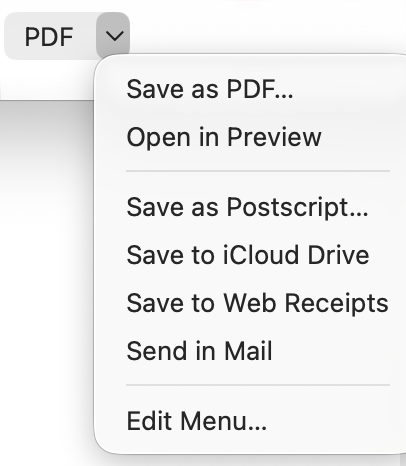
With Macs the other way is to “print” the web page but when the print window pops up, select the PDF button at the bottom of the window. One of the options is to save as a PDF.
Your post reminded me that I would like a similar feature when using Safari on an iPad. I currently have this capability with the PDF Expert app but I don’t plan to extend my subscription. This got me wondering if there is a printer driver that will do this job. There is for Macs (link below) but I haven’t found one that works with iPads.
Well, I had what I once would have called a system crash and had to force restart my MacBook Air, but the bizarre behavior seems cleared up. Please ignore!
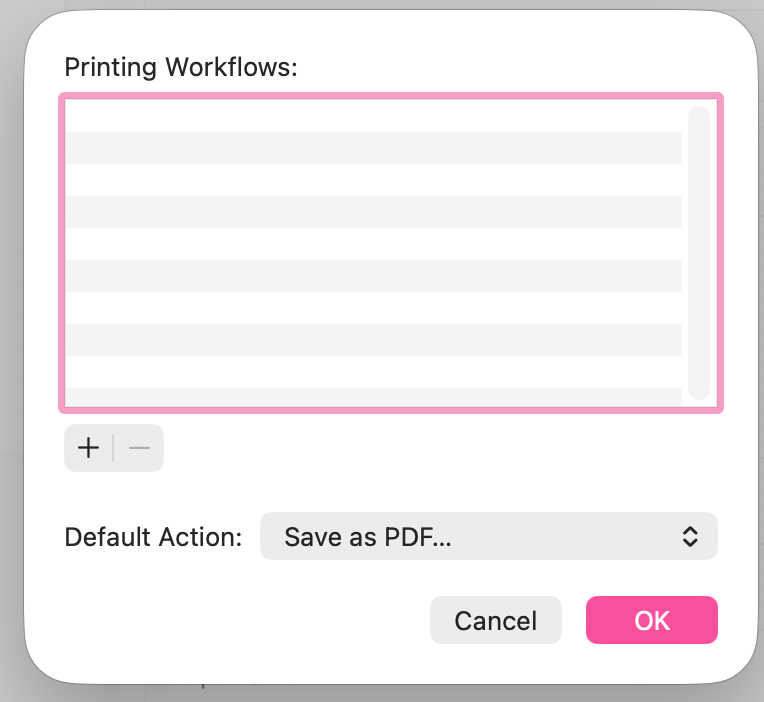
While not a Safari or Chrome on Mac user, I was also going to suggest as a workaround Print… then the pdf pop-up which is afaik generally available across all apps that can print. Used to be one could customize the pop-up with specific actions like filing the pdf in a specific folder, but those actions I’d set up are no longer there, now that I look.
But standard ‘save to’ options are there in the pop-up
which allows a user to add specific ‘workflows’ which I suppose can be set up in Shortcuts or Automator etc.
PDF creation has been around a long time on i-OSes iirc. Share Button > Print > long-tap on the little page preview that comes up and a pdf is created, allowing renaming and saving etc.