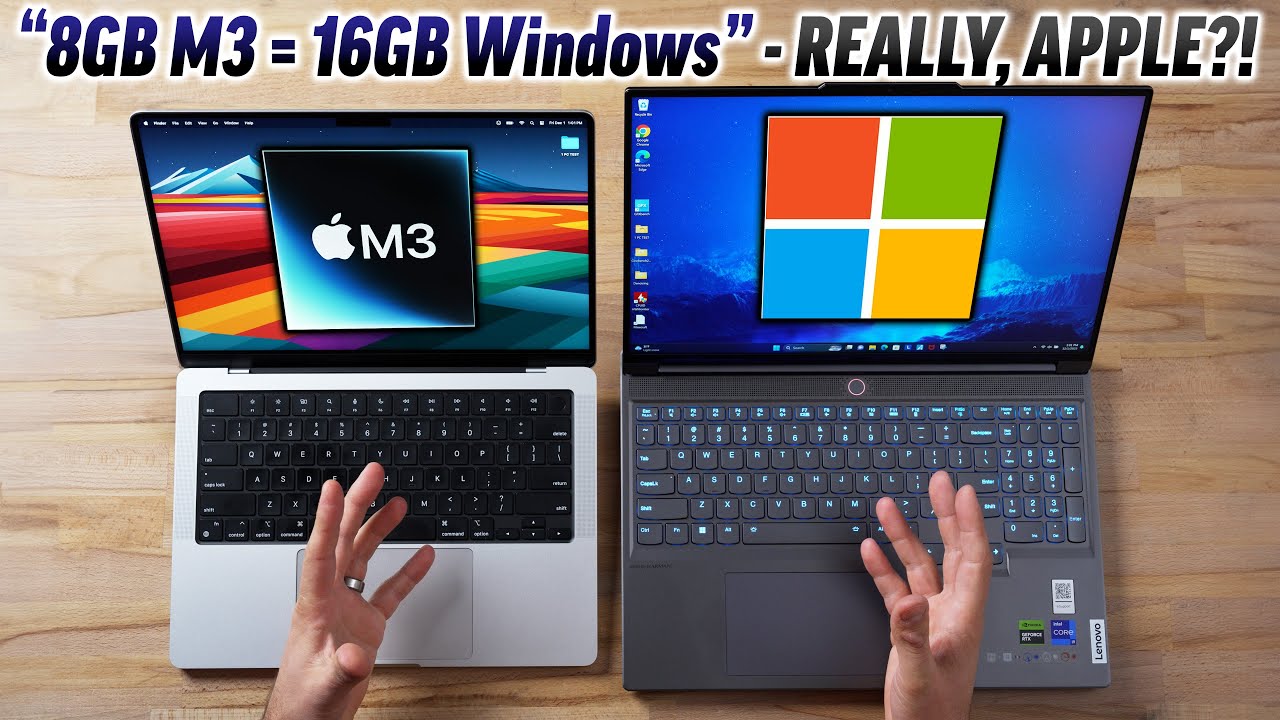
We’re getting a little beyond the scope of the original poster’s question, but the same Max Tech reviewer reached somewhat different conclusions about RAM on Apple Silicon machines in later videos. Here’s a recent comparison of an 8GB Mac vs a 16GB Windows machine:
The “real world” scenarios in the middle of that video were particularly interesting, showing performance hits on the 8 GB Mac when multitasking with a lot of browser tabs, etc. that weren’t an issue on the 16 GB Windows machine. I think it’s true that many users will not encounter those hits or, if they do, they might not find them to be a significant issue, but I’m also sure there are many “regular” users who will be much more satisfied with a 16GB Mac than an 8GB Mac.
Apple should be praised for designing a platform that is extraordinarily efficient at using RAM. It’s quite an achievement for Apple that there can be a debate over whether purchasing a new Mac with 8 GB RAM in 2024 will be adequate.
On the Windows side, 16 GB of RAM is my “real world” minimum recommendation in 2024 for any new machine that can’t be upgraded or that will be used for anything beyond light duty. In contrast, 8 GB can be adequate for a significantly larger number of Mac users than Windows users…but I also don’t think it is unreasonable to have a strong preference for 16 GB Macs.
At the risk of writing a comment that is too long, I’d also like to suggest that specifying the requirements for tasks such as “routine” web browsing can be more nuanced than it might first appear. For example, there can be a huge difference in hardware requirements for someone who browses the web with a couple of tabs open at a time versus someone who may have dozens of tabs open at a time. The latter user may have surprisingly large RAM requirements compared to the former user, and those requirements will grow over time as web pages become more larger, more complicated, and include more active multimedia content. A user who routinely browses with a lot of open tabs may be fine with 8 GB of RAM in 2024, but they may have some capacity issues in 2026.
This is the gotcha of modern Macs. It’s not a fair position to put shoppers in. It’s like asking a high school senior to pick their major and then telling them they have to stick with that career their whole life.
It affects SSD storage size too. I get the advantages both to Apple’s design and bottom line. But still.
Like people said, if you think you will sell it in a couple years and buy new, save the money now.
But I don’t like feeling afraid to make a long term cost saving choice now that I will regret later. So I usually over-purchase.
No disagreement here. My biggest gripe is not that they sell 8GB Macs, but that only the very high-end models offer 16GB RAM as a stock configuration. For all others, if you want more than 8GB, you need to go to Apple’s web site and get a build-to-order model.
This means that those who buy from anywhere else (Costco, Amazon, Best Buy, etc.) aren’t going to be aware of the fact that they can get more if they skip the retailer and order straight from the manufacturer.
Yes, the PC world has similar issues these days, but people buying PCs aren’t stuck with one brand. So if the retail-store-shoppers don’t see what they want in a Dell, they may find it in an HP or an Acer or Lenovo or other major brand. They won’t be forced to go directly to the manufacturer in order to have choices.
Before I go and agree that 8 is enough…I would like to see the difference with 16 running those same apps and see how much it took 16 before it slowed down.
In addition…we don’t know if those 12 apps are actually doing something or just running and idling in the background…and there aren’t any comparisons in his list…since we don’t know the apps…of what impact running numerous apps that are actually doing something simultaneously …say Lightroom doing an AI noise reduction and a 16 image HDR panorama merge at the same time while Photoshop is doing some processor and GPU heavy task while whatever video app is rendering an output 4K video…and then we need to see those same tests running on 16 or 32 or whatever. Those tests might be in the other links you provided, I didn’t go look…but to make a blanket statement that more RAM for future proofing is wrong seems a bit of overkill maybe. Larger SSD I agree with as that does maximize its write wear life…but it’s been true for a long time that for future proofing buying the mid grade model from Apple over the base was a good idea…and while Apple probably has made their chips more memory efficient…unless there’s an exhaustive set of tests of various RAM sizes running more than web browsers and a bunch of perhaps static apps…saying that 8 is enough seems to be a stretch. Saying 8 is enough for casual consumer use is probably true given the 12 app and 24 tab example…but what is enough for Joe Average might not apply to either pro use or hardware taxing amateur use.
You’re not wrong…but you might be overstating things…then again, maybe not as all of those more exhaustive tests could be in the other links I didn’t go look at….dunno.
And Apple’s concurrence is still marketing and therefore suspect for bias and marketingspeak and using 5he statistics you like that prove they’re ‘better’ while ignoring those that don’t and carefully selecting the axis scales on their charts to emphasize what they want t9 emphasize…and we all know that every company uses all of those tricks to make their stuff look better.
Here is an article written by Thom Hogan, a photographer and videographer (and one of the developers of Ram Doubler. Remember that?), that notes that 16GB should be the minimum for most users. He also explains why the base size storage of 256GB is inherently slower than larger storage devices.
Definitely worth reading…even if you don’t plan on doing photography and video editing.
Thanks for the link to Hogan’s article. He makes a point that I’ve seen in other places: not only to base configurations have less memory, but the speed of transfer between memory and the CPU is impacted because the base level usually uses one NAND chip while higher levels use 2.
“SSD size may impact drive speed. While I recommend upgrading the SSD from the base level (see below), that’s generally for a different reason having to do with what happens in memory and on the drive as resources get tight. However, there’s another reason to avoid the base SSD configurations: they use only one NAND chip, which makes them slower. The more SSD channels (chips) that are available, the faster the “drive” appears to operate, and this can be a 2x difference between a 256GB SSD (one chip) and a 512GB or larger SSD (two chips). One exception: the new 512GB MacBook Pro M2 models seem to use only one chip, too. Bottom line here: Apple is trying to save money (and reduce list price) in the base models by using a single chip, but that has an impact on drive speed.”
IIRC that’s only a problem with the M2 MacBook Air. It’s my memory that the M1 MBA and the 256 GB M2 and now M3 MacBook Pro models do not have that issue.
FWIW, I’ve long thought that people make too much of this. It may be an issue for people who are writing a lot of information at once, but anyone doing so is probably also not going to buy a 256 GB MBA.
That said: personally I’d buy an 8 GB RAM device before I’d go anything smaller than 1 TB. I can see why the 256 exists - it’s the least expensive, and maybe people buying fleets of these (for companies, schools, etc.) have network based storage anyway. But it’s possible that people can make a go with 256 GB if they’re also willing to use optimized storage with iCloud Drive and Photos etc.
I’ve had a 2020 M1 Mac mini 8/256 for over 3 years now. My normal mix is web browsing, email. some MS Word and Excel. Occasionally I’ll dip into video creation with iMovie. And running the occasional Linux or Windows VM.
For the most part, the system remains under yellow-at-most memory pressure. However if I’m doing compilation with Xcode or trying to run virtual machines with > 4GB memory footprint, I find the memory pressure edging to the red. I suspect that photo editing would have similar behavior for large photos.
I’ve mitigated the 256 GB of disk by running all the heavy lifting (Xcode projects, iMovie projects, etc) on an external TB3 SSD. Home folder is still on the internal SSD.
I do find that I take more care about filling up the internal 256GB SSD than worrying about memory usage. But that’s me.
If I had to do it over, I’d opt for the 16GB/512GB model.
Ultimately it all boils down to what your workload is.
That’s pretty much what you need to do if you have non-trivial use-cases. Put your non-trivial documents on external storage and reserve the internal storage just for macOS and your apps.
My laptop (a 2011 MBA) has only 4G RAM and 128G SSD (and is running Sierra). It works for me only because this isn’t my primary computer. I use it just for casual web surfing, Microsoft Office and occasionally streaming video when I’m away from my desk (where I’ve got a 2018 Mac mini with 16G RAM and 2TB of storage). Away means in other rooms of the house (accessing documents over the LAN) or when on vacation (where I only bring along copies of the few documents I’ll need to access when away from home).
But if I was doing real work on that computer, that Mac’s system requirements would be woefully inadequate, and it would have been almost since it was new.
Based on what I observe on my 16GB Intel iMac (frequently uses 12GB or more before I clean the heap), and the arguments in youtube videos on this subject, I would not purchase an M3 iMac with 8GB. Yeah I know Apple charges a ridiculous amount for the additional 8GB, but it seems worth it to future-proof your machine. Most of what I do is pretty light use, I’m not doing a lot of rendering and similar intensive things.
I had an M1 MBP with 16 GB of RAM and a 500 GB SSD. One night, while working with Filemaker and Excel I got a dialog box that said I was completely out of Memory. Not RAM, but Memory (I have never seen that dialog before - or since). I had XRG running and it showed that I was using 42 GB of Virtual RAM. My SSD was using about 390 GB of its 500 GB and my guess is that the 42 GB of Virtual RAM was enough to push the OS over the edge. I had no choice except to restart the MBP. I think that if you skimp on the RAM, you must go very, very big on the SSD.
I am a graphic designer too. I have a MacBook Air M2 but chickened out and got 16GB memory and 512GB SSD (very important to get that rather than 256GB SSD). It is very much a ‘second computer’ and is mainly used ‘in anger’’ for Photoshop / Illustrator work only when I am away from my desktop and I have no complaints. My partner has an 8GB model which she just uses for web, Microsoft Office etc (no Adobe) and she is very happy with that.
FYI my desktop is Mac Studio M1 Max with 32GB RAM and I do feel that this runs only a little bit quicker than my previous 10 year old MacPro. In hindsight I wish I had bitten the bullet on the desktop and maxed out the RAM to 64GB.
I will join the general moan that RAM and SSD should be upgradeable, especially in a comparatively large desktop Mac Studio. We are just building in obsolescence and that is environmentally awful.
I understand and somewhat support the decision for soldering down RAM. I’ve read quite a lot of articles about how the bandwidth requirements of modern RAM are so high that they can’t be satisfied with sockets. High performance RAM needs to be extremely close to the CPU and there’s just no way to provide this with DIMM sockets in a laptop.
Dell has invented a new memory module connector (CAMM - Compression Attached Memory Module) that supposedly can provide this high bandwidth on a replaceable memory module in a laptop. But at this point, very few vendors have adopted CAMM.
But storage? No. Flash storage is still using PCIe (which NVMe is based on) for connectivity, and that works just fine through a socket. Eliminating the socket may allow a computer to be slightly thinner, and it may prevent the module from becoming dislodged in shipping, but IMO, those benefits are not enough to override the drawback of making it impossible to replace modules for repair or upgrade purposes.
Of course, in the case of Apple, their cryptographic pairing means they’re still not user-replaceable, even with sockets. But at least it would allow Apple to replace the modules without swapping the entire motherboard. And Apple could make their pairing tool available, should they ever choose to do so.
It’s too bad they called it “RAM”. There’s nothing random about accessing the memory. You access exactly what you want, when you want. What they meant is that the memory locations can be directly addressed rather than having to read them sequentially. The correct term would have been Direct Access Memory (DAM). But that probably made someone uncomfortable, and the rest is history.
Sure there is. Individual elements (as defined by the memory architecture), can be read/written directly to/from the media at any address it desires. It doesn’t mean that whatever performs the read/writes can’t access it however they want.
From what I learned of computer history, the term RAM came into being to distinguish it from other types of storage whose elements can not be accessed directly at random. The particular distinction is with sequentially accessed media such as paper tape or magnetic tape which have to be re-positioned to access data that isn’t “next up” on the media.
SSDs blur the distinction somewhat as they have no seek time and rotational latency to access its elements like HDDs do. But they still adhere to HDD-like access since we’re transferring blocks of data back memory to extract data, then writing it back from memory when we change something.