Yes, I was referring to the Library folder, which for me is on an external SSD. The iMazing Library folder (including subfolders) contains downloaded .ipa files.
I, too, wonder about the multiple folders. Until you started this thread, I hadn’t paid attention to what was in the iMazing Library. Here it is.
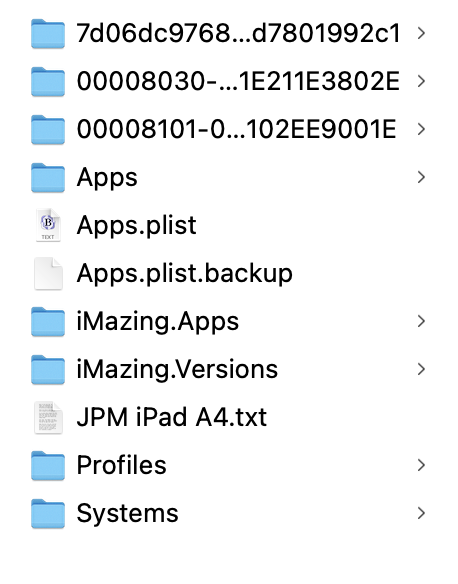
You can see there is only one Apps.plist file (plus a backup). However, the folders iMazing.Apps and iMazing.Versions/Apps were last modified last July, and the Apps folder was modified a few days ago, which I think answers the question of which one is in use. I wonder what would happen if I moved all the .ipa files into the Apps folder.
Sweet. I’ll grab the new script. And since iMazing is currently unable to download .ipa files, I might take this opportunity to start a new Library folder.
Here’s another oddity: ‘~/Library/Application Support/iMazing/Library/Apps/Icons’ contains many .png files with a modification date that matches the Apps folder in my iMazing Library. (It does not contain nearly as many .png files as Apps/Icons in my iMazing Library, but why would iMazing be storing .png files in two different places?) One more thing. There are three .ipa files in Apps/Icons in my iMazing Library. All-in-all, it makes me think iMazing is rather sloppily programmed.