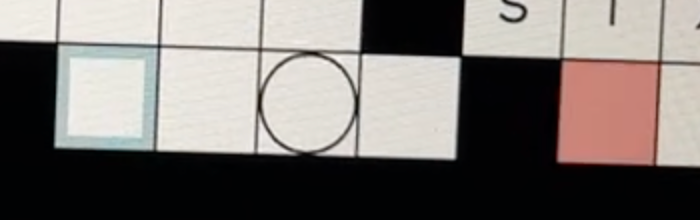
Here’s the strangest thing I’ve ever seen on my MacBook Air M3 (Sequoia 15.5, Safari 18.5):
Several weeks ago, while I was doing the Washington Post crossword, I began typing the answer UCANTTOUCHTHIS, and typing the first T wiped out UCANT and took me back to the first square of the answer. I was able to reproduce this odd result again and again.
And then tonight, doing the Gisnep puzzle (figuring out the words in a quotation), I typed DONT, and the same thing happened when I typed the T: DONT disappeared and I was back at the first square of the answer. I was able to reproduce this odd result again and again. If I type DON, right-arrow ahead to the next word, and left-arrow back to add the T, everything’s fine.
Can anyone help me understand what might be going on here? I’ve attached two screenshots, one with DON and the other showing what happens when I type the T. I took a video with my phone and slowed it down to capture the moment when one box turns red and it’s back to square one.
My immediate thought is that you have auto-replacement active, either in the OS settings or via a third-party program such as Typinator, that’s trying to insert the punctuation into words like “don’t” and “can’t”. When you enter those words, it’s trying to “backspace” to add the apostrophe that would normally appear in these words, and the puzzles are interpreting that as a command to erase the entire entry. Arrowing out of the word breaks the auto-replace’s trigger, so it doesn’t try to replace it then. That’s what I would look at first.
The explanation hit me when I woke up this morning. I have snippets in Alfred to add apostrophes to contractions, so I can type dont, for instance, and get don’t. I unchecked those snippets, and now the problem is gone.
As a general rule, having an auto-insert of punctuation into “can’t” can be problematic in English, because not only is “cant” a word by itself (albeit a rather uncommon one), it also appears in words like “cantilever” and “significant”. (Off the top of my head, I can’t think of any relatively common English words that contain “dont”. It’s not likely to be an issue unless you happen to write about specialty dentistry, with words like “orthodontics”, or certain types of dinosaur, such as the family Heterodontosauridae.)
The only way to make it work reliably, as long as you never use the word “cant”, is to have it set to replace “cant” with “can’t” as a whole word only, meaning it will do it only when “cant” is immediately preceded by a space and immediately followed by either a space or a punctuation mark. Since your crossword entry of “UCANTTOUCHTHIS” has “cant” embedded in the middle, such a setting would have prevented this issue. Typinator has this as a standard option for each shortcut, but since I’ve never used Alfred snippets, I can’t say offhand if that’s an option there.
For me, saving the many apostrophes would be more important than deleting one once in a while. But I’ll have to look more closely at the Alfred options (and TypeIt4Me options if I go back to that app).