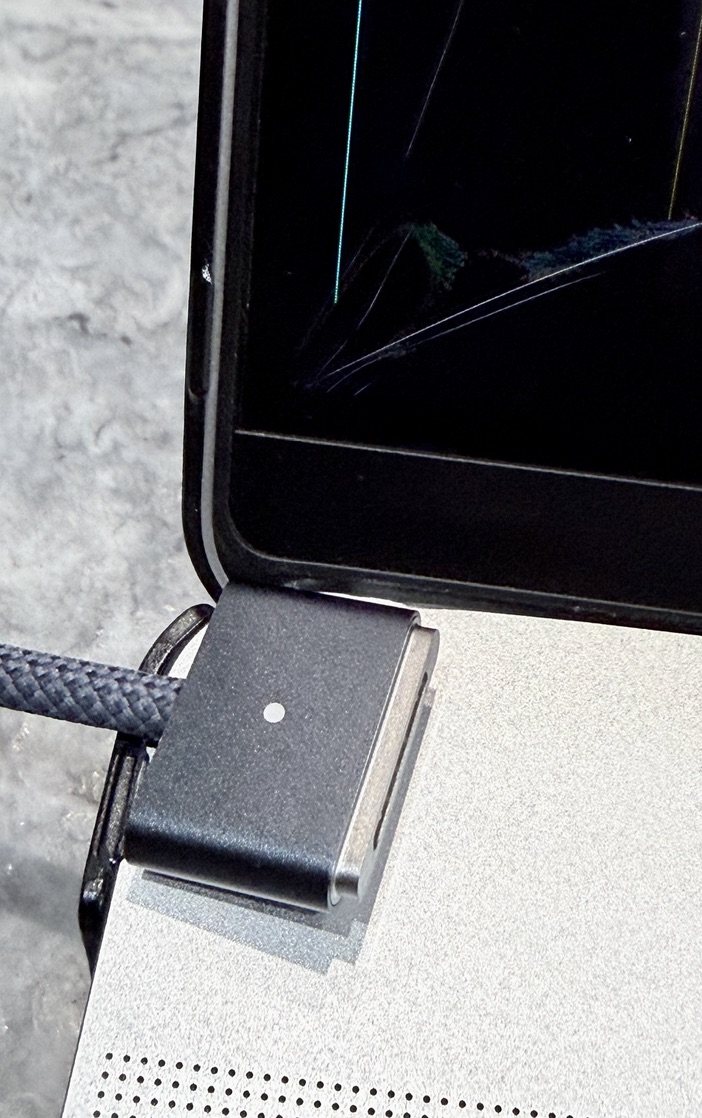
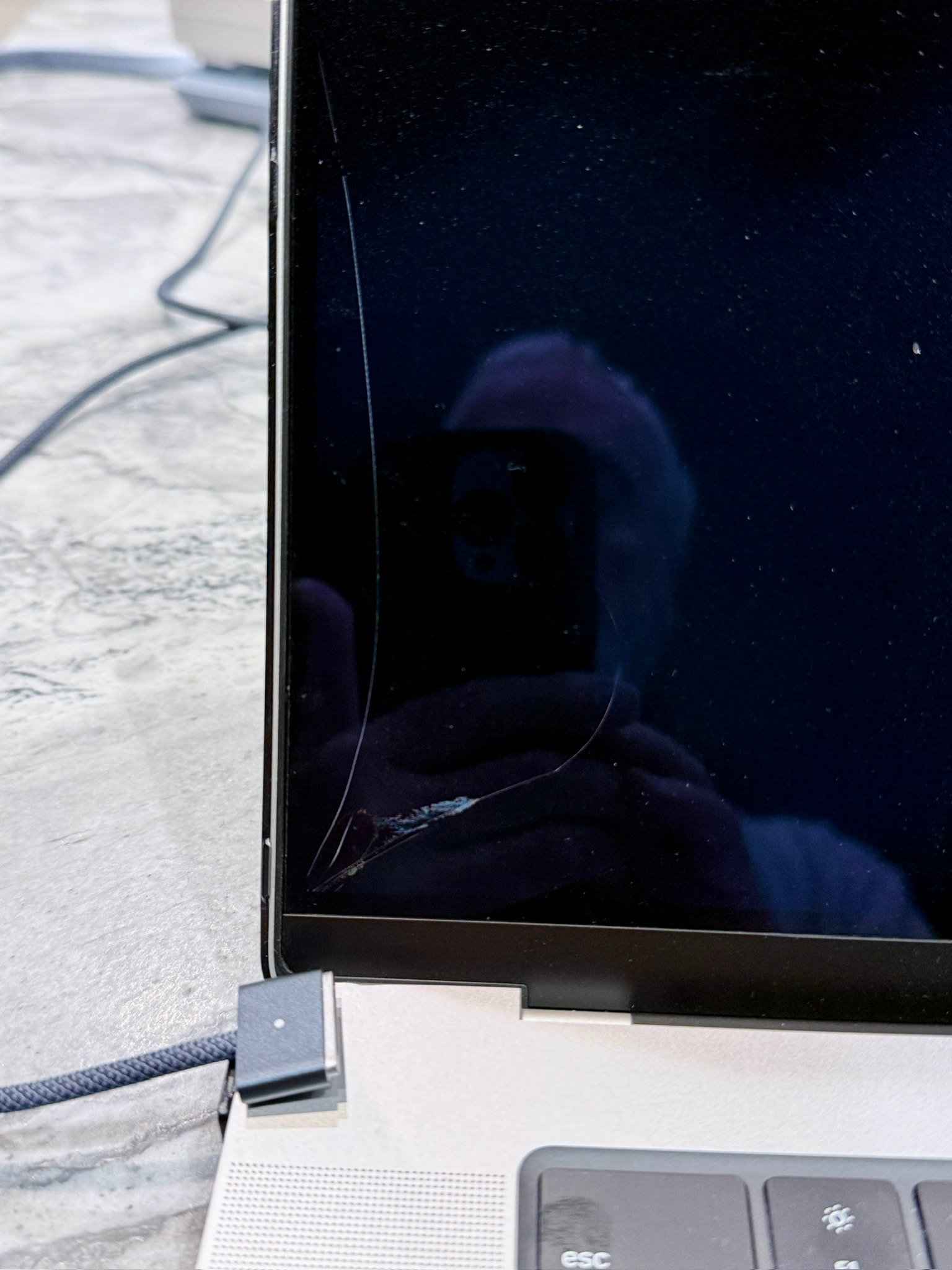
OK, I admit. 2024 16 inch Macbook Pro being charged with ‘huge’ Apple charging brick 140W? Been doing this for years. But not with a ‘new’ INCASE case for my laptop. So, usually, it is plugged in, Magsafe is connected, and I gently close lid when leaving the area. Not this time. Has NEVER EVER happened to me in 35 + Apple years. Some of these power cords with Magsafe are stiff and tend to keep their shape or curve so I guess it popped off, then decided to move back to the original location, but it missed. :)
Evidently, something had disconnected the Macsafe (some minor pull?) and the edge of the INCASE case on the bottom has an irregular piece of plastic which reaches just above the margin of the lateral laptop. So, the Magsafe connector comes loose, then resettles at the upper left corner between the bottom and screen-top. I gently close it and wow. Cracked screen by this ‘pinch’ so going to Apple store at noon and send in for Applecare covered repairs. I will be more mindful of commonly done things I do, and No more INCASE cases for me. Patrick
Sorry to see that. I hope you still have AppleCare protection.
I’m not sure how much blame to put on the Incase product, though. I recently served as VP of IT for a company of approximately 100 employees, and I was surprised to see two separate examples of dislodged charging cables cracking screens in exactly this way in the two years I was with the company after never encountering it before. Coincidentally (I think), both machines were 16” MBPs.
I almost did the same on my 13” MacBook Air (USB connector), but I shut the case gently enough that I stopped when I felt resistance, and no damage was done. I also never came close to doing this in decades of laptop use. I wonder if there is some very subtle design issue at play here, perhaps related to the thinness of modern Apple laptops. On my MBA, there basically is no edge that would prevent a loose power connector from sliding onto the keyboard.
Funny–I wonder if this is a case where USB charging is “safer” than MagSafe charging. To unplug a USB-C charging cable, you have to pull it away from the laptop, so it’s unlikely to end up sitting in the troublesome spot. And there’s no way for it to get accidentally bumped from the bottom and disconnected in a way that would put it on top of the computer body.
I trapped a cable between keyboard and screen (PEBKAC/PEBCAK/PICNIC?) but was “lucky” enough that the hairline crack from top right corner to approx screen centre could only be seen if light hit it from just the right angle. I lived with that for a year or so before I gifted it downwards and upgraded. I’ll be much more careful