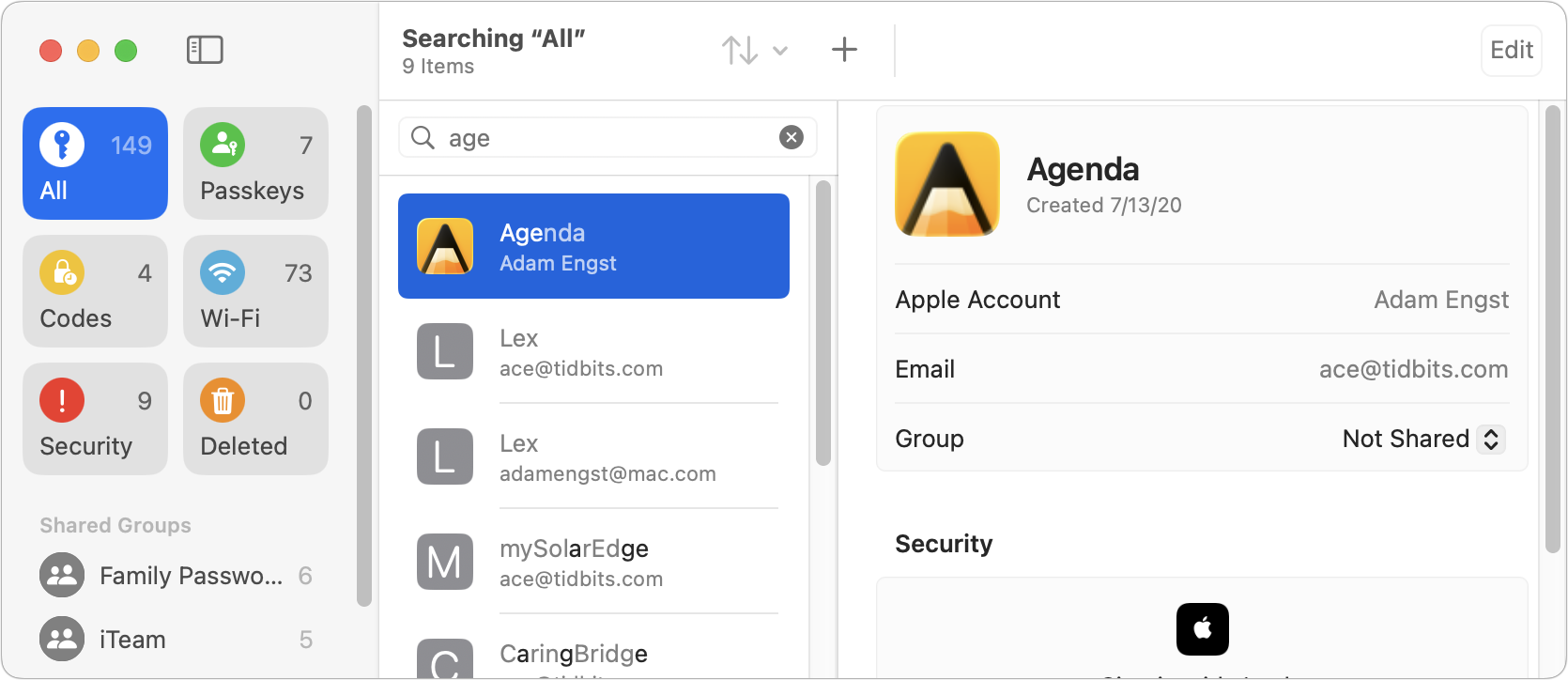
So if I open the passwords app, and type in the search box, the results show me anything containing the letters I typed, but not necessarily altogether. For example if I type NBC, the results seemingly show anything that contains those letters in that order, but they don’t have to be next to each other.
Some example matches:
nb.c, nbros.c, n.ebay.c
Those being the websites for Airbnb, Einstein bagels, and Ebay UK. This matching can result in not being able to find what I am looking for, because it is hidden in a sea of mismatches.
Who designs a search function to match criteria in this way? I find it quite maddening when someone decides that they know better than I do, of what I want. If you insist that you know better what I need, then please give me an advanced search, where I can override your smug arrogance.
And can anyone suggest a workaround, so I can just do a straightforward search?
Quick guess: a period/full stop acts as a search operator (in other words a search for “tidbits” is different than for “tidbits.”) for some reason. True, that is different from traditional Boolean practice but I’m not sure I’d label it as smug.
Ok, appending a period shrinks my results from 33 to 11, and it does that if I put the period in the front as well. But it’s the clear reinterpretation of my search term, that I am calling smug arrogance, because someone is effectively saying, ‘You don’t know how to search, so we modified the results, to be more inclusive, to help you. Normally, you allow people to add search operators, such as wildcards, when their regular search is not fruitful. Here they are doing it for you, before your search even fails, and drowning you in a sea of results. Not really helpful. Instead of searching for NBC, they switched it to *N*B*C*, which in my opinion is wrongheaded thinking. And arrogant.
At least let me override your ‘help’ with enclosing quotes or something. That and tell me, so I don’t have to find it by trial and error.
To be fair, most people don’t know how to search effectively and certainly don’t know about wildcards or quoting, so expanding the results is a better result for them. Plus, when searching in Passwords, you may wish to find text in names, usernames, and URLs, with the latter in particular often being non-standard words.
In fact, the Passwords search is sort of interesting. As I type, the search list becomes shorter and shorter, but it’s clearly matching on non-contiguous characters, as you say. But it is keeping the most likely hits at the top. I typed “age” and it’s matching Agenda first, which is absolutely right, and although it may seem weird for Lex to be second, it’s because the URL is lex.page, so it’s a strong match on “age”. Matching on mySolarEdge and CaringBridge is a little silly, but they’re farther down in the list, and if I continue typing, the list continues to shrink.
This search approach doesn’t punish some sorts of typing mistakes, like dropping a character (“agn” still matches Agenda), but it does punish typing the wrong character (“ahe” misses Agenda entirely).
I do understand the desire/need to create a search usable by everyone, but that should never come at the expense of those who know how to search. They should be given the opportunity to override a ‘neophyte friendly’ search, either by a simple switch, or via a separate ‘expert search’ interface.
Yes, we probably need to offer everyone courses on ‘How to search’, but more importantly, we need to teach developers how to create uniform search interfaces, that can accommodate everyone, from newbies to experts.