Ever since Liquid Chaos  came out on MacOS I’ve been trying, with Mr. Engst’s articles and others, to get the interface more, ah, opaque and readable I suppose you could say.
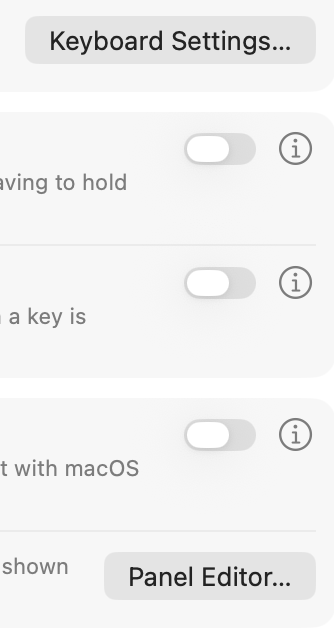
There’s a variety of visual anomolies that occur but the one that disctracted me most today, after installing 26.4, was the near disappearance of buttons in Settings (this was there since 26 itself and I wsa hoping it would be fixed):
Additionally, I generally take a lot of screenshots with shift-command-4 and it used to show an outlined area, a gray box I think, but I just noticed now that Finder window Tab ovals are also nearly invisible and when I went to screen shot that, the gray box was discontinuous and revealed the missing tabs a bit:
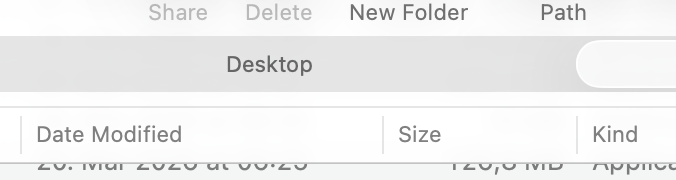
Oh, sorry the crosshairs and gray box are missing from the screenshot (the gray box was behind the tab label but otherwise not showing the full rectangular selection. Anyway here’s just the missing tab shapes. There is a tab left and right of Desktop but their oval shapes don’t show. (If anyone wants to see exactly what I mean lmk and I’ll make a short screen video).
I went back and turned off ‘reduce visibility’ and changed from Tinted Chaos to Clear Chaos and didn’t make any difference. Will reboot and see what happens.
Interested to know if anyone else has seen this and, um, ‘repaired’ it, or if this is actually the ‘doing it right’ look.