Originally published at: MacBook Air Gets M5, MacBook Pro Gains M5 Pro and M5 Max - TidBITS
Apple has updated the MacBook Air with the new M5 chip, doubled base-level storage, and faster SSDs, while the MacBook Pro gains the new M5 Pro and M5 Max chips along with the same doubled base-level storage and faster SSDs. On the second of what’s expected to be three days of product releases, Apple has announced a refresh of its MacBook lineup, with the MacBook Air gaining the M5 chip that made its Mac debut in the 14-inch MacBook Pro last year (see “New M5 Chip Accelerates the MacBook Pro, iPad Pro, and Vision Pro,” 15 October 2025). Joining the M5 MacBook Pro are 14-inch and 16-inch models powered by the new M5 Pro and M5 Max chips. Along with the new processors, these refreshed laptops double the starting storage, boast up to 2x improvements in SSD performance, and move to the N1 wireless chip, but offer no design changes.
MacBook Air Gets M5, Doubles Base Storage
The MacBook Air receives the M5 chip, which features a 10-core CPU and an 8-core or 10-core GPU. Apple also doubled the starting storage to 512 GB, but you’ll pay the same as you would for the M4 MacBook Air: $1099 for the 13-inch model and $1299 for the 15-inch.
Here’s what happened. The entry-level M4 MacBook Air had only 256 GB of storage, but its price started at $999; the $1099 price was for the 512 GB configuration. So although Apple has doubled the starting storage, it hasn’t maintained the $999 entry-level price point. In fact, Apple dropped the M4 MacBook Air’s entry-level price to $999 after raising it to $1099 with the M2 and M3 models (see “M4 MacBook Air Cuts Price, Boosts Performance, Camera, and Display Support,” 5 March 2025). Apple is clearly trying to create more pricing space between the MacBook Air and the new MacBook Neo (see “The MacBook Neo’s Carefully Considered Compromises,” 4 March 2026).
The M5 significantly improves performance, with Apple touting various benchmarks showing 1.5x to 4x improvements over the M4 and 2.7x to 9.5x improvements over the M1. Notably, Apple has started to focus its claims on AI performance—the 4x and 9.5x improvements are for “AI tasks,” which Apple expands as “using Apple Intelligence across apps and system experiences at home, or running LLMs on device in an enterprise.” Other performance gains come from the M5’s 153 GB/s of memory bandwidth—a 28% improvement over the M4’s 120 GB/s—enabling smoother multitasking and faster app launches.
Beyond the chip upgrade, Apple has integrated its N1 wireless networking chip, which provides Wi-Fi 7 and Bluetooth 6 for improved wireless performance and reliability. Storage configurations now start at 512 GB with options for 1 TB, 2 TB, and—for the first time in the MacBook Air—4 TB. The new SSDs also deliver up to 2x the read/write performance of the M4 generation.
The MacBook Air continues to feature the 12-megapixel Center Stage camera, two Thunderbolt 4 ports, MagSafe 3 charging, and up to 18 hours of battery life. It’s available in sky blue, midnight, starlight, and silver.
I remain a huge fan of the MacBook Air, and these hardware upgrades continue to make it tremendously compelling for many laptop users. If you configure it for an apples-to-apples comparison with the M5 14-inch MacBook Pro, it’s $400 cheaper, slightly smaller, and 26% lighter (0.7 pounds or 320 grams, about the weight of a 12-ounce can of soda). And it’s $600 cheaper if you only need 512 GB of storage and don’t mind the 8-core GPU.
To my mind, the MacBook Air continues to occupy the sweet spot in the Mac laptop lineup. The MacBook Neo is $400 or $500 less expensive, but it has so many compromises that the MacBook Air feels like a better fit for those who have anything beyond the most basic of needs and can afford the difference in price.
MacBook Pro Introduces M5 Pro and M5 Max
Although the MacBook Air update is entirely welcome, people don’t buy the MacBook Air for its performance. Even the M1 model I bought when it debuted over five years ago continues to do everything I need in a testing and travel laptop, including virtualizing Windows (see “Apple M1 Chip Powers New MacBook Air, MacBook Pro, and Mac mini,” 10 November 2020).
For laptop performance, you’ll want a MacBook Pro, and Apple has just raised the bar in that area by introducing the M5 Pro and M5 Max chips, built using Apple’s new Fusion Architecture. Previously, Apple delivered increased Pro and Max performance by adding more cores and wider memory interfaces within a single silicon die. The Fusion Architecture combines two separate silicon dies with a high-bandwidth interconnect so they function as a single unified system-on-a-chip, enabling Apple to scale performance while staying within laptop thermal and power budgets.
This strategy echoes the UltraFusion packaging found in chips like the M3 Ultra, which “uses an embedded silicon interposer that connects two M3 Max dies across more than 10,000 signals, providing over 2.5TB/s of low-latency interprocessor bandwidth, and making M3 Ultra appear as a single chip to software.” (You can see why I quoted Apple’s Star Trek-speak instead of pretending I could use those words myself.) Although Apple makes a nod to the M3 Ultra’s power efficiency, it’s still aimed at providing extreme desktop-class performance for the Mac Studio, whereas the Fusion Architecture brings those multi-die scaling principles to laptops.
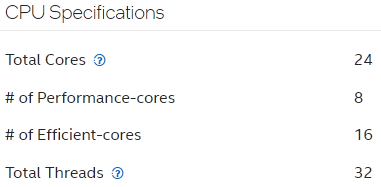
In a jump from the 14-core M4 Pro and 16-core M4 Max, the M5 Pro offers either a 15-core or 18-core CPU, and the M5 Max comes standard with an 18-core CPU. It includes 6 “super cores” (Apple’s new name for its highest-performance cores, retroactively applied to the M5 chip) and 12 new “performance cores” optimized for multithreaded pro workloads. Although it’s tempting to think of the new performance cores as the old efficiency cores, Apple’s table showing M5 with a combination of super cores and efficiency cores makes it clear that they’re different. Jason Snell and John Gruber explain more. Regardless, Apple claims up to 30% faster multithreaded performance when comparing the M5 Pro to the M4 Pro, and 15% when comparing the M5 Max to the M4 Max.

The GPU scales up to 20 cores in M5 Pro and 40 cores in M5 Max, with a notable new feature: Neural Accelerators built into every GPU core. Combined with higher unified memory bandwidth, the new GPU delivers up to 4x faster AI performance compared to M4 Pro and M4 Max. Graphics performance also sees substantial gains, with up to 35% better ray tracing performance than the M4 generation.
Speaking of memory, the M5 Pro supports up to 64 GB of unified memory (up from 48 GB) with 307 GB/s bandwidth (up from 273 GB/s in the M4 Pro), while the M5 Max supports up to 128 GB with 614 GB/s bandwidth (up from 546 GB/s in the M4 Max).
As with the other M5-based models, the SSD storage provides up to 2x faster read/write performance over the M4 models. Apple has also doubled the starting storage: the MacBook Pro with M5 Pro models now start at 1 TB, while M5 Max models start at 2 TB. As before, the M5 Pro models max out at 4 TB, whereas the M5 Max models have an 8 TB option.
Like the MacBook Air, the MacBook Pro gains the N1 wireless chip for Wi-Fi 7 and Bluetooth 6. Battery life is the same for M5 Pro models and slightly better for M5 Max models. Apple also says that the new models now have “Voice Isolation and Wide Spectrum microphone modes for enhanced voice clarity in audio and video calls.”
The MacBook Pro continues to feature Thunderbolt 5 ports (introduced with the M4 Pro and M4 Max) and a Liquid Retina XDR display with an optional nano-texture finish. The 14-inch and 16-inch models are available in space black and silver.
Pricing starts at $2199 for the 14-inch MacBook Pro with M5 Pro and $2699 for the 16-inch MacBook Pro. The M5 Max models start at $3599 for the 14-inch and $3899 for the 16-inch. A maxed-out 16-inch MacBook Pro costs $7349.
Generally speaking, the performance improvements between Mac generations aren’t significant enough to drive upgrades for many users. However, for professionals pushing the boundaries in fields such as motion design, visual effects, video editing, machine learning, and data-intensive workflows, the new MacBook Pro models offer meaningful gains and may be worth the immediate upgrade. Certainly, the older your current system is, the more you’ll notice the improvements.
New Desktops Next?
Now that Apple has released the M5 Pro and M5 Max chips, the next Macs in the update cycle are the iMac, Mac mini, and Mac Studio. Rumors suggest that the Mac mini and Mac Studio may appear in the next few months, with the Mac Studio possibly getting an M5 Ultra option. Less is said about the iMac, but Apple often updates it in sync with the Mac mini.