Today is a bad day. Installed the latest macOS update and it bricked my Mac. Never happened before (IIRC) and I’ve been using Macs since 1984.
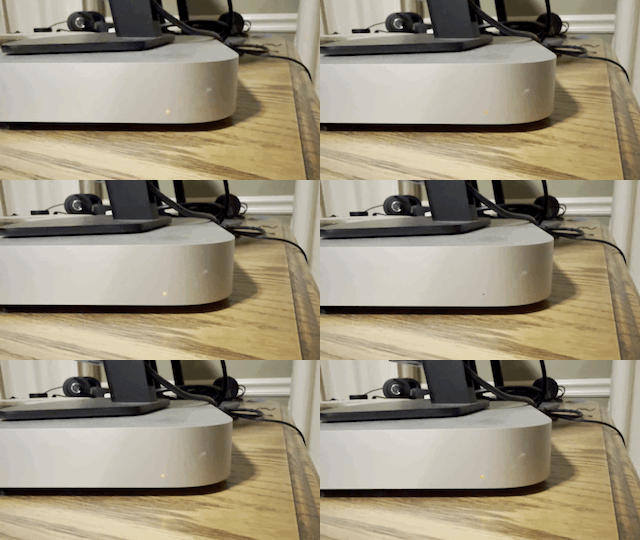
Won’t even power on. Finally saw this light flashing a strange pattern. Watched close and noticed it’s SOS! Started thinking it was ransomware but then Google said it’s a firmware issue.
Tried recovering from another Mac but that failed. Now the other Mac can’t even connect to it.
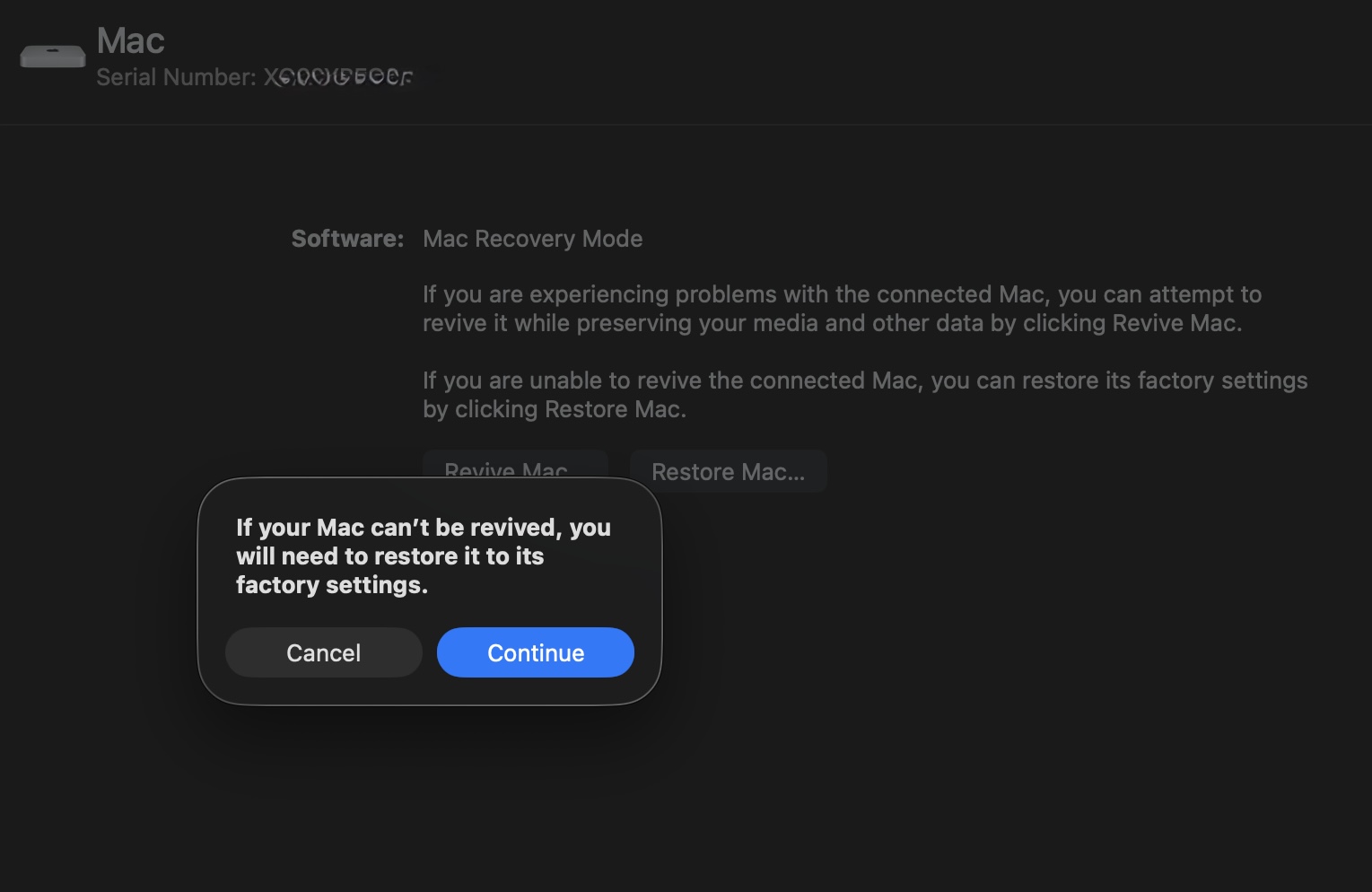
Genius Bar appointment tomorrow but the recovery process warned my data might be lost. Seems unacceptable to me that a firmware issue should trash a terabyte of good data.
Let’s not jump to attributing malicious intent to what would seem most likely to be a hardware failure. A modern Mac is a highly complex system, so it doesn’t surprise me at all that a firmware failure would render the entire thing unusable.
Not clear to me whether you got that message after attempting “Revive” or “Restore”. I have never had any joy with “Revive” but always have with “Restore”.
Yea, sloppy use of words. I don’t mean malicious intent. Just heavy-handed from the Big Guy with careless disregard for the impact on us Little People.
A modern Mac is a highly complex system, so it doesn’t surprise me at all that a firmware failure would render the entire thing unusable.
Yea, sorry… that’s not okay. That’s not progress. I get security, and having the entire disk decrypted on the fly, and protection from USB hacks, etc. But if the firmware gets screwed up, you should be able to fix that with connection to a remote Mac without losing any of your data.
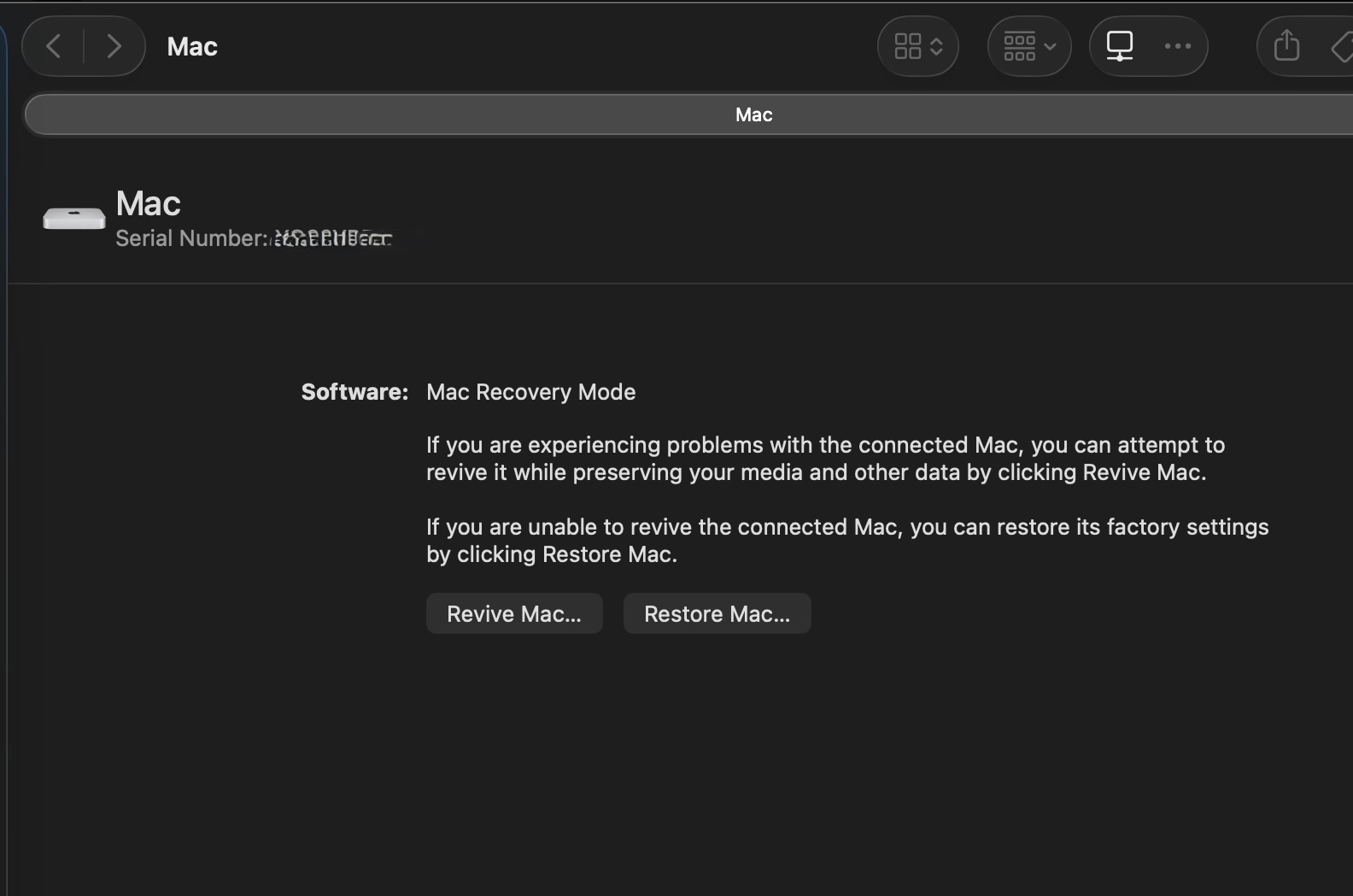
Restore said it would erase everything, so that was not high on my list of preferred choices :-) I tried Revive, which apparently just tries to fix the firmware.
I’m not sure how their key management works. But it should be under my control. I’m still me, it’s still my Mac, and I authorize the recovery of that data. How Apple accomplishes that goal determines whether their architecture is lousy or not. Might not be fascist, but it’s more than simple math; it’s a design choice.
UPDATE: currently at the Genius Bar. Some definite progress.
He’s using some Apple diagnostic app, btw; not Apple Configurator. Anyway, the Apple Support article CLEARLY stated to use a USB-C cable and NOT a Thunderbolt cable:
A USB-C to USB-C cable that supports data and charging, such as the Apple USB-C Charge Cable included with some Apple products. It works with ports on Mac that accept a type USB-C connector.Don’t use a Thunderbolt 3cable.
The Genius tried that (USB-C) and, like me, failed.
He then tried a newer Thunderbolt Cable (he thinks 4 or 5), and that also didn’t work.
Finally, he tried a Thunderbolt 3 (he thinks) cable. That actually made progress. It connected to the app on his MacBook and presented recovery options. I’m not sure what all went on inside his app, what he clicked on, etc. The background image on his app said “DFU”. Whatever he did ultimately lit up the screen on my Mac mini for the first time since this all started, including my familiar wallpaper and avatar and login prompt. I logged in several times, and saw my Finder with all my favorites in the sidebar, etc. A good sign.
Then we noticed it’s running 26.2, not 26.3.1. The update to the latter is what bricked this so I told him I want that upgrade done before I leave the store :-D So that’s currently in progress…
Also important is to use the right port. And Apple doesn’t make that easy if you’re trying to wing it. But there is a doc that explains exactly which port to attach that USB-C (non-TB!) cable to.
Okay, well this is just loaded with interesting info! I know the ports on the new Neo are not identical.
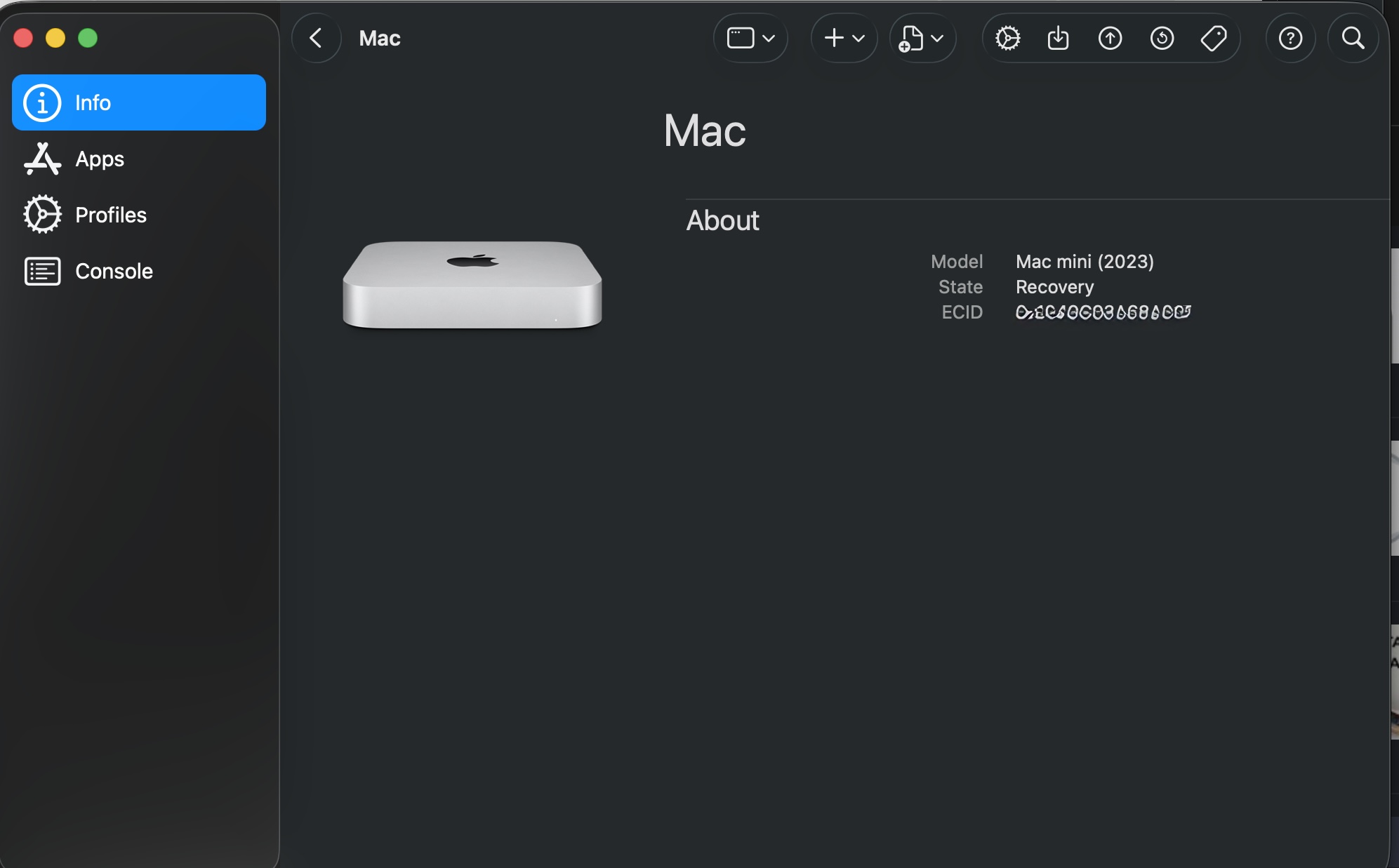
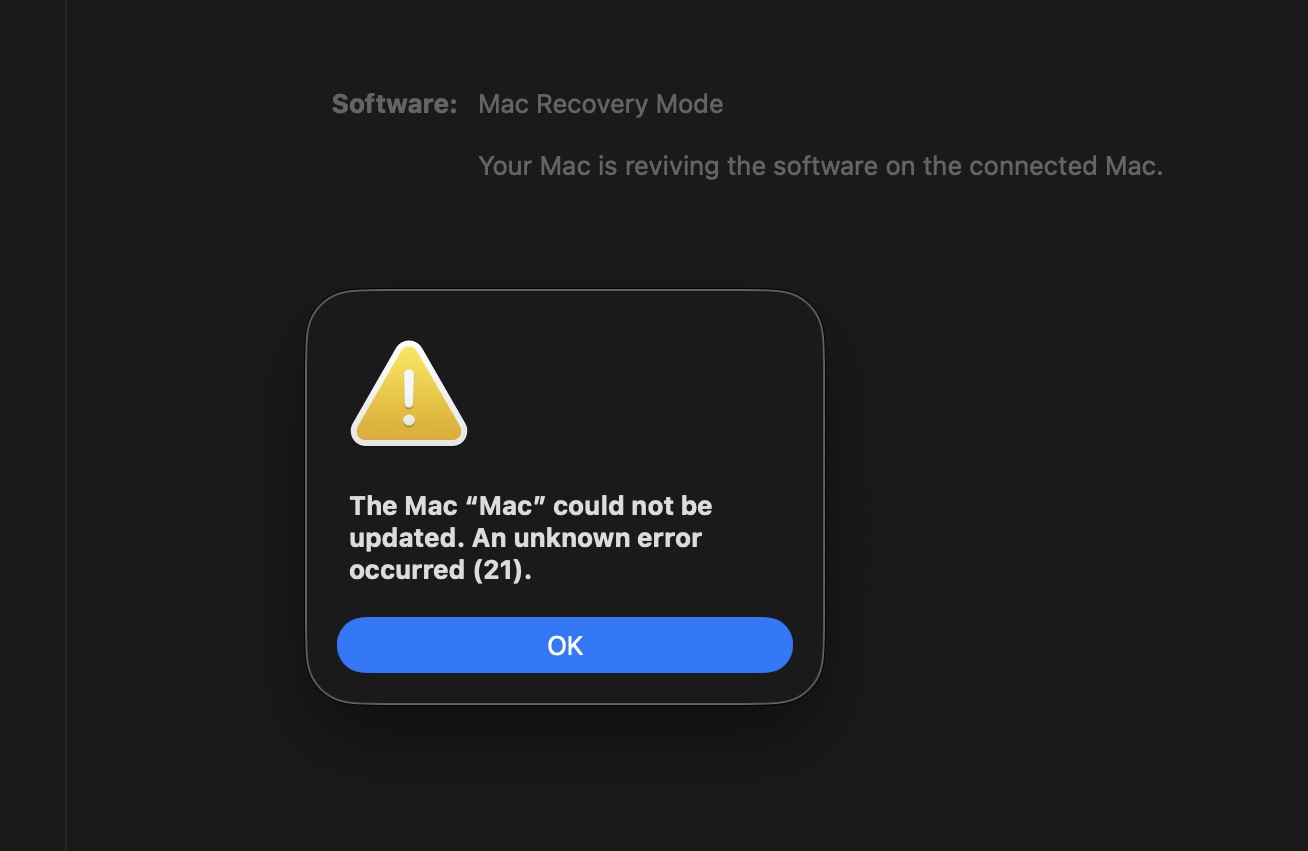
Anyway, note that I did try Revive. It tried and failed. Apparently it won’t even try if you’re not in the DFU port. See screen shots. But choosing the right port (and apparently correct cable) will apparently be two (cryptically obfuscated) details I’ll double check next time this happens! Nota bene!
I keep an external SSD where my Photos Library is stored. When I reconnected it to the recovered Mac, it didn’t mount. After I ran First Aid on it with Disk Utility, it was able to mount. Not sure what that was about, but glad it was uneventful.
Also since the recovery / upgrade, my Arq backup started complaining about errors accessing files under my wife’s account. I’m currently troubleshooting that. Don’t know if it’s related to the upgrade or the recovery.
Did it just not auto-mount? Or did it refuse to mount when you opened Disk Utility, selected the disk, and hit mount?
I’ve seen an intermittent macOS bug where USB-attached storage from time to time just fails to auto-mount. It seems worse with encrypted volumes while TB instead of USB helps, but due to the bug’s intermittent nature, it’s hard to nail down.
Great question. I should recall, but I don’t. I feel like I tried that (and failed), but I’m not sure. But it’s also possible that its failure to auto-mount, combined with the recent Mac recovery, made me feel that it was wise to run First Aid regardless, and so I did.
I will say that I did try reseating both ends of the cable several times before taking the steps with DU.
Yes, this drive has the bad habit of unmounting randomly. Sometimes I’ll find out because Photos has quit; other times my Arq backup will give errors.
 cable that supports data and charging, such as the Apple USB-C Charge Cable included with some Apple products. It works with
  cable.