Juice Jacking Protection Setting Broken in iOS 26

Originally published at: Juice Jacking Protection Setting Broken in iOS 26 - TidBITS

You may have heard about “juice jacking,” a type of attack that exploits a security vulnerability in USB charging. This vulnerability exists because USB ports can simultaneously transfer both power and data, potentially allowing a compromised charging station in an airport, hotel, or other public place to attack a connected iPhone.

Although there are no reports of juice jacking attacks in the wild, Apple added protection against this vulnerability years ago with a setting that explicitly prompts you to allow wired accessories to connect. You can configure iOS to handle accessories in four ways: ask every time, ask only for new accessories, automatically allow connections when the device is unlocked, or always allow connections.

Protecting Against Wired Connection Attacks

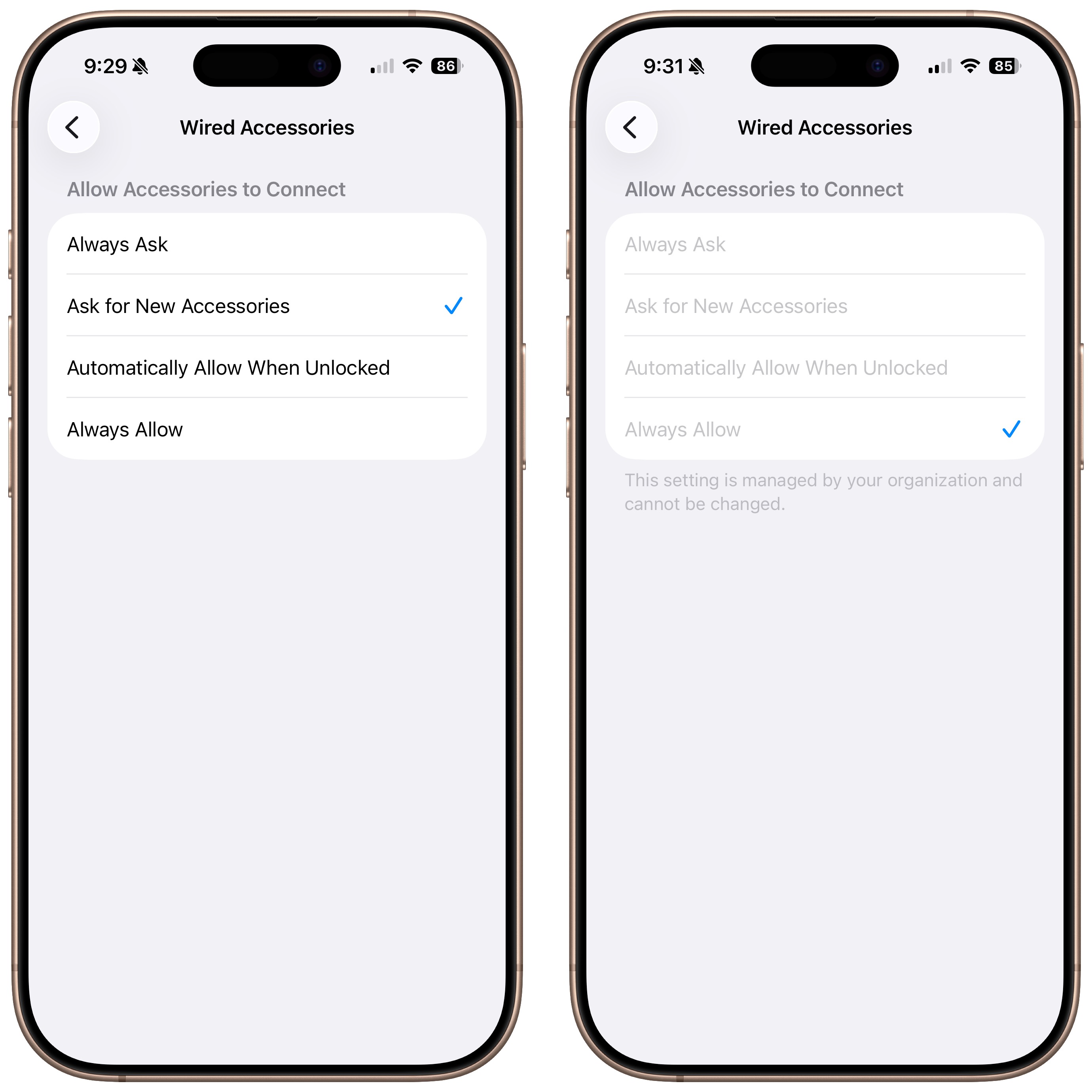
Unfortunately, as a post on a private mailing list alerted me, there’s a bug in iOS 26.0.1 related to the accessory protection controls in Settings > Privacy & Security > Wired Accessories. The bug also affects iPadOS 26. For some iPhones and iPads, including both my iPhone 17 and fourth-generation iPad Air, the accessory connection control is locked to Always Allow, and a note below says, “This setting is managed by your organization and cannot be changed.”Wired Accessories setting screen

However, I have no profiles or mobile device management (MDM) software in place—my iPhone and iPad are not managed by an organization. While I don’t recall which security level I had selected on my previous iPhone 16 Pro, I would usually have chosen Ask for New Accessories. Updating my iPhone 17 to iOS 26.1 beta 3 did not unlock the accessory protection controls. There was a suggestion that erasing all settings would allow editing of this option, but I wasn’t willing to try that. I’ve reported the bug to Apple.

While some people in the discussion also experienced the bug, others had no trouble adjusting their accessory protection controls. One person was confident that she had not previously chosen Automatically Allow When Unlocked on her previous iPhone, but she was able to switch back to Ask for New Accessories. Sadly, it is common for some settings to change during operating system upgrades.

Real-World Concerns?

Because this bug forces a reduced security stance, it’s worth examining the seriousness of the underlying juice jacking threat. Official warnings regarding the vulnerability appear regularly. They have come from the U.S. Army Cyber Command, the Denver office of the FBI, the Federal Communications Commission, the Transportation Security Administration, and the Los Angeles County District Attorney’s Office, among others.

But how can we reconcile all these warnings with the absence of reporting on real-world attacks? The first juice jacking exploit was demonstrated at the Defcon security conference in 2011, showing how attackers could take advantage of USB vulnerabilities to compromise a device. Researchers have since demonstrated additional attack techniques using malicious chargers. In 2013, Apple and Google introduced protections for iOS and Android, and both companies have continued to release updates and fixes for related vulnerabilities.

At one level, both Apple and Google are taking the threat seriously because the vulnerabilities are real, even if they originate only from security researchers demonstrating their findings at Defcon. That alone could help explain the persistence of the juice jacking warnings, especially in conjunction with the feedback loop between government agencies and media outlets.

However, I’ve seen a credible report of juice jacking being observed in the wild, an incident that may have helped prompt the additional protections we’ve seen in iOS and Android. It’s also possible that organizations like the U.S. Army Cyber Command possess knowledge of targeted attacks that haven’t been made public. Such attacks would have to be highly targeted because juice jacking requires risky physical access to the compromised charger.

Some experts suggest that juice jacking on its own isn’t a real threat, but it could be used alongside other exploits. This matters because sophisticated attackers—typically state-sponsored groups—collect various security vulnerabilities and strategically combine them to craft more effective attacks. They carefully select when and how to deploy these exploits, usually targeting specific individuals or organizations rather than the general public. This targeted approach explains why many attacks go unreported: if a vulnerability is exploited against a high-value target like a dissident or journalist, it will stay secret unless the victim notices the breach and works with security experts to find and report the flaw to the vendor for fixing. In short, even if juice jacking is unlikely to pose a threat to everyday users, it remains part of the broader security landscape that Apple needs to defend against.

Sensible Precautions

The practical takeaway here is not to worry much about juice jacking. Apple should fix this bug promptly to protect high-value targets, but no organization would risk exposing itself and neutering a valuable exploit by compromising many public chargers—especially in an airplane, say, in the hope that an undirected attack might find something valuable.

It’s also trivially easy to protect yourself if you have even the slightest concern. Use your own trusted charger and cable, or charge directly from a battery that you recharge using a public charger. Wireless charging is likely safer as well, since it has a smaller attack surface due to transmitting only power and minimal metadata (power negotiation and accessory identification from the phone to the charger). Although power-only USB cables are available, it’s hard to know how safe they are. It’s even possible to create exploit-enabled cables, so it’s best to stick with known cables from Apple and other reputable manufacturers.
4 Likes

You said,
“However, I’ve seen a credible report of juice jacking being observed in the wild, …”

Did you mean to say something like
“However, I’ve yet to see a credible report…”?

Unless you’re flying Air France…

;-)

No, I have heard from a credible source that there was indeed an instance of juice jacking in the wild. Not something that was ever made public, of course, but enough to make Apple and Google take notice.

Ah, for the days of tiny listening bugs and miniature lapel cameras, which couldn’t be disabled worldwide with a single security update.

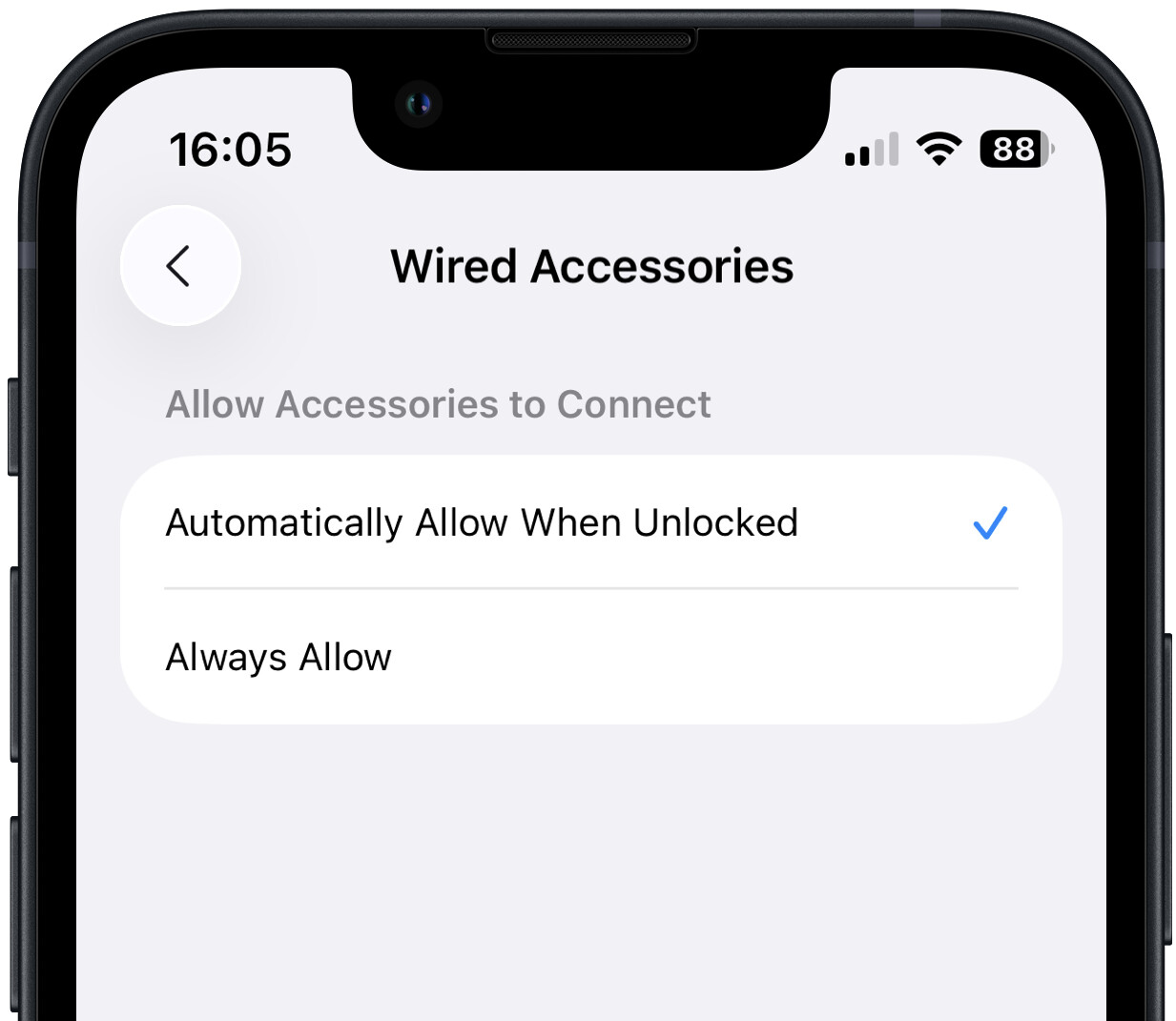
Oddly enough, it appears that some users do not have the more secure options mentioned. I have an iPhone SE 3rd Gen and only have two options available - Always Allow and Automatically Allow When Unlocked; the other options mentioned are not even listed.

1 Like

Same here on an iPhone 13 (26.0.1) but not an iPad Air 5th Generation (26.0.1).

—————
ETA: the USB-C vs. Lightning explanation below fits my situation.

My wife ran into this bug on her iPad. What worked for us was to enable Lockdown Mode, restart, turn off Lockdown Mode (and restart again). After that she was able to change the Wired Accessories setting as normal. Credits for that suggestion goes to a conversation thread on Reddit.

3 Likes

Is this a new setting in iOS 26?

My iPhone & iPads are still on 18.7.1 and that setting isn’t there. However there is a setting in Privacy & Security that is called just “Accessories”; nothing is listed under it.

1 Like

I am not understanding how the protection is supposed to work (when there isn’t the bug). Does ‘allowing connection’ only refer to a data connection, not a power connection? Is power always allowed anyway? IE Any public charger should be power only so if you get the ‘allow’ message it must be malicious, but if you plug into a computer, data could be transferred, so the user is asked.

Uhm, I would think connecting to a computer and trying a data transfer could prove a cable is power only or not?

Same here. Haven’t been able to find such a setting using search either.

On my iPad, when I plug in a USB drive it just works, no questions asked. On my MacBook Pro however I am asked to allow access every time.

I saw a mention of Lockdown Mode in the original discussion but decided not to mention it because it didn’t work for the original poster. Nor did it work for me. I could turn on Lockdown Mode and change the setting, but when I turned off Lockdown Mode, it reverted to the previous Always Allow. Left shows it in Lockdown Mode, right is after turning Lockdown Mode off again.

But maybe it will work for others!

I see some suggestions that Lightning devices lack the same accessory identification and data path capabilities that Apple added for the USB-C devices. So that may explain it.

Yes, it seems that it is. I’m seeing claims that previous versions of iOS automatically prompted when you plugged in a new USB accessory, and there was no way to shut that off. I can’t easily test that since I can’t think of a new accessory to plug into my test iPhone SE.

From what I can determine, public chargers should be power only, but that’s not guaranteed. There could be some sort of “computer” behind the scenes, managing or tracking the power delivery. Again, very hard to test.

My point, perhaps not made sufficiently clearly, is that a company could sell a malicious USB cable advertised as power-only with the express intent of compromising devices that use it. (After all, people who would buy such a cable are more likely to have something to protect.) Such a cable, if it existed, would presumably pretend that it couldn’t transfer data normally while still going about its nefarious business.

I think it’s just easiest to stick with stock Apple cables and chargers.

1 Like

Adam, my iPhone 12 & iPads have automatically alerted me when I plugged in an unrecognized accessory and the iPhone and one iPad have Lightning ports while the other iPads have USB-C. None have iOS 26 installed as I wait a year before installing the newest OS and I just installed iOS 18 in August. I was never bothered about the alert.

I try but I have a multi port charger that has 4 USB-A ports: 2 1.0 amp & 2 2.0 amp that I use for travel. It allows me to charge my iPhone, iPad, and  Watch at the same time. It replaced 3 Apple chargers and a multi-outlet power strip.

On my iPhone 13 mini (iOS 26.0.1), it’s not locked but I only have two choices:

So I can’t unlock the phone without granting access to whatever’s on the other side of that cable.

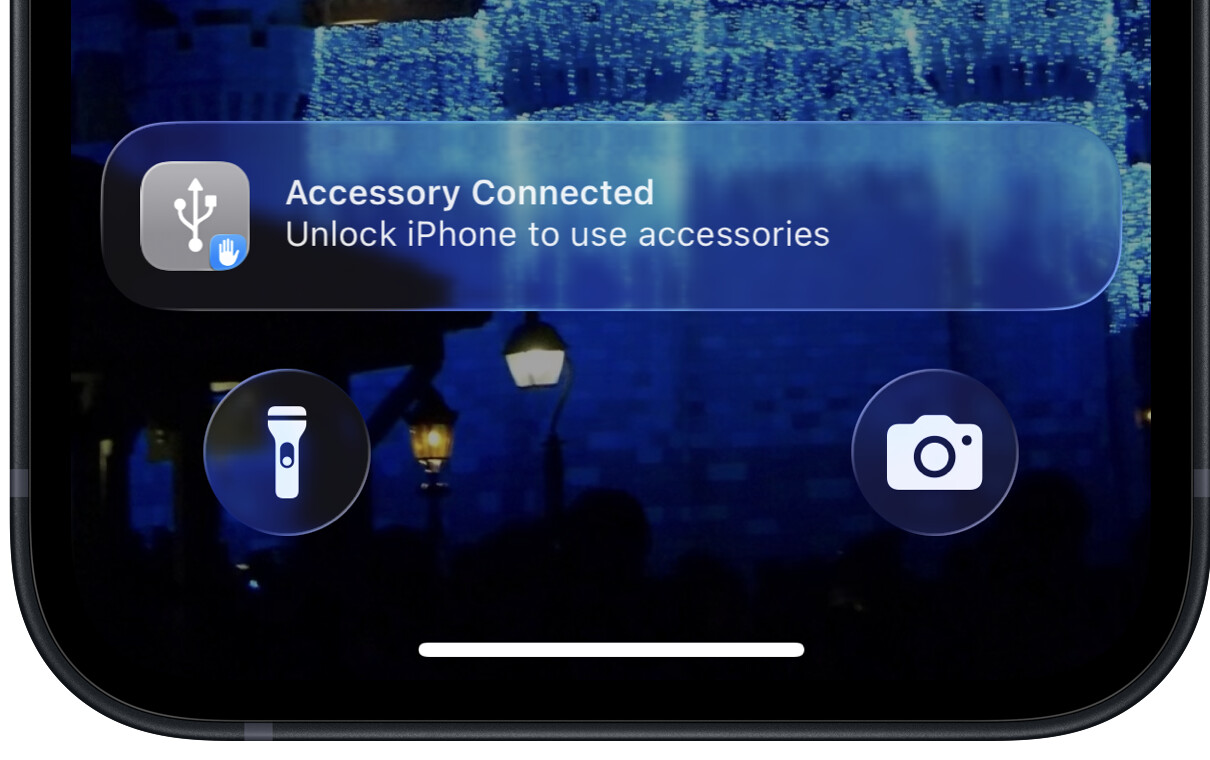
Believe it or not, the answer is “no”. I just re-tested this. Connect my phone to my mac via a USB-Lightning cable. No charging (the indicator in the upper-right corner shows no charging) and a notification that says I need to unlock the phone to use accessories:

Once I unlock the phone, charging begins.

Which is really annoying, because (before Apple added this feature) I used to just plug in the cable and walk away, assuming it would charge. But now, I need to authorize the connection or plug it into a charging brick.

Agreed. I’ve actually got a USB A-C cable that is charge-only. It came with some cheap junk electronic device. I was very surprised to find no connectivity when using it to connect something else to my computer.

But, as @ace pointed out, it’s not obvious if you don’t test it. And if you explicitly go shopping for a data-blocker, you need to worry about if the dongle is what it claims to be or if it is actually a trap.

3 Likes

What is the point of being asked if you want to allow accessory to connect to a public power point if there is no way of telling whether it is also a data connection?

It would have made sense if power is always allowed, and if data connection is detected, ask the user.

If the connection truly is power-only, then it won’t ask. The same way it doesn’t ask when you plug it in to a USB power brick.

But that’s still not a good litmus test. As @ace pointed out, there may be benign uses for data as well - like power negotiation. USB-C power delivery needs the “CC” pins to negotiate power. Older devices that use the Battery Charging spec to negotiate power require the USB 2 data lines for negotiation.

So a cable/dongle that blocks all data will also prevent charging with more than 2.5W (USB 1 and 2) or 4.5W (USB 3). I don’t know if Apple will request authentication as a part of PD/BC negotiation.

2 Likes

This thread reminded me of a news story from a few years back…

The O.MG Elite was recently showed off at the DEFCON cybersecurity conference in Las Vegas, and The Verge recently took a look into the nefarious accessory’s capabilities.

“It’s a cable that looks identical to the other cables you already have,” creator MG said. “But inside each cable, I put an implant that’s got a web server, USB communications, and Wi-Fi access. So it plugs in, powers up, and you can connect to it.”
https://appleinsider.com/articles/22/08/25/upgraded-version-of-omg-hacking-cable-packs-nefarious-new-capabilities

Well this has me scratching my head. I’m on an iPad Pro with 26.0.1 and I don’t even have that setting in Privacy & Security. Does it only appear after you plug it into an unknown device?

Edit: Ok just to update. I rebooted by iPad and it appeared. Fortunately, it’ll allow me to choose.

Be aware if you’re using your phone via iPhone Mirroring, you won’t be able to alter the setting… (I was being lazy and attempting to check it and then realized maybe that was preventing me from doing that, sure enough!). Would be nice if the os would recognize that and let you know. :stuck_out_tongue:

Wasn’t aware of this setting until the recent MacWorld article, but it is accessible on my iPhone 16 Pro Max and iOS 26.0.1(23A355). If I recall, it defaulted to “Automatically Allow When Unlocked.”