I recently tried to get rid of some apps from showing up in Spotlight and realized that in modern macOS things have become quite a bit more complicated with the SSV when it comes to apps distributed together with macOS. You cannot change their name, so no adding a period to hide them. Also chflags hidden won’t work. And you certainly can’t delete or move them some place else.
So is there any way at all to just get rid of, or at least hide, built-in macOS apps from /Applications? I have ~150 apps in there and at least 15 of the I would delete at once because they to me are utterly useless whereas I like tidiness and minimalism, and I abhor clutter.
I guess I could create a curated Applications folder some place else and add 3rd party apps and aliases to Apple apps there, but that’s a) clunky and b) breaks nice shortcuts like shift-cmd-A. Plus, macOS more and more expects apps to live and be run form certain locations, so it’s doubtful that’s a sustainable path.
On iOS there is the option to essentially hide unused apps (relegating them to app listing only) and I realize that doesn’t simply map to the Mac file system at /Applications, but it sure would be nice to achieve a result similar enough to that situation where what I see in /Applications is only what I really care about and want to use without it being cluttered with a bunch of whizzbang junk Apple marketing wants to thrust down my throat.
I would suggest launching apps through a different interface than the Finder.
You mention iOS. iOS’s “springboard” launcher is effectively the same as the macOS Launchpad. This is what I use. Either a gesture (on my laptop) or a hot-key (on my desktop) to show it. My apps there are organized into folders that I created. If you want to hide something, you can shove it into an “ignore” folder or just stick it on a page you don’t visit. (Sadly, there isn’t a “hide” option or an app-library page on the Launchpad - something I think Apple should add.)
If you don’t like Launchpad, another easy way is to create a folder containing aliases to the apps you like. I have such a “QuickList” folder, which I have placed on the Dock, for rapid access to certain key apps and documents. They’ll run just fine, because the app is still running from its installed location.
I tend to launch Apps from Launchbar or the Dock, and more and more just leave the everday use Apps open all the time so there’s little need to even do that.
Still, I agree with the wish to be able to delete Apple Apps I don’t use or want.
Probably won’t work on any recent macOS release (Monterey or later). The following macOS built-in apps reside in the read-only Shared System Volume snapshot - which you can’t modify. I tried to compress them and am greeted with “Operation not permitted”.
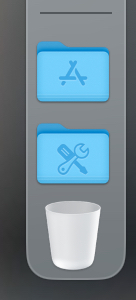
If you would like to try this anyway, /Users//Applications is where Apple places Shortcuts.apps. You can drag aliases from /Applications there. Ten years ago, some apps did work there, but not all. Back when I was experimenting with it, my impression was that the drag’n drop apps worked, but not the ones that had some kind of installer. The reason I feel it is OK to use is that it looks like this:
I’ve never used the Launcher or any Apple-created utility to launch applications.
I don’t use spotlight, either (I’ve disabled it completely, or at least as much as it can be disabled).
I just opened the applications folder in the finder, and dragged its folder icon to the dock. Then, I right clicked on the icons and selected “display as folder” and “view content as list”.
Same for the Utilities folder.
Now, I just left-click on the dock icon, and a list of every app inside is displayed.
Works great…
That works fine when you only have a low number of applications. But when you have more than can fit in a window, you probably want to be able to search by name — type a few letters and see a short list from which you select the app you want. If you see only one, it’s nice to be able to launch it directly, without selecting it.
You can actually add SSV-included apps to Spotlight’s privacy list to get it to stop showing those apps. That helps and in principle works fine.
Settings > Spotlight > Search Privacy
However, in the meantime, I have noticed a bug up to and including 26.6.1 that interferes with this. While an app you drag into that privacy list stops showing in Spotlight searches, next time you reboot or log out and back in, although the app still appears in that privacy list, it will start to show in Spotlight search results again. If you then once again drag it into that privacy list (essentially duplicating the entry in the privacy list), Spotlight will stop showing that app again. It’s an annoying bug, because it’s just not realistic to assume you reconfigure that privacy list every single time you log back into the Finder.