Hello, I use Gmail as my default email account. But there are times when I want the from line to be a different email address, like lalicata@rpi.edu which is a legacy email address
I searched the web and some said that I could expand the new email into the various lines and then click in the from box and type in the email address I want. That did not work
I then tried setting up a new “other” email account using the email address I want to choose and filled the remaining data using the imap mail settings for my Gmail account.
That did not work
Suggestions? I cannot be the only one that want to send iOS emails using different from addresses, am I? Thanks for your help. Lee
When I tap the new email icon from the Mailboxes page, a New Message window and keyboard appears with the default email account (From Settings > Apps > Mail) filled in. If I tap and hold briefly on the email address, a little window opens showing both accounts and a checkmark for the chosen From account. Maybe that’s what you’re after?
Also, when viewing the Inbox screen for either account, there is also a new email icon and tapping that starts a New Message with the From email of the account being viewed.
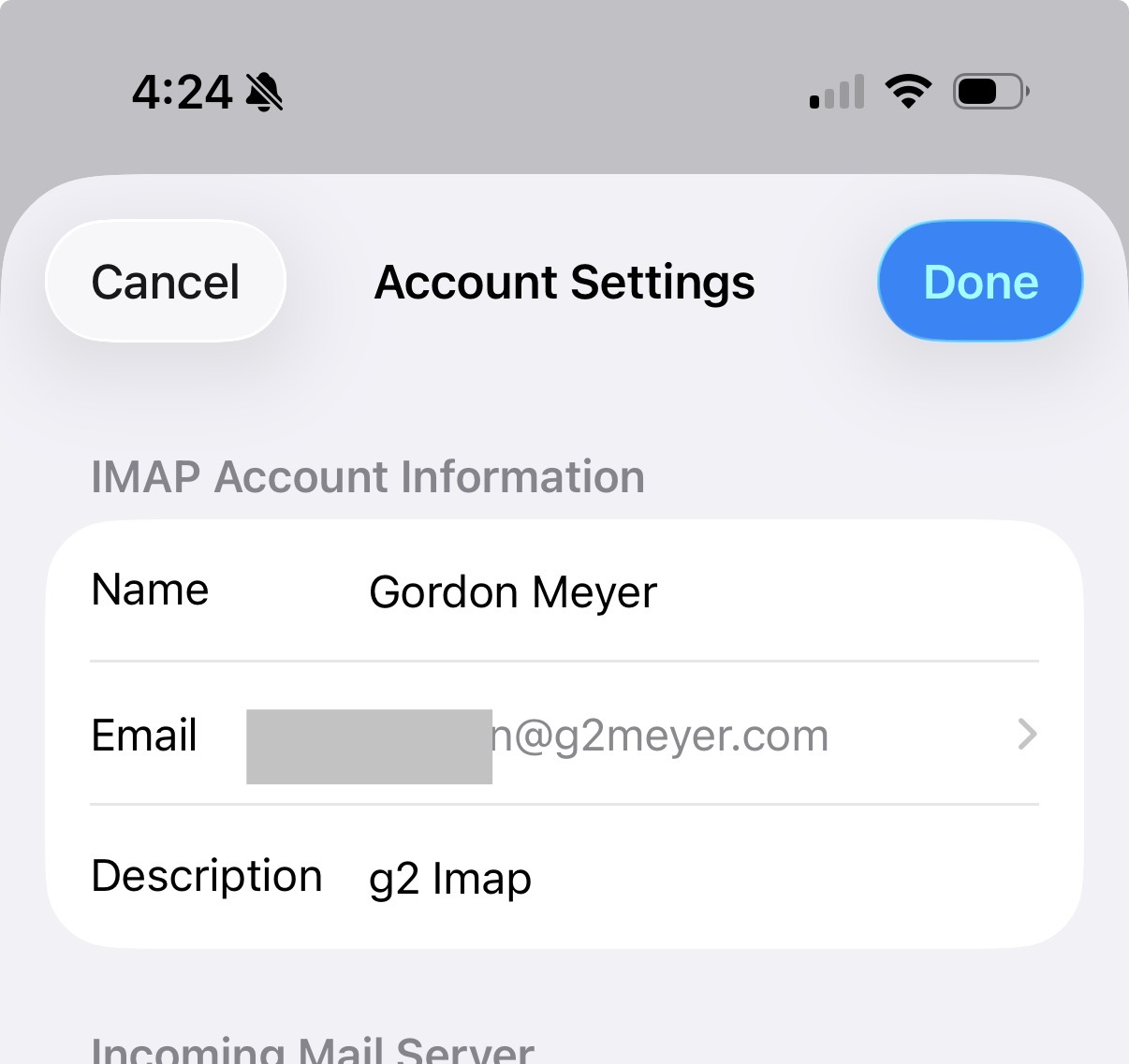
Once it set up as an imap account, you need to go to Mail settings and add the additional address for that account. See the screenshot below, which has a little > symbol next to my email address. Tapping the email address leads to another screen where you can add additional addresses. Once you’ve done this, you can switch between addresses via the From field as others have described. This only works for iMac accounts. If it’s set up as a Gmail account, that’s a no-go.