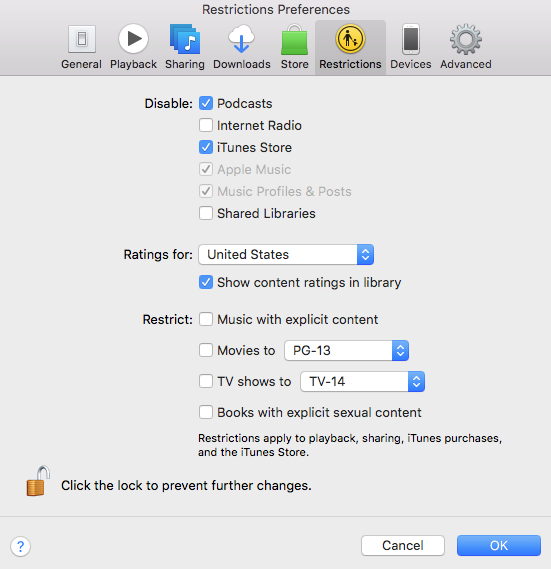
But since you said it’s working, so that must have not been checked but sometimes things are disabled for some reason and then you wonder why it’s not showing up.
Since I was wondering how newer and older versions might work or not for sharing, I tried sharing a library on a Sonoma (14.2.1) installation I have with OCLP using a Music library. I have an old PowerBook G4 running Leopard 10.5.8 and iTunes 10.6.3 so that was one good candidate. Even though those systems are over 16 years apart, the PowerBook/iTunes was able to access the newer library with no problems. Sometimes older computers can be repurposed for some tasks and music playback is one of those.
Ladd - How are you running iTunes @ Sonoma?
I’m running iTunes 12.9.5.5 on my 2017 iMac with Ventura using “Retroactive” and have been anxious to see if he’s updated it (if necessary) for Sonoma
… 'course it’s pie-in-the-sky planning to get a new Mac since I’m stuck @ Ventura on my 2017 iMac
I think iTunes was being used on a Mojave volume when we were discussing the issue.
I also have installed older versions of iTunes using Retroactive and I can say that iTunes 10.7 CoverFlow still works on Sonoma (installed with OCLP) but the one issue that is still present from Ventura is if you go into Preferences to change something, when you go to save them iTunes will crash. But when you go back in and check preferences, the changes have been saved. There seems to be some interaction with the Music app preferences like iTunes Store which I keep disabled but then it’s enabled in iTunes. Since I don’t use the Music app, after I set my iTunes preferences the way I wanted them, I locked the Music App preference file in the home folder and so far, that took care of that problem.