I must say (because I have to say it somewhere) that I’m mystified by iPhone Mirroring and can’t see its point. Not only is it limited in what it mirrors, per this thread, but it only works when your phone is right there with you anyway. Why not just pick up the phone?
When this feature was introduced, I kept clicking notifications on my Mac that would open iPhone Mirroring (because I hadn’t trained myself to look for the tiny sub-icon that tells you it’s actually an iPhone notification). Then I had to deal with the little iPhone on my screen, instead of responding to the notfication on my actual Mac, which I’m able to do 90% of the time when iPhone Mirroring is not in the way.
Never have I been so glad to turn off a much-touted feature. But it makes me sad, because someone had a vision for this feature that I obviously just can’t grasp.
It’s useful for presentations. If you have something on your phone that you want to share with other people in the room. It can be really hard to all crowd around a phone.
I do this all the time when I AirPlay something to an Apple TV. Most recently, I pulled up Maps and streamed it to our living room TV in order to discuss possible travel routes with my wife.
Being able to do the same to a desktop Mac’s 27" display sounds like a useful convenience. Especially if the content is something not easily available otherwise (e.g. some mobile app’s output). Streaming it to a 15" laptop screen? Maybe not as much.
iPhone Mirroring … I have found it most useful for helping people remotely (via Screen Share) with their iPhone Settings etc. Once a screen share is set up Mac to Mac, and iPhone Sharing is activated, I can click on their iPhone Mirroring app on the Mac, just as if I was beside them in the same room.
This is much easier than talking them through a step by step process via a phone call.
Those are both scenarios where I can see that using iPhone Mirroring makes sense. They do seem like edge cases, though, and Apple touted iPhone Mirroring as if it were a big breakthrough for the ordinary user.
I use iPhone Mirroring almost every day, usually several times. I often find it much quicker to use an iPhone app with my keyboard and trackpad/mouse instead of tapping around on the iPhone screen. And if I’m working on my laptop anyway, it’s far more convenient to keep my hands on my keyboard and mouse and simply use the iPhone as another app. There are various apps that are on the phone and either not on or not suited to my laptop. The clipboard sharing and Airdrop make it pretty much seamless.
I recently had cataract surgery (right eye first, left eye 3 weeks later). Which basically made my current reading glasses useless (and since my eyes are still adapting, it’s too early to get new reading glasses), In other words, my iPhone is – temporarily at least – difficult-to-impossible to use without mirroring.
So I’ve been mirroring it – more or less constantly – to either my Mac, or my Apple TV, or to either of my large homescreen “smart” TVs.
I’ve also experimented with “speak screen” on the iPhone, but controlling that can be awkward if your vision is impaired. At least without also using mirroring onto a larger screen …
I’ve played with it a couple of times but not a big fan. Rather than using Phone apps on my Mac, I’d much prefer they write Mac versions of the apps I’d want to ‘mirror’ eg. Journal, Health etc
The entire focus on phone apps drives me crazy.
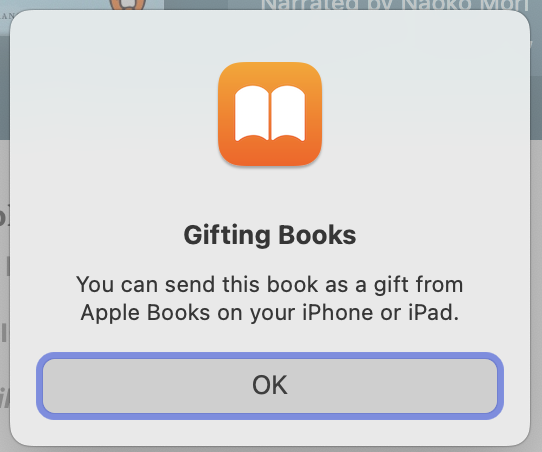
As an example, I wanted to send someone an audiobook as a gift and got this dialog when clicking Send as Gift in the Mac Books app - it appears you can’t send a gift from a Mac:
iPhone Mirroring is an easy way to move files from my Mac to my iPhone’s local storage. You can actually drag files from Finder onto a Files folder!
I also have several apps on my iPhone that don’t have a Mac equivalent, or that I really have no need to install on my Mac. The first use case that comes to mind – I use my iPhone for streaming radio stations and podcast listening in Overcast, so I can continue to listen while moving about the house, either on my iPhone or on various HomePods. I used to pick my phone up to do this, but it’s great to just have iPhone Mirroring open to switch stations or podcast episodes.