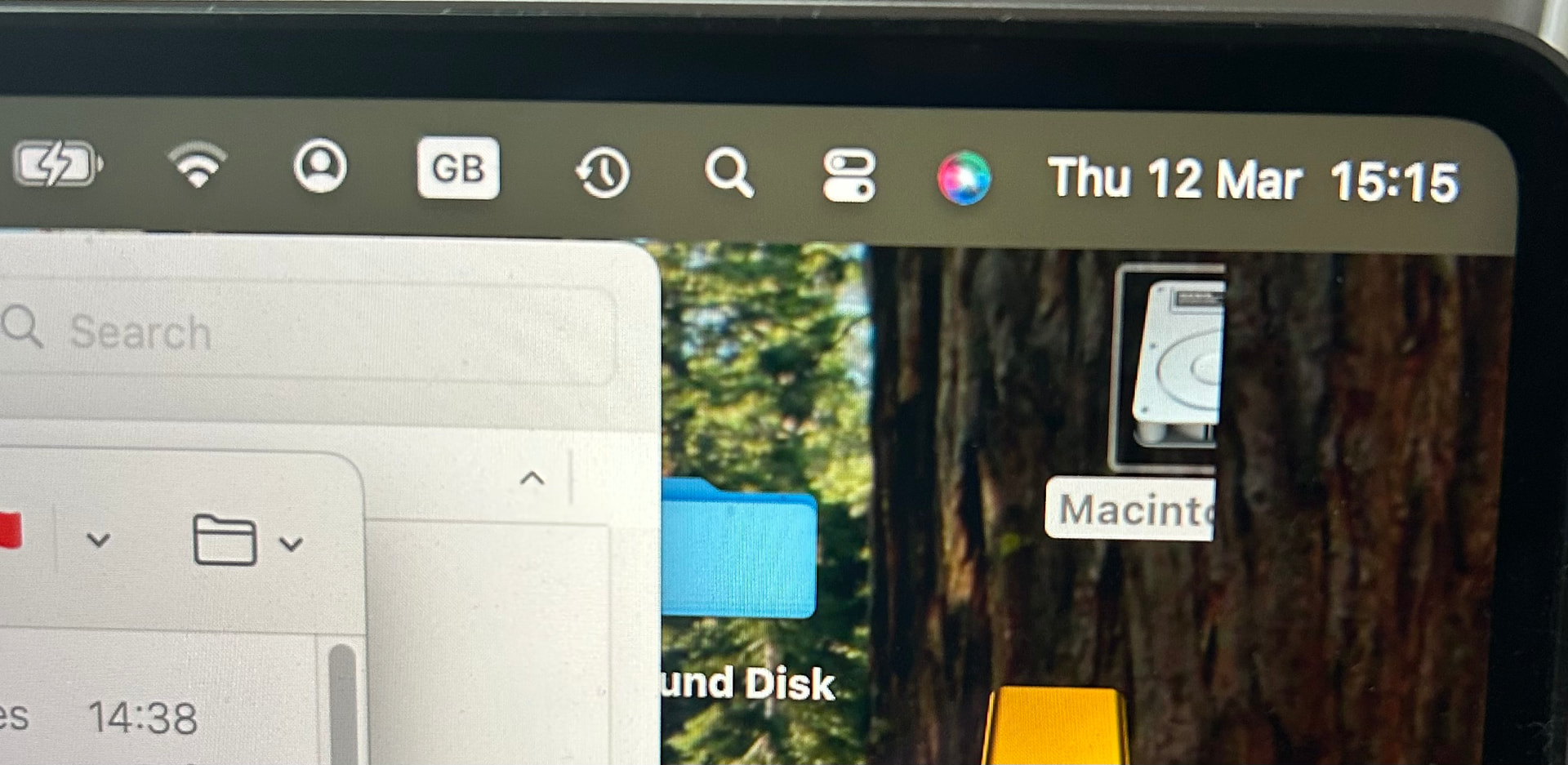
This is a screen from a MBP 16 (2021), Sequoia 15.7. How can an icon get hidden half behind the tree of a desktop wallpaper? We had several icons like this, documents and folders, not just volumes. Once I move them to the left and fully see them, then try to move them back half behind the tree, it won’t do this and places them as normal over the tree wallpaper.
Obviously, I should do a restart, maybe a macOS update, but I wanted to show you this first. How can this be?
What is the wallpaper size in horizontal & vertical pixels?
What happened to the macOS setting for how it should handle when the sizes don’t match?
My guess is that the aspect ratio of the wallpaper is narrower than the screen, and macOS is dealing with that by filling the extra space with part of the image – but it composited as: