Helping a friend with accessing Yahoo email without knowing the password

A friend just bought a new iPad and a new Android phone. She’s been using Yahoo as her email address for years, but when Verison transferred her phone to the new one, they added a p/w to her mail and didn’t give her the code. She has always refused to add p/w to apps. It took me a lot of arguments to finally get her to put one on her phone.

Anyway, now she can’t access her email on the phone and there are no live phone numbers for Yahoo. She has asked for help on their contact site, but not received any good answers, other than changing her to a new email. She’s resisting that as she is active with a lot of non-profits and friends from her teaching days, and doesn’t want to have to change them all.

I’m hoping that one of our genius readers has a suggestion. The only thing I have come up with is getting Yahoo to forward all emails to a gmail account. I have no idea if that will work, but am going to her place tomorrow to see if we can resolve it.

Any suggestions would be welcome.
What happens when she goes into yahoo.com (on a browser), tries to sign in, and then clicks the “forgot password” link?

1 Like

I don’t know, but will check when I can see all her devices in one place. Thanks

If the new-iPad, new-phone owner had their previous devices for many years and wasn’t accessing their email using a web browser (in other words, using the iOS Mail app and the Android email app), it is possible application specific passwords were set up a long time ago and forgotten about.

An official help page is here:

1 Like

It may not help much - your Yahoo account supposedly has a backup phone number or email account for recovery, so it may lead nowhere if none of them were properly established. But I’d start there and see what happens.

Indeed. It doesn’t help the original poster, but if anyone has a Yahoo account, especially one that is many years old, it is worth checking that you have a current backup phone number or recovery email address associated with the account. The same is true for other accounts, like Hotmail, Gmail, AOL, and so on.

I recommend setting up an email account specifically for the purpose of receiving recovery email messages and immediately safeguarding it with multifactor factor authentication.

Pick a relatively long, non-obvious username, and limit use of the account to security and recovery purposes. By using a non-obvious username and limiting use of the account, it is less likely to be targeted by hackers, and it can almost eliminate spam. The free tier of Protonmail is a good choice for this purpose, but any reliable provider should be fine.

1 Like

Perhaps Verizon uses a default password whenever they add it. Perhaps you can ask them. If it was at a Verizon store, contact that store directly.

OP:

Try this URL to get the Yahoo email sign in page:

https://login.yahoo.com/?.src=ym&pspid=159600001&activity=mail-direct&.lang=en-US&.intl=us&.done=https%3A%2F%2Fmail.yahoo.com%2Fd

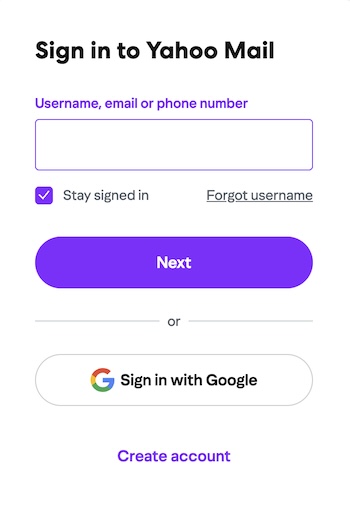
When you first go there, you should see this:

I see a couple of possible options right here before going further.
“Forgot username” – you could try that and see “where it takes you”.

Also…
Does your friend have a google account of any kind?
I’m wondering if she could get signed in through the “sign in with google” option, and then you could fix things from there?

In any case…
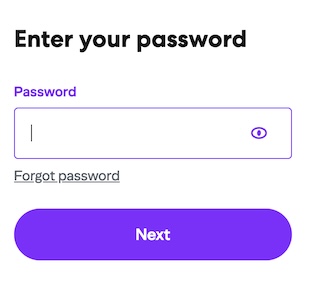
If you enter the account username, the next thing you’ll see is this:

At this point you could try the “forgot password” option and see where that takes you.

Finally, as others have mentioned, yahoo may want an “application specific password” to work with Apple Mail.

You can find that page here:

BE AWARE
Once you have the app specific password (I believe it will be 4 groups of 4 characters each), SAVE IT, WRITE IT DOWN, etc.

Also…
Once you have the app specific password, if things DON’T work when you open the Internet accounts panel and choose “Yahoo”, you should go down and choose “add other account” instead.

When you do this, you’ll also need to enter the incoming/outgoing servers. I believe these are:
imap.mail.yahoo.com (port 993, requires SSL - yes)
and
smtp.mail.yahoo.com (port 465 or 587, requires SSL - yes, requires authentication - yes).

When you create the account, login is the “full” email address (janedoe@yahoo.com).

1 Like

I was able to finally get her email to open on her iPad and change her password. That took care of part of the problem, but when we went to the phone it asked for the password code before we could even reach the sign in.
She was happy to be able to access everything on the iPad, and is going to contact Yahoo again. I would think if she sent them a photo of her DL that would be enough to establish her legitimacy.
Will let you know what happens.
Lynda

1 Like

She took it back to Verizon as soon as she realized there was a problem. They just said the problem was with Yahoo. Not what I would expect from the source of the problem.