My Logitech silent mouse is failing. I watched Kyle Erickson’s latest vid where he recommended the Keychron M6 mouse: https://www.youtube.com/watch?v=o9n3HDjt8-M&t=217s So I bought one - but setting it up is a nightmare. Almost all my use is browsing in Safari. Can anyone recommend the settings I should use? I’ve never heard of ‘infinite’, ‘continuous’ or ‘scroll steps’ or ‘scroll duration’… I also just downloaded this app which was recommended for 3rd party mice on Macs but haven’t tried it yet: https://mos.caldis.me/
Does it work when you plug it in without installing any additional software? If so, what is the gap between the immediate functionality, and what you would like it to do? It’s easy to get overwhelmed by all the options this mouse apparently offers, but maybe you don’t need to configure everything to get it to suit your purpose. I’m just a plain Apple Trackpad guy myself, so I wouldn’t be able to help should your needs go beyond the basics.
I think it did work without installing any extra s/ware. But I installed Keychron’s small app to set it up properly. That includes setting it up in a browser (Opera) that somehow runs in tandem with the app. I think a lot of the options are for hardcore gamers - probably using pcs. Al I want is for it to behave like my old Logitech silent mouse when using the scroll wheel in particular. It’s about 30% bigger than the old mouse though weighs about the same. I think because of its size there is more inertia when simply moving the mouse across a mouse mat. That is frustrating and I’m thinking of returning it. But I wanted to give it a fair trail. A few months ago I ordered a replacement Logitech silent mouse. It appeared identical but was not as quiet as this old one. So I returned it disappointed. Given how fundamental to any computer interface a mouse is it has to be right.
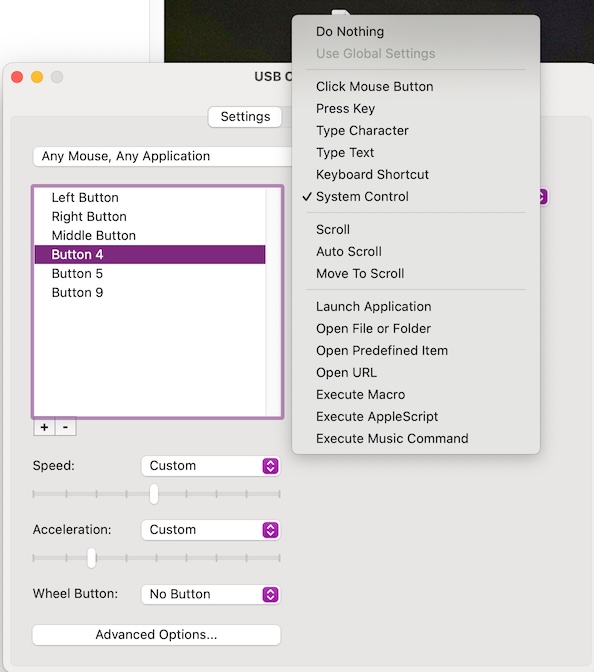
I like USB Overdrive. It works on mice, keyboards, and more. Many setup options. Works in “free mode” forever (makes you wait 15 seconds for access), but I paid for a registration (after putting up with free mode for years). Sample of the mouse options:
1 Like
Thanks. The biggest issue for me is setting up the scrolling on this mouse. And understanding the many options for that in its settings.