On @Shamino ‘s recommendation, I switched my syncing to use CardDAV.
It seems to work but ….
I still have (at least) the following problems with synching between Google Contacts and macOS Contacts:
- Dates, including birthdays, entered on Google Contacts that consist of only a month and day (with the year missing) do NOT sync to macOS Contacts at all. (Curiously, setting only a month and day for date in macOS Contacts syncs to Google with the year set to the placeholder 1604.)
- “Custom fields” entered on Google Contacts do NOT sync to macOS Contacts at all.
- Maiden Name added in macOS Contacts does not sync to Google Contacts at all.
- Adding a Maiden Name to a macOS Contact deletes Google Contact dates that don’t have years. This is a deal-killer.
Here’s an example that demonstrates these shortcomings:
I started by creating a Google Contact contact for Jane Q Doe with a
- Nickname
- Birthday without a year
- Two Custom Fields; and
- A Note
After it synced to macOS, I edited it by adding
- An Anniversary date without a year, and
- A Maiden Name
After the macOS changes synced back to Google, the birthday had been deleted so I added it back
After the syncing dust settled, this is what I have as both screenshots and vCard exports.
Google Contact
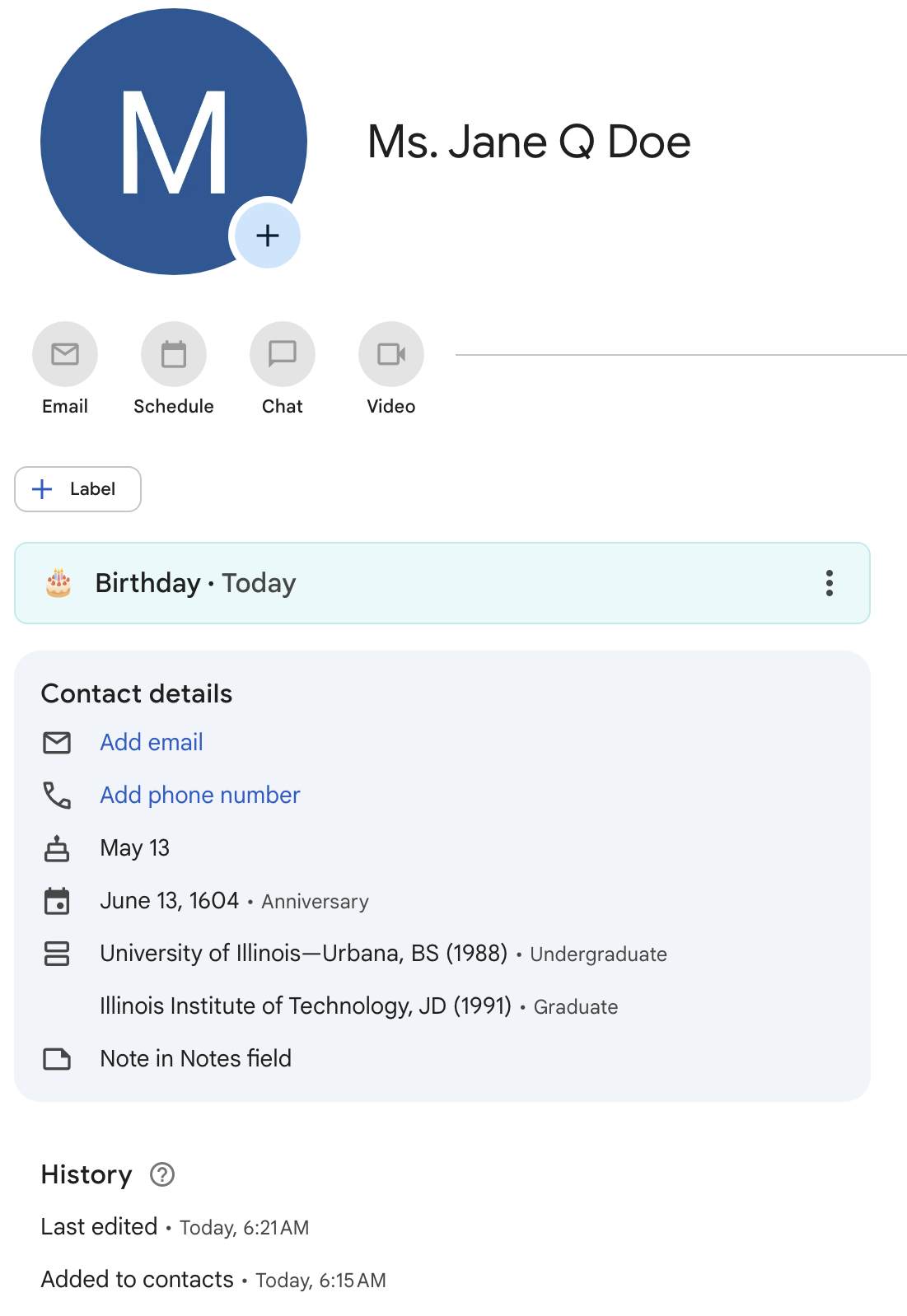
BEGIN:VCARD
VERSION:3.0
FN:Ms. Jane Q Doe
N:Doe;Jane;Q;Ms.;
NICKNAME:Jane Doe
BDAY:--0513
item1.X-ABDATE:16040613
item1.X-ABLabel:_$!<Anniversary>!$_
NOTE:Note in Notes field\nUndergraduate: University of Illinois—Urbana\, BS
  (1988)\nGraduate: Illinois Institute of Technology\, JD (1991)
CATEGORIES:myContacts
END:VCARD
macOS Contact
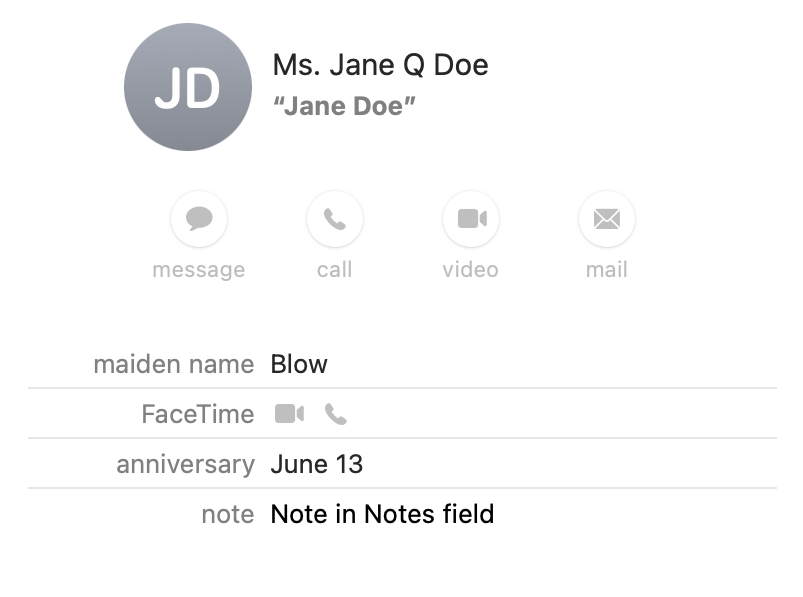
BEGIN:VCARD
VERSION:3.0
PRODID:-//Apple Inc.//macOS 12.7.4//EN
N:Doe;Jane;Q;Ms.;
FN:Ms. Jane Q Doe
NICKNAME:Jane Doe
X-MAIDENNAME:Blow
NOTE:Note in Notes field
item1.X-ABDATE;X-APPLE-OMIT-YEAR=1604;type=pref:1604-06-13
item1.X-ABLabel:_$!<Anniversary>!$_
END:VCARD
Does anyone have an idea for getting either dates without years or Custom fields to synch from Google to Apple?
Thank you.