If you’re among the macOS users experiencing some weird issues with your Logitech mouse, then good news: Logitech has now released a fix. This comes after multiple Reddit users reported yesterday that Logi Options Plus — the app required to manage and configure the controls on Logitech accessories — had stopped working, preventing them from using customized scrolling features, button actions, and gestures.
Logitech made a serious error here, especially because the expired certificate that broke the Logi Options Plus and G Hub apps also affected the in-app updater. If your Logitech devices are affected, follow the company’s instructions to resolve the issue. Mistakes happen, but at least Logitech has acknowledged the issue, provided a fix, and apologized.
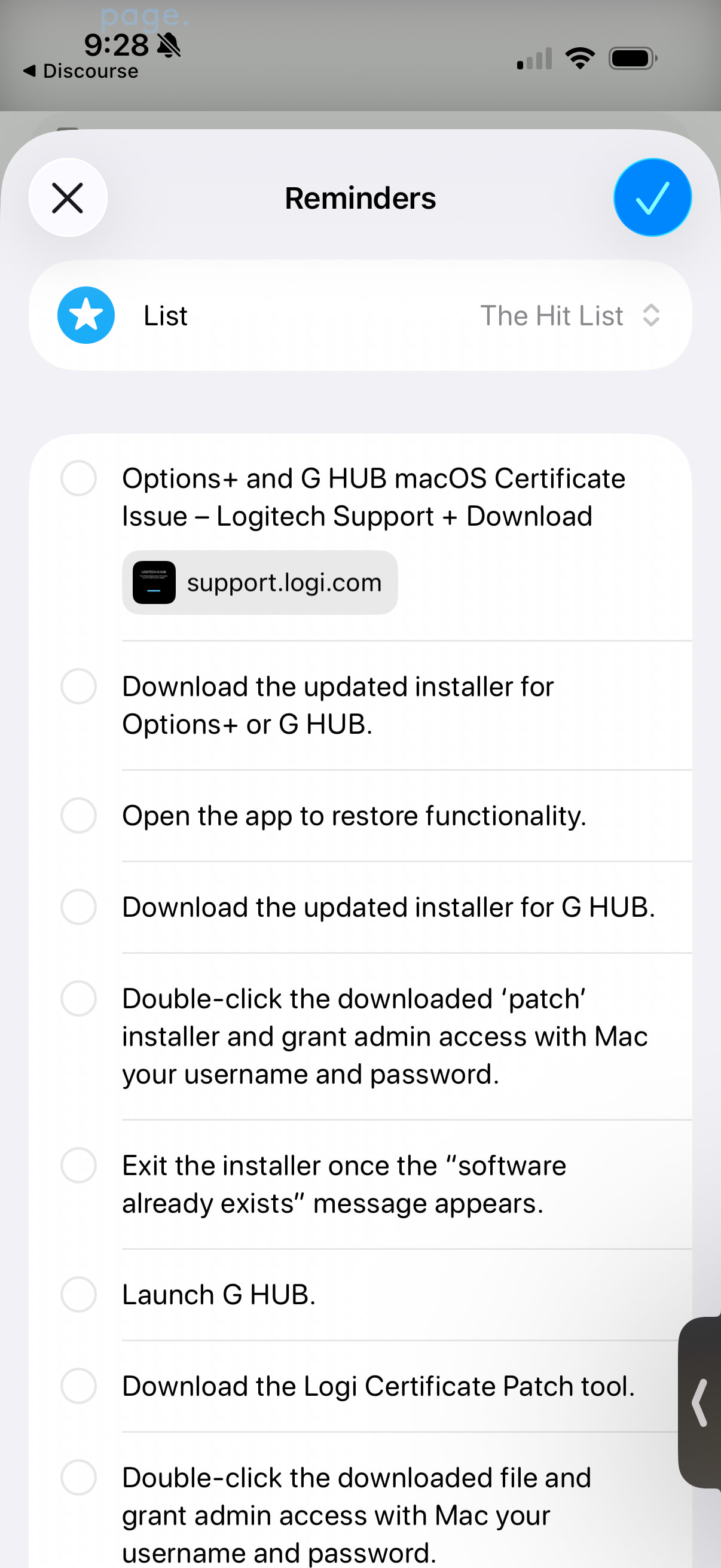
Interesting. Sharing that Logitech page to Reminders prompted a set of steps as individual reminders based upon the content of the page. An Apple Intelligence feature I hadn’t come across before.
In case anyone else hits this issue, I found that using something other than Apple’s own archive functionality (in my case ‘Archiver’) would cause the Logitech updater to fail to open once uncompressed. Once I forced the downloaded file to open with Apple’s archive utility it worked OK.
Initially I thought the advisory email from Logitech was spam and so ignored it. I decided to go directly to Logitech website and took me some time to find the notice and then to be confident in going ahead with the fix.The download worked.