I’m looking for a very simple application on to which you can drag and drop 2 or more files and have them combined in to one.
My father, in his 80s, used to do this with a 32-bit application called CombinePDF. All you did was drop 2 or more pdfs on it and a new file with them all concatenated was created. Unfortunatlely this was 32-bit only, and as he has recently been forced to update his computer, this no longer works.
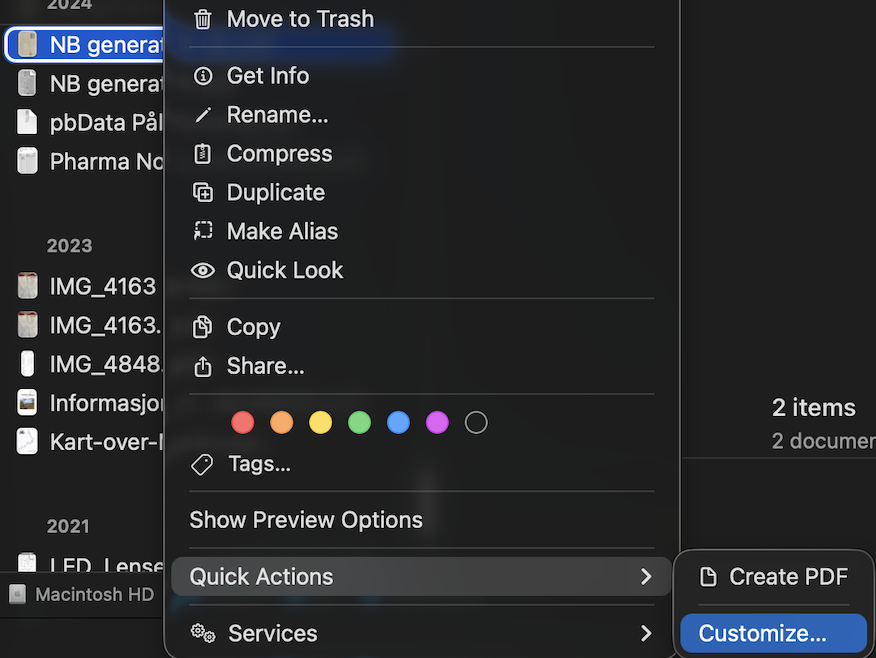
I know you can do this through the contextual menus as well as Preview and other applications, but I’m wondering if anyone knows of something as simple as CombinePDF was, as this would be easiest for him.
I have failed to find anything like this for 64-bit macOS or Apple Silicon, however, but wanted to ask here if anyone knew of something I may have failed to locate.
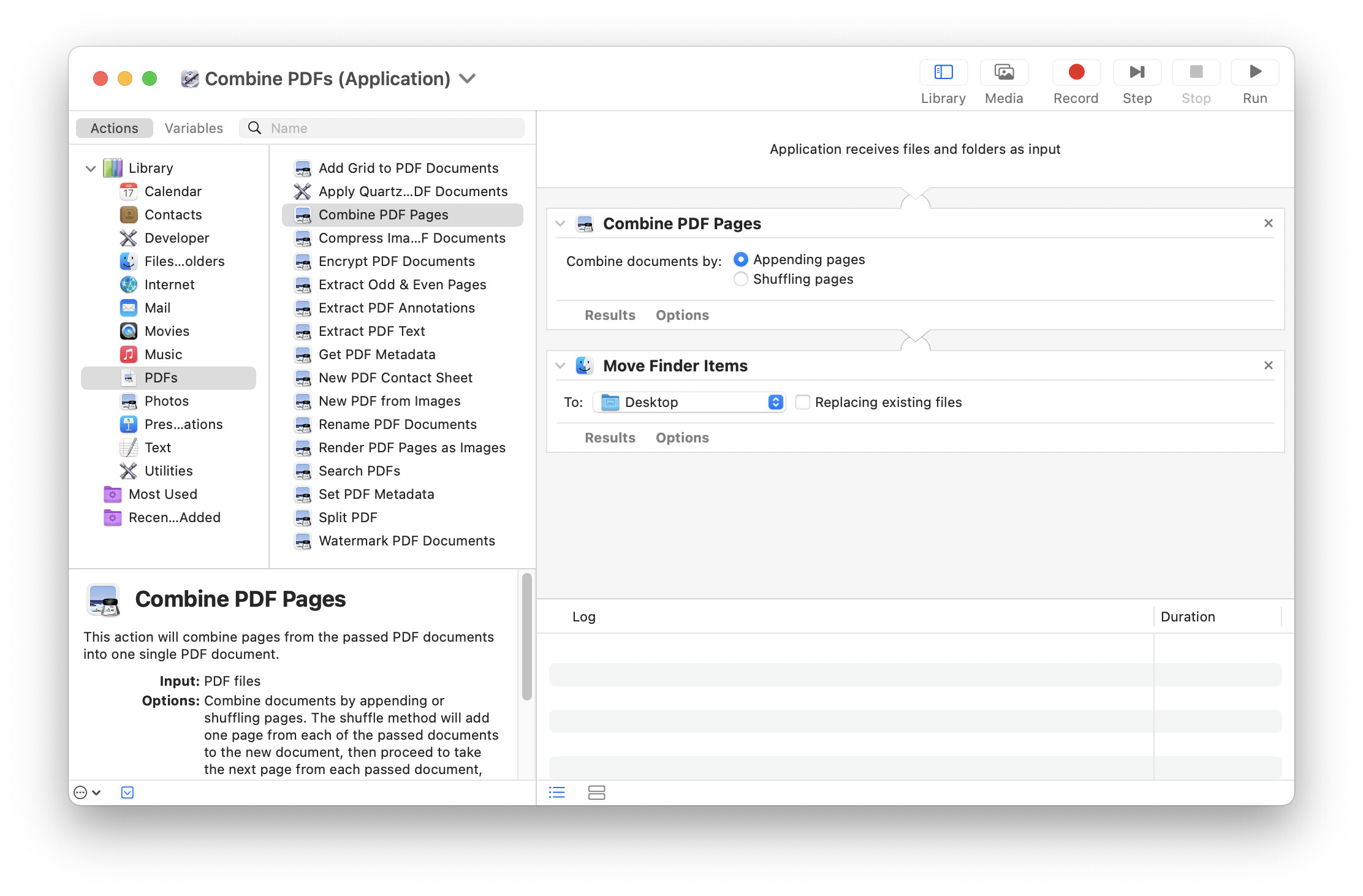
You can create a replacement droplet in Automator pretty easily. Create an Application (which is a droplet) and add the “Combine PDFs” and “Move Finder Items” actions. Save it somewhere and you have your Droplet.
Thank you for the suggestion. Using the quick actions under the contextual menu does work, but the other was easier for him, and I was hoping to be able to make it as simple as possible for him.
I appreciate you taking the time to respond, though.
I see it down at the right (Create PDF) both on mac and on the iPhone. Where do you not see it? Anyway the Automator tip by @Incompatible is the best solution.
I don’t have a suggestion for a particular “droplet” app, but searching for “combine PDF” or “merge PDF” in the App Store produced a long list of tools. It wouldn’t surprise me if one of them included a droplet, so it may be worth further research.
That’s a great suggestion. I’ve never used Automator, but it looks like it should work. I’m working on getting it to ask for a new filename and renaming the file to that. I’ll post back here if I get it working.