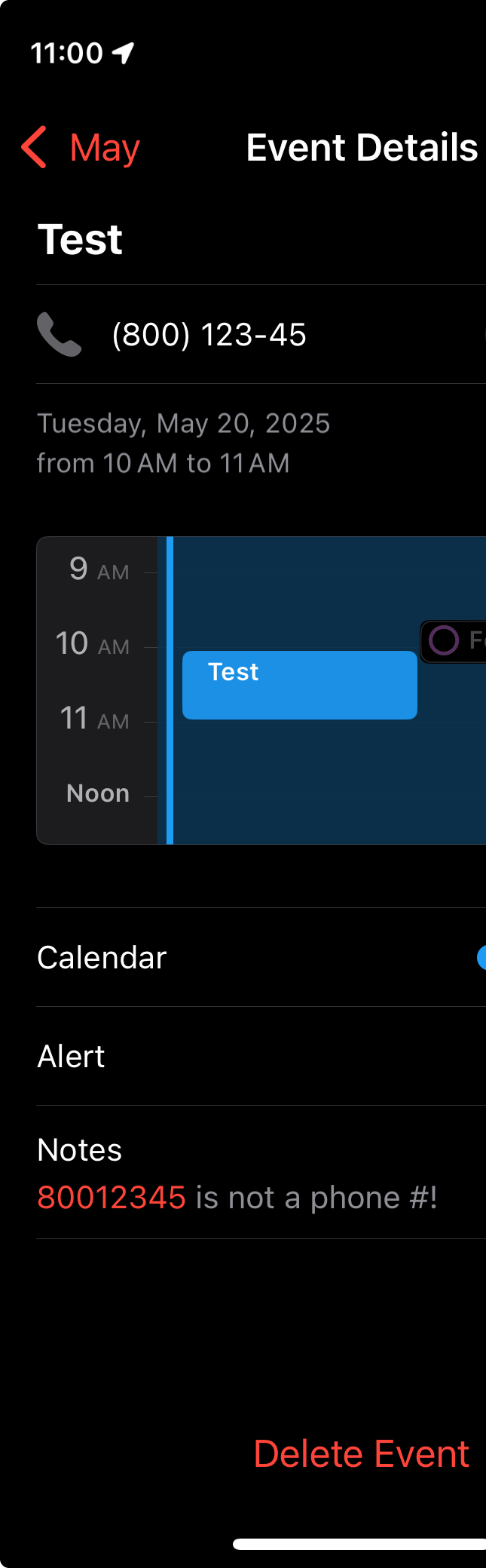
Is the “non-phone” number in a phone field? If it is in a phone field it’s entirely possible that the number recognizer accepted it because it tries to deal with worldwide phone systems which have varying numbers of digits.
Late reply but a recent round of “Apple thinks they know what I want better than I do”™️ raised the desire to search for a solution. I am vexed by this as well and would love to disable data detection on the Notes field.
That said, my workaround is to wrap any set of numbers that might get interpreted as a phone number with the “/“ character. It’s a pain having to go through multiple iterations to hide things I don’t even consider close to a phone number but at least it works to a certain extent.
I’m unsure exactly what sort of numbers you’re working with here and what you’re using them for, but if they were merely for display (not searching or pasting in elsewhere), you could also add a zero-width space to the number, much like I did for name in Contacts that I wanted to block from being used by Dictation.
Mainly, I store an 8-10 digit number for the job ticket I’m working on at a customer site in the appointment’s notes section. I later need to copy/paste the number into an expense report so don’t want to intersperse hidden characters when bracketing it works just as well.
I appreciate the concept of data detection but need to have a way to tell the app to not be “helpful” at least on a per-account basis.