@byrds71
Since the exploit steals data from phones and the types of data stolen probably will expand beyond what’s been discovered by security professionals so far, “real world dangers” for you include:
The phone numbers you call are stolen. Criminals call your friends and family with scams and phishing attempts.
The email addresses you send and receive emails to and from are stolen. Spammers send emails to the addresses. Criminals send your friends and family scams and phishing attempts.
If your phone is connected to iCloud, criminals get access to your Calendar and Contacts. The information is used to attempt to scam or phish you.
Your location history is used to identify your house and other places, such as your bank, you go to frequently.
Photos and videos can be used with generative AI in attempts to impersonate you with call center and customer service workers.
I think an important consideration in personal security is one’s personality. For example, people who are trusting, people who tend to be people-pleasers, and people who panic easily in unexpected or crisis situations will benefit from being proactive, rather than reactive, when it comes to protecting their computers, tablets, and phones.
Does anyone know what “compromised website” actually means? I mean, are we talking CNN.com or BillsPersonalCreepyWebsite.com? I understand that these are the extremes, but has anyone or any organization done an analysis of the types of infected sites? And is there a telltale code that indicates infection? I’m not super technical, just curious.
Those actually are not extremes. If you look for stories about compromised websites on either a traditional search site (i.e. Google) or a generative AI site (such as Perplexity), you can see that all types and sizes of websites have been under attack for years. Attackers are opportunistic and will exploit any weakness on a website/blog/cloud service, no matter who runs it, if it fits their objectives.
Drat! I thought it might be possible, so I actually went looking—and did a search in Settings—before I wrote that. Thanks for reminding me of the right location.
IP addresses aren’t particularly private information—every website you visit logs your IP address—so while Apple is not wrong to mention it, I wouldn’t be worried about it. What Apple is saying there that’s important is that Safari doesn’t share the address of the website you’re visiting with Google. It’s just doing a blind match with the Safe Browsing database.
Again, it’s way too easy to overthink this stuff. For most people, most of the time, being warned about fraudulent websites is a very good thing.
Although none of the security researchers mention the iPad, it seems likely that the exploits that work against the iPhone will either work or can be tweaked to work against the iPad. So even if your iPhone is used for nothing beyond phone calls, if you have more sensitive information on the iPad, it could also be vulnerable.
One way to think about this is that the DarkSword payload can pretty much do anything a person with your passcode can do because it can operate with elevated privileges. So it can access all your passwords, photos, emails, messages, etc. Again, if phone calls are all you do, that’s probably just contact info.
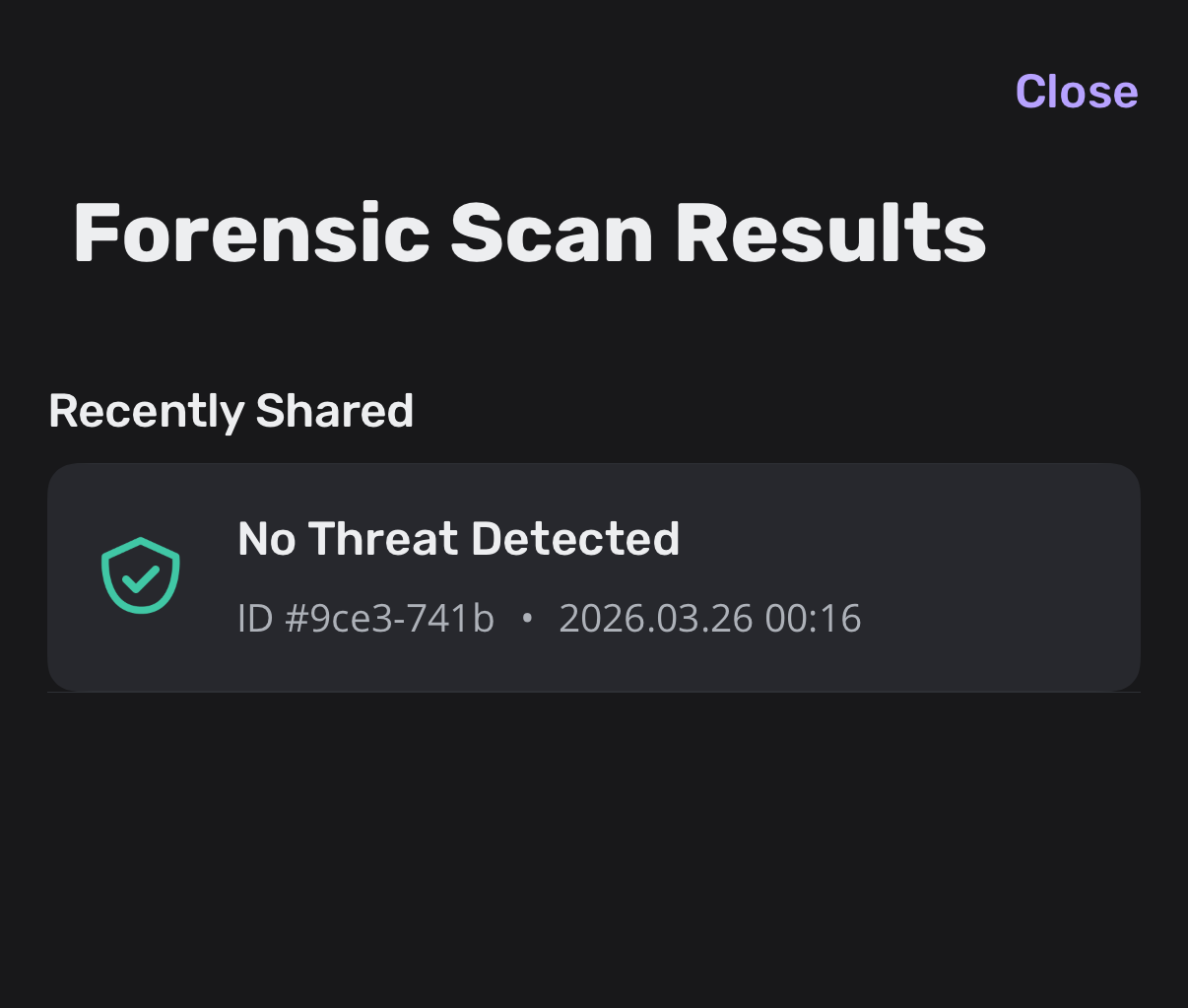
I just tried that app: triggering sysdiagnose is the hard part. Then you share the file to the app and it uploads to their server. I will let you know my results when it has finished processing!
Unless the iVerify app works, the reporting so far indicates that DarkSword does not leave any traces because it is inserted into memory, runs entirely from memory, and then removes itself from memory. So there aren’t any files or permanent changes to your computer that can be detected.
At the moment, I’d say the best way to determine if you may have been exposed is to search for lists of websites that are known to have been infected. If you have visited any of the infected sites—or, thinking like an attacker, a site similar in audience or content to an infected site—you have a higher chance of having been exposed than those who haven’t visited.
A non-tech way to think about this is to assume you just heard a local restaurant caused some customers to suffer from food poisoning, If you ate there during the same time period as the sickened people, you too could get food poisoning unlike somebody who never eats at the restaurant. And if the food poisoning was caused by a delivery of bad meat, any restaurant using the same meat supplier could spread the food poisoning too.
I dug around the iVerify site a little and found this:
All iVerify apps are able to detect live infections of DarkSword. We’re offering iVerify Basic for free until May so anyone can check their phones. For recent infections you can use the threat hunting feature in the app.
As the malware is not cleaning up Safari’s browser history or other WebKit related databases you can use MVT or other forensic tools to find the domains used in the initial compromise. The file based indicators are not backed up, so you can only check these on device or with a full filesystem dump.
ETA:
The iVerify Basic App, which is currently free to allow users to check for signs of compromise, is specifically designed to detect sophisticated attacks like Coruna by analyzing:
*system logs
*forensic artifacts
*suspicious network activity
*indicators of compromise (iVerify has the latest indicators for Coruna)
This deep-level analysis provides an immediate, non-intrusive way to scan your device for known Coruna infections, giving you the visibility traditional mobile defenses lack.
I don’t consider an iPhone from 2022 old; my daily driver is an iPhone 11 Pro Max bought in 2019, still going strong with its original battery at 84%! I also happen to have an iPad mini 5, still working fine on its original battery.
Regarding upgrading to 26 on the iPhone, I held off quite a while before doing it, recently upgraded, and there’s nothing about it so far that I care for. I especially don’t like the whole liquid glass “feature” and even though I have most of the effects turned off (or lessened), I can’t believe they would spend time on creating THAT when there are so many other things that need improvement.
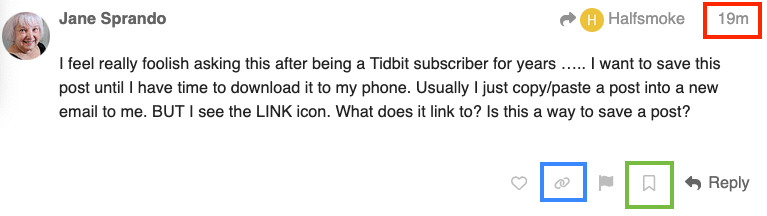
I feel really foolish asking this after being a Tidbit subscriber for years ….. I want to save this post until I have time to download it to my phone. Usually I just copy/paste a post into a new email to me. BUT I see the LINK icon. What does it link to? Is this a way to save a post?
If you click on the timestamp in the upper-right corner of a comment (red box), you’ll get a popup window to share the comment. There are buttons to share it over X, Facebook and e-mail. Or you can copy the shown text and paste that URL into something else (including a bookmark created by your browser).
The “links” button below a post (blue box) will copy that post’s URL to your clipboard, which you can then paste elsewhere.
You can also click the “bookmark” button below a post (green box), which will save it to your TidBITS Talk account’s bookmark list.
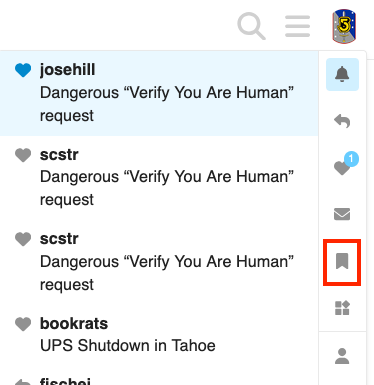
You can see all your bookmarks by clicking on your avatar icon in the upper-right corner and then click on the bookmark icon:
This thread and the announcement of iVerify’s app made me take a quick look at iVerify, the company.
iVerify is currently a small, venture capital-backed company. It might have been spun out of a company called Trail Of Bits. It is still early in its funding life; its $12 million Series A round was in 2024, with earlier, probably angel investor, rounds totalling about $4 million. Through 2025, it looks like the total amount it has raised from investors is around $30 million.
Now, based on the discussion in this thread, it appears that the iVerify app works by scanning logs and activity histories stored on iPhones, then sending a report to iVerify for analysis.
So, I’d say that anybody thinking of using the iVerify app should consider carefully how comfortable they feel about sending usage data from their phone to iVerify. In addition, sending personal data to startups and small companies, in contrast to large, well-established companies, has some unique risks. For example, it is unlikely Apple will go bankrupt and have all of its customer data sold to another company. Or that a data breach at Google would go unreported by major news outlets.
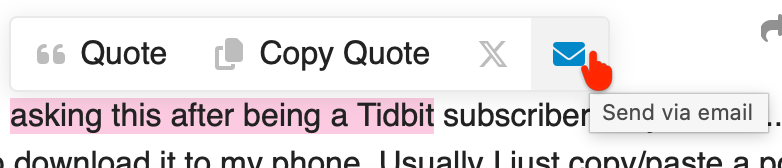
In addition to @Shamino s excellent reply, there are also nicely helpful Tooltips when hovering over the Pointer over various icons around posts, for example:
According to the Apple spokeperson, iOS 18 users will also have a “manual” method to get the update. As of 8:30 am Pacific time, I do not yet see it on multiple devices tested, even when pulling-down to refresh the Software Update screen. (Note: My “Automatic Updates” settings are all off except for Security Responses & System Files).
The Apple Insider article below links to the alleged source article at Wired: