In Software Update on my MBPro M1 running Sequoia I see under ‘Also Available’ (apart from Tahoe) ‘Command Line Tools for Xcode 26.2’ . I think I tried installing HomeBrew or something similar some months ago. I couldn’t use it and no longer am interested in it. How do I stop Software Update showing this? I can’t see Xcode or HomeBrew anywhere in Applications or utilities folders.
1 Like
There’s a flag file which controls whether the command-line developer tools are offered, irrespective of whether they’re installed, and this is how the software update is delivered during normal installation. Sometimes it gets created, but not destroyed when they are installed or the installation aborted.
Try this. Enter the below in Terminal. You should get no response.
rm /tmp/.com.apple.dt.CommandLineTools.installondemand.in-progress
Now if that worked, you should be able to check for updates again and find that the tools are no longer offered.
1 Like
I get ‘No such file or directory’ Checking Software Updater I get the same as before :(
These command line tools are a part of the Xcode suite of developer tools. If they are installed, Software Update will present you with updates, just like other Apple software (e.g. Safari).
If you want to get rid of them, uninstall the Xcode application. If the directory /Library/Developer/CommandLineTools also exists, remove it.
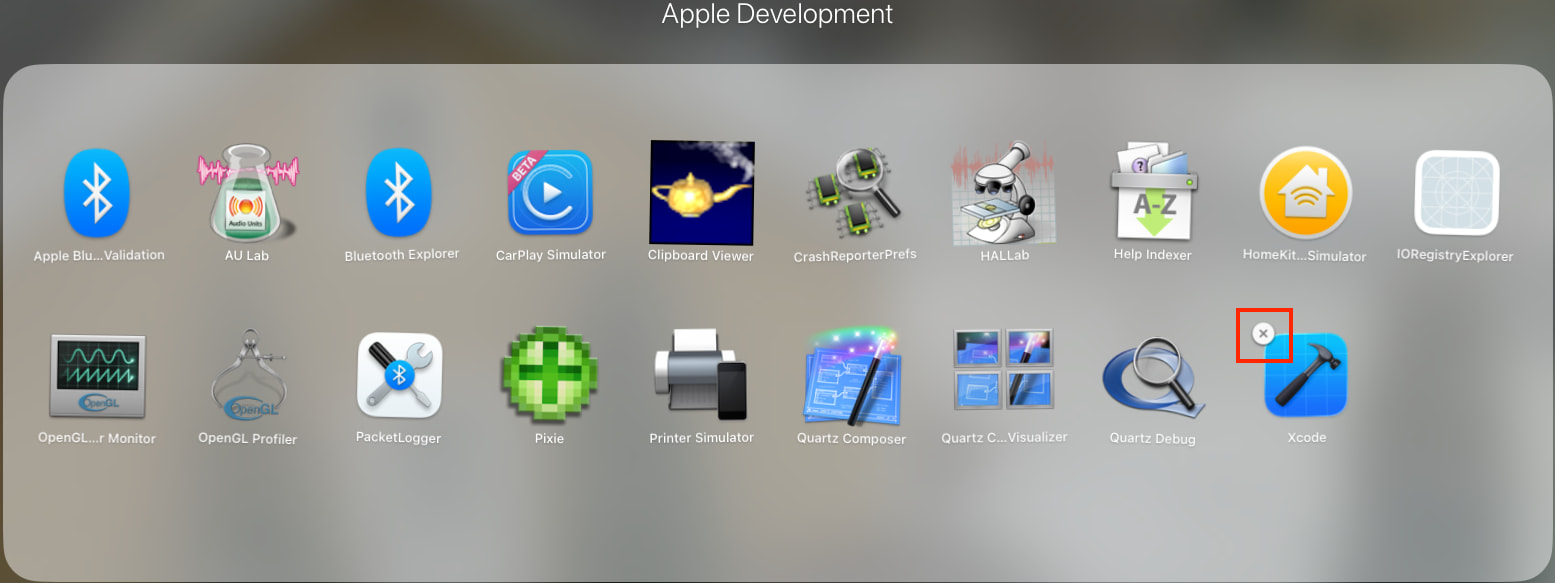
Although many sites say you can remove Xcode by just dragging it to the trash, I think the easiest way is to uninstall it via the Launchpad, as you can do for any app installed from the App Store. (I don’t know if this will work in Spotlight’s app-browser that replaced Launchpad in macOS 26).
- Open the Launchpad
- Locate the Xcode app
- Long-click on it, causing the icons to wiggle
- Click on the “X” icon in the corner of the icon to uninstall it:
See also: Technical Note TN2339: Building from the Command Line with Xcode FAQ
1 Like
Here is a site that might help you out on your uninstalling of Command Line Tools
1 Like
Struggling with Terminal as always. But it seems, from running the command on that website, that it is present. Attached is what I get in Terminal when looking for/trying to remove Command Line Tools

The initial $ in the page cited by @oldschool is a prompt (the equivalent of your steveparry@MBP-13-M1 ~), not something you should type.
3 Likes
Thank you. So it seems Command Line Tools is NOT present - see attached:
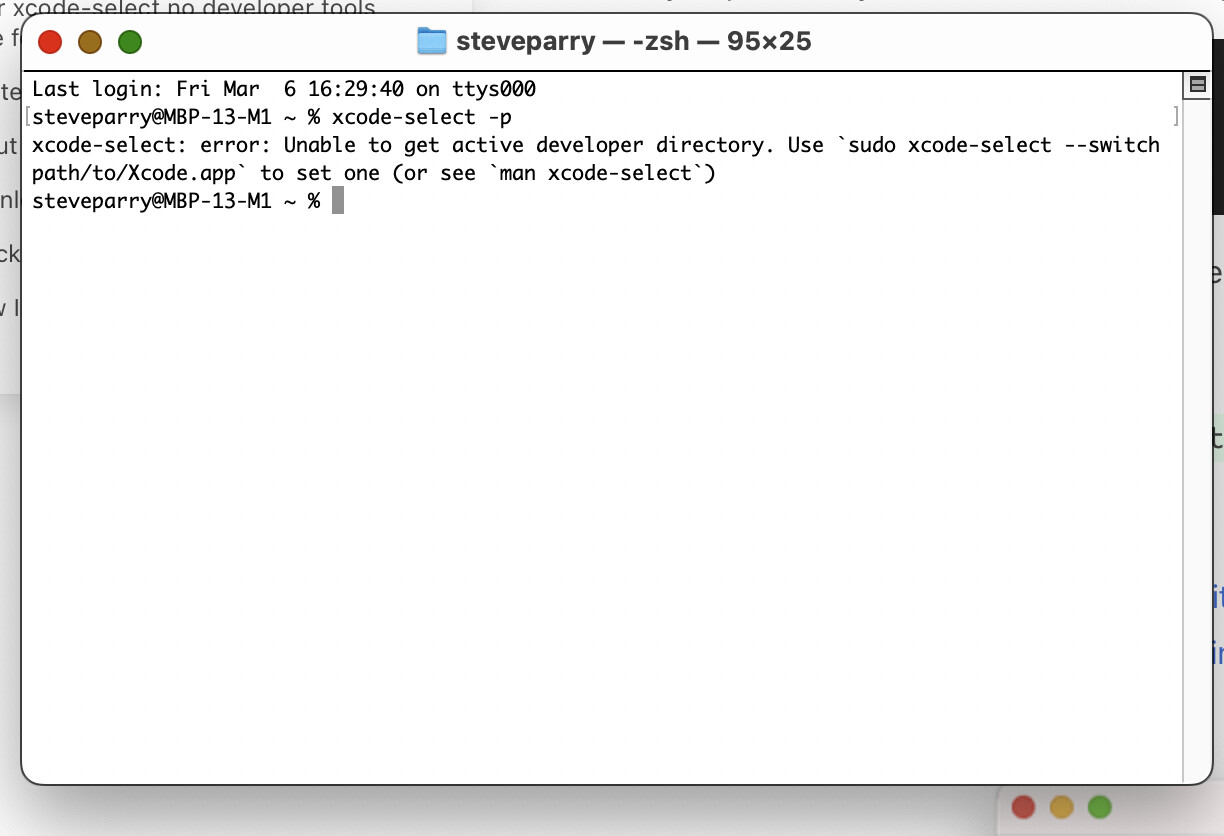
But I still get the prompt to install it - see:
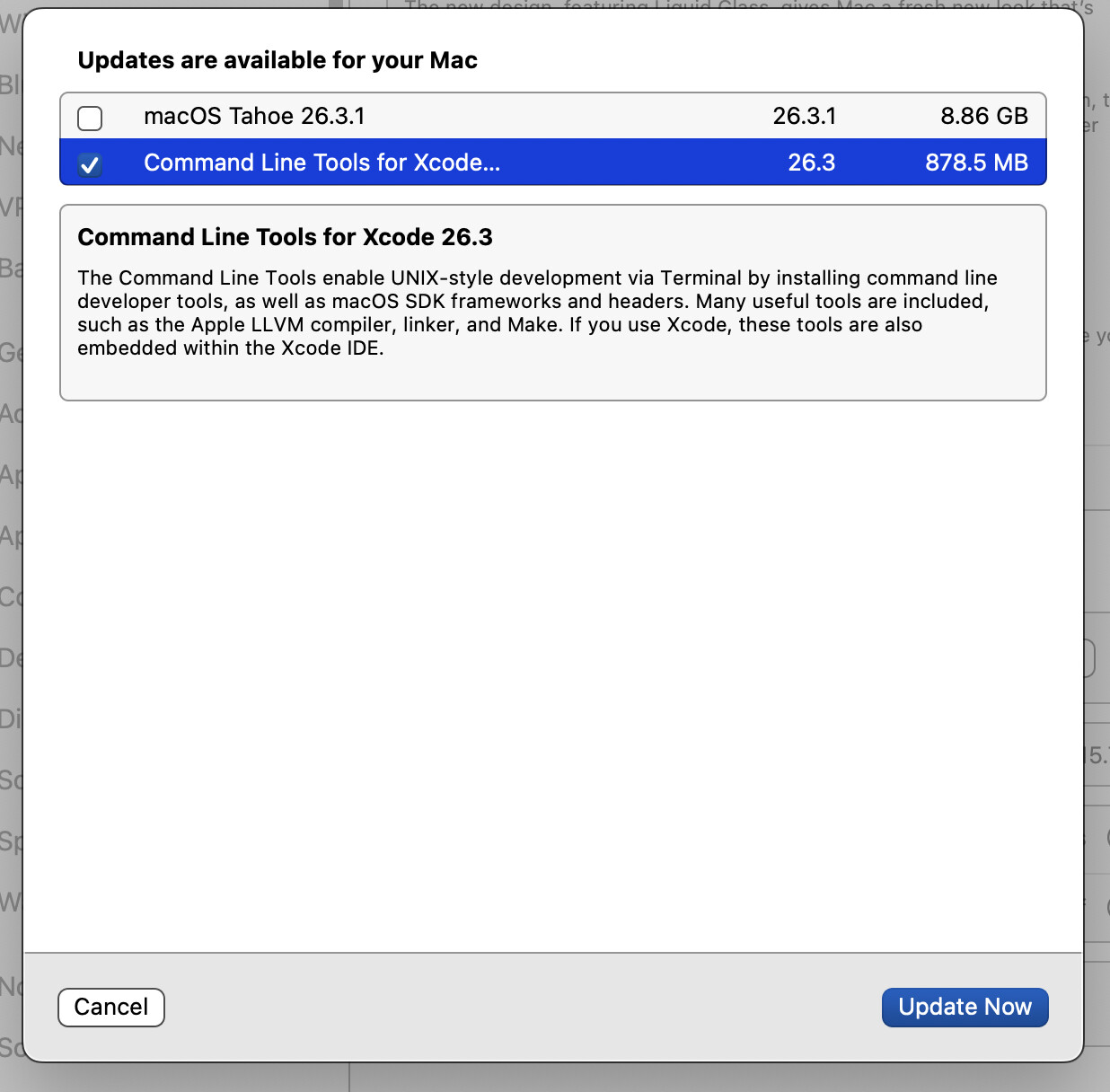
1 Like
https://discussions.apple.com/thread/256070917?sortBy=rank
[sgt - proceed with caution. work slowly, cross-checking that each command is correctly typed before proceeding]:
In addition to the steps above, I had to do the following to get the Command Line Tools update to stop showing up in Software Update.
- If you’re still seeing prompts to update Command Line Tools after deleting the folder, some users have reported that disabling and re-enabling SIP can help, but this is a complex and risky procedure. Only attempt this if you are comfortable working with the Terminal and understand the potential risks.
Boot into Recovery mode (shut down your Mac and then press and hold the power button until you see “Loading startup options.” Then, select “Options” and click “Continue,” and you’ll be in Recovery Mode.).
-
-
Open Terminal.
-
Run csrutil disable. You’ll need to authenticate (be sure to know your actual username, run whoami from Terminal when logged in as admin user) .
-
Reboot into macOS.
-
Open Finder
-
Navigate to /Library/Updates and open any folders to look for packages with CLT in the name, then delete that folder
-
Navigate to /System/Library/AssetsV2 directory and delete anything with CLT in the name
-
Navigate to /Library/Apple/System/Library/Receipts.
-
Remove related receipts: com.apple.pkg.CLTools*.
-
Reboot again, and then re-enable SIP in Recovery using csrutil enable.
-
After deleting the folders as previously mentioned, I still saw the updates until I did the above. I hope it helps, and don’t forget to go back into Recovery and reenable SIP. It’s there for your own good!
1 Like
As I’m not confident with using Terminal (I’m not a coder) I think I’ll leave it in place. But thanks for the guidance. Maybe a simpler method is available. Or maybe I’ll have to wait until I upgrade to my next Mac to be rid of this. If i were to migrate my data from this Mac to a new one would it still carry across? Or perhaps I could take it into an Apple Genius Bar and ask them to do it?
OP:
If you think homebrew is still there, and you want to get rid of it, try this terminal command (include the quotation marks at the end):
/bin/bash -c “$(curl -fsSL https://raw.githubusercontent.com/Homebrew/install/master/uninstall.sh)”
NOTE: after posting the reply, I see the site “breaks” the entire command, and misinterprets the latter part of the command as if it were a URL. You want to copy from /bin (above) all the way to the end .sh)” and then enter that into terminal. There is a space character between fsSL and https .
I’d suggest a reboot afterwards.
With homebrew gone, it -might- result in software update forgetting about updates.
(No promises).
If homebrew is NOT installed, terminal will just tell you it’s not there after you enter the above command.
1 Like
That is not correct.
When you ran the pkgutil command, it showed that you have the Command Line Tools installed.
The xcode-select -p command result shows that you do not have the full Xcode environment installed.
You can have the Command Line Tools installed without having the full Xcode app installed, which appears to be your situation.
There are a few variations of the method described by @sgtaylor5 to remove the Command Line Tools completely, all of which involve toggling SIP. I do wonder if installing the full Xcode package and then uninstalling it might work around the issue, but I have a feeling it won’t.
If you have the bandwidth to download an ~850 MB update from time to time, it may just be easier to go ahead and install the Command Line Tools update. It won’t hurt anything.
Updated to add: See Apple’s instructions for removing the Command Line Tools in my next comment below.
1 Like
Instructions for removing the Developer’s Command-Line Tools According to Apple’s Developer Documentation
To remove the package from your Mac, run the sudo rm command with the -rf option in Terminal:
% sudo rm -rf /Library/Developer/CommandLineTools
Note - The sudo command requires administrator privileges. Enter your administrator password when the system prompts you.
After removing the package, you’ll continue to receive new releases of the package in Software Update on your Mac. Delete the package receipt to opt out of software updates for the package.
To delete the package receipt, run the sudo pkgutil command with the --forget option in Terminal:
% sudo pkgutil --forget com.apple.dt.commandlinetools
If the task succeeds, pkgutil prints the following message:
% sudo pkgutil --forget com.apple.dt.commandlinetools
No receipt for 'com.apple.dt.commandlinetools' found at '/'.
4 Likes
More precisely, if you are logged in to an administrator account, then enter your own password when it prompts you.
By default, macOS does not allow non-administrators to use sudo. You can configure it otherwise, but I’m not going to go into all the ugly details of that.
You should, however, be able to just drag that folder to the trash and empty it (providing admin credentials when prompted by the Finder).
1 Like
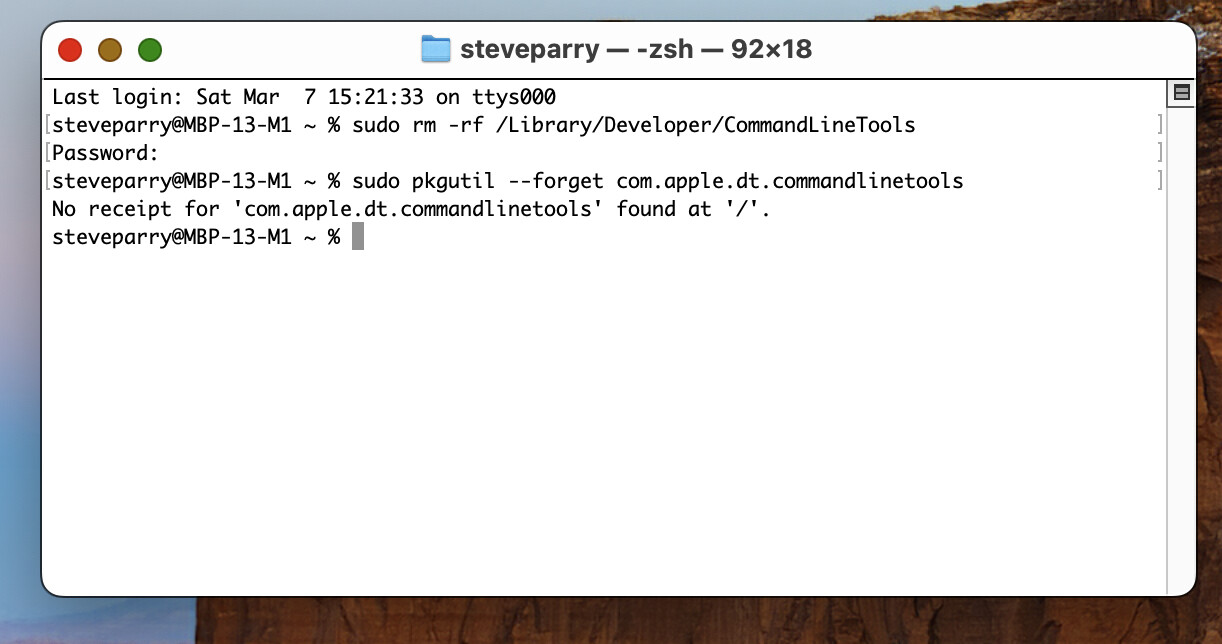
Looks good!
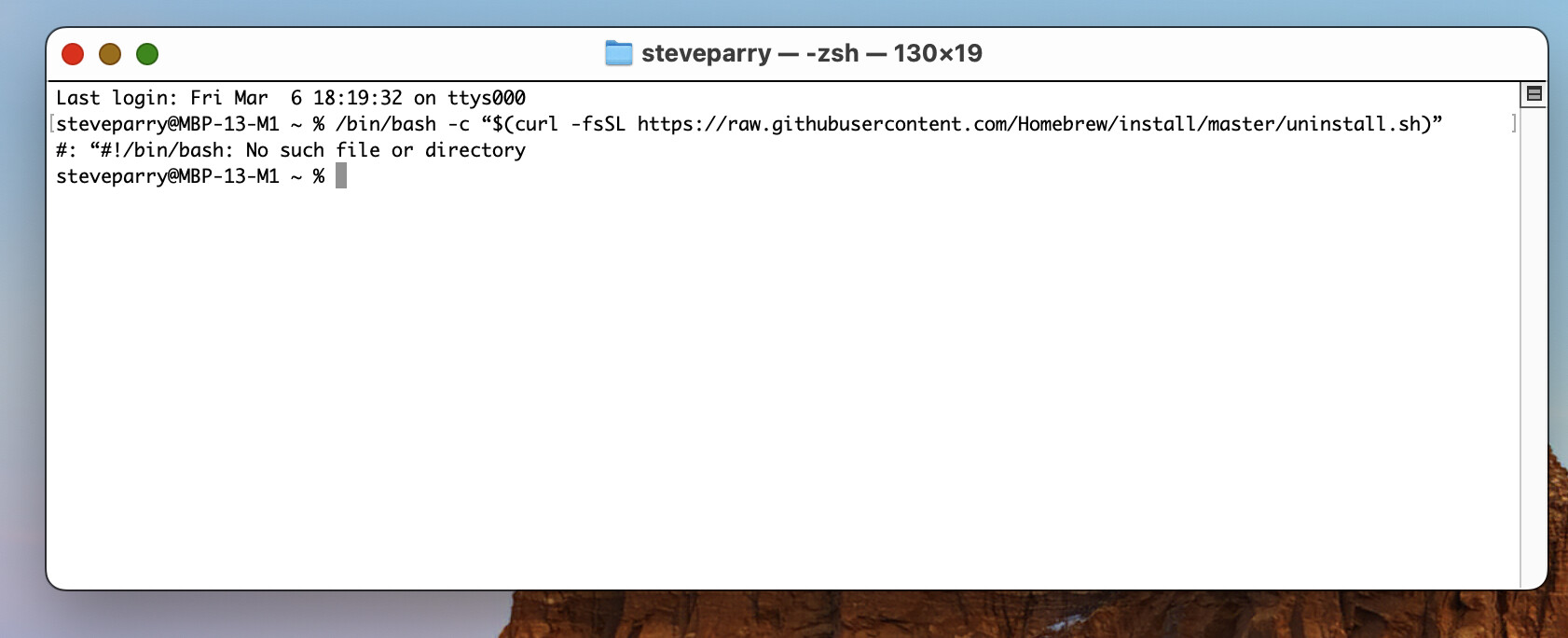
I’m not 100% sure, but I think I see “curly quotes” in your /bin/bash command, which should be "straight" quotes. That might cause the No such file or directory error, and Homebrew might (still?) be installed.
1 Like
After rebooting the update was still being offered… Ashley, I think you’re correct. I put straight rather than curly quotes in and got the below response. I’ll try rebooting now and see if it makes a difference.
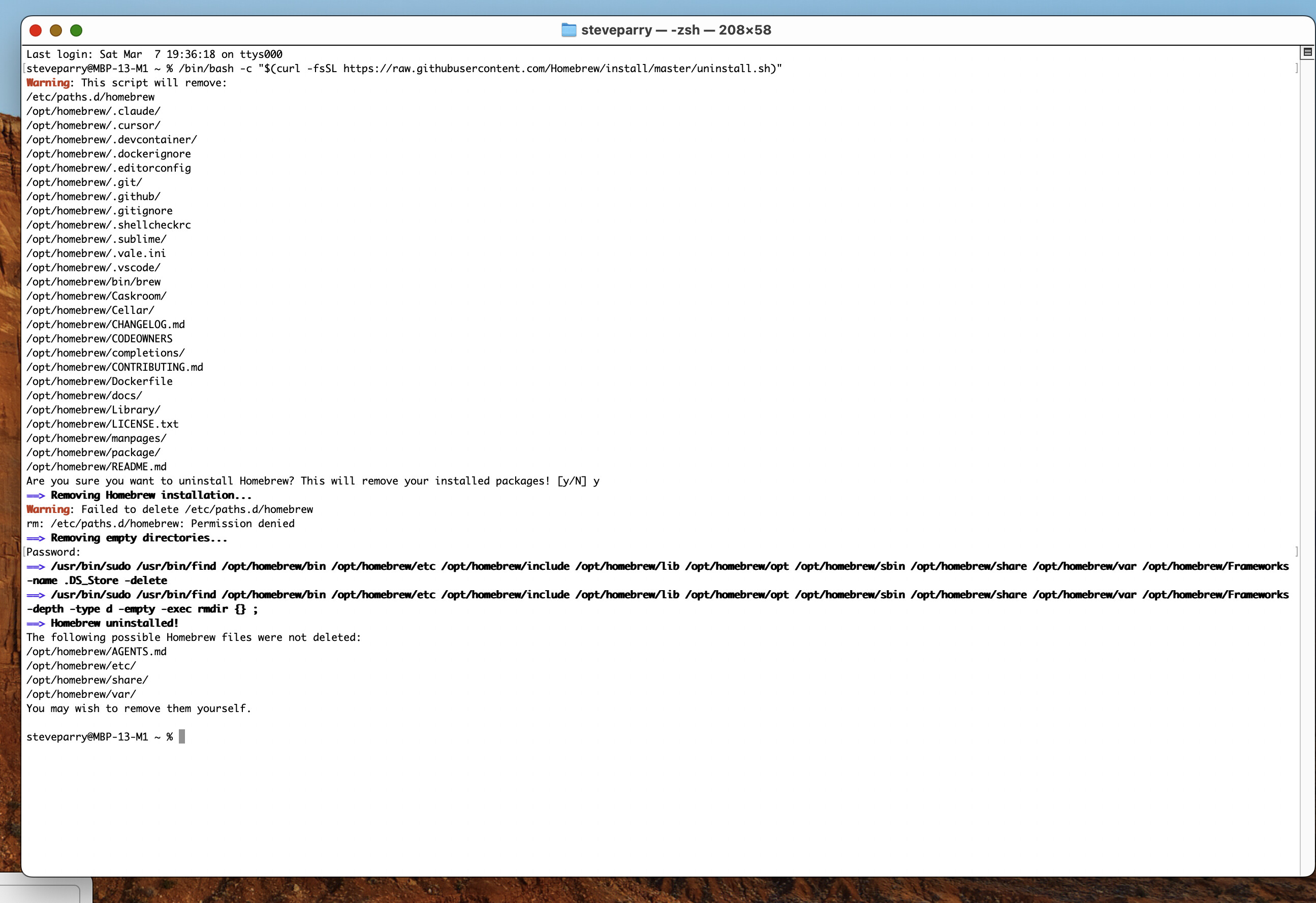
Rebooted again and still there.