I would try to download the ICA (Image Capture Architecture) drivers from the Brother website. They date back to 2019, but they still appear to install on Tahoe. If they work, they will enable you to print using the Image Capture app as suggested in earlier messages.
To download them, go your country’s Brother support page for the DCP-8080DN (USA support link) and click on Downloads. Under Step 1, you’ll see a link titled “Cannot see your OS family? Click here.” Follow the link, and choose “macOS 10.15.x” from the menu. Options to download a Printer Driver and a “Scanner Driver (ICA)” should appear. Choose the latter, accept the prompts to download the file, double-click on the file, and run through the installation steps.
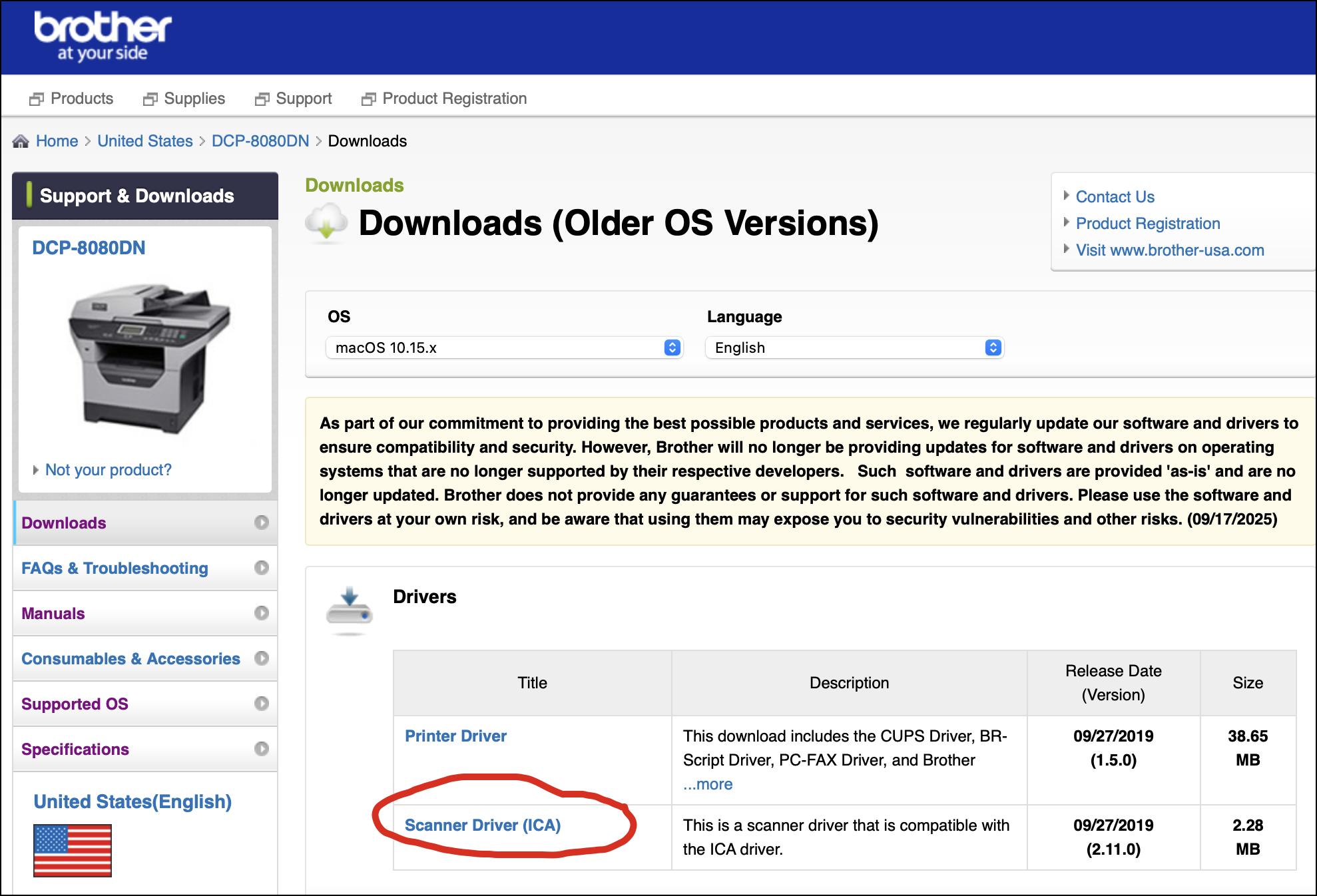
I don’t think you’ll need to restart the computer, but it’s not a bad idea. You may need to add the printer/scanner via System Settings. Connect the DCP-8080DN, and if the driver works, the scanning unit should be available when you open the Image Capture app or any other app that supports ICA.