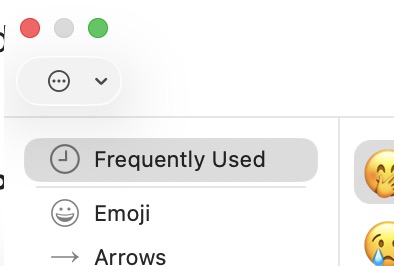
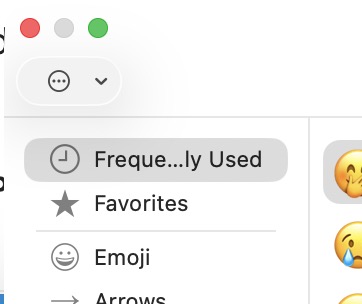
Hello: I have, over the years, culled important Unicode characters (from different alphabets, symbols, and even emojis) into “favorites.” I use this set all the time. The last update from Apple munged that set and there is nothing in it. Indeed, there wasn’t even a collection “favorites” until I clicked on a character and added it to “favorites” which then appeared.
Where is the info stored? What file has “favorites” content in it? I DO have backups, but don’t where to look to find this data. I thought if any group of nerds would know the answer to this obscure but really important question, it would be Tidbits readers. This is a wonderful pool of expertise.
Any suggestions very much appreciated! Thank you and Happy Holidays!
Until a few days ago I never even knew there was a Favorites – but I had just encountered a situation that was solved by that feature. Except that it didn’t work.
After adding numerous math/symbol emojis to the Favorites I was surprised to see only one. I added more. Still only one.
I deleted the favorite. And then another favorite I had selected appeared. I deleted it – and yet another previously selected favorite appeared. I deleted all of them.
Later, I started over and this time it worked correctly…but clearly a subtle bug.
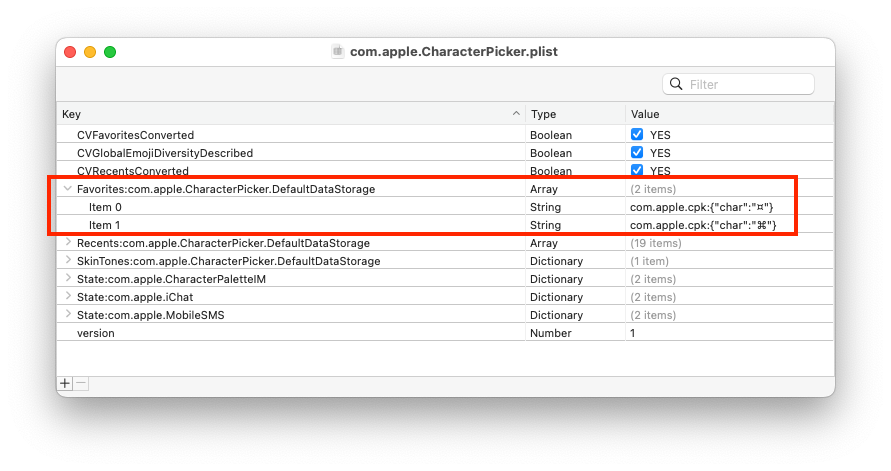
The preferences for the Character Viewer app are stored in ~/Library/Preferences/com.apple.CharacterPicker.plist.
Using PrefsEditor to view the com.apple.CharacterPicker domain, I see that the favorites are stored in a key named Favorites:com.apple.CharacterPicker.DefaultDataStorage. The key is an array, where each element is a string identifying the character:
In my case, I have two favorites: ¤ and ⌘, which you can see as the two elements in the array.
So, try restoring that file from a backup (and then reboot). If it gets clobbered again, restore the file to a different location and manually add back the characters.
Or maybe add one or two characters to see if the format changes with that Apple update. If it didn’t change, see if you can just copy those array elements to the active preference file using a tools like PrefsEditor.
They’ve “improved” MacOS! Now with MacOS 26, all my “favorite” emojis and Unicode symbols, which I carefully curated over the years, are gone! Even the plist is empty.
Oh, and they also hid the “Favorites” category itself! It does not show up on the left panel of the Unicode picker unless and until you choose to add a new favorite. Many people probably won’t know there is still a Favorites category. Bummer! Heaven save us from “improvements” that are actually feature-rollbacks and data-destructive. Why would Apple do such things? How dare they!
[And speaking of data-destructive, have you tried deleting an email from the trash in Apple Mail? No warning that it’s irreversible unless you delete some arbitrary (and unknown) large number of emails.]
Alas this file is empty. But, fun fact, even if you do add a character as a Favorite, and it creates the “Favorites” folder in Character Picker, those characters are not kept. They disappear. I have added four or five characters, but the Favorites folder is not retained. Anyone else? This seems like a bug. And a real PITA for me.
Further: attempts to restore from TimeMachine failed. It says there is another file with the same name, do I want to replace. I say YES!, but then nothing happens. The CharacterPicker.plist (and Pallete too) is not empty. Enough time on this foolishness. Back to work!