A use case where the top bump makes a difference is if you are using the phone as a substitute for a spirit level (via the Measure app, for example). If you leave the phone by itself on a level surface, you’ll see a minus reading. Pushing the top down so that the phone rests on the top bump (in my case, the ridge on the case that surrounds the top bump and is slightly above the camera lenses), changes the reading to 0%.
So, while the bump doesn’t eliminate the ability to use the phone as a level, you need to be careful to get an accurate measurement.
Unlike in previous years, the iPhone Clear Cases for the iPhone 17 Pro and Pro Max are not completely clear. The flat area covering most of the back, below the plateau, is covered by a white insert with a centered Apple logo. Allegedly, this is because the treatment to ensure MagSafe compatibility is not centered and artistically conflicts with a centered Apple logo. So, Apple just avoided the whole problem by hiding the MagSafe circle and line in the insert. While this doesn’t look too bad on a silver phone, I imagine it is less than ideal on an orange or blue phone. With those phones, you may want to consider using a different case.
Clear Case on a Blue iPhone 17 Pro
Apple really should have produced variants of the case with the white panel replaced by one color-matched to the phone.
After I set up my iPhone 17 Pro on Friday, I had a weird networking issue that persisted for several hours:
I was using the phone on my home WiFi network and listening to a podcast, using AirPlay to send the audio to my Mac Studio speakers. Naturally, the phone is usually locked. However, when the phone was unlocked, WiFi would disconnect, with it taking 10 to 20 seconds to reestablish the connection. Because AirPlay was disrupted, the podcast would suddenly pause. I was worried that this would be a continuing issue. However, later in the day, the problem went away, with the iPhone maintaining WifF connectivity as it changed between locked and unlocked status in either direction.
While the problem was occurring, I tried various procedures to fix it. However, none of those actions seemed to have any effect; I was preparing to call Apple Support the next day, but the problem then resolved itself. I probably wouldn’t have noticed the issue if I hadn’t been running a task (AirPlay) that required a connection to the home network.
My feeling is that there are two basic groups of touchscreen users: two thumbers and one-finger pokers. I also think group “membership” is highly correlated with age. So, for me, I probably wouldn’t have any idea that poking and flat surface use happened much—along with the rocking problem—if I wasn’t a classical music, ballet, and opera fan.
;-)
I have used a 13 Mini for some years to image a wide variety of plants in our garden.
While I can’t speak for the 14, maybe it works similar, so it might depend on your technique. For instance, if you are moving close enough to fill the frame with the flower and the camera can’t focus that close, it might focus elsewhere.
There might be a tech spec somewhere saying what the minimum focus distance is with various lenses. You could carry a tape measure or remember a swag at this distance as a general guide to how close you can get.
Also you could try moving back, and cropping aggressively in Edit phase.
To help with focus maybe carry a small flashlight in your pocket/bag and use it to highlight the object you’re shooting, that might both improve the look and help camera focus.
Finally I’d suggest trying Portrait mode. I haven’t yet used Portrait mode on a human but it has served well for things like flowers and insects etc. and even provides some really odd and interesting effects sometimes.
If I think of anything else later I’ll aim to add it to the thread.
The button feel is much better for the iPhone 17 Pro Clear case. Previous clear cases have always had a mushy button feel, requiring a notable amount of effort to establish that a button had been pushed. The new Clear Case actually feels like a button has been pressed when you press the case over it.
I keep recipes on my phone. I often need to tap or scroll (or even type, if I’m amending a recipe) while I’m baking. That often involves tapping with my cleanest flour-and-fat coated finger (usually a pinky). If the phone rocks or wobbles, that makes the experience much less satisfactory.
Similarly, when I’m doing low-level coding I sometimes have reference material and notes on my phone since I’m frequently re-booting the computer to test code. Having to take both hands off my keyboard to pick up the phone just to navigate or type impedes my flow.
I was just transferring my iPhone 16 Pro to my new iPhone 17, and to compare the physical dimensions, I took the iPhone 16 Pro out of its case and set it next to the iPhone 17 on the desk. (They’re nearly identical to eye and in heft.) I continued to perform the transfer steps from the old to the new while both were sitting uncased on the desk, and I did indeed find the wobble on both terribly distracting whenever I tapped buttons in the migration process. It was even worse on the iPhone 17 due to the camera bump being smaller.
That said, I then discovered that the iPhone 17 fits perfectly in the case I had for the iPhone 16 Pro, which completely eliminates the wobble. I’m not comfortable with an uncased iPhone, so the wobble doesn’t come up in real life. My lack of comfort stems from the fact that the iPhone is pretty slippery on its own, whereas the case makes it much less likely to slip from my fingers. Even with a case, I drop the iPhone in ways that I think would likely harm it several times a year, and each time I do, I breathe a sigh of relief after determining that the case has prevented any damage.
I’m also careful with my equipment (the comment about being dropped refers mostly to friends and family).
In my case, I got the Spigen case, not so much for protection, but because I found that the side buttons are just too small for me to press comfortably. The Spigen Tough Armor case has plastic button-covers that make them much larger and easier to manipulate.
Funny you should mention that. I would probably be interested in a (thin) case that covers up all buttons and reroutes the on/off button to the top, like it used to be on iPhones before their Samsungification. I cannot count the number of times I have inadvertently pressed buttons just because I’m trying to grip that bar of soap or get it into a vent mount. Apple keeps adding more and more buttons to the side, but the only one I really need is on/off.
Thanks, David. I look forward to a more thorough exploration of your suggestions. The problem is really illustrated by columbine which in the wild is often a bit gangly with pronounced leafless flowering stems. It is very difficult to get an image of the plant in its environment. Years ago I had a small digital camera that I liked a lot. This early digital camera took images in a macro way, although it was not a setting, where the plant I was interested in was in good focus but everything else in the background was too. Not a sophisticated image I understand but it worked for my needs.
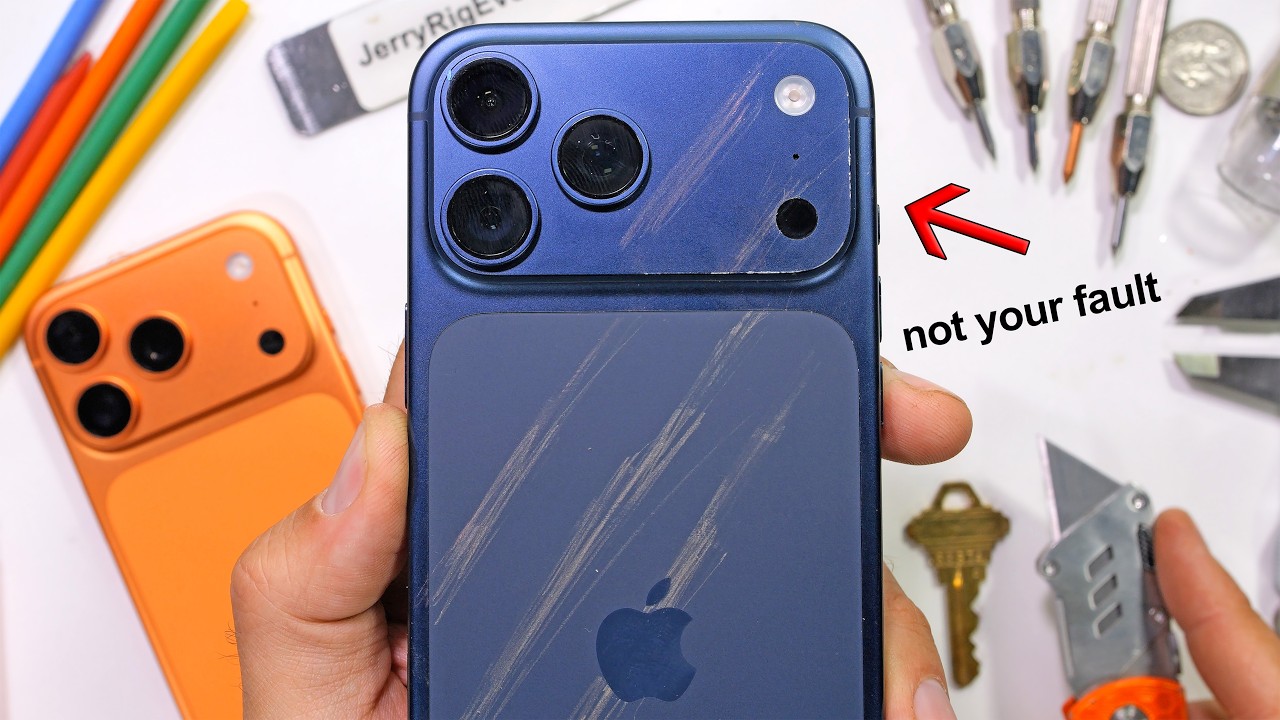
This annoying YouTuber claims that Apple let the designers win over the engineers and thus everybody’s iPhone 17 pro will show abrasion along the sharp edges.
Have folks here already seen that on their Pros? Or is everybody here using a case because of stuff like this?
I searched for images of wild columbine and it reminds me a bit of Honeysuckle that we have here.
It has been fairly easy for me to photograph though as it is spreading along a chain link fence and thus background items are already a couple of meters away.
I like cameras that are only cameras too! i had a variety of them to keep in pocket or small belt pouch over the years. I usually sought those with like 28mm equivalent view lenses and close focus capability. I have one now that is not pocketable but with an adapter can do 1:1 macro.
I just looked for tech specs pages at Apple and I couldn’t find the close focus distance for the 13 mini or 14. So I took a ruler and focused the 13 mini on my mac screen and at 1x it was about 3" away, with .5x it was about 1.5" distance.
As a former photojournalist I generally try to photograph the way things are, partially as a personal challenge in seeing. But if you are not opposed to some manipulation of subjects, you could slightly move the stem of the plant to get it in an advantageous position.
Another idea is that if you are shooting with ability to have a tripod and props, you could find the right Columbine and angle, put iPhone on a tripod, and say position a background (paper or board) behind it to isolate it and then shoot with or without the background. Focus/exposure lock might help here if the setup is larger than arm-length.
Report: Nope. The strips go on pretty nicely and seem to hold in place well. I got the transparent version which shows the phone color through nicely. But the surface of the strips are both not grippy enough and annoyingly rough. It still feels like I don’t have enough of a grip, but the roughness of the strip is slightly irritating to my skin. Felt like it would be annoying to hold for more than a minute or two, which defeats the purpose. I took them off almost immediately.