13 posts were split to a new topic: How to turn off Microsoft CoPilot in Word
Why? It’s just more intrusive overhead (not to mention space taken up) for something I definitely don’t need and probably don’t want. I feel like we’re suddenly embracing Clippy, still widely regarded as one of the worst experiences in technology ever.
1 Like
As I said in the article, it’s because Apple Intelligence isn’t one thing. It’s a host of largely unrelated features. For most people, it’s not worth trying to predict if you will or won’t ever appreciate having them.
I wouldn’t be surprised if Apple removed the switch in some future version of the operating system to match the lack of a switch for all the Continuity features, most of which many people probably don’t use or think they want either.
1 Like
If Continuity hogged 7GB of precious disk space and randomly told us public figures had just died even though they were alive and well, you can be sure we’d hear from a lot more people looking for a master switch to kill it.
3 Likes
I turn it off, and every subsequent update turns it back on again. Sigh.
1 Like
That is correct, Steve D.
Until further notice, EVERY Apple system update that restarts your device (iOS or macOS) turns Apple Intelligence on before you can drill through settings to disable it. This means Apple Intelligence has now joined Wi-Fi and Bluetooth in being auto-enabled every time an update restarts a device.
There is a clever trick that works (for now): Set the Apple Intelligence Language to something other than your system default. This means if your device uses English, change Apple Intelligence to use something like Spanish or French. When the next update happens and your device restarts, Apple will switch the Language back to your default, but Apple Intelligence will not be enabled (presumably because it is a separate step?)
This trick worked for a few of us who tried it before the latest patch. Just remember to go in and verify Apple Intelligence is off and then change the Language to a mismatching selection again after an update.
…at least until Apple gets more languages working with Siri/AI, or corrects the mismatched language halt to Apple Intelligence activation after updates.
1 Like
I updated from 15.3.1 to 15.3.2 yesterday which included a restart. Apple Intelligence was not turned on.
I also have Siri turned off. Maybe that’s the difference.
1 Like
I have discovered another way to prevent an update re-enabling Apple Intelligence on my iPhone
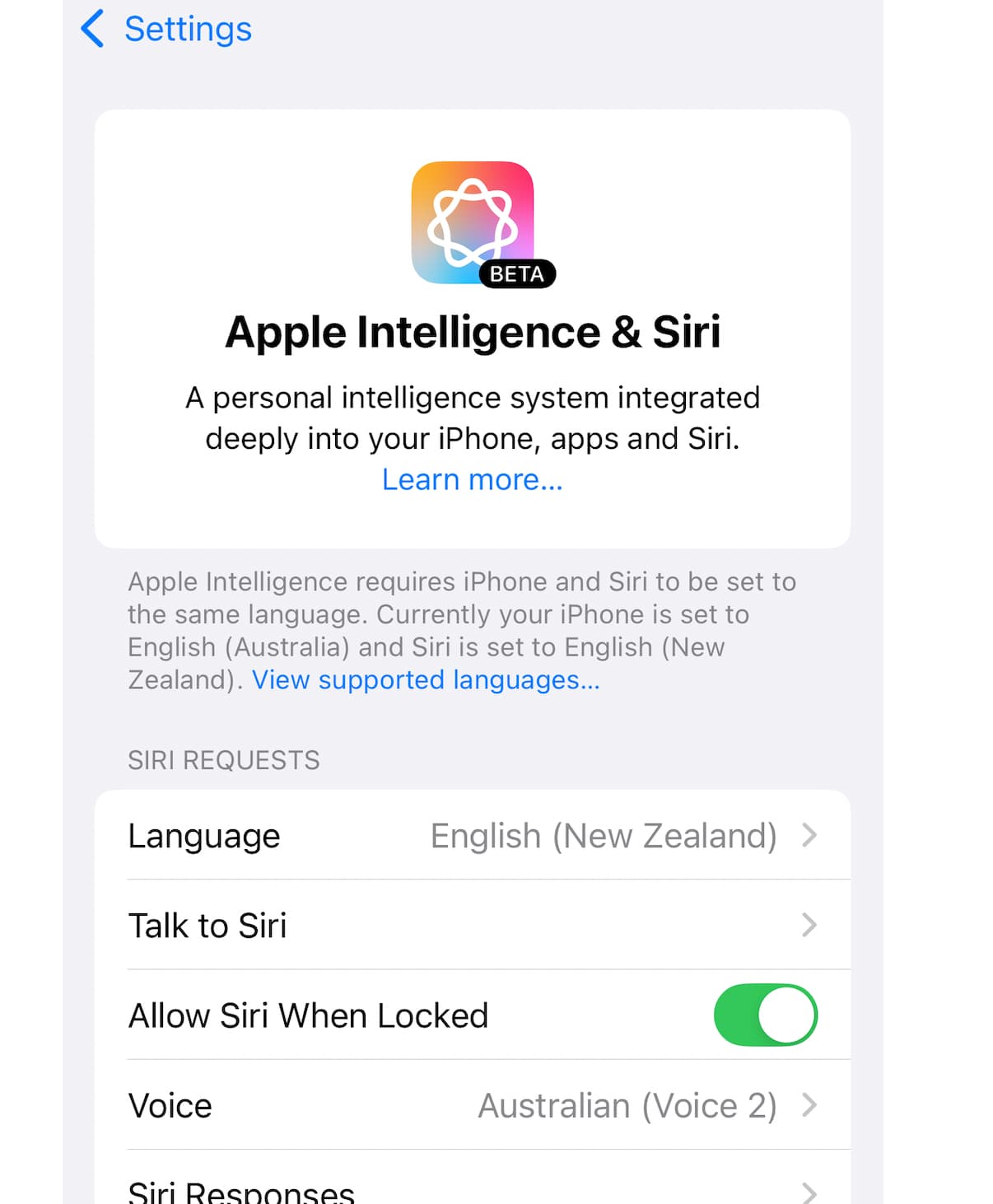
Hope that helps, means you don’t have to turn Siri off.
1 Like
is there a way to block Apple I from even downloading in the first place like with Little Snitch or similar, ie blocking the server that the Mac is contacting for the data?
After a friend updated to 15.4 on an M4 mini, System Settings only showed “Siri”. There was no “Apple Intelligence”. Opening the Siri panel indicated that it was OFF along with its related settings, and I saw the previous non-English language setting had stuck.
Of course, the Wi-Fi was turned back on as usual…
If Wi-Fi isn’t connecting to any access points, does it matter?
I ask because AirDrop requires Wi-Fi - it uses Bluetooth for discovery and sending requests, but creates an ad-hoc Wi-Fi connection for the actual data transfer.
My desktop Mac always has Wi-Fi enabled but not connected to any access point, just so it can create these connections for AirDrop. For everything else, network connectivity is via Ethernet.
iOS 18.4 continues to attempt “fixing” any Language settings mis-match in the Apple Intelligence/Siri panel. But this update still did not go farther than that. (To clarify, with Apple Int. language changed to not match the system AND Apple Int. turned off, the iOS update still only corrected the language setting but did NOT go a step further and turn Apple Int. back on.) Also having Siri turned off may be part of this equation.
As for the Wi-Fi auto-enabling after an update, that is something which has been occurring with macOS and iOS for a while. It does not necessarily relate to this issue, but if you purposely disabled Wi-Fi before restart for any reason (including prevention of Apple Int. downloads), it is somewhat relevant.
Interestingly, recent macOS updates have NOT re-enabled Bluetooth as I have seen in the past.
We are seeing iOS and macOS devices that have kept Apple Intelligence OFF storing around 7.8 GB of data (according to the displayed storage values).
Not sure if this is due to the small window of time before people switch Apple Int. back off post-update or something else.