Well the existing Pro apps updates seem to download okay for this existing user, Final Cut etc. You have both versions side by side which seems odd.
The side by side continues with the other updates….
The updated iWork apps have an irritating “Elevate your documents…spreadsheets… presentations’’ box in each app which persists, you can at least remove the generate and AI enhancement buttons from the toolbar. Mainly it seems like a full Liquid Glass makeover… ugh. I use all three nearly daily, sighing here.
Looks like the Mac Pixelmator Pro doesn’t update for existing owners. I had presumed you needed a subscription for the iPad version only. If you download the new one, it prompts for a subscription. It’s a possibility that they’ll issue a standalone update at some point, some lack of clarity on this.
For now I’m going to stick with the 14.5 version of Keynote/Numbers/Pages. I don’t have any interest in their yeehaw AI and hoorah “gorgeous” templates so I wouldn’t be subscribing anyway. Because of that I have nothing to be gained by updating Keynote/Numbers/Pages and I certainly have no desire to get my toolbar cluttered with marketing garbage pushing me towards their subscription malarkey. So in that sense, staying on 14.5 is the best course.
For now.
The question is what happens when bug fixes start coming out or they decide to change document formats. It’s doubtable 14.5 will see any more attention. They perhaps can’t outright force users into subscription (at least under the current model), but eventually they can make it very uncomfortable to stay on 14.5.
This is why I do not like software rent subscriptions.
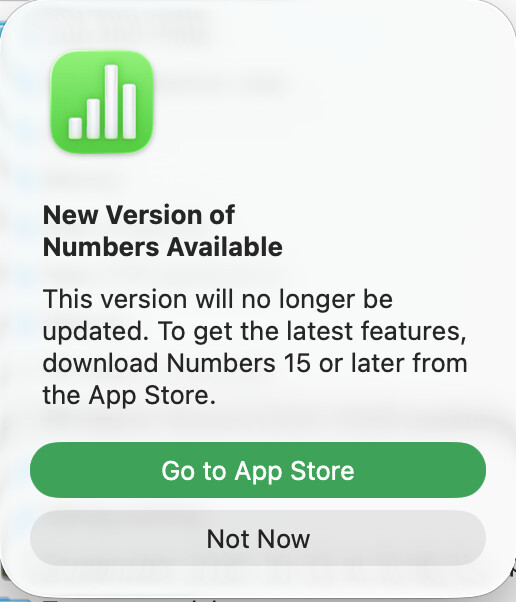
In fact, the upgrade dialog that appeared when I launched Numbers stated that the existing version will no longer get any updates.
Last year Numbers 14.4 added a lot of very powerful functions - filter, sort, and unique, for example - which Excel has had for a while and which made some of my spreadsheets a lot more efficient, so at least for Numbers I’ll stay on the upgrade train.
Indeed it did. But I was thinking less about updates as in feature updates and more about bugs.
If anything buggy in iWork (obviously it’s no longer called that, but I really miss a name for what is essentially Keynote/Numbers/Pages) pops up but does get fixed by Apple, I would fear they could only release such an update to the new subscription-based variants and not necessarily back-port as a bug fix for the 14.5 versions. But that’s just a hunch. I hope, if the situation arises, they prove me wrong!
As an aside, Keynote was actually the only time I can recall over the last decade or so where I reported a bug to Apple and they promptly reached out, went in to fix it, and then released an update only a short while later. It was a great experience and really showed how the Apple folks working on Keynote are super engaged and user-focused. It almost felt like dealing with a much smaller Apple of long ago.
As an previous owner of Final Cut, Logic, Compressor, Motion, Pages, Keynote, Numbers, and Pixelmator Pro, I downloaded the new iWork items to see how bad the “constant upsell” was. Surprisingly, I do not have any upsell. There are a few icons in a different color that if I click them, they tell me they are part of Creator Studio. Other than that, they act just like the previous iWork items for me so far.
Okay, I’m not interested in the AI tosh and don’t like the direction of travel of the icon design (don’t start me on ghastly, babyish ‘animojis’), but my real problem is with the charging structure.
I use Apple’s free and Pro apps every day. Numbers and Pages are great for 99% of my work and I feel they are sort of my historical due for buying an expensive computer in the first place, and then for over 30 years.
I own Final Cut Pro and have had to buy Logic more than once, from the days when you could have multiple Apple ID’s but couldn’t merge purchases - the last time I really swore at Apple’s software policy.
So, now I launch Numbers and it tells me there are no future updates, and so presumably the only way to get Numbers and Pages updates in the future is to subscribe to the whole Creator Studio bundle. And then I will be paying yet again for Logic and Final Cut. Yes. Brutal. Or is there any other way through this?
The only sop in all this is that the whole bundle is family sharable. Two of my children use Final Cut or Logic for their work, but to date these Pro apps have not been sharable. So they also have bought their own copies. Grrrr.
But, perhaps one just has to swallow hard. After all, Logic cost how much10 or 15 years ago? And I remember paying over GBP 700 for Adobe Photoshop 20 years ago.
Well, the TidBITS subscription survey was certainly timely.
Not for Pages, Numbers, and Keynote. I am running the new Numbers just fine without a subscription. I don’t get the AI features for the subscription, but all of the existing features and functions are working just fine.
Keynote, Pages, Numbers, and Freeform will remain free for all users to create, edit, and collaborate with others, including Apple Creator Studio subscribers. These apps will continue receiving updates, with the latest versions adopting the beautiful new visual design language with Liquid Glass on all platforms, and supporting the new windowing and menu bar improvements in iPadOS 26.
Thanks Doug,
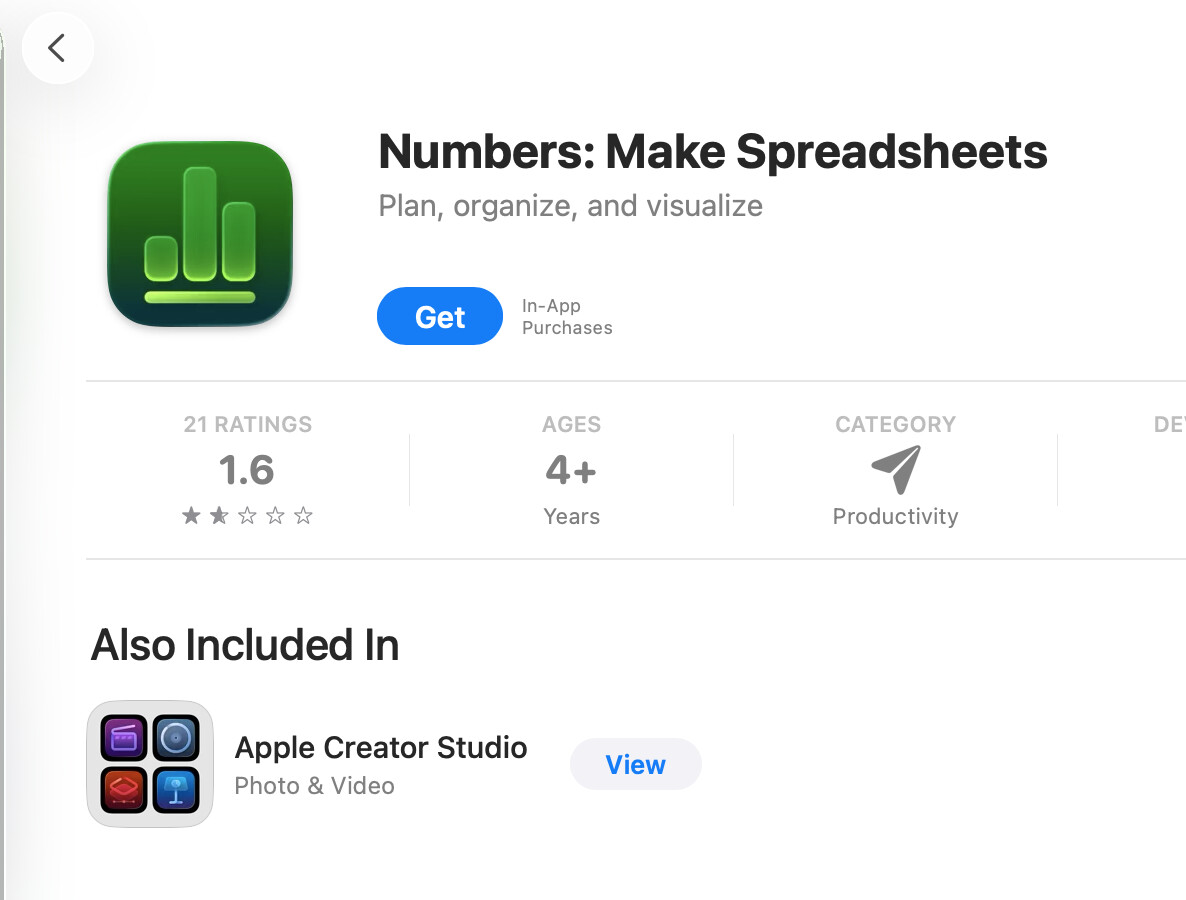
I am in the same situation and am being nagged by “New Version of Numbers/Pages available” notifications on first opening an existing document, see screenshot. If I click “not now” it does not nag for that document again. If I click “Go to Appstore” it offers “Numbers: Make Spreadsheets”. see screenshot. EDIT I realise now that this is version 15 and existing apps are version 14.
From what you said it is quite safe to “update” to the Creative Studio version 15 and carry on using them free (without the enhancements) ? In fact we have to update to the new version 15s to get future updates as the old version 14s are not going to be updated.
It has been working fine for me, for both existing and new spreadsheets, plus installing the new version does not delete the existing version (I think 14.5), so if there are any issues you can open the older version instead.
I recently installed Pages, Numbers, and Keynote from the App Store. There was no charge, and the subscription primarily adds templates, as far as I can ascertain. Consequently, previous iWork applications remain functional as they always have been.
However, if the service transitions to a full subscription model, I would switch to LibreOffice, which offers more capabilities. For advanced graphics work and page layout, I utilize free Canva / Affinity software which includes a decent Publisher app like PageMaker / InDesign.
The majority of my professional writing consists of engineering notes and runbooks, which I create in Emacs using Org-Mode. I export these documents to PDF, HTML, ODT, or DOCX as necessary. I can also generate presentations using LaTeX Beamer. Org has extensive TODO / Calendar (Agenda) features that enable you to build a custom GTD (Getting Things Done) methodology and you can also built a knowledge base of notes like the Second Brain / Zettelkasten methods. I used to utilize OmniFocus & OmniPlan but Emacs has a way of changing the way you think. Emacs has it’s own UI standards. IMHO, it’s far better and hundreds of times more efficient to get things done. I am constantly surprised by Emacs. Notably, all A.I. LLMs support output in Org-Mode format. This is extremely handy. Additionally, I engage in extensive Literate Programming using Org. I can execute code blocks within my documentation to execute any code and retrieve the results or pass them to another code block, akin to a Jupyter Notebook on steroids. Indeed, you can integrate any LLM into Emacs. My current focus has shifted from layout to content. The source of these documents is plain text and therefore I commit it all to git repositories. I run Forgejo on a home lab server. It’s configured to push to a private cloud repo. Therefore, I have copies on multiple computers, my own GitHub like forge and push to the cloud. I won’t lose a thing and these files will be accessible in 50 years time. I can run Emacs on Windows, macOS, Linux, FreeBSD, AndroidOS, and ChromeOS. No worries about lock-in for me.
Thanks Doug. It really wasn’t clear from anything I read. It seems you just have to ignore the prompts to subscribe every time you launch the new versions of the office apps. Rgds.
I have explored this same question. At the moment, there is no way to “hide” the premium content from the template chooser. The chooser automatically places the premium content before the standard content. And, of course, whenever you click on a “premium” item to see what it is… you get an add/prompt to buy the subscription. This is a new and very annoying feature.
Also, I have surveyed a lot (but not all) of the premium content, and the templates are nothing special. Certainly not as sophisticated as some of the earliest Keynote and Pages templates. A lot of “bold” (i.e. clunky/chunky) designs and splashy graphics, which (I think) many users would never dream of using in their presentations or documents. There are a few exceptions. I hope Apple designers actually add some elegant and fresh template designs, especially to Keynote, now that there’s a revenue stream attributable to them. And I hope they remember than not all “creators” want to strain the eyes of their consumers with neon looks and clashy, loud colors.
The upgrade nag dialog in the new-old versions of the apps appears repeatedly.
If you want to keep using the older versions without the nag for whatever reason, there is a key (TMAApplicationUpdateNotifier.MigrationAlertToInstallLastShownTimeStamp) in the .plist files (eg. ~/Library/Containers/com.apple.iWork.Numbers/Data/Library/Preferences) that appears to record the Unix timestamp of the last time the nag dialog was shown.
I’ve just set mine to a timestamp in the far future, and I’m hoping that will indefinitely postpone the nag dialog. I’ll update this if I find out differently.
Yes it is mildly annoying ….but the categories help and all the premium ones have an icon at top right so you can avoid selecting a template and then finding it is not free.
In practice I very rarely browse for a new template, so when I go to Template Chooser I go to “recent” which are all free.
Overall I think the unwanted premium aspects are not obtrusive and easily ignored.
Not sure why you would do this….version 14 won’t be updated in future, so you will have to switch to version 15 at some point….which isn’t nearly as bad an experience in practice as some imply.
Installing version 15 does not overwrite version 14, so no harm done by trying version 15.
Because some of us just detest nags. I do appreciate being made aware of changes. Once or twice, not incessantly. Once I say ‘thanks but no thanks’, that should be the end of it. When and if I go to 15, I’ll concern myself with where and how to get it (which is trivial, of course). But this incessant nagging and prodding to get me to do what some megacorp wants is a drag. As long as I pay for my system, I set the rules. And so while you might not be bothered by the nag or see value in being reminded about something multiple times, others don’t. And both stances are perfectly ok. Different people have different preferences and hearing about a trick to help out people in one camp should not really concern those in the other. Fair, isn’t it?