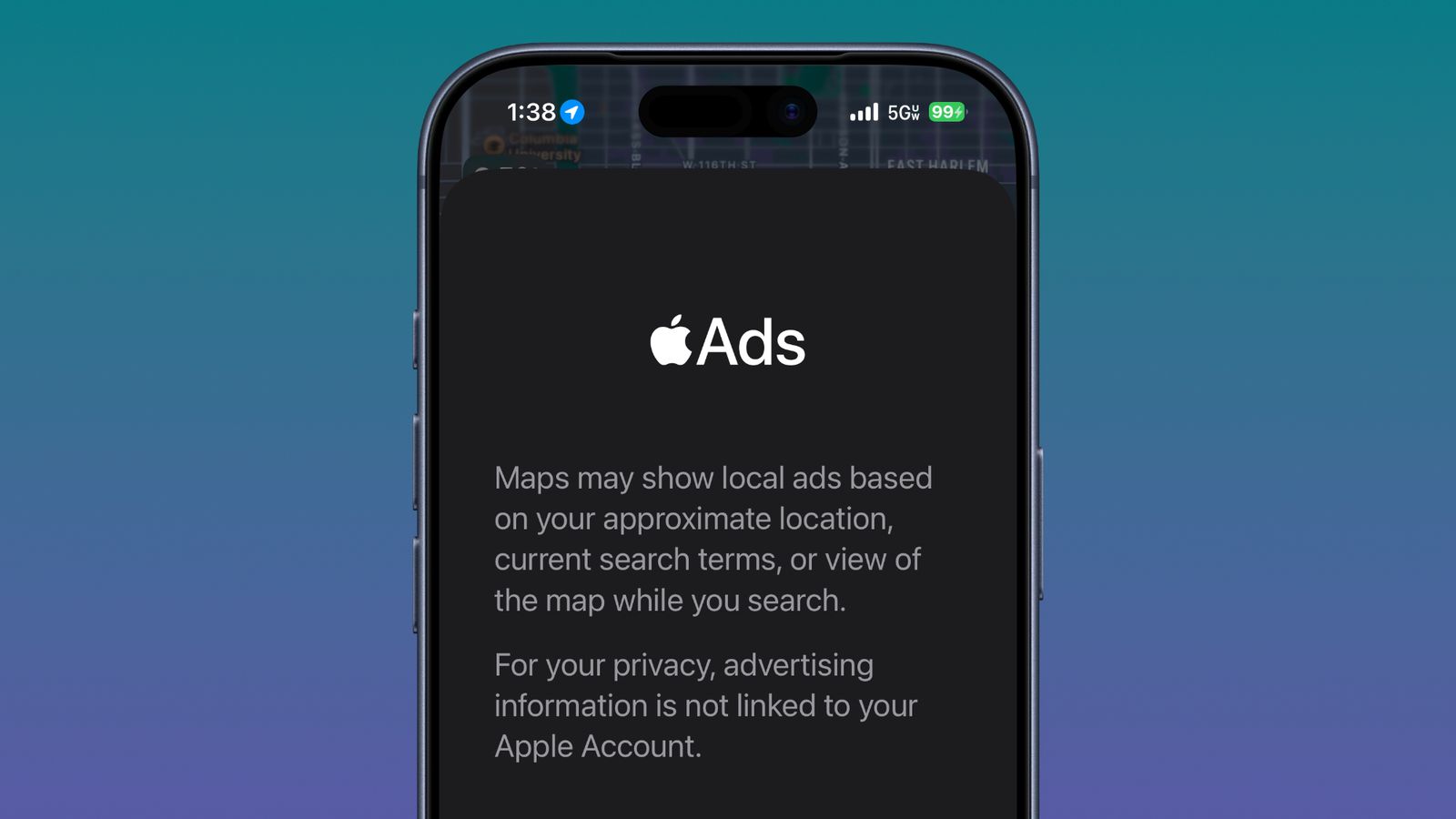
Ads coming to Maps, splash screen shows no opt out

The new 26.5 beta is now showing the splash screen for ads in Maps. Although Apple addresses how these ads do not violate your privacy, there is also no apparent option (yet?) to opt out.

Dear Tim Apple, in the interest of your paying customers and their user experience, I expect you to give us a toggle to turn this off. And while you’re at it, make sure to also give us a toggle to turn off ads in the App Store.

Image courtesy of https://www.macrumors.com/2026/04/13/ios-26-2-beta-2-apple-maps-ads/

3 Likes

Another reason to delete/hide Apple Maps from your iDevices.

1 Like

Decisions like this make me hope for a user boycott of anyone advertising on the platform.

I use Maps, and generally find it acceptable, but the last thing I need are ads popping up whilst trying to find somewhere. I pay for Apple One Premier and it annoys the hell out of me there’s ads in a News service I pay for.

It would make me switch to an alternative.

Rarely use it anyway, and I hate Google…

1 Like

I use Maps for research and shorter local trips. What I dislike about ads in Google’s offering is the distortion of data they introduce.

It’s not as if ads arrive unexpectedly, it’s that advertisers locations appear at higher levels gaining seeming importance at overviews. You have to zoom in to find far more significant locations which haven’t paid to gain your attention.

I wonder if Apple have taken the same route.

1 Like

Some non-ad mapping options:

Apple Maps in 26.4 has the option to download maps to your device, and restrict use to those. So if you have plenty of bandwidth and only regularly need a region of maps, you could download and use only that. I think that would avoid ads. However, if you need a dot on the screen to show your location, or traffic or directions, I think that requires live maps/internet. And, I just noticed, the downloaded maps seem to expire. I just looked at mine and they said an update was required to use them. (However it might be the update to 26.4 erased them, I haven’t used Maps since updating, but I find that a bit bold, to erase user’s downloaded maps).

There are quite possibly more mapping options for iOS with and without ads or location/direction/traffic/weather. I have experience with ad-free OsmAnd Maps App (based on Open Street Maps) and can recommend it for anyone with some ability to read maps. I sought a paper-like map experience for iDevices and found it the best option at the time I searched couple of years ago. Interface a bit clunky but workable. It does have location and navigation capability, I think weather is a paid option, but traffic does not appear an option. It can do CarPlay and is highly customizable, unlike Apple Maps, which has such an ugly presentation imho that I rarely use it. And while updates are available, one can continue to use downloaded maps, across system updates … ;-)

Open Street Maps itself as a website can show your location if allowed and produce routings.

iPhone-sized stand alone GPS units like some from Garmin can also do all that Maps App stuff. The one I use occasionally in the car has no ads or tracking. It can get traffic over bluetooth from another device.

My taste in maps is perhaps a bit edge, as I grew up helping plan family car trips and reading maps along the way, learned to fly using paper maps and books and worked my full military and civil flying career with paper maps.

2 Likes

[EDIT: 19 April 2026 … There is a split project named CoMaps that is a community fork from Organic Maps with very similar features. This split project was created due to community concerns about Organic Maps ownership and possible direction. Please see my April 19 post below for more info.]

––

Good tip, David.

I previously tried OsmAnd as well, but found it a bit sluggish and clunky, especially on older hardware. I settled on Organic Maps, which also uses OSM map data. First released in mid-2021, it is very light, fast, and best of all does not have a pay-wall block on select features (but donations are welcome). The dev team continue to update, improve and add free features such as topo lines. They also do not track user data and seem dedicated to privacy, from what I can tell. It allows import/export of map pins (ie. locations) such as from OsmAnd. It does fairly well at routing, but you do need to evaluate the path like any of these GPS apps.

Organic Maps, OsmAnd or any other OSM app (or offline GPS app) permit you to see WHERE you are even with no cell/wifi signal in Airplane Mode. You can be in the middle of the desert and see where you are based on GPS triangulation. On commercial flights, if you place your offline phone/tablet against the window, it will shortly catch the GPS pings and you can track your location (and identify a nearby mountain). Many of these apps are starting to offer the option to integrate Google map info/markers and other data if you choose.

You start with a basic map of the world that has major land masses, major highways and cities, but as you zoom in, you cannot see any detail. This is where you must download regions in advance. So any OSM app will take space on your device. Each region map includes the base road/map data taken from other known sources, and the community and moderators add details depending on how may people have contributed. This means, in some places there are numeric addresses, shapes representing buildings and markers for businesses and points of interest, but in other places there may be only the roads and major features (like an old Garmin device).

I sometimes make the analogy that OSM is a sort of wikipedia for maps, but that is not entirely accurate. OSM is much more popular in Europe and other locations around the world. You do not need an OSM account to use these apps, but it can be fun to update features in your region if you find something missing or inaccurate.

Often the mountains and major natural features are marked as well as local trails. This is not always the case, so scan any region before you go to verify you have the details you need. Adding map pins with info is simple and can be useful once your are out and about.

If you need to reclaim space, just delete selected maps, while retaining your map pins and text notations. They will remain at their coordinates for reference or if you re-download a region.

OSM-based map apps are not the same experience as Apple or Google maps, to be sure, but they offer a cloud-free experience and crucial tool for off-grid GPS activity, not to mention personal safety.

A couple minor complaints I have with Organic Maps: App was changed to auto-snap to your current location (like Apple Maps does) if you leave it open for a while and come back. (This may have been corrected/reverted in a recent update.) App does not have a way to activate Light and Dark modes automatically based on time of day or ambient light. As a workaround, I just keep it on “Auto” appearance and use the Control Center toggle to engage Dark mode when using the app at night.

[Edit: Fixed typo and some language for clarification, plus ‘complaints’ at end.]
[Edit 2: Added CoMaps note at top with link to April 19 post, also added note about ‘complaint’ #1]
3 Likes

Thanks both of you. I’m a long term user of maps.me for those times when I am off-grid, in the mountains or remote regions here. I see it’s from the same team as Organic Maps. The updating of downloaded maps is the only chore really, I do it fairly frequently. I’ll add these two to my list for sure.

For identifying mountains I use Peakfinder, a website or an AR app, just hold up your phone and aim it around you, you can set a height to aid you.

1 Like

I used 1:50,000 and 1:250,000 topographic maps in the USAF to ground navigate and plot targets for close air support. I also used good old paper maps to navigate on trips and still have the set covering “Deutschland und Europa” I got at an Aral gas station in Germany back in the ‘80s.

I primarily use Google Maps but I’ll check out the others mentioned here.

1 Like

As it happens, I have just been using Apple Maps to plan a road trip in Australia. As previously, I found it useful for this purpose. A typical sequence is:
Go to a town of interest
Get Directions to see if predicted travel time and distance are reasonable
Search for accommodation in the area covered by the map
Select potential accommodation and go to the website link provided by Maps
Decide on that accommodation or go back to the list
Plan the next stage of the trip

I sometimes use the Add Stops feature to force Maps to plan a route that interests me, instead of the default (shortest?) route.

I also found Apple Maps was very useful planning train trips in Japan.

Update: I lost track of my objective when typing this. My point was whether Apple already makes money from including businesses and providing website links in Maps.

1 Like

The default route computation is the fastest route, not necessarily the shortest. The algorithms should take into consideration speed limits and traffic conditions, in addition to the raw distance traveled.

1 Like

They are also not always the safest.

Yes - in effect I am talking about a detour for a more pleasant drive. Using Add Stops facilitates this.

Here’s hoping Apple, which has been talking about trying to generate more revenue from ads, determines from some initial usage of this “feature,” what income per user they can hop to generate from advertisers, and simply offer an ad-free option for that much per year. The revenue would still show up under “services.” It’s sad when you have to start paying for what you got “free” before, but not as bad (imho) as having to live with ads.

At the very least, I hope Apple has enough concerns for user safety not to pop up ads when you’ve been moving at vehicular speeds and have a directions route open.

I haven’t used it in a while to plan routes but was thinking Apple Maps offered a couple of route options (shortest/fastest etc) when planning, and a simple tap on an alternate would make it active. Maybe that was another app.

That is a shortcoming of OsmAnd, though. It doesn’t offer alternates but maybe it will in future.

Maybe there will be workarounds in settings or somewhere once we see how it functions. I suppose one could monitor LittleSnitch or similar when opening Maps app, see what server(s) it connects with and if possible identify and block the one with ads. Maybe it will require being signed in to the Apple Account and not display ads when signed out… :thinking:

I know there are buttons to avoid tolls (which I always have turned on), and to avoid highways, but that’s very coarse and doesn’t help much for trip planning.

I know that the Google Maps web site gives you a few additional routing options, and it is easy to insert waypoints to manually adjust the route. You can then transfer that route into your mobile app to navigate with it. I don’t know if Apple’s Maps app has similar features.

Just want to add that Little Snitch is only available for macOS, not iOS or iPadOS.

Google Maps allows you to use GPS offline too (as in Airplane mode).

Apple Maps is pretty much useless in many regions of the world where it shows only roads but no other landmarks. I just travelled in Namibia and tried to use Apple Maps where it was utterly useless. Whatever you think of Google Maps, at least it shows the topography and a decent selection of landmarks. And you can save offline maps with the apparently little-known search trigger “ok maps”.

Doh! :man_facepalming: