It must be HTML5 Local Storage and you likely login to the Telegraph website. They are running JavaScript and creating a local storage database and stuffing it with massive amounts of data that their server side JavaScript can query, etc.
You can clear the data in Safari Preferences → Privacy → Manage Website Data. Search for Telegraph and remove the storage. Review other data listed here, you can choose to remove all as well. This is the cache, cookie, and HTML5 local storage for every website you visit.
The Safari Web Inspector can show the contents of this data under the Storage tab:
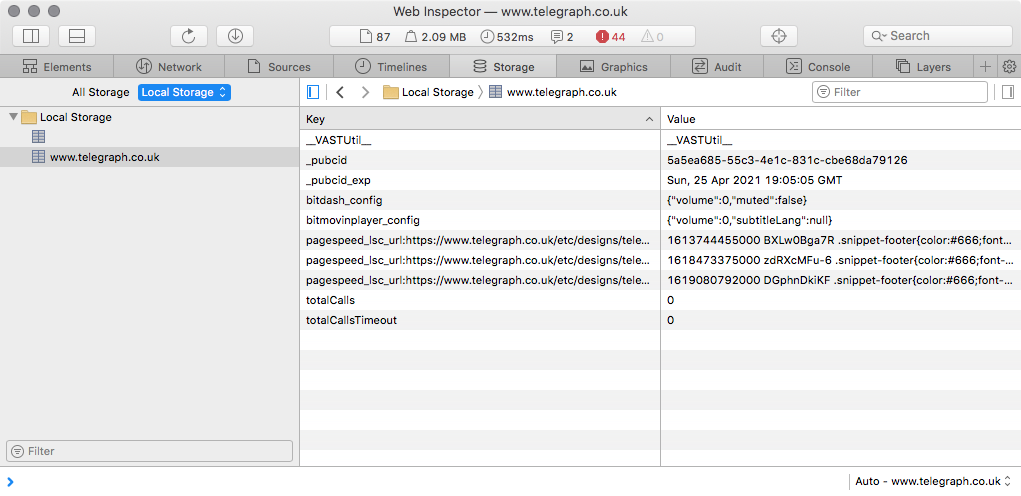
Now, I’m running a Pi-Hole network wide advertising blocker and I am not logged on with a Telegraph user account account either. But you should take a look at what they are doing before you clear the storage. You might be shocked. You might want to make sure you didn’t install a browser extension as they can also access local storage.
Here’s a blog article from a web developer complaining about insecure use of local storage as well as abuse of local storage. Randall Degges - Please Stop Using Local Storage
There’s a lot of shady-AF stuff going on with websites. One of the main reasons I run Pi-Hole.