The keycaps correspond to a British Keyboard. If you change your default keyboard seetting to ABC or US, you should restore the shift-3 to # (not £).
2 Likes
The keyboard was set to Australian (where I am), but you did point me in the right direction. The Text Input was set to British - in fact it was the only option - so I had to manually add the Australian option and select it - which resolved the problem.
Seems an odd behaviour given English (Australian) was chosen during setup
2 Likes
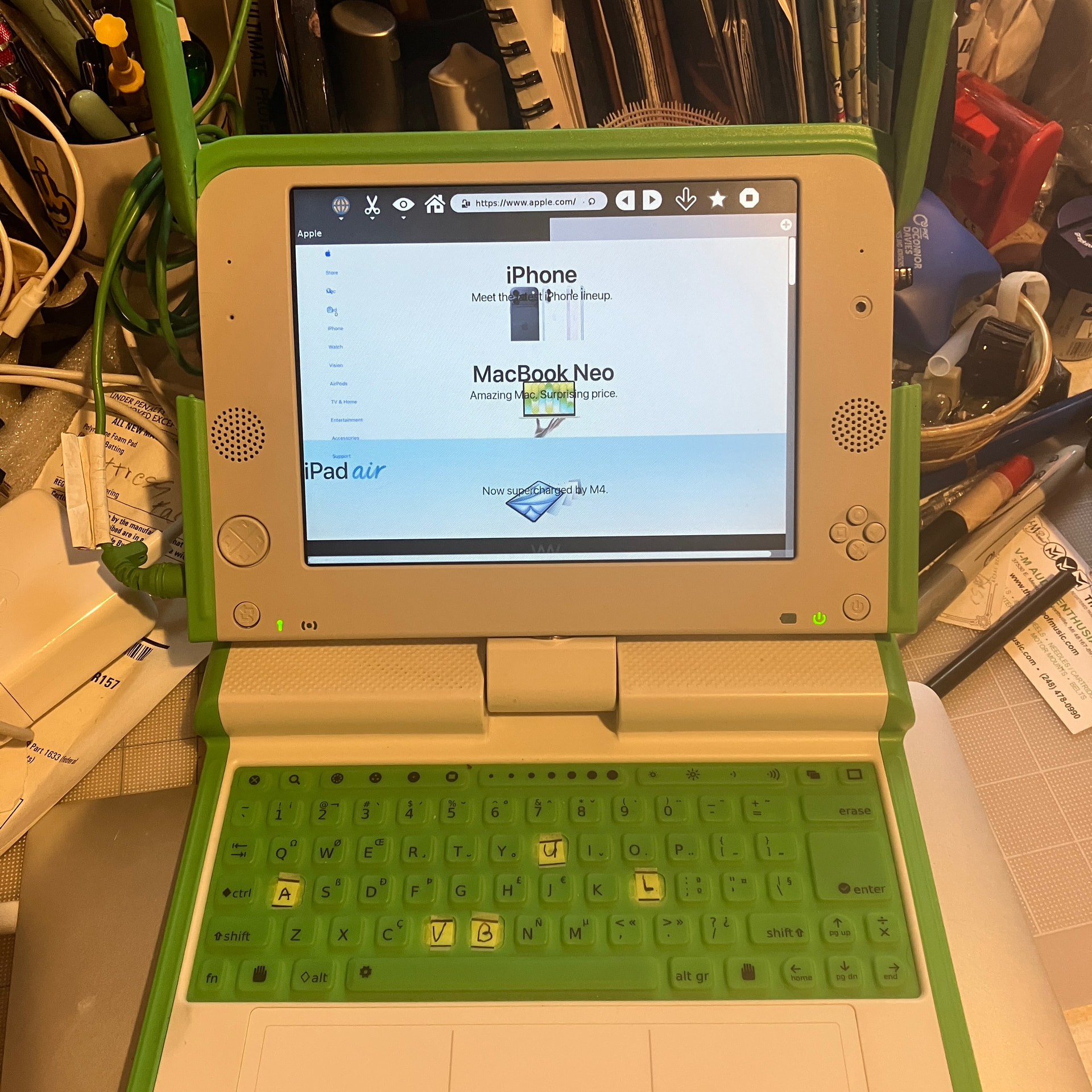
Reading all this Neo Stuff reminded to check on my 2008 OLPC. Not only does it boot up to Sugar OS or Fedora - I always do a browser check. ( i was a big eMate user about few years earlier) - OLPC was built for kids to use in order to help level the Tech playing field in poorer countries (and there’s a much larger story in how Intel and MS perceived this “threat”) anyhow, battery charges up- some keys have fallen off but work, and i have to reseat the video camera, wifi includes Mesh -so kids could collaborate on projects! I know some of the folks who built this thing and as much as I appreciate technology in general - this still amazes me!
2 Likes
We have such a mix of US and Ire/UK in our house I’ve resorted to a keyboard substitution htg will produce a # on pretty well every device here.
I think you ordered the wrong keyboard. It’s the British ISO type, used in Europe, and you probably want the US English ANSI type, used in the US and Asia. You might want to return and reorder if possible.
5 Likes
Bugger, you’re right. I had no idea the keyboards were different but seem to have chosen British because that more closely aligns to Australia than the US.
I’ll return it, but it’s a little annoying given I wanted to travel with it next week. I’ll check with a local store to see if they have any in stock which could be swapped.
Thanks for pointing this out, I totally missed it.
A quick trip to the Apple store today saw the machine replaced with the ‘correct’ one. Before going I spoke to our Business contact and she was able to arrange an exchange machine before we even arrived. Took all of 10 minutes.
I have to admit their return system is pretty good.
6 Likes
Glad you got it sorted. I have the opposite problem on the rare occasions I try and type on a US keyboard – I’m constantly inserting backslashes when I want to hit return. Muscle memory is a real thing though it can be retrained. I grew up with the US keyboard layout so find it strange I now struggle to use it.
1 Like
Back home after a couple of weeks in the land of the long white cloud. The Neo was great, I mean, really great. Small, light, and easily popped into the laptop sleeve of my camera bag.
It performed flawlessly and happily served as a streaming TV receiver. I installed NordVPN before leaving so I could access my local subscription sports service whilst away, and it worked without a hitch.
The only tiny issue I had was with a couple of wi-fi setups at hotels. These are the ones which connect automatically as an unsecured network, then when you fire up a browser it directs you to a login screen before you can proceed. Both hotels which had these wouldn’t load the login site, although my phone had no issue. After trying various ways to force it to the site, I finally restarted the machine and it worked (both times). Annoying at the time but in hindsight not a big deal.
Overall I’m delighted. I feel so much more comfortable carrying the Neo than my heavily loaded, very expensive, MBP. I don’t store my regular files on it, basically using it just for web, email and entertainment. I did install Lightroom Classic so I could dump a bunch of photos as we moved around - no issue at all - although I wouldn’t want to do tens of thousands.
Highly recommend for anyone looking for a very serviceable travel machine.
5 Likes
Usually when I see this, it’s due to a DNS issue.
On my Macs, I have the networks configured with a static IP address, and the addresses for my router and DNS. I created a “Home” location for this, so when I’m traveling I can switch it back to “Automatic” (where it gets this information via DHCP).
If I forget to switch it to Automatic, those captive portals don’t work, because my DNS won’t go to the portal’s server (needed to redirect traffic to the login screen). But switching it after the fact always lets it work.
I wonder what the cause was in your case. I assume due to some kind of cached credentials leftover from the network you were on prior to the hotel. Or maybe it was a macOS bug. But since a quick reboot worked, you’ve got a workaround. Hopefully it will be fixed in a future update.
(FWIW, I recently bought a new M5 MacBook Air. I’ve been quite happy with it, although the UI changes in macOS 26 have taken a bit of time to get used to.)
1 Like
I’ve had my Neo for about a month. I must say I’m very happy with it. The trackpad is actually usable for someone with manual dexterity challenges, although I still use an Apple mouse and external keyboard.
I got an Anker USB-C hub to connect an external monitor via HDMI, a Fujitsu ScanSnap S1500, 90W charger, and ethernet. I was concerned about the hub overheating with the video, but it’s been fine. All of this is plugged into the computer’s rear USB-C port.
Setting up the antique scanner was…a snap; what’s taking much longer is finding a clipboard manager to replace the abandoned AgileRoute Clipboard History, which won’t work in Tahoe.
4 Likes

Thanks for the update.
It occurs to me that the Neo is going to be Apple’s most modded computer, given how easy it is to take apart. I’m hoping that the Neo-philosophy will migrate to other models rather than standing alone. I don’t mind if Apple glues everything together for solidity and reliability but if they can manage those things without the glue, I’d be all for it.
Easy to take apart? That’s great news. I still have my 2012 MacBook Pro 13” which was the last one I could take apart and replace things.
2 Likes
1 Like
A post was merged into an existing topic: Looking for clipboard manager recommendations