This is MacUpdater
I tried MacUpdate Desktop when MacUpdater closure was announced, and wasn’t impressed.
This is MacUpdater
I tried MacUpdate Desktop when MacUpdater closure was announced, and wasn’t impressed.
I used MacUpdate Desktop for a number of years and was never completely happy with it for a number of reasons. Switched to MacUpdater when version 1 came out and have been extremely happy, even developing a friendship with the developer.
I also used MacUpdate Desktop a number of years ago and was reasonably satisfied at that time, but my impression is that the current version is quite different and not as good.
Quite possibly I’m missing something, but doesn’t almost every software these days remind you about available updates? Last time I used macupdate.com was about 12 years ago when they offered some special pricing for 1Password.
I like having a tool that checks as many apps as possible in a single attempt because many apps run background processes that may need updating, but they’ll only inform you of the need to update if you launch the main app. The more automated, the better.
For example, I don’t know if it’s strictly true that Adobe apps won’t eventually update their background processes (like some of their cloud processes) without being open, but they often can go days without updating. Likewise, I often find that App Store updates often are available without the app reporting it or without refreshing a newly opened App Store update page.
I use my own combination of brew and Latest.
I don’t feel the need for every app to be up-to-date.
For those I don’t track myself, if I open it and it detects an update - that’s cool. If I open an (unbeknownst to me) old version and it works for my purposes - that’s fine.
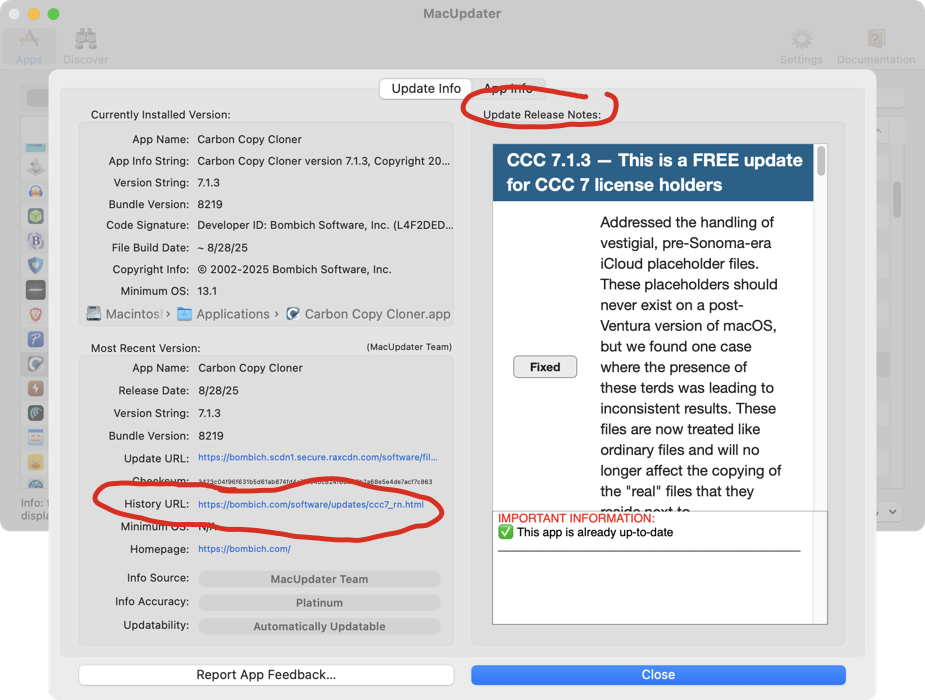
Another thing I like about MacUpdater is the ability to scan quickly through the release notes of many apps. If an app has a regular release notes/update notes page, it is included in the MacUpdater database and is displayed in MacUpdater’s details panel and/or is presented as a clickable history link.
Of course, not every app has such a page, but a surprising number do. I find it very convenient to review multiple release notes through a single interface to decide whether to update.
Latest also has that, displayed by default in the right pane no need to open a separate window.
Not a big Adobe user, but I know Acrobat Reader leaves an “updater” program running in the background (if you don’t disable background updates), which periodically checks and will (if you configure it to) auto-upgrade the app.
I would assume that their other apps do something similar. Of course, if you configure the app to not do background checking, or to not auto-install, then you may not see the alert until the next time you launch it.
I’m really disappointed about the demise of MacUpdater. I have a LOT of apps (over 300 according to MacUpdater!). I could probably uninstall many of them, but I actually do use most of them.
@Michael: Quite possibly I’m missing something, but doesn’t almost every software these days remind you about available updates? Last time I used macupdate.com was about 12 years ago when they offered some special pricing for 1Password.
The reason a tool like MacUpdater is critical is that I have many apps that, for security reasons, I have blocked (using Little Snitch) from accessing the Internet. As a general rule, for apps that have elevated privileges (like Karabiner-Elements, which requires Input Monitoring, or Bartender 5, which requires Screen & System Audio Recording), I have blocked them from accessing the internet. So without something like MacUpdater, I would have to keep a list of apps and manually check for updates, which would be a huge pain and waste a lot of time. (I do allow some apps, like browsers and Thunderbird, to install their own updates.)
One of the things I love about MacUpdater is that it doesn’t just provide an option to install an update, but it provides (1) release notes displayed in the app, (2) a link to the release notes URL, (3) a link to the developer website, and (4) a link to the download location for the update.
I have not given MacUpdater (or any other app) the “App Management” permission necessary to update or delete other applications, and I never will. That requires putting far too much trust in the update app. Consequently, I need an update checker app to provide me with the download links so I can download each update and install it myself.
What would be awesome is an update tool that had a “download update file to folder” option that would automatically download updates with the click of a button instead of installing them. (As a general rule, I also scan all new apps and app updates with VirusTotal. That might be overkill, but I’d rather be safe than sorry. It would be even better if the update tool had an option to scan the files with VirusTotal and then link to the VirusTotal scan results.)
Thanks @gilby101 for the mention of AppLite. Thanks @Nello for the link to a list of options. I’ll check them out. AppLite looks like similar to Latest, which doesn’t appear to provide download links. (@mikebhm ) I can’t tell if App Cleaner & Uninstaller provides links to the developer websites and download pages.
Edit: For anyone who, like me, is on the extra cautious side when it comes to security, I highly recommend Suspicious Package and Apparency for inspecting installer packages and apps.
Edit #2: I have installed Latest, Updates, and MacUpdate Desktop (alongside MacUpdater). Here are the scan results:
I tried Updatest today, pretty good. Easy decision at $9.99
I am using Updatest as my replacement for MacUpdater and very happy, though few beta issues getting rapidly fixed. Developer very responsive.
I’ve made a couple of feature requests. One small one probably quite big 
I like being able to adopt apps into brew with one click.
thanks @MacDrew2000 for your very detailed report.
I am more like @gingerbeardman and run a more relaxed life.
As for over 300 apps in use, this reminds me of an error message in Ragtime. If you tried to open more than (I think) 40 documents, the message said: “Are you sure you won’t lose overview with this many documents? Ragtime can’t do this.”
Interesting, your app count by MacUpater, Updatest and Latest is very different from mine reported in this post.. I have deleted latest from my computers.
By way of an update about Updatest. I have been using it through a string of betas, and feeding back on a number of bugs which now seem to have been fixed for me, so that I am now pretty happy with Updatest. It was pretty buggy at the time I last posted.
Still no word on the future of MacUpdater, but I might stay with Updatest anyway.
PS I have no affinity with Updatest!
I’ve also seen a handful of improvements and features to Updatest from a very responsive and friendly developer. Recommended!
I’ve also seen a handful of improvements and features to Updater from a very responsive and friendly developer. Recommended!
Just to avoid confusion the app is called ‘Updatest’
Right! Autocorrect trip up.
Thanks
You inspired me to try installing Updatest. One brief hitch was after installing CLT for X Code, the next step was to install CLI for mas with the command
brew install mas
but the command was not found. Then I noticed above in the Terminal there were three commands to be entered as next steps. After copying, pasting and running these the CLI for mas button worked fine and installation completed.
I’m hoping it will do all that Macupdater did. Today Macupdater found updates for Vuescan, and one in the AppStore for SiteSucker. I ran Latest afterwards and it found one for ProtonVPN that Macupdater had not seen, and I then ran App Cleaner and Uninstaller, which can also check for updates, and it found one for UPDF (which neither Macupdater nor Latest had found). It’s all a bit hit and miss!
I do have a question: some apps have a symbol like a crate with an arrow next to them in the Updatest list. These have the option adopt to Homebrew, cask available. Others do not, and say Add to Homebrew, manual entry. Some apps describe their built-in update mechanism (Electron, Sparkle, App Store) and others do not (presumably don’t have one). Which ones do I adopt/add to Homebrew? All? Just the ones with no built in update mechanism? I would RTFM, but there isn’t one!