Yeah, I happened to see that too—I was a little miffed, but it might have been awkward for them. It’s common for an article in one publication to trigger an article in another, but that can go in one of three ways:
Very short piece linking to the original
Completely new article on the same topic, often with a different take
New article that covers exactly the same ground as the original
With #1, credit and linking are the entire point.
With #2, there’s no need for credit or a link, though it’s not a problem if they are added.
With #3, providing a link would make it clear the extent to which the piece is derivative.
I changed those two settings to true yesterday. Today, the first one is false, the second one is true (but not showing as changed from default), I cannot change either one (or apparently any setting in about:config), and contextual menus (either control-click or right-click) are not working.
Follow up: I just highlighted some random text in this Topic and control-clicked and Orion has the option to “Copy Link to Selection”, I pasted the copied link in a new browser tab and sure enough in the new tab was the page with the selected text highlighted and the syntax in the URL field.
Oddly enough with text highlited I didn’t find a Menu Command to copy a link to the selection. Ah well. Good feature and thanks again for reporting on it!
Deep linking to PDFs and web is lovely. But what if you download the PDF to your computer, as most academics and other knowledge workers need to do, in order to use a powerful PDF reader like Skim, be able to search their files locally, use powerful utilities, etc… Well Hookmark has had its users covered for years.
Hookmark’s deep linking works with PDF apps that have the required automation, and for which we have added deep-linking integration. Currently this includes:
You can read about it on our website: Copying Deep PDF Links and Quotes – Hookmark. Full disclosure, I’m a co-founder of CogSci Apps Corp. which makes Hookmark. Our objective is to help you immediately retrieve the most contextually relevant information, without needing to search or navigate.
With Hookmark you can even “hook”, = bidirectionally link, the PDF to the web page from which you downloaded it (which it will soon be able to do automatically where relevant meta-data exists in the PDF).
Voilà!
I remember Ted Nelson’s presentation at MacHack in Ann Arbor (in 1988?). Really cool ideas demoed on a MicroVAX II. His concepts of deep linking combined with micropayments would have given us a different kind of Internet.
I have a double major from Cornell in Hypertextual Fiction (as part of the College Scholar program) and Classics (because I was interested). I was only one class away from getting a Philosophy major, too, but once I discovered there was no benefit to a triple major (trade it in for a master’s?), I didn’t sign up for that last philosophy class in my senior year.
I did Philosophy single honours at Birmingham in UK, 1982. Ancient Greek would have been useful! I appreciate it for an understanding of English etymology. And as I read the neuroscientist/philosopher Iain McGilchrist’s profound books; The Master and his Emissary and more recently The Matter with Things.
Having a problem getting “Deep Linking” to work. When I “Copy Link with Highlight” with Safari 18.4 (macOS 15.4.1) and paste it into Safari’s URL field it works fine. However when I paste the link into TextEdit or Apple Mail and click the link there, it just takes me to the top of the linked page
On my first day at university ( U of Ottawa), in 1986, I stepped into a Greek Mythology class, thinking it might help. The professor seemed so boring that I walked out – and into a Philosophy of the Western World year-long course which I chose and adored. Still wish I knew Greek mythology, however. Coincidentally, I did my phd at Birmingham, UK.
When you paste into one of the other apps, are you seeing all the special text fragment stuff at the end of the URL?
That should be all that’s sufficient. When I paste the URL into TextEdit and turn it into a link with Make Link, clicking it does the right thing. Same with Mail.
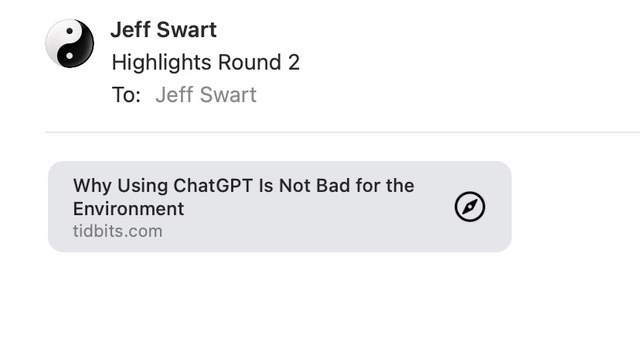
I pasted the link into two Apple Mail email messages, with a different result each time:
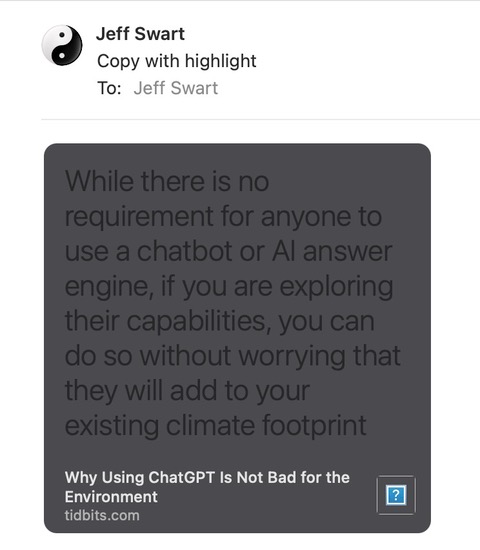
The first time the link looked like the first screenshot - single clicking the link took me to the top of the article; double-clicking went the the highlighted text
I see Mail and here in my reply, the second text edit (Paste to Match Style) gets converted to the name of the link in my first reply. Following is how it looks in TextEdit (had to remove the leading https: to get it to appear properly)
It’s hard to tell what’s going on, but if you use code text (the angle bracket button in the Discourse composer), you can put in full URLs without problem.
In general, I don’t have any idea what’s going on. The text fragment links work as expected for me everywhere I’ve tried them.
 Thanks so much for this… I’m now using it and STTF is supported by Obsidian’s