I wonder if this is something a Shortcut could do. And soon it’ll be somewhat easy to test it with OS 27 able to create a shortcut from a prompt.
1 Like
Write Mellel! They are really respnsive.
1 Like
@jeff1 , I’m a bit late catching up on this Topic, but found your comments something I might be able to help with, but ended up with a mixed bag.
Not sure what you’ve moved on to in 23 days since the post, and I’ve never used Nisus but appreciate the user passion displayed in this topic.
I’ve used Pages casually over many years, having no need to produce documents for work or letter writing etc. but am roughly familiar with its features. Any time I get a new software product one my first steps is to investigate its Settings/Preferences. Wanted to share the following:
-
Start in native format: Not sure this can be avoided (in any office/writing software) or what format you want. I tried Pages’ Template feature by starting a new doc, typing a few words and Exporting to Plain Text (among 8 other options), then opened it in Pages, saved as a Template, hoping that would do it but it opened in TextEdit. So depending on needs, Export may or not fit for you, but a txt format Template doesn’t seem to be right. Maybe there is an Automation or Script or Shortcut to suit need, or you could try using TextEdit in rtf mode if you need some amount of typographic fun.
-
Spell checking/correction: I have only one Auto-Correction option ticked (am also not a fan of much auto-anything), for smart quotes, yet correction squiggles appear under individual words in Pages:
That might be a function of settings in System Settings > Keyboard > Text Input > Input Sources Edit…
or maybe some other setting I can’t think of now. So there might be a way in Pages or Settings to address those disappointments. -
Accepting your changes: I’m not sure what method you’re using to teach Pages what changes to accept.
I’ve had good luck with context menu “Learn Spelling” over the years. I just made this example above, told it to learn, the squiggles disappeared, and then I context clicked to “unlearn” and the squiggles reappeared.
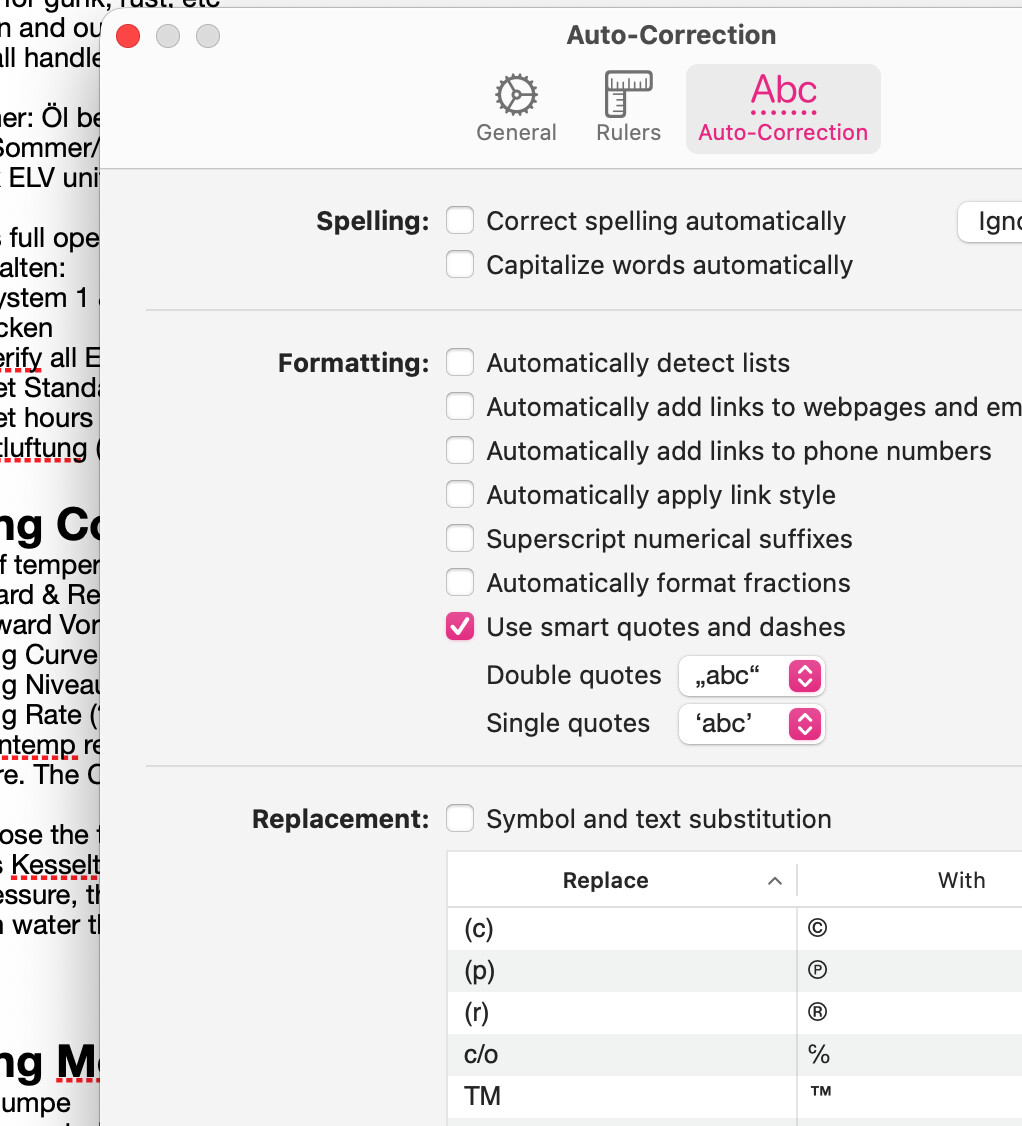
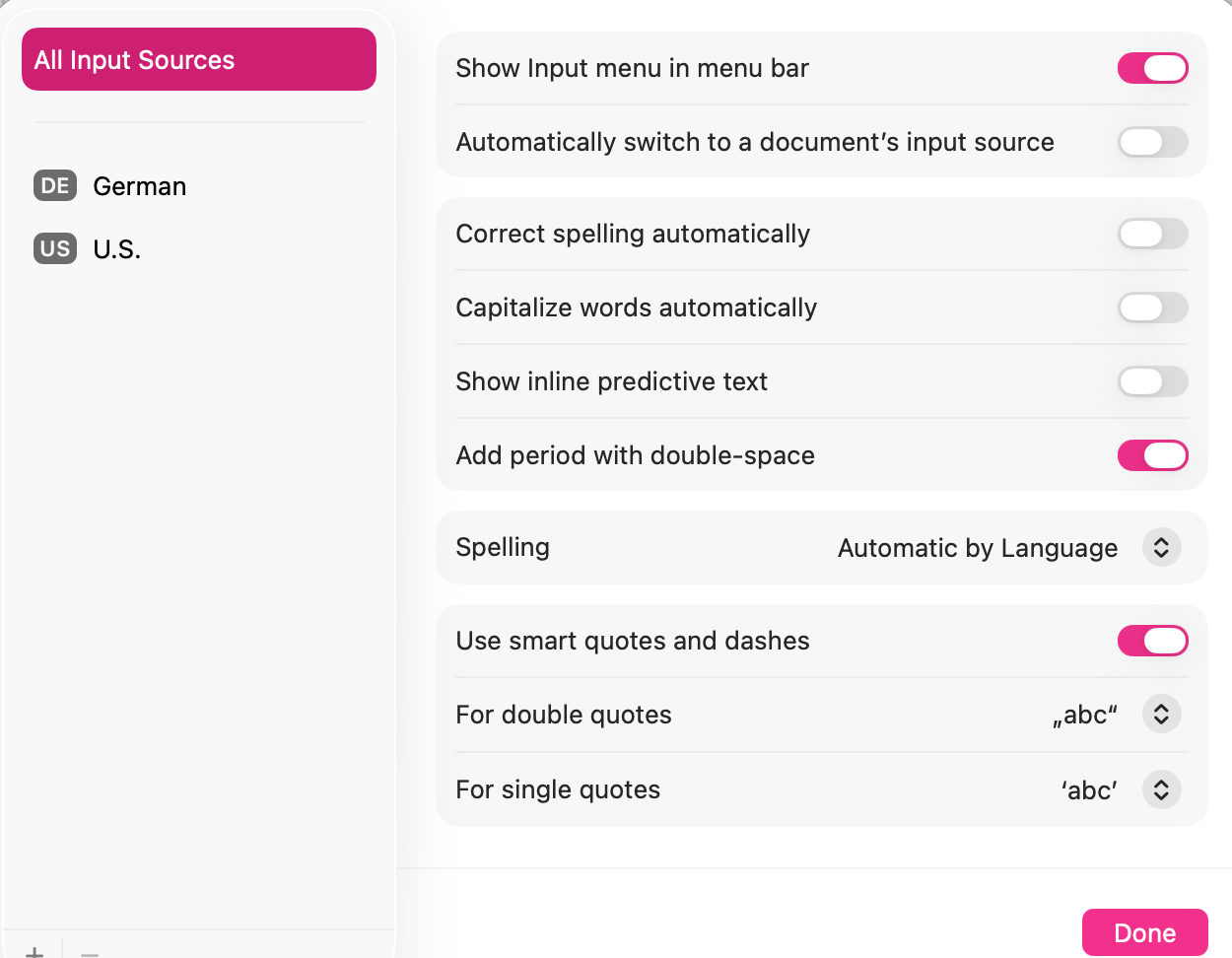
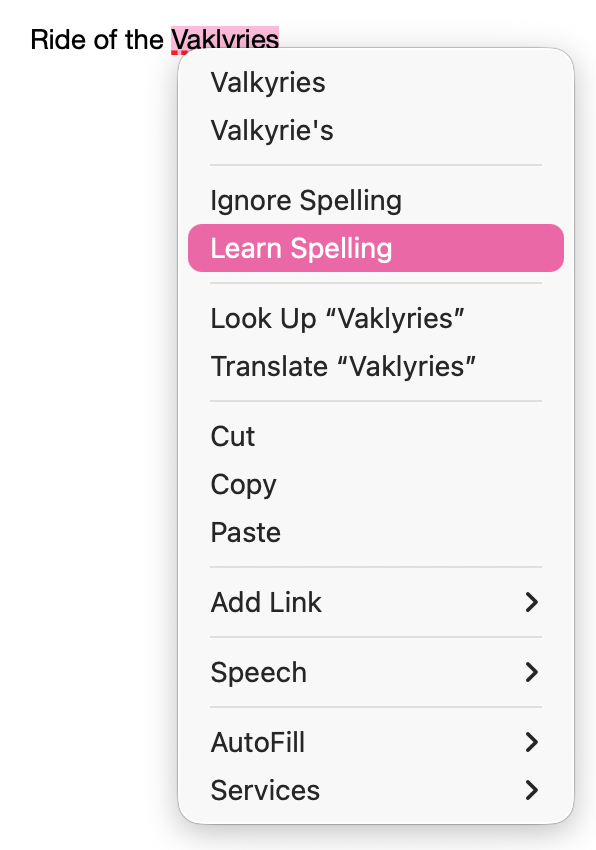
Hope that helps you or someone else.
2 Likes
Thanks for the suggestions. Fortunately, jeab wrote seven days ago “Today, on the day before the expiry date, the nisus.com registry was updated, and is now valid until 2031-07-07.” That solves the immediate problem for me.
When I have the time and energy I will take another look at Pages. I like its simplicity, but it lacks some features, and I remember being burned by some of Apple’s past failure to support the original MacWrite and other early word processors.
1 Like
@jeab I just found that my Nisus license field is empty, and that visiting nisus.com fails.
End of an era?
Anyone have any luck?
I was able to open the License information and I can use Nisus Writer to open, write and save, but could not get into the Update field. So it still seems usable to me.
It loads for me, my license field is full, and I can visit Nisus.com, though it is a slow as treacle…
Gateway Times out here, sadly.
I have found that Nisus no longer puts a watermark on printed documents - it opened with a blurb saying it needs my approval for it to access something or other (this was a bit ago and I’m getting old) and I denied the request and so it opened with no difficulty. The loading of my prefs etc took awhile to load so my answer was to just keep the app open all the time. Everything is working very well. Hope this is of help to some one.
I have Nisus Writer Pro v. 3.4.1. I just went to print an old Nisus Writer document, and I saw the “demo” watermark in print preview. So I went to “Licenses…” and found both fields empty. I entered the license code and customer name for NWP 3, and an error message popped up, saying, “The entered license key has been revoked.” WTF?? The Nisus website is unresponsive. What’s the next step, switch to some other word processor?
This is so sad. I kept hoping some company would purchase the assets. Such a great word processor for scholarly writing.
1 Like
Ah, I got the empty license fields today and upon entering them it too hit a gateway timeout.
Dang, what now… I was hoping there’d be a future for it, the user base is devoted and longterm. A great case for open sourcing it.
1 Like
I just went to a test account on my Mac, launched NWP for the first time there, and tried to enter my license. While I was doing this, Little Snitch alerted me that NWP wanted to connect to nisus.com. I denied this, and the license worked fine. I have not tried to do this while allowing the connection.
1 Like
FWIW, my copy of Nisus Writer Express seems to still be operating normally and shows a license.
I have transitioned away from creating new documents in Nisus though, so I’m using it pretty lightly these days.