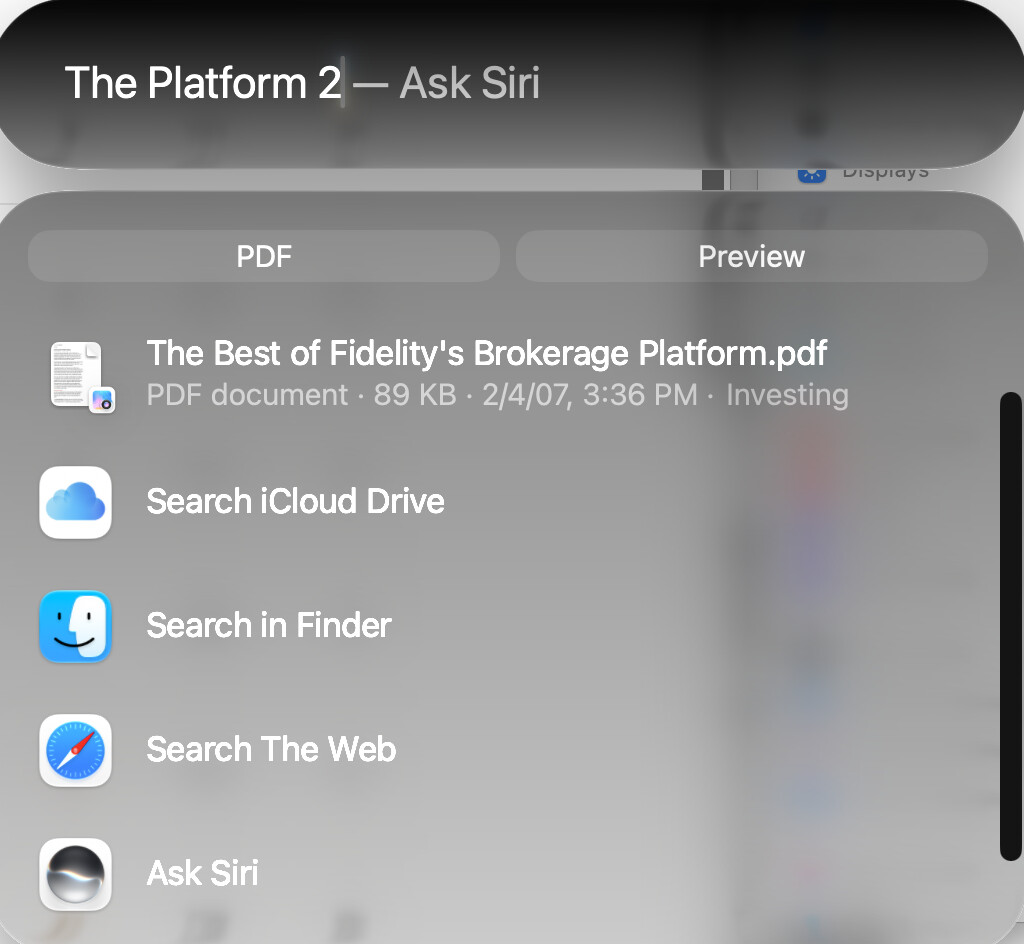
My new Mac mini came with macOS Golden Gate 27.0. I updated it to 27.2, which was a mistake. Spotlight is gone now, all there is is Siri. But Siri is awful.
For example, here’s a search for a string that is in a TextEdit file that I just updated:
Note that there is not a single document returned based on content!
How do I get Spotlight back?
I heard that you can use secret comments such as Command-2 to change it to only show files, but a) it still doesn’t find the file, and b) it displays the results as a grid of icons, not a list. So you can’t see the full file name!
The fix for my problem was to turn off Siri, which I didn’t want to do because I didn’t want to turn off Siri, I just wanted Spotlight back. But Siri was so bad that I did turn it off: System Settings > Siri > Turn Off Siri.
The result was:
Spotlight is back
But Siri is still there and still functional
It appears that with Golden Gate 27.2, just like Microsoft is calling everything Copilot, now Apple is calling more than one thing Siri. There’s Siri, but also Siri.
So when I turned off “Siri” what I actually turned off was Siri AI, but not Siri. If I go to the same control panel now, there’s still an option to Turn Off Siri! Because, I actually only turned off Siri, leaving Siri still on.
(Now there’s on option to Try Siri AI, which I didn’t see before. This must be a Golden Gate 27.2 thing.)
This is surprising because all of the news I’ve read was that Siri AI is a fantastic upgrade. I don’t care how fancy it can search if it can’t do basic simple requests that Spotlight has been able to handle since OS X 10.4 Tiger.
I’m not a fan of Spotlight or Siri. The very first iterations of Spotlight, ihmo, were the best. You could do as you tried, search for some words in a document, and it would generally return a decent response. As Apple tried to make it deeper and deeper, it became less and less useful for finding information on the local machine - often returning a hodge-podge list of web pages and half hearted guesses as to what you were looking for. The Tahoe version is slightly better, being you can specify ‘Files’ easily, but I’m still reluctant to use it.
I rely almost entirely on Find Any File for local searches, and Google etc for web searches.
My Mac is still on Tahoe, and it has moderately fine grained options for Spotlight. Maybe look in the Settings to see if limiting its search scope will help the results.
I’ve also read I think here in TBT that the initial indexing of the new ah, search features, can take a very long time, days in some cases. So maybe give it some time. But a fresh new Mac shouldn’t have much to search unless @mschmitt has already migrated a load of data from a previous Mac.
Interested to learn more about the secret commands, although they might be mentioned in the Take Control ebook I bought but haven’t read yet. Probably updating to the 27s in mid Nov once my new iPad Mini arrives…
You need to aggressively turn off a lot of options in Spotlight settings for it to become useful. It doesn’t quite undo all of Apple’s attempts to “deepen” search, but it gets you closer to what we expect from it: file/context search, not Google replacement.
Where are these settings? I thought I remember something like that from from a previous macOS, but in Golden Gate, System Settings > Spotlight only has opens for:
Show Related Content (i.e. ads) I have this off.
Results from Clipboard
Results from System
* Apps
* Files
* Folders
* iPhone Apps
* Menu Items
I see nothing about inclusion or exclusion of Internet results.
When I want to search for files using the disk catalog, regardless of Spotlight indexing, I use FAF. This takes longer than Spotlight.
When I want to find a file fast, I use Spotlight
The key is that Spotlight is indexed by file metadata (including content), FAF is not. In a sense Spotlight is narrow but deep, FAF is wide but shallow.
Spotlight is my launcher. I use it to find and launch apps, find and open files (often but not always).
Maybe it is time to find another GUI to the Spotlight metadata index, since the problem seems to be the search interface is degraded.
I see now that when you have Golden Gate but Siri AI is off, it shows you right in the search dialog. But when you turn on Siri AI, the commands are no longer shown.