This article felt like one of those old-time Macworld or MacUser articles comparing all the popular email clients—a ton of work, but worthwhile in the end.
Very little of the information is new, but I hope I was able to provide context and visual aids that actually show what the different settings do. And we’ll be able to refer back to it as Liquid Glass evolves to see if Apple is making things better.
Getting old sucks. But all of this is true for many things in our lives. Cars are more complex (but safer). My grandfather complained that he now could buy his groceries at the dept. store and his clothes at the grocery store. Note that this was about forty or fifty years ago. Some of you won’t know what I’m talking about since it’s always been true for you. My father who died about ten years ago learned email in maybe his seventies or eighties eventually forgot how to use email and he didn’t have dementia. Something he learned late in life he just forgot how to do. Probably because it was always changing to some extent. Enough.
Unfortunately there are no “UX experts” left at Apple. Some left (/were fired; Don Norman, for example) when Jobs 86’d the Advanced Technologies Group; a bunch left when Jony Ive and marketing designers took over the design of iOS 7; a bunch left in all the years between and since. The only people who do design any more at Apple are BFAs, educated and trained to design posters and, apparently, make pixels wiggle. When I worked on UX in the IT department (for internal solutions) there was only one person besides me on a team of 50 who had a master’s in human-computer interaction, and we would groan about the stuff that came out from the product side, which showed no evidence that anyone had usability education/training or experience. Basically, since iOS 7, BFAs do what product managers tell them to do. Right before I left one of my junior coworkers even said, “I don’t think anyone cares about usability anymore.” I thought, “Maybe nobody here! But users sure do!”
Exactly. Sadly, Apple simply doesn’t know what it’s doing anymore. I won’t be upgrading and am in the middle of selling my RSUs. All of this has nothing to do with age but with the fact that they now contravene every design principle that was ever created while Jobs/Tesler/Norman/Tognazzini/etc. were there. They don’t even understand them, never mind implement them! They have given up and are just aping Android. They have lost me, and unless there is a turnaround in the area of HCI, I can’t imagine I’ll be coming back.
Oh my. I haven’t upgraded any of my devices, but I thought the iPhone and iPad might be usable with changes that Adam points out. After reading the NN article, I think that I’ll wait a while. I don’t want to spend my time dealing with all that. I’ll be deferring my purchase of an iPhone 17 Pro to replace my 13 Pro.
For what it’s worth - after playing around with this more, although what I decribed above will work, I think the most practical thing is to leave glass on system-wide, and then turn it off for the applications where it really bothers you. If you turn it off for the Finder, you will still have all the menu bar extras without doing anything special for them. You may still have some layering problems in certain apps for which you have turned glass off, but you can decide for yourself which is worse…
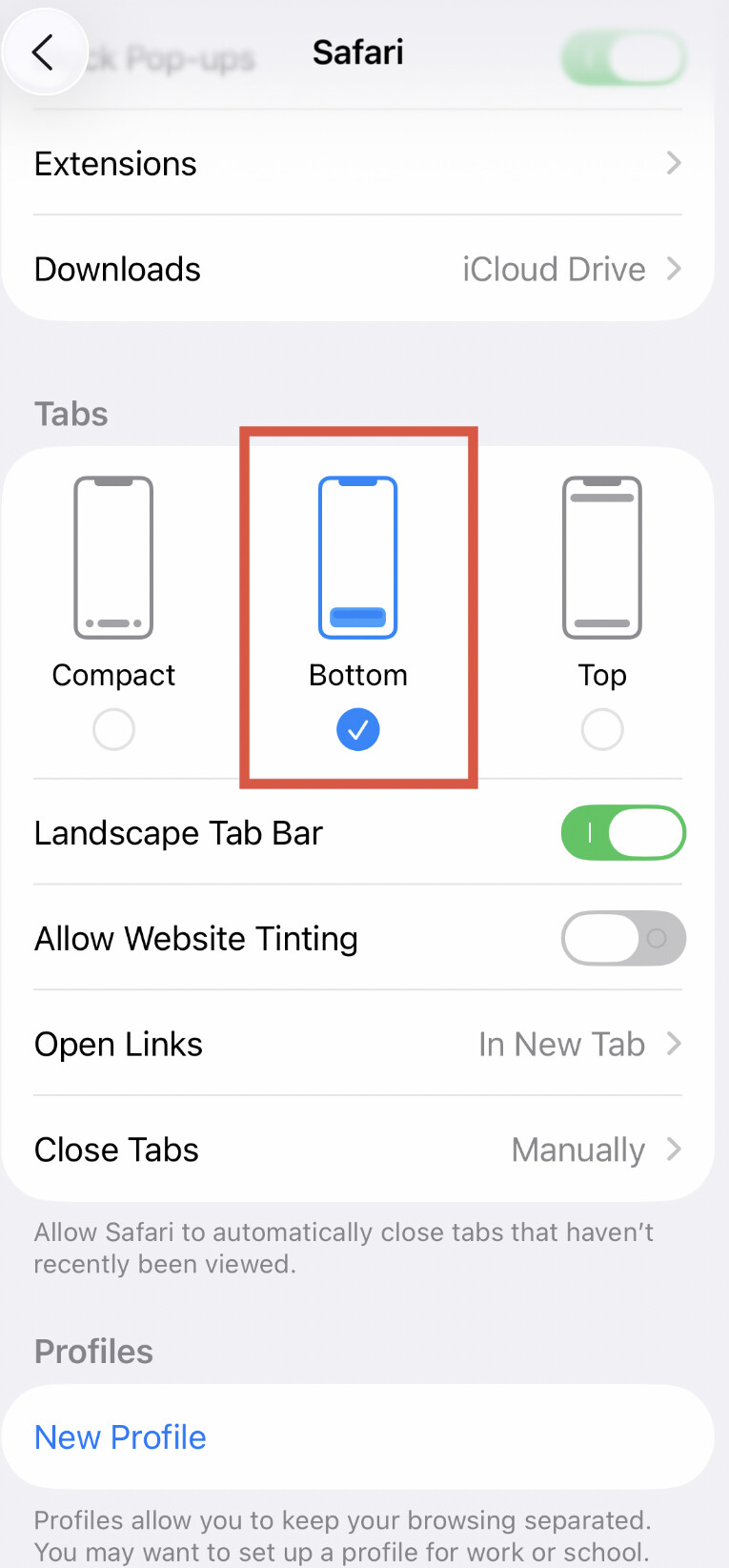
The Jello controls in Safari and Camera on an iPhone bothered me. In the safari→tabs setting turn off “Compact” (which I guess is a euphemism for wiggly ;-)
This is so true! Print designers designing user interfaces. That’s not to say they aren’t capable, but it’s not a given.
When I worked at Apple—for a period of time either side of the iOS 7 release—things were already on this slippery slope.
Has anybody confirmed the toggles still work in the latest beta and/or release candidate?
My place of work just pushed back MDM required upgrade date from the end of October to the end of December (Happy Christmas/New Year, we’ve f*cked up your user interface! Enjoy!)
I had the exact same problem after applying the Terminal Command. For some reason the icons didn’t appear on the menubar and then I realized the the applications that show these icons will not load. I open them manually but I recieved an error. I went back to the Terminal, copied the command again and changed it back (by replace YES to NO). It helped.
I have been hesitating for 8 months to transfer all from my mac mini m2 running sequoia to my mac mini m4. Only been using mac since early 1980’s - and very reluctant to upgrade to Tahoe. So before transferring anything of significane I finally upgraded my m4 to Tahoe ( and of course LIQUID GLASS ) I Ccan best sum up my impression of liquid glass as follows - this liquid should be used as an enema on those who made the decision to incorporate such a mess with NO easy way to simply xfer ALL previous adjusted M2 Sequoia ‘screen, texts, window, browser, desktop,etc settings with the OPTION tu ‘ upgrade/change/update/ all graphic etc settings to the latest gee whiz goodies that probably only a small select ‘ designers ‘ need or find useful. My guess is that somehow Apple got infiltrated with left over gatesonian microsquish window designers.
 My Mac is almost cured again from this Liquid Glass nonsense. To summarise: