I hope so too but judging by some of the comments I found, it looks like many users never get a response. I wonder how much of a U.S. presence they have?
There is an EyeTV forum where participants have had mixed success with Silicon Macs:
1 Like
The comments are a mixed bag although some are on Intel.
The version I linked earlier (8532) works fine on my M1 for OTA. It does not crash when exiting. I still need to check on using it with 14.6.1 but it is working on 14.5 for sure. I don’t use the EPG so I can’t say it that works or not. If I need to record, I will do that manually or I can use my DVR for that.
EDIT: I did check on the free program guide (not the paid one) which gets information from the stations and it does work. However, it only goes about 7-8 hours ahead but still useful to see what’s on. Some channels like infomercials don’t show anything but most have information.
The Mac I used is a 2019 Mac Pro, the last of the Intel line.
1 Like
I updated my Sonoma partition to 14.6.1 and tested the Geniatech U6 using the EyeTV4 software (version 8532) and it’s working fine as it did in 14.5 and this is on an M1 Air. I tried the recording function and that works as well.
The only thing I found to be a problem is if you enter a channel number using the keyboard, it will switch to that channel but after a few seconds you will see the spinning beach ball and have to force quit as the program stops responding. I’m not sure if that direct channel entry using the keyboard is a feature or not as I found that accidentally. But overall, it’s working but you do need version 8532 which I linked earlier a few posts above. I haven’t heard from tech support if they’re adding that to the U.S site but it’s available on the European one which appears to be in German.
I have heard back from Geniatech Support (US?). They confirm that the current version of EyeTV 4 is not compatible with Sonoma on Silicon Macs. Evidently the reports above that it is working with M1 Macs are due to luck rather than design!
They processed a refund for my one of my purchases (I had inadvertently purchased 2 licences - I am using the other on my Intel/Mojave iMac).
What Geniatech is telling you is not my experience at all. I’ve been using the software I referenced earlier and OTA viewing is working and so is recording.
If you heard from U.S. support, that might be that they’re confused since the software versions on that page are over two years old or so and are not Sonoma compatible. Did you download the version I linked earlier? If not, I would try it as it works on my M1 Air using Sonoma 14.5 and 14.6.1 also.
EDIT: One other thing: some users reported that using the old Elgato sticks with EyeTV4 on Apple Silicon caused problems but did not after purchasing the newer U6 model which is the one I have.
Here is a screenshot:
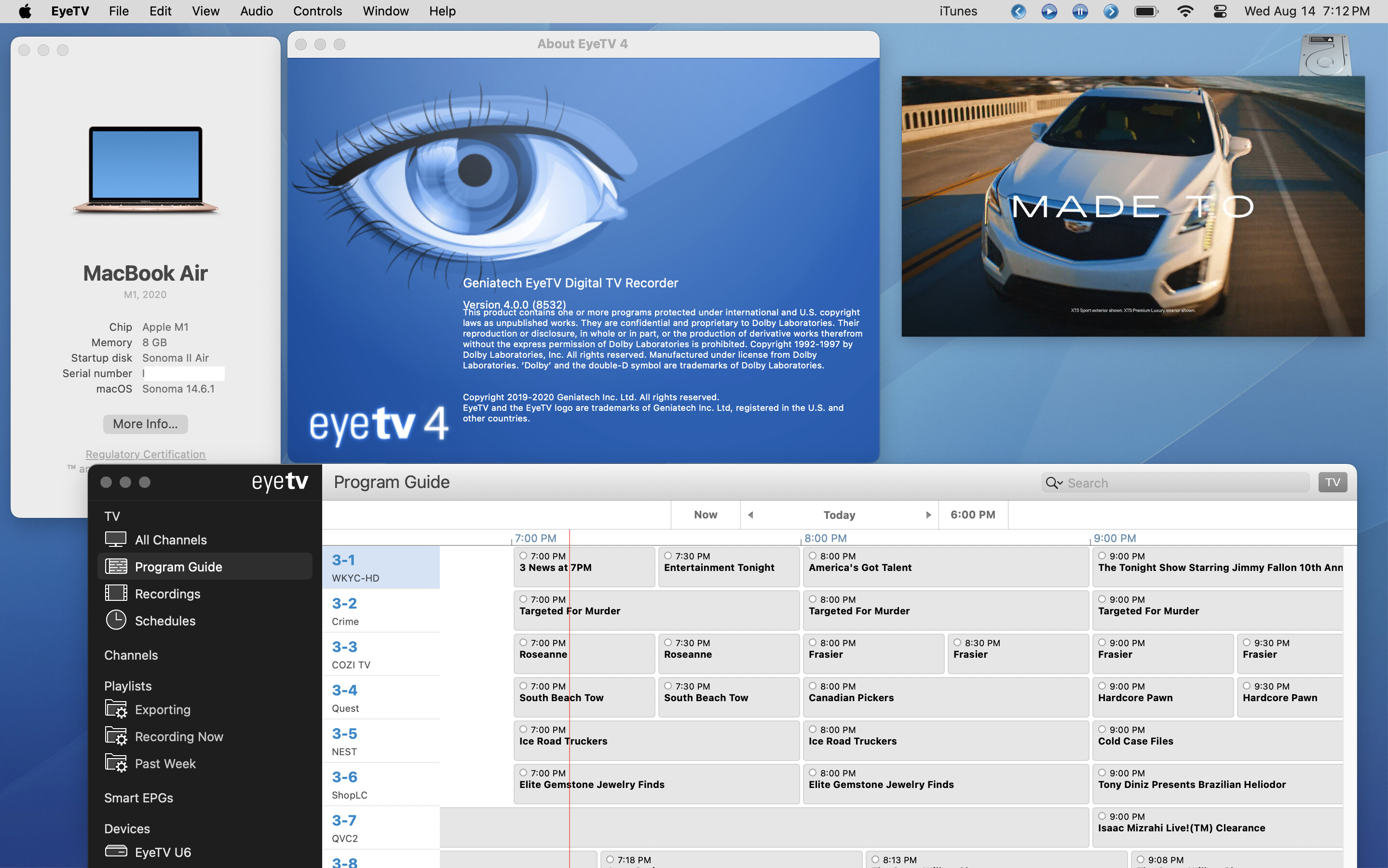
I tend to use the fullscreen mode which works fine but all viewing modes work. The smallest one is in the screen shot.
For those still having issues, another possibility would be to use one of the older versions such as those that work with Monterey using a VM such as UTM but since mine is working with Sonoma, I don’t need to do that.
EDIT: I would also add that on their own page, Geniatech states that version 8532 is compatible with OS 14 which is Sonoma so their own customer support is not informed:
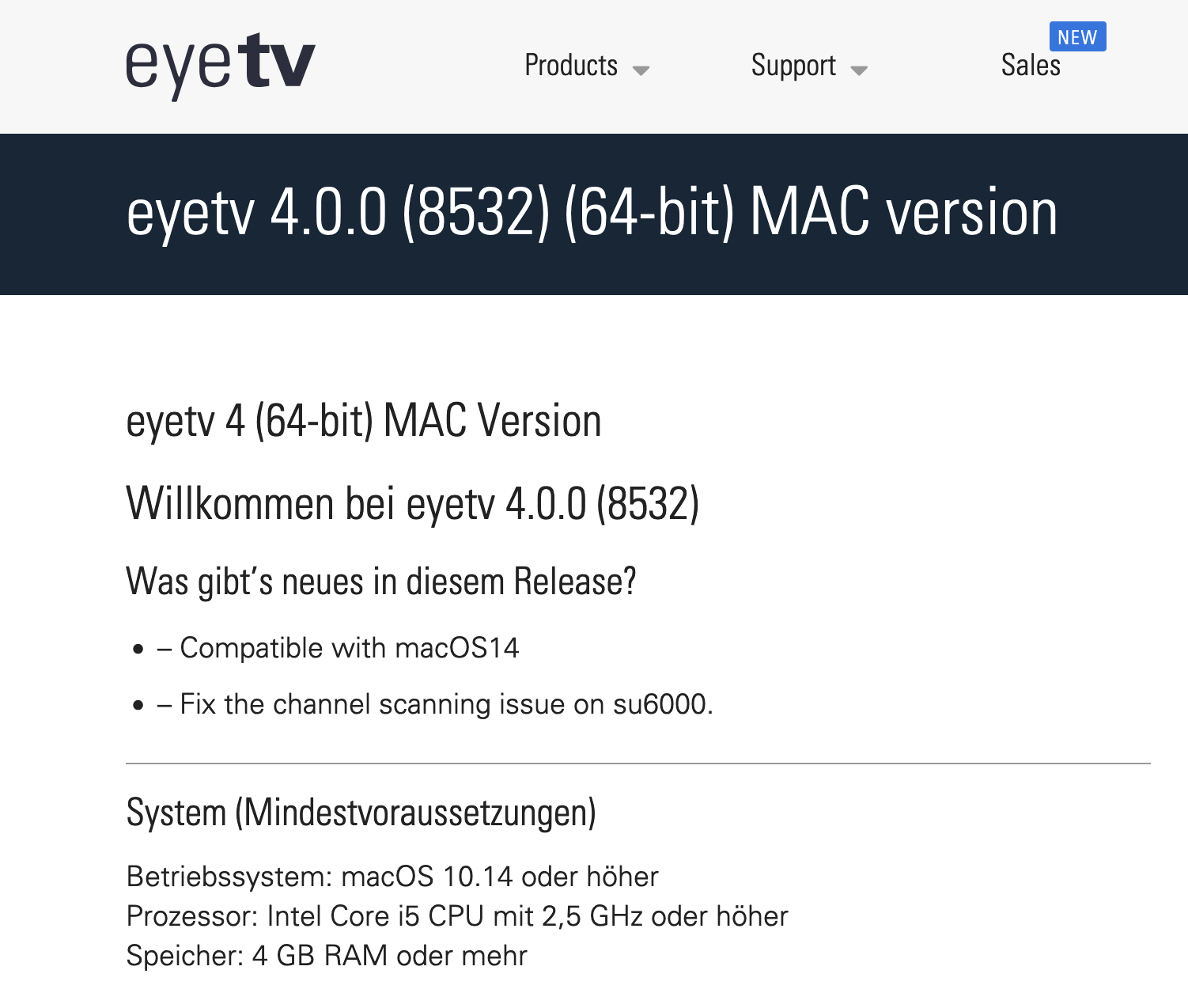
This is the same link I posted earlier in this thread.
My problem is that I paid for the US version and the “licence” might not be valid for the EU version. However, in view of your helpful advice, I will try downloading the EU version.
Are you in the U.S.? Since I am, I can only state that the U6 box came with codes for both versions 3 and 4. I’m not sure if there is a separate code for an EU version but I would think that the codes would work in any event. When you start the version 4 software, it does ask what country you’re in but I think that has more to do with the software language and the type of tv standard being used like ATSC for U.S. and other countries that have that standard.
I am in Australia.
The EU version of EyeTV4 works well and no further activation key was needed. I have even found (in an office cupboard!) and old Elgato tuner stick that works with the M2 Macbook Air running EyeTV4.
Thank you for your help.
Glad to hear it’s working. I noticed that some users mentioned using EyeTV4 with older sticks but wasn’t sure if that was dependent on the country and/or system being used. I guess we’ll see if it works with Sequoia soon enough.
EyeTV4 version 8532 is working with Sequoia with the U6 tuner except for the issue with using the number keys to go directly to a channel as mentioned previously above.