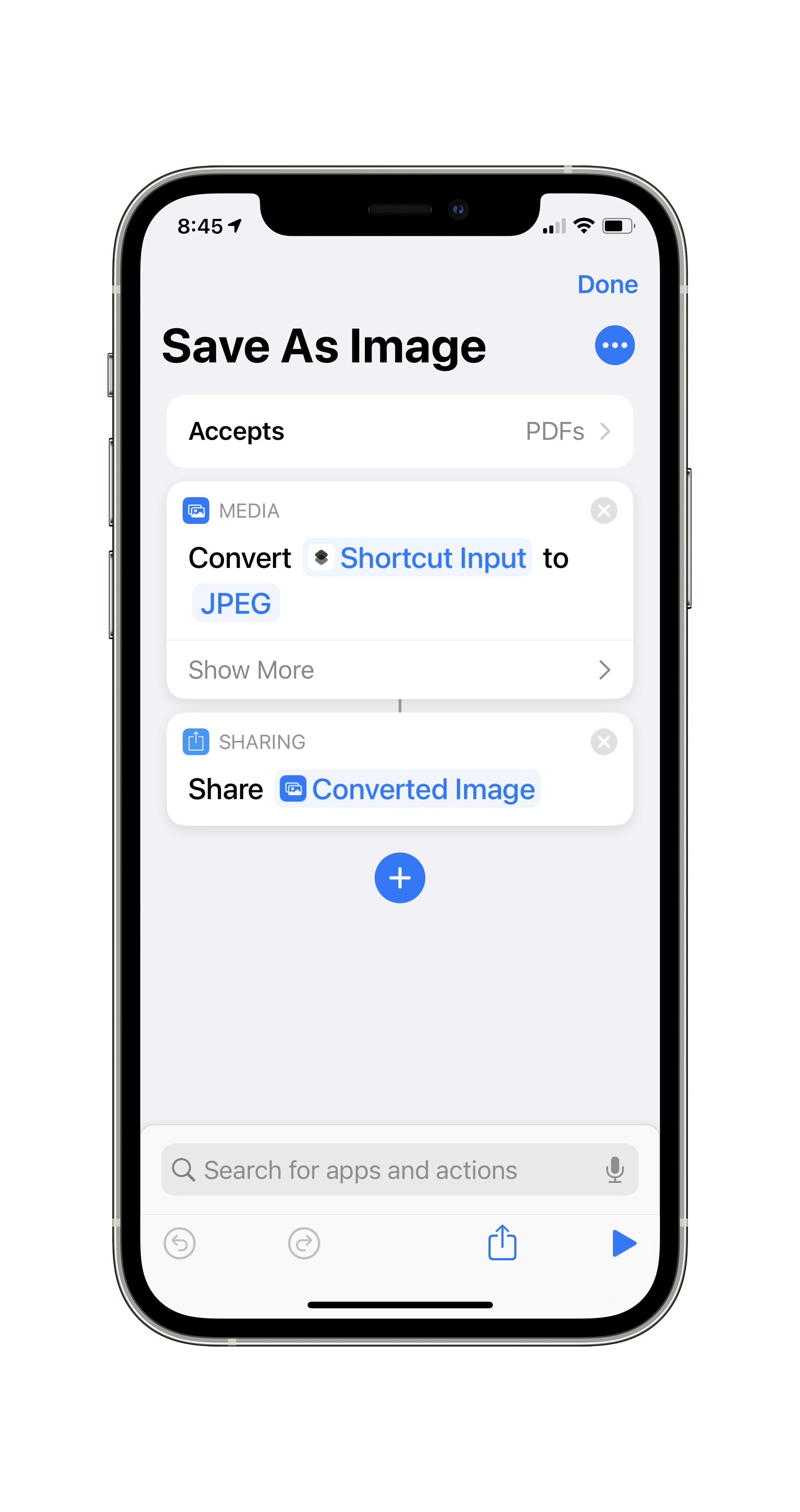
Is there a way to see the details of the shortcut? That’s where you set Accepts
Here’s mine: Note no accepts box.
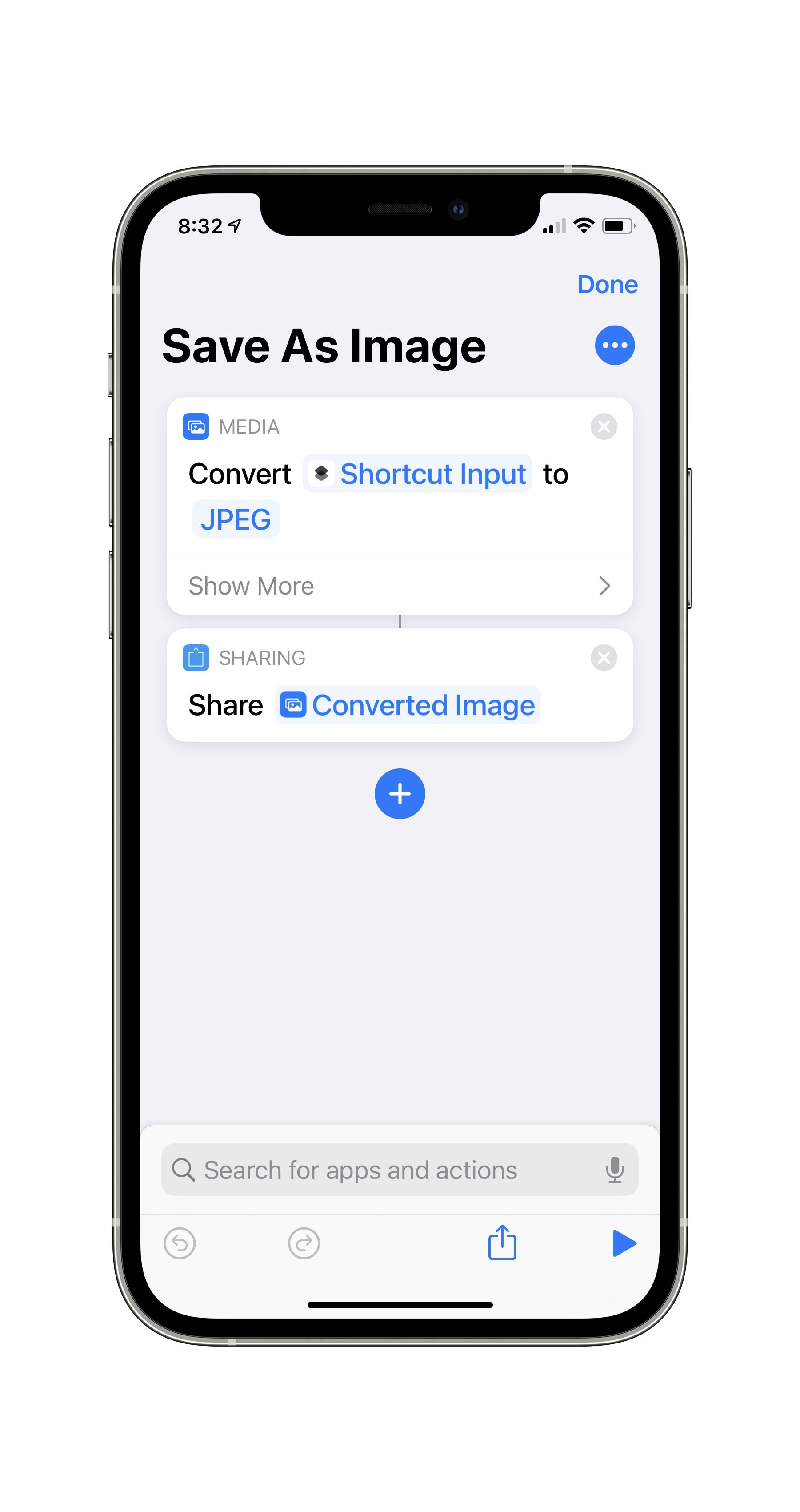
Press that blue circle with the three dots.
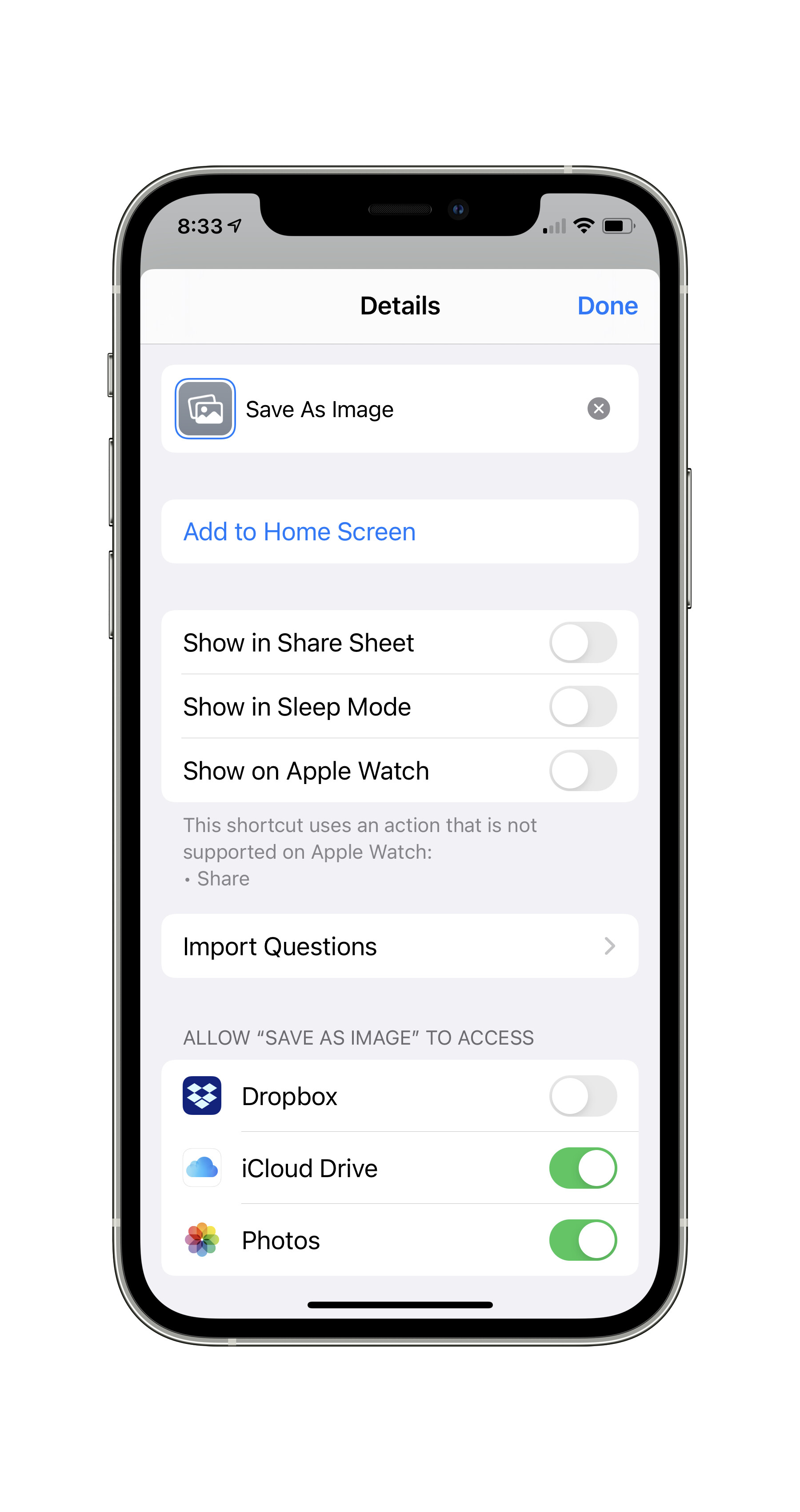
See that Show in Share Sheet Switch? Flip that and below it will show Share Sheet Types setting below. Select that, and select PDF only. There’s a Deselect All option on the top right. You can select that, then select PDFs.
Now when you press Done, you’ll see Accepts PDFs on top.